
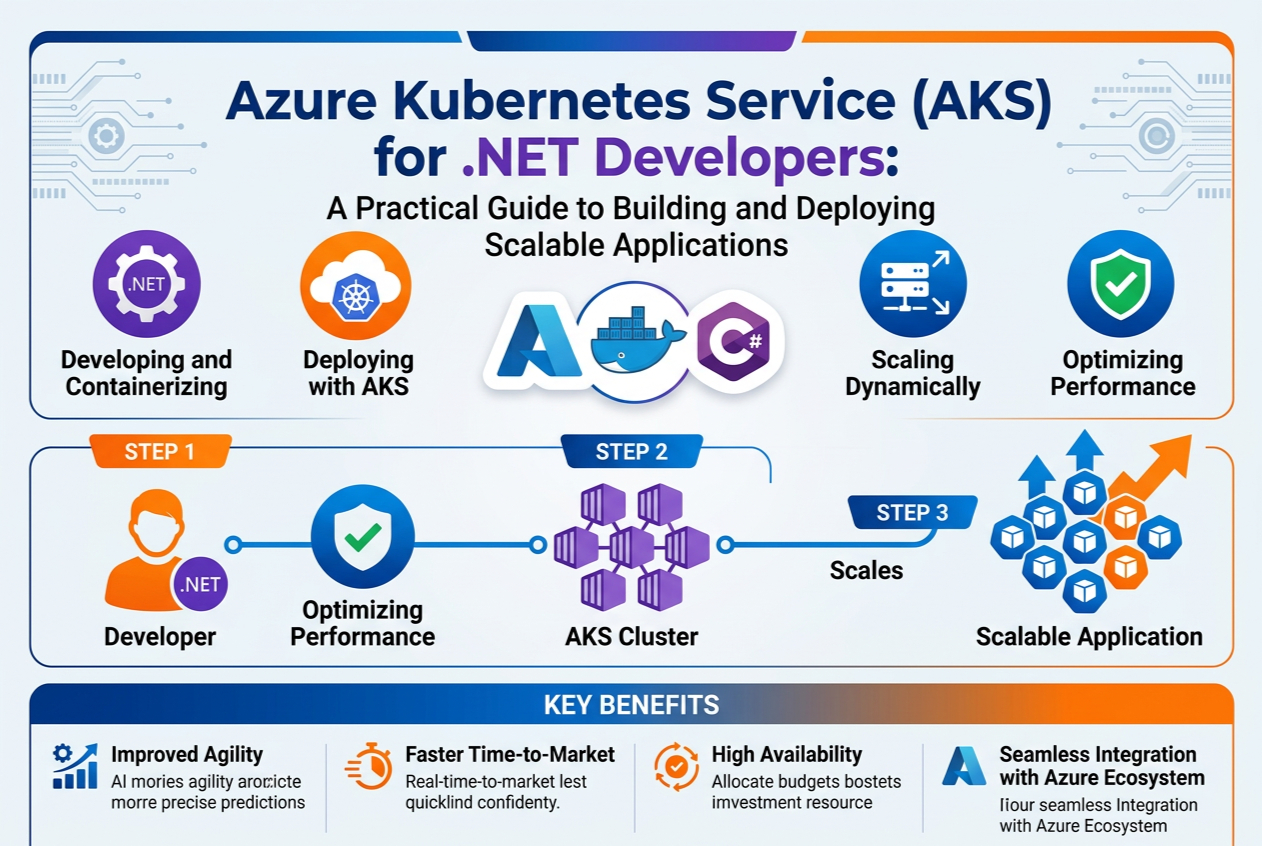
Azure Kubernetes Service (AKS) for .NET Developers: A Practical Guide to Building and Deploying Scalable Applications
Introduction
Modern software development has evolved far beyond deploying applications on a single web server. Today’s enterprise applications must handle thousands or even millions of users, support continuous deployments, recover automatically from failures and scale seamlessly during peak traffic.
For .NET developers, achieving these capabilities requires more than writing excellent code—it demands a modern application deployment platform.
This is where Azure Kubernetes Service (AKS) comes into the picture.
Microsoft Azure Kubernetes Service (AKS) is a fully managed Kubernetes platform that enables developers to deploy, manage and scale containerized .NET applications without worrying about managing complex Kubernetes infrastructure.
Whether you’re building ASP.NET Core Web APIs, Blazor applications, microservices or enterprise business solutions, AKS provides the reliability, scalability and automation needed for cloud-native application development.
In this practical guide, you’ll learn what AKS is, why .NET developers should use it, how it works, deployment best practices and real-world implementation strategies.
What is Azure Kubernetes Service (AKS)?
Azure Kubernetes Service (AKS) is Microsoft’s managed Kubernetes offering that simplifies deploying, managing and scaling containerized applications in Azure.
Instead of installing and maintaining Kubernetes clusters yourself, Azure manages much of the underlying infrastructure, allowing developers to focus on building applications.
AKS provides:
- Managed Kubernetes clusters
- Automatic upgrades
- High availability
- Auto-scaling
- Built-in security
- Azure Active Directory integration
- Monitoring and logging
- Container orchestration
- Rolling deployments
- Disaster recovery support
It enables organizations to run production-grade containerized workloads with minimal operational overhead.
Why .NET Developers Should Learn AKS
Modern .NET applications increasingly use:
- ASP.NET Core
- Minimal APIs
- Blazor
- Worker Services
- gRPC Services
- Microservices
- Background Services
These applications often require:
- High availability
- Load balancing
- Auto scaling
- Continuous deployment
- Container orchestration
AKS addresses these challenges while integrating seamlessly with the Microsoft ecosystem.
Learning AKS is now considered a valuable skill for modern .NET developers and cloud architects.
Understanding Kubernetes
Before exploring AKS, it’s important to understand Kubernetes.
Kubernetes is an open-source container orchestration platform that automates:
- Application deployment
- Scaling
- Load balancing
- Service discovery
- Rolling updates
- Self-healing
- Resource management
Think of Kubernetes as an intelligent operating system for your containers.
Instead of manually managing hundreds of Docker containers, Kubernetes automatically ensures applications remain healthy and available.
Why Containers Matter
Traditionally, applications were deployed directly onto virtual machines.
This approach often caused:
- Dependency conflicts
- Environment inconsistencies
- Difficult deployments
- Slow scaling
- Resource wastage
Containers solve these problems.
A container packages:
- Application code
- .NET Runtime
- Dependencies
- Configuration
- Libraries
The application runs consistently across:
- Developer laptops
- Testing servers
- Azure
- Production environments
This consistency significantly reduces deployment issues.
AKS Architecture
A typical AKS deployment consists of several components.
Control Plane
Managed by Microsoft Azure.
Responsibilities include:
- Scheduling workloads
- Cluster management
- API server
- Health monitoring
Developers do not manage this layer.
Node Pools
Node pools contain the virtual machines that run application workloads.
Each node runs:
- Kubernetes
- Docker-compatible container runtime
- Application containers
Organizations can configure multiple node pools for different workloads, such as production services, background jobs or GPU-enabled applications.
Pods
Pods are the smallest deployable units in Kubernetes.
Each pod contains:
- One or more containers
- Shared networking
- Shared storage
Your ASP.NET Core application typically runs inside a pod.
Services
Services expose applications running inside pods.
Common service types include:
- ClusterIP
- NodePort
- LoadBalancer
- ExternalName
Most production ASP.NET Core applications use a LoadBalancer or Ingress controller.
Ingress
Ingress manages external HTTP and HTTPS traffic.
Benefits include:
- SSL termination
- URL routing
- Domain mapping
- Load balancing
- Reverse proxy
This enables multiple applications to share a single public endpoint.
Deploying an ASP.NET Core Application to AKS
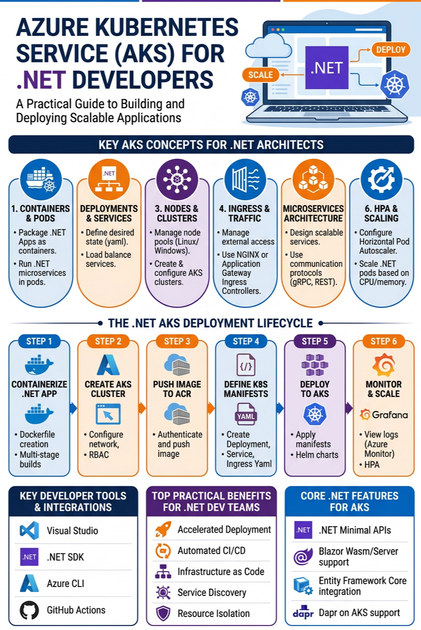
A typical deployment workflow follows these steps.
Step 1: Build the Application
Develop your application using:
- ASP.NET Core
- Web API
- Blazor
- Minimal API
Step 2: Create a Docker Image
Package the application into a Docker container.
The image includes:
- Application binaries
- .NET Runtime
- Configuration
- Dependencies
Step 3: Push the Image
Upload the Docker image to:
- Azure Container Registry (ACR)
- Docker Hub
- GitHub Container Registry
Azure Container Registry is generally the preferred choice for Azure-hosted workloads.
Step 4: Create Kubernetes Manifests
Deployment manifests define:
- Container image
- Replica count
- CPU allocation
- Memory allocation
- Environment variables
- Health probes
Service manifests expose the application to users.
Step 5: Deploy to AKS
Use Kubernetes deployment tools to deploy the application.
Kubernetes schedules the application across available nodes and automatically maintains the desired number of running instances.
Scaling Applications Automatically
One of AKS’s most valuable features is automatic scaling.
AKS supports:
Horizontal Pod Autoscaler
Automatically increases or decreases pod instances based on:
- CPU utilization
- Memory usage
- Custom metrics
Example:
2 Pods
↓
10 Pods during peak traffic
↓
3 Pods after traffic decreases
Cluster Autoscaler
Automatically adds or removes Azure virtual machines based on workload demands.
Benefits include:
- Cost optimization
- Improved performance
- Automatic resource management
Self-Healing Capabilities
Traditional hosting requires manual intervention when servers fail.
AKS automatically handles failures.
If:
- A pod crashes
- A container stops
- A node becomes unavailable
Kubernetes immediately creates replacement instances.
This ensures applications remain available with minimal downtime.
Rolling Updates
Updating production applications without downtime is a major advantage of Kubernetes.
AKS supports rolling deployments by:
- Deploying new application versions gradually
- Monitoring health during deployment
- Removing old instances only after validation
Users experience little or no service interruption.
Rollback Support
If a deployment introduces issues:
AKS allows developers to quickly roll back to the previous stable version.
This significantly reduces deployment risks.
Monitoring AKS Applications
Enterprise applications require continuous monitoring.
AKS integrates with:
- Azure Monitor
- Azure Log Analytics
- Application Insights
- Managed Prometheus
- Grafana
Developers can monitor:
- CPU utilization
- Memory consumption
- Request latency
- Error rates
- Pod health
- Container restarts
- Network traffic
These insights help teams detect and resolve issues proactively.
Security Best Practices
Security is essential when deploying containerized applications.
Recommended practices include:
Use Azure Active Directory
Integrate AKS with Microsoft Entra ID for secure authentication and role-based access.
Store Secrets Securely
Avoid storing passwords inside application code.
Use:
- Azure Key Vault
- Kubernetes Secrets
- Managed Identities
Scan Container Images
Regularly scan Docker images for vulnerabilities before deployment.
Use Network Policies
Restrict communication between services to reduce the attack surface.
Keep Clusters Updated
Apply Kubernetes and node image updates to benefit from the latest security patches and performance improvements.
CI/CD with AKS
Continuous Integration and Continuous Deployment are essential for modern development.
Popular CI/CD tools include:
- Azure DevOps
- GitHub Actions
A typical pipeline includes:
Developer commits code
↓
Application build
↓
Automated testing
↓
Docker image creation
↓
Push to Azure Container Registry
↓
Deploy to AKS
↓
Health validation
↓
Production release
Automation accelerates delivery while reducing deployment errors.
Real-World Use Cases
AKS is widely used across industries.
Examples include:
Banking
- Digital banking platforms
- Payment gateways
- Fraud detection services
Healthcare
- Patient management systems
- Electronic health records
- Telemedicine platforms
Retail
- E-commerce applications
- Inventory management
- Order processing systems
Education
- Learning Management Systems
- Online examination platforms
- Student portals
Manufacturing
- IoT applications
- Production monitoring
- Predictive maintenance
Best Practices for .NET Developers
To build production-ready applications on AKS, consider these recommendations:
- Design applications using microservices where appropriate.
- Keep Docker images lightweight by using official .NET runtime images and multi-stage builds.
- Configure readiness and liveness probes to improve reliability.
- Externalize configuration using ConfigMaps, Azure App Configuration or environment variables.
- Store secrets securely with Azure Key Vault and Managed Identities.
- Implement structured logging and centralized monitoring.
- Use resource requests and limits to optimize cluster performance.
- Enable autoscaling for both pods and nodes.
- Regularly update Kubernetes versions and container images.
- Automate deployments through CI/CD pipelines.
Following these practices improves scalability, maintainability and operational resilience.
Common Mistakes Beginners Should Avoid
Many developers new to Kubernetes encounter similar challenges.
Avoid:
- Running everything in a single pod
- Ignoring resource limits
- Hardcoding configuration values
- Storing secrets inside Docker images
- Deploying without health probes
- Skipping monitoring and alerting
- Using the latest container images without testing
- Ignoring namespace isolation
- Performing manual production deployments
Learning these lessons early will help build more reliable applications.
Future of AKS and .NET Development
Microsoft continues to enhance Azure Kubernetes Service with powerful cloud-native capabilities.
Emerging trends include:
- AI-assisted cluster management using Microsoft Copilot
- Kubernetes-native AI workloads
- Azure Container Apps and AKS integration
- GitOps with Azure Arc
- Service Mesh adoption
- Serverless Kubernetes
- Intelligent autoscaling
- Enhanced security with confidential containers
- Improved developer experiences through Azure Developer CLI
These innovations make AKS an increasingly strategic platform for enterprise application development.
Skills Every AKS Developer Should Learn
To become proficient in cloud-native .NET development, professionals should build expertise in:
- ASP.NET Core
- C#
- Docker
- Kubernetes
- Azure Kubernetes Service (AKS)
- Azure Container Registry (ACR)
- Azure DevOps
- GitHub Actions
- Azure Monitor
- Application Insights
- Microsoft Entra ID
- Azure Key Vault
- Helm
- YAML
- Microservices Architecture
- REST APIs
- gRPC
- Azure Networking
These skills are highly valued by organizations modernizing their cloud infrastructure.
Conclusion
Azure Kubernetes Service (AKS) empowers .NET developers to build, deploy and manage scalable, resilient and secure cloud-native applications with confidence. By combining the flexibility of Kubernetes with the simplicity of a managed Azure service, AKS removes much of the operational complexity traditionally associated with container orchestration.
Whether you’re deploying ASP.NET Core APIs, Blazor applications, background services or enterprise microservices, AKS provides the tools needed to support high availability, automatic scaling, continuous delivery and robust security.
As organizations increasingly adopt cloud-native architectures, mastering AKS is no longer optional for many .NET professionals—it’s a strategic skill that opens the door to modern application development and enterprise digital transformation.









