
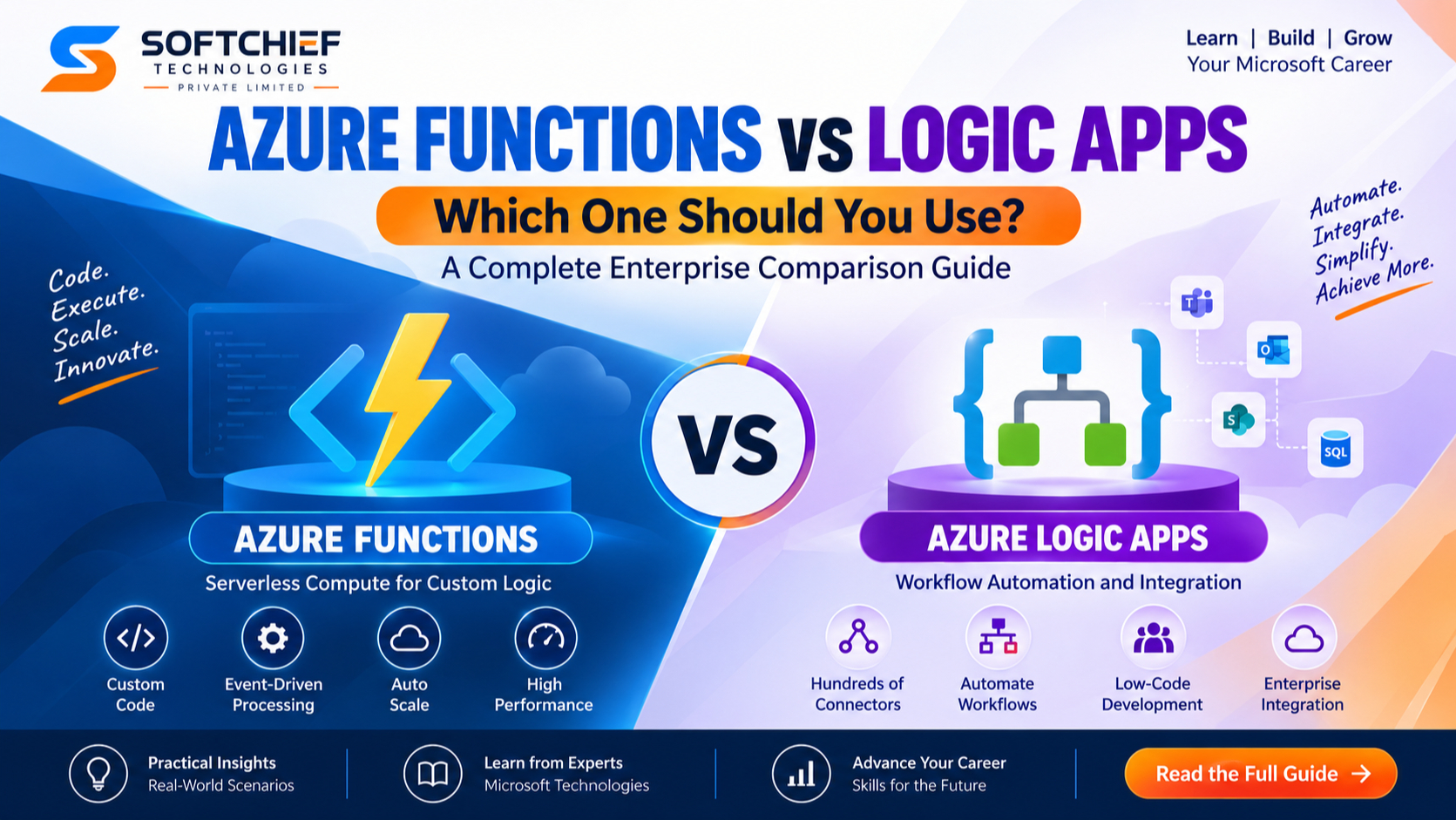
Azure Functions vs Logic Apps: Which Azure Service Should Developers Use?
Introduction
Modern businesses are rapidly moving towards cloud-native architectures where automation, integration and scalability are critical success factors. Organizations need solutions that can connect applications, automate business processes and execute custom logic without managing complex infrastructure.
Microsoft Azure provides several powerful serverless technologies to address these requirements. Two of the most widely used services are:
- Azure Functions
- Azure Logic Apps
Although both services support serverless computing and automation, they solve different business problems.
Many developers, architects and organizations often ask:
“Should we use Azure Functions or Azure Logic Apps for our solution?”
The answer depends on factors such as:
- Complexity of business logic
- Integration requirements
- Development skills
- Workflow automation needs
- Scalability requirements
- Maintenance approach
In this article, we will explore Azure Functions vs Logic Apps in detail, compare their capabilities and understand when to choose each technology for enterprise solutions.
Understanding Azure Serverless Computing
Before comparing Azure Functions and Logic Apps, it is important to understand the concept of serverless computing.
Serverless does not mean there are no servers involved. Instead, cloud providers manage the underlying infrastructure, allowing developers to focus on application logic rather than server management.
Serverless benefits include:
- Automatic scaling
- Reduced infrastructure management
- Pay-per-use pricing
- Faster application development
- Improved operational efficiency
Microsoft Azure provides multiple serverless services including:
- Azure Functions
- Azure Logic Apps
- Azure Event Grid
- Azure Service Bus
- Azure Durable Functions
What Are Azure Functions?
Azure Functions is a serverless compute service that allows developers to execute small pieces of code called functions without managing servers.
Developers write code that runs in response to events such as:
- HTTP requests
- Database changes
- Queue messages
- File uploads
- Timer schedules
- IoT events
Azure Functions supports multiple programming languages:
- C#
- Java
- JavaScript
- Python
- PowerShell
- TypeScript
Example Scenario: Order Processing API
Imagine an e-commerce application.
When a customer places an order:
- Order request is received.
- Azure Function validates customer information.
- Business rules are executed.
- Payment service is called.
- Confirmation message is generated.
This type of custom processing logic is ideal for Azure Functions.
What Are Azure Logic Apps?
Azure Logic Apps is a cloud-based workflow automation platform designed to integrate applications, services and business processes.
Instead of writing large amounts of code, developers can visually design workflows using a low-code approach.
Logic Apps provides hundreds of built-in connectors including:
- Microsoft 365
- Dynamics 365
- Salesforce
- SAP
- SQL Server
- Azure services
- SharePoint
- ServiceNow
Example Scenario: Employee Onboarding Automation
A company wants to automate employee onboarding.
Workflow:
- HR creates employee record.
- Approval email is sent to manager.
- User account is created.
- Welcome email is sent.
- Training tasks are assigned.
This workflow can be created using Azure Logic Apps without building custom applications.
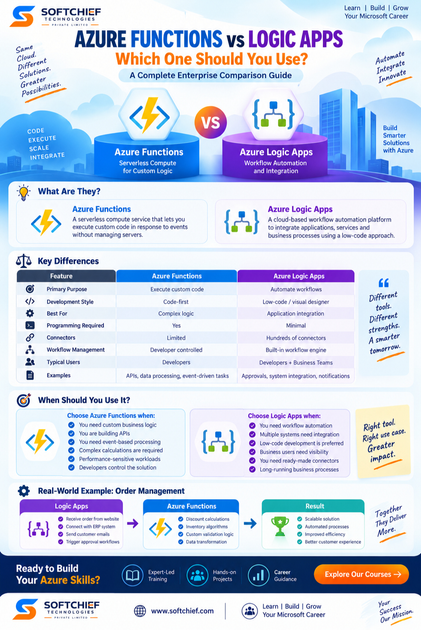
Azure Functions vs Logic Apps: Key Differences
| Feature | Azure Functions | Azure Logic Apps |
|---|---|---|
| Primary Purpose | Execute custom code | Automate workflows |
| Development Style | Code-first | Low-code / visual designer |
| Best For | Complex logic | Application integration |
| Programming Required | Yes | Minimal |
| Connectors | Limited | Hundreds of connectors |
| Workflow Management | Developer controlled | Built-in workflow engine |
| Business Users | Less suitable | More suitable |
| Debugging | Code debugging | Workflow monitoring |
| Scalability | Automatic | Automatic |
| Typical Users | Developers | Developers + Business Teams |
Azure Functions: When Should You Use It?
Azure Functions is the right choice when your solution requires custom programming logic.
1. Custom Business Logic
If your application requires complex calculations or decision-making, Azure Functions is ideal.
Example:
A banking application calculates loan eligibility using:
- Customer income
- Credit score
- Risk factors
- Financial history
This requires custom code execution.
2. API Development
Azure Functions can easily create lightweight APIs.
Example:
Mobile application:
Mobile App
     |
     |
Azure Function API
     |
     |
Database
Benefits:
- Serverless backend
- Automatic scaling
- Reduced hosting costs
3. Event-Based Processing
Azure Functions works well with event-driven architectures.
Examples:
When a file is uploaded:
Azure Blob Storage
        |
        |
Azure Function
        |
        |
Process File
Common scenarios:
- Image processing
- Data transformation
- Notification generation
- Background processing
4. Real-Time Data Processing
Organizations processing large volumes of events can use Azure Functions.
Examples:
- IoT data processing
- Application monitoring
- Streaming analytics
Azure Logic Apps: When Should You Use It?
Logic Apps is ideal for business process automation and system integration.
1. Application Integration
Organizations often have multiple systems that need communication.
Example:
CRM → ERP → Email → Reporting System
Logic Apps can connect these systems using connectors.
2. Business Workflow Automation
Logic Apps is excellent for approval processes.
Example:
Purchase Approval Workflow:
Employee Request

      ↓

Manager Approval

      ↓

Finance Approval

      ↓

Purchase Order Creation
3. Enterprise System Integration
Large organizations often use multiple platforms:
- Dynamics 365
- SAP
- Salesforce
- Oracle
- SharePoint
Logic Apps provides ready-made connectors.
4. Data Synchronization
Example:
Customer information needs synchronization between:
- CRM system
- Marketing platform
- Data warehouse
Logic Apps can automate data movement.
Azure Functions vs Logic Apps: Architecture Comparison
Azure Functions Architecture
Event Source

     |

Azure Function Trigger

     |

Custom Code Execution

     |

Output
Example:
Blob Upload → Function → Process File
Logic Apps Architecture
Trigger

   |

Workflow Steps

   |

Connectors

   |

Actions

   |

Business Process Completion
Example:
Email Received → Validate → Save Data → Notify Team
Can Azure Functions and Logic Apps Work Together?
Yes.
In enterprise solutions, Azure Functions and Logic Apps are often combined.
A common architecture:
Logic App

   |

Workflow Automation

   |

Azure Function

   |

Complex Business Logic

   |

Database / External System
Example:
Insurance Application Processing:
Logic App:
- Receives application
- Sends approval request
- Updates systems
Azure Function:
- Calculates risk score
- Performs advanced validation
Together they provide flexibility and scalability.
Real-World Enterprise Example
Customer Order Management System
A retail company wants to automate order processing.
Requirements:
- Receive customer orders
- Validate inventory
- Calculate discounts
- Update ERP
- Send notifications
Solution:
Logic Apps Handle:
✔ Receive order from website
✔ Connect with ERP system
✔ Send customer emails
✔ Trigger approval workflows
Azure Functions Handle:
✔ Discount calculations
✔ Inventory algorithms
✔ Custom validation logic
✔ Data transformation
This hybrid approach creates a scalable enterprise architecture.
Performance Comparison
Azure Functions Performance
Best for:
- Fast execution
- Lightweight processing
- Event-driven workloads
Examples:
- API requests
- Data processing
- Background jobs
Logic Apps Performance
Best for:
- Long-running workflows
- Integration processes
- Business automation
Examples:
- Approval workflows
- Multi-system communication
- Scheduled processes
Cost Comparison
Azure pricing depends on usage.
Azure Functions Cost Model
Typically based on:
- Number of executions
- Execution duration
- Memory usage
Suitable for:
- High-volume short operations
Logic Apps Cost Model
Based on:
- Workflow executions
- Connector usage
- Actions performed
Suitable for:
- Business automation scenarios
Security Considerations
Both Azure Functions and Logic Apps support enterprise security capabilities.
Security features include:
- Azure Active Directory integration
- Managed identities
- Role-based access control
- Private endpoints
- Encryption
- Network security controls
Azure Functions vs Logic Apps: Decision Framework
Use Azure Functions when:
✔ You need custom code
✔ Complex algorithms are required
✔ You are building APIs
✔ Developers control the solution
✔ Performance-sensitive processing is needed
Use Logic Apps when:
✔ You need workflow automation
✔ Multiple systems need integration
✔ Low-code development is preferred
✔ Business users need visibility
✔ You need connectors
Azure Functions vs Logic Apps: Which One Should You Choose?
There is no universal winner.
The correct choice depends on the business requirement.
A simple guideline:
| Requirement | Recommended Service |
|---|---|
| Build APIs | Azure Functions |
| Execute custom code | Azure Functions |
| Automate approvals | Logic Apps |
| Connect SaaS applications | Logic Apps |
| Process events | Azure Functions |
| Integrate enterprise systems | Logic Apps |
| Complex workflows | Logic Apps |
| Advanced calculations | Azure Functions |
Future of Serverless Development in Azure
The future of enterprise application development is moving towards:
- Serverless architectures
- Event-driven systems
- Low-code automation
- AI-powered workflows
- Cloud-native applications
Microsoft continues investing heavily in Azure integration services, making Azure Functions and Logic Apps essential skills for modern cloud professionals.
Developers and architects who understand when to use each service can design solutions that are:
- More scalable
- More secure
- Easier to maintain
- Cost-effective
Conclusion
Azure Functions and Azure Logic Apps are powerful serverless technologies, but they serve different purposes.
Azure Functions is designed for developers who need complete control over custom code execution, APIs and event-driven processing.
Azure Logic Apps is designed for workflow automation, system integration and business process orchestration.
In many enterprise scenarios, the best solution is not choosing one over the other but combining both.
By understanding the strengths of Azure Functions and Logic Apps, organizations can build modern cloud applications that improve productivity, reduce operational complexity and accelerate digital transformation.









