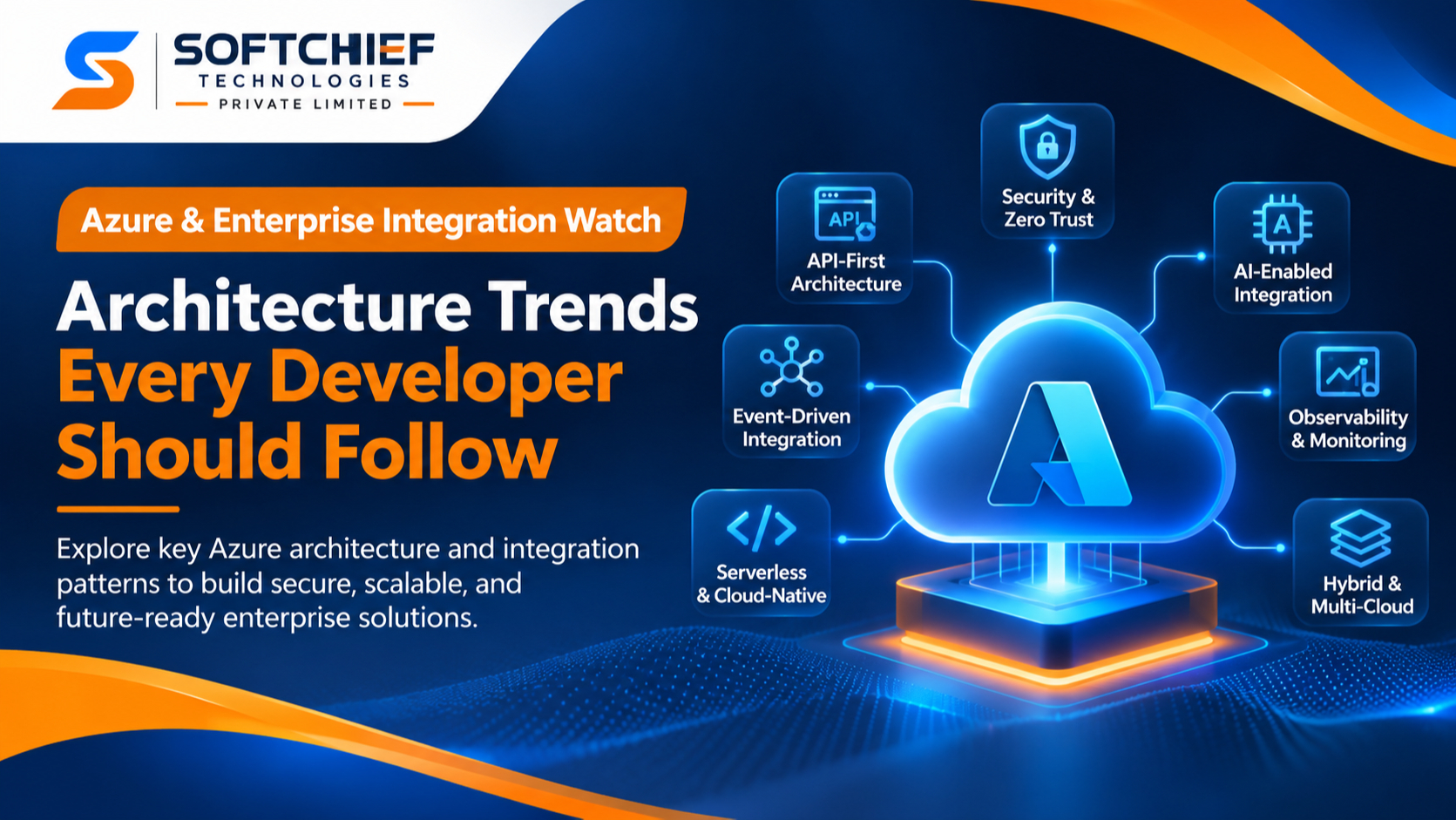
Azure & Enterprise Integration Watch: Architecture Trends Every Developer Should Follow
Published by: Softchief Learn
Category: Azure | Enterprise Architecture | Cloud Integration | Developer Insights
Introduction: Enterprise Integration Is No Longer Just About Connecting Systems
Modern enterprises rarely operate through a single application or technology platform. A typical organization might use Dynamics 365 for customer relationship management, SAP for enterprise resource planning, Azure for cloud infrastructure, Microsoft 365 for collaboration, Power Platform for business automation, and multiple third-party SaaS applications for specialized operations.
The real architectural challenge is not simply making these systems communicate. It is ensuring that they exchange information securely, consistently, reliably, and at scale without creating tightly coupled dependencies.
Consider an enterprise order-processing scenario.
A customer places an order through an e-commerce application. The order must be validated, customer information retrieved from Dynamics 365, inventory checked in an ERP system, payment verified through an external payment gateway, and fulfillment initiated through a warehouse management application.
If every application directly calls every other application, the integration landscape quickly becomes difficult to maintain. A change in one system can affect multiple downstream applications. Network failures can interrupt business transactions, and duplicate messages can create inconsistent business records.
This is why enterprise integration architecture is evolving toward API-led connectivity, event-driven communication, asynchronous processing, distributed systems, serverless integration, zero-trust security, and intelligent automation.
For developers working with Microsoft Azure, understanding these architectural patterns is becoming just as important as knowing how to write application code.
The key shift: Developers must move from building point-to-point integrations to designing resilient, observable, secure, and independently scalable integration ecosystems.
1. API-First Architecture: Treat APIs as Enterprise Products
APIs are no longer just endpoints exposed by backend applications. They are reusable enterprise assets that need governance, security, versioning, documentation, lifecycle management, and controlled consumption.
An API-first approach starts by defining the API contract before implementing the underlying functionality.
Developers should consider:
- RESTful API design principles and resource-oriented endpoints.
- OpenAPI specifications and API contract management.
- API versioning and backward compatibility.
- Authentication and authorization using OAuth 2.0 and Microsoft Entra ID.
- Rate limiting, throttling, and quota management.
- Request validation and response transformation.
- API lifecycle management and developer onboarding.
- Centralized API security and observability.
Where Azure API Management fits
Azure API Management (APIM) acts as an API gateway and management platform between API consumers and backend services.
It provides capabilities such as:
- Centralized API publishing and management.
- Authentication and authorization policies.
- Request and response transformation.
- Rate limiting and throttling.
- API versioning and revision management.
- Developer portal and API discovery.
- Monitoring and analytics.
Enterprise scenario:
A company exposes customer information through multiple backend applications. Instead of allowing mobile applications, partner systems, and internal portals to access each backend independently, the organization publishes governed APIs through Azure API Management.
Each consumer accesses a consistent API contract, while APIM applies the required security and traffic-management policies.
Architectural consideration: An API gateway should not become a repository for all business logic. Keep domain-specific processing in the appropriate backend services and use the gateway for cross-cutting API concerns.
2. Event-Driven Architecture: Move Beyond Constant System-to-System Calls
Traditional integration often depends on synchronous request-response communication.
For example:
Application A calls Application B, waits for a response, processes the result, and then continues.
This works for immediate operations, but it can introduce runtime dependencies. If Application B becomes unavailable, Application A might also become unable to complete its operation.
Event-driven architecture offers another approach.
Instead of directly instructing another application to perform a task, a system publishes an event describing something that has happened.
For example:
- CustomerCreated
- OrderSubmitted
- PaymentCompleted
- InventoryUpdated
- InvoiceGenerated
- CustomerAddressChanged
Other systems subscribe to relevant events and independently execute their business responsibilities.
Azure services supporting event-driven architecture
Azure Event Grid
Designed for event distribution and publish-subscribe communication. It helps event producers notify interested consumers when relevant events occur.
Azure Service Bus
Provides enterprise messaging capabilities through queues and topics. It is suitable for reliable asynchronous communication, message handling, and decoupling business processes.
Azure Event Hubs
Designed for high-throughput event ingestion and streaming scenarios, including telemetry, logs, and large-scale event data.
Important architectural distinction
These services are not interchangeable.
| Service | Primary architectural responsibility |
|---|---|
| Azure Event Grid | Event routing and distribution |
| Azure Service Bus | Enterprise messaging and decoupled business processing |
| Azure Event Hubs | High-volume event ingestion and streaming |
Enterprise scenario:
When a customer places an order, the order management system publishes an OrderSubmitted event.
The inventory service receives the event and reserves stock. The notification service sends an order confirmation. The analytics platform processes the event for business reporting.
The original order application does not need to know how many downstream consumers exist.
This reduces direct dependencies and makes individual components easier to evolve.
Developer takeaway: Learn when to use events, queues, and topics rather than implementing every integration through direct HTTP calls.
3. Asynchronous Processing: Design for Failure, Not Just Success
One of the most important enterprise architecture decisions is determining whether an integration should be synchronous or asynchronous.
Synchronous processing is useful when an immediate response is necessary.
Asynchronous processing is useful when a task can be completed independently of the original request.
Consider a payroll application processing salary payments for thousands of employees.
Processing every payment synchronously can create long-running requests, timeouts, and unnecessary dependencies between systems.
A more resilient approach is to accept the request, publish messages to a queue, and allow independent workers to process payments.
Key concepts developers must understand
- Message queues and publish-subscribe patterns.
- Message acknowledgements and settlement.
- Dead-letter queues.
- Retry policies and exponential backoff.
- Duplicate message detection.
- Idempotent message processing.
- Message ordering and sessions.
- Poison message handling.
- Transactional Outbox pattern.
- Eventual consistency.
Why idempotency matters
In distributed systems, a message might be delivered more than once.
Suppose an order-processing service receives the same payment-completion message twice.
Without duplicate protection, the system could accidentally create two payment records or execute the same business operation twice.
An idempotent consumer ensures that processing the same logical message repeatedly does not produce unintended duplicate business effects.
Developers should implement unique message identifiers, business transaction identifiers, and appropriate deduplication or idempotency controls.
Enterprise takeaway: A production integration must account for message duplication, processing failures, delayed delivery, and recovery—not just the successful execution path.
4. Serverless and Cloud-Native Integration: Scale Based on Business Demand
Serverless computing has changed how developers implement integration workloads.
Instead of maintaining infrastructure for every integration process, developers can use managed services that execute code or workflows in response to events, requests, and schedules.
Important Azure services
Azure Functions
Suitable for event-triggered processing, API backends, scheduled tasks, message consumers, and lightweight integration logic.
Azure Logic Apps
Suitable for workflow orchestration, enterprise application connectivity, business process integration, and low-code integration scenarios.
Azure Container Apps
Useful for deploying containerized applications and services with managed infrastructure and scaling capabilities.
Azure Kubernetes Service (AKS)
Provides managed Kubernetes for organizations that require greater control over container orchestration and complex distributed workloads.
Architecture decision: Which service should developers choose?
- Use Azure Functions for focused, event-driven code execution.
- Use Logic Apps for workflow orchestration and connector-driven integration.
- Use Container Apps for containerized services that benefit from managed application hosting.
- Use AKS when Kubernetes-level orchestration and control are justified by the workload.
The decision should depend on execution patterns, operational requirements, scaling characteristics, networking, deployment needs, and team capabilities.
Important: Serverless does not automatically mean lower cost or simpler architecture. Poorly designed execution patterns, excessive orchestration, inefficient data access, and uncontrolled scaling can increase operational costs.
5. Zero-Trust Security: Secure Every Integration Boundary
Enterprise integration expands the number of systems, identities, APIs, networks, and data flows that require protection.
A traditional approach that trusts a system simply because it operates inside a corporate network is insufficient for modern cloud environments.
Zero-trust architecture emphasizes explicit verification, least-privilege access, and continuous evaluation of security conditions.
Azure security components developers should understand
- Microsoft Entra ID for identity and access management.
- Managed identities for passwordless service-to-service authentication.
- Azure Key Vault for secrets, certificates, and cryptographic keys.
- OAuth 2.0 and OpenID Connect.
- Role-Based Access Control (RBAC).
- Private Endpoints and Private Link.
- Virtual Networks and network segmentation.
- Azure API Management security policies.
- Microsoft Defender for Cloud.
- Azure Policy and governance controls.
Practical enterprise scenario
An Azure Function needs to retrieve customer information from a protected backend API.
Instead of embedding a client secret directly in application configuration, the developer can use a managed identity where supported.
The identity is granted only the required permissions, and the API validates the access token before allowing the operation.
This reduces credential-management risks and supports least-privilege access.
Architectural principle: Secure the identity, the communication channel, the API, and the data. Protecting only the application endpoint is not sufficient.
6. AI-Enabled Enterprise Integration: From Data Exchange to Intelligent Workflows
Enterprise integration is increasingly intersecting with artificial intelligence.
Traditional integrations transfer data between applications and execute predefined business rules.
AI-enabled integrations can also interpret unstructured information, extract meaning, summarize content, assist with decisions, and invoke controlled business workflows.
Consider an enterprise customer support process.
A customer submits a support request containing an email, an attached document, and a description of the issue.
An AI-enabled workflow could:
- Extract relevant information from the submitted documents.
- Classify the customer request.
- Retrieve relevant knowledge from approved enterprise sources.
- Suggest a response to the support agent.
- Identify the appropriate business process.
- Request human approval before executing sensitive actions.
- Record the final action in Dynamics 365.
Microsoft technologies developers should explore
- Azure AI Foundry for building and managing AI applications and agents.
- Azure OpenAI capabilities for generative AI workloads.
- Azure AI Search for enterprise search and retrieval-augmented generation (RAG).
- Azure Functions for integrating AI services with backend applications.
- Azure API Management for governed API access.
- Microsoft Entra ID for identity and access management.
- Logic Apps for workflow orchestration.
- Dynamics 365 and Dataverse for enterprise business data.
Important architectural considerations
AI integration introduces additional engineering responsibilities:
- Prompt injection and untrusted input handling.
- Data privacy and information protection.
- Retrieval quality and grounding.
- Model access controls.
- Human approval and oversight.
- Token consumption and cost management.
- Latency and throughput management.
- Evaluation, tracing, and response validation.
- Controlled access to business operations.
Expert insight: An AI agent should not receive unrestricted access to enterprise systems. Business actions should be exposed through authenticated, authorized, narrowly scoped tools with validation, approval, and audit controls where required.
AI should enhance enterprise workflows without compromising business integrity.
7. Observability: Build Systems That Explain Their Own Behaviour
In distributed enterprise environments, a transaction may pass through several APIs, functions, queues, databases, and external services.
When something fails, developers need to identify where the failure occurred, what triggered it, which components were affected, and whether the transaction can be safely recovered.
Traditional application logging alone is not enough.
Modern integration architecture requires three complementary observability signals:
- Logs: Detailed records of application and system events.
- Metrics: Quantitative measurements such as request volume, latency, failure rates, and queue depth.
- Traces: End-to-end visibility into how a transaction moves across distributed components.
Azure observability capabilities
- Azure Monitor.
- Application Insights.
- Log Analytics workspace.
- Distributed tracing.
- OpenTelemetry instrumentation.
- Diagnostic settings.
- Alerts and action groups.
- Service-specific telemetry.
What should developers monitor?
- API response time and HTTP error rates.
- Function execution failures.
- Queue length and message age.
- Dead-letter message counts.
- Workflow execution failures.
- Authentication failures.
- Dependency latency.
- Resource consumption.
- End-to-end transaction completion time.
Real-world example:
An order is successfully submitted, but the warehouse system never receives the fulfillment request.
With correlation IDs and distributed tracing, developers can follow the transaction across the order API, message broker, processing function, and downstream service.
This makes troubleshooting faster and helps teams distinguish between application defects, infrastructure failures, and integration issues.
8. Hybrid and Multi-Cloud Integration: Enterprise Systems Will Remain Distributed
Not every enterprise application can move to the cloud immediately.
Organizations frequently maintain a combination of:
- On-premises SQL Server databases.
- Legacy .NET applications.
- SAP and other ERP systems.
- Dynamics 365 and Microsoft SaaS platforms.
- Azure-hosted microservices.
- Third-party cloud applications.
- Partner and supplier APIs.
This makes hybrid integration an important architectural capability.
Technologies and concepts to understand
- Azure API Management.
- Azure Logic Apps.
- Azure Service Bus.
- Azure ExpressRoute.
- Site-to-Site VPN.
- Virtual Network Integration.
- Private Link and Private Endpoints.
- Self-hosted integration runtimes.
- Secure API connectivity.
- Data synchronization and reconciliation.
Developers must understand network boundaries, identity federation, connectivity failures, data residency, and operational dependencies.
Architectural takeaway: Hybrid integration is not simply connecting an on-premises application to Azure. It requires a deliberate approach to identity, network security, data movement, resilience, and monitoring.
9. Integration Governance and Platform Engineering: Standardize Before Scaling
As enterprise integration grows, organizations can end up with hundreds of APIs, workflows, functions, and message-based integrations.
Without governance, this creates inconsistent authentication, duplicated business logic, undocumented dependencies, unmanaged costs, and difficult production support.
Developers and architects should establish standards for:
- API naming and versioning.
- Reusable integration components.
- Environment separation.
- Infrastructure as Code (IaC).
- CI/CD pipelines.
- Secrets and configuration management.
- API lifecycle governance.
- Logging and monitoring standards.
- Resource tagging and cost allocation.
- Deployment approvals and rollback procedures.
- Disaster recovery and business continuity.
Azure governance should be supported through appropriate combinations of Azure Policy, RBAC, resource organization, monitoring, and deployment automation.
The Azure Well-Architected Framework provides a useful foundation for evaluating these decisions across reliability, security, cost optimization, operational excellence, and performance efficiency.
10. A Practical Enterprise Integration Architecture
Let’s bring these concepts together through an enterprise customer-order scenario.
Business requirement: Build an integration solution that connects an e-commerce platform, Dynamics 365, an ERP application, a warehouse system, and an analytics platform.
Proposed architecture flow
Step 1 – API Entry Point
The e-commerce application sends an order request through Azure API Management.
Step 2 – Identity and Validation
Microsoft Entra ID authenticates the calling application where applicable. APIM enforces API policies, and the backend validates the business request.
Step 3 – Business Processing
An Azure Function performs the necessary order validation and creates the initial order record.
Step 4 – Event Publication
The application publishes an OrderSubmitted event or sends a command message to Azure Service Bus, depending on the required processing semantics.
Step 5 – Independent Processing
Separate consumers process the order for inventory reservation, ERP synchronization, and fulfillment initiation.
Step 6 – Event Distribution
Azure Event Grid can distribute relevant business events to other interested applications, such as notification or analytics consumers.
Step 7 – AI-Enabled Processing
An AI service can assist with order-document interpretation or exception classification, subject to validation and business controls.
Step 8 – Monitoring
Azure Monitor and Application Insights provide telemetry, distributed tracing, and failure visibility.
Step 9 – Security and Governance
Managed identities, Key Vault, RBAC, network controls, and Azure Policy help enforce the security and governance requirements.
Architecture decision matrix
| Requirement | Suitable Azure capability |
|---|---|
| API publishing and governance | Azure API Management |
| Event-triggered code execution | Azure Functions |
| Workflow orchestration | Azure Logic Apps |
| Reliable asynchronous messaging | Azure Service Bus |
| Event distribution | Azure Event Grid |
| High-volume event streaming | Azure Event Hubs |
| Containerized application hosting | Azure Container Apps / AKS |
| Secret and key management | Azure Key Vault |
| Identity management | Microsoft Entra ID |
| AI-enabled application capabilities | Azure AI Foundry |
| Enterprise search and RAG | Azure AI Search |
| Monitoring and observability | Azure Monitor / Application Insights |
Architecture warning: Not every enterprise solution needs every Azure service. Introducing additional components without a clear business or technical requirement increases complexity, operational overhead, and cost. Select services according to the communication pattern and workload requirements.
11. What Developers Should Start Learning Today
The evolution of enterprise integration means developers need a broader skill set than traditional application development alone.
The following capabilities are particularly valuable:
For Azure Developers
- REST API development and API security.
- Azure Functions and serverless architecture.
- Azure Service Bus and message processing.
- Event-driven application design.
- Azure API Management.
- Managed identities and Key Vault.
- Application Insights and distributed tracing.
- CI/CD and Infrastructure as Code.
For Integration Developers
- Enterprise integration patterns.
- Synchronous and asynchronous communication.
- Message routing and transformation.
- Retry, idempotency, and dead-letter handling.
- Logic Apps and connector-based integration.
- Hybrid connectivity and data synchronization.
For Solution Architects
- Domain-driven design and service boundaries.
- Microservices and distributed systems.
- API-led and event-driven architecture.
- Security architecture and identity federation.
- Reliability and disaster recovery.
- Cost and performance optimization.
- Governance and architectural trade-offs.
For Dynamics 365 and Power Platform Developers
- Dataverse architecture and event integration.
- Dynamics 365 Web API.
- Azure Service Bus integration.
- Custom APIs and plug-in architecture.
- Power Automate and Azure Logic Apps.
- Azure Functions and external service integration.
- Microsoft Entra ID and application users.
Conclusion: The Future Belongs to Developers Who Understand Architecture
Enterprise integration is becoming more distributed, event-driven, security-conscious, and intelligent.
The ability to write an API or develop an Azure Function remains important, but enterprise development requires more than implementing individual components.
Developers must understand how systems communicate, how failures propagate, how data consistency is maintained, how identities are secured, and how distributed transactions are monitored and recovered.
The most valuable architectural decisions are not necessarily about selecting the newest Azure service. They are about choosing the right integration pattern, understanding its trade-offs, and designing for the realities of production environments.
At Softchief Learn, we believe developers should learn not only how to build Azure solutions, but also how to think like enterprise solution architects.
The next step in your Azure journey is to move beyond individual services and start designing complete, production-oriented enterprise integration solutions.
Recommended Learning Areas
To develop practical enterprise integration expertise, explore these areas:
- Advanced Azure Architecture and Integration.
- Azure API Management and Enterprise API Design.
- Azure Functions and Serverless Computing.
- Azure Service Bus and Event-Driven Architecture.
- Azure Logic Apps and Enterprise Workflow Automation.
- Azure Security, Identity, and Managed Identities.
- Azure AI Integration and Intelligent Automation.
- Enterprise Monitoring and Application Insights.
Stay connected with Softchief Learn for practical Microsoft Azure, Dynamics 365, Power Platform, and AI architecture insights.
Build. Integrate. Architect. Transform.
Softchief Learn – Empowering Developers with Practical Microsoft Technology Skills.