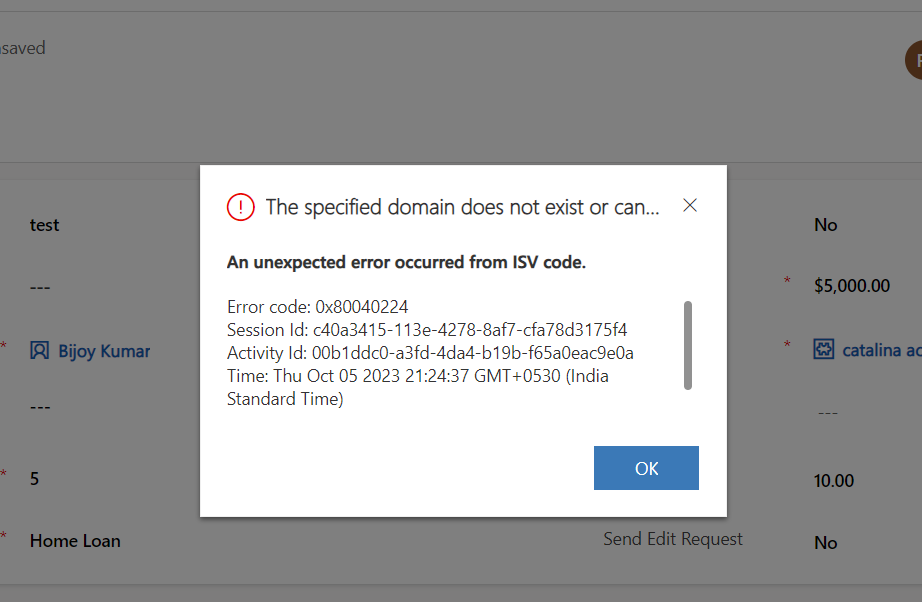
[Resolved] Time zone issues in date time field with Power Automate
Learn how to handle time zone issues in date time fields with Power Automate.
Different in hours between two date time fields in Power Automate. Use below Expression. div(sub(ticks(body(‘Convert_time_zone_2’)),ticks(body(‘Convert_time_zone’))),36000000000)
You can use below CSS to change styles of an Entity List. Put the below code in the Web Template of the Web Page where you have placed the Entity List. Here We have added Padding, Border, Border-Radius for the Entity List. To know the exact html tag rendering of entity list, use Browser Developer…
Read more
Here are the differences between Business Rule and JavaScript.
use the below code. hope this helps.
Confirm Dialog Box with Custom Button uses PowerFX in Model Driven App. Watch the video below. Hope this helps.
Handle Error in Canvas App While calling Power Automate from Canvas App. Hope this helps.
Here is the code. Hope this helps.
Handle error in form submission in canvas app power apps. watch below video.
WATCH the video below to learn more.
Watch the video below to learn developing custom API in Dataverse. Hope this helps.
To stop running power automate for unnecessary purpose, use Trigger Condition to save Quota. Watch the below video to learn. Hope this helps.
Features Model Driven Apps Canvas Apps Data Source Dataverse Can connect multiple data sources such as SharePoint, SQL Server etc. User Interface UI is restricted as per Form Design. Full control on Layout Design. No restrictions on Page designs. Responsive By default Responsive Need to configure the Responsiveness using special components. Search Functionality Out-of-the-box search…
Read more
To Filter child Lookup by parent lookup value in power pages or power portal watch the video below.
In Power Apps, a virtual table is a type of table that is not physically stored in a data source, but rather created dynamically in memory. This allows you to manipulate and work with data that is not necessarily part of a specific data source, but can still be used in your app. In the…
Read more
Deciding when to use Dataverse Web API is very important to keep your code better quality. This post explains the same. The below image helps to decide.
Here are some sample PowerFX you can use in Custom Page. Show Notification in Custom Page Navigate to another custom page Navigate to the default view of the table Navigate to specific system view of the table Navigate to the default form of the table for a selected item from gallery Navigate to a specific…
Read more
Sometimes if you get errors while creating a custom portal or power page website like below then follow the procedure to solve this. The ERROR: Resolution: To solve this issue, navigate to https://portal.azure.com/ and then navigate to Azure Active Directory. Click Users and select the user who is trying to create the Portal/ Power Page…
Read more
You can manage Images, videos and documents inside Dynamics 365 Marketing and tag them with keywords, so that you can use these library contents in marketing executions. Watch the below video for details walkthrough. Hope this helps.
While Clicking Emulate Payment in Event Registration screen for demo marketing event, you can get below error. “We’re having trouble communicating with the server.” Check the resolution below. Resolution To resolve this add an Event Administration Settings record as below. In Marketing APP, navigate to Sitemap and select Settings then Event Administration and add new…
Read more
Event Planning is a very important module in Dynamics 365 Marketing. In event planning you can manage Events, Participants, Venue, Logistics & Sponsors. Below diagram gives a full picture of event management practice. The Event Management module includes many concepts required for organizing events, bootcamps etc. Read the below points to understand details configuration. Venue…
Read more
In Canvas App PowerFX, you can use with function to define variables with a limited scope. Without using Local or Global variable or Collection Variable, you can scoped variables using WITH function. Here sample PowerFX mentioned using variables and corresponding with function. Scenario : Extract all accounts with name MS and update all records with…
Read more