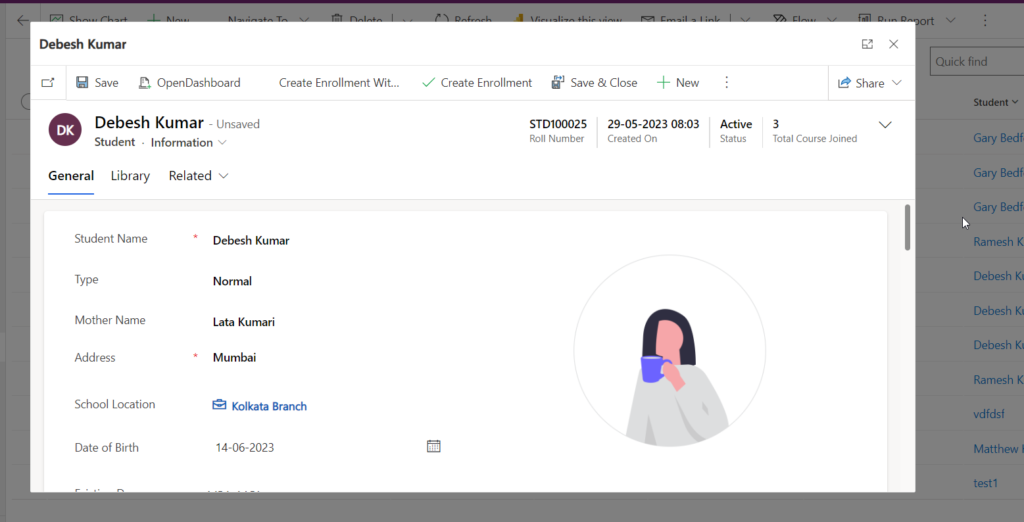
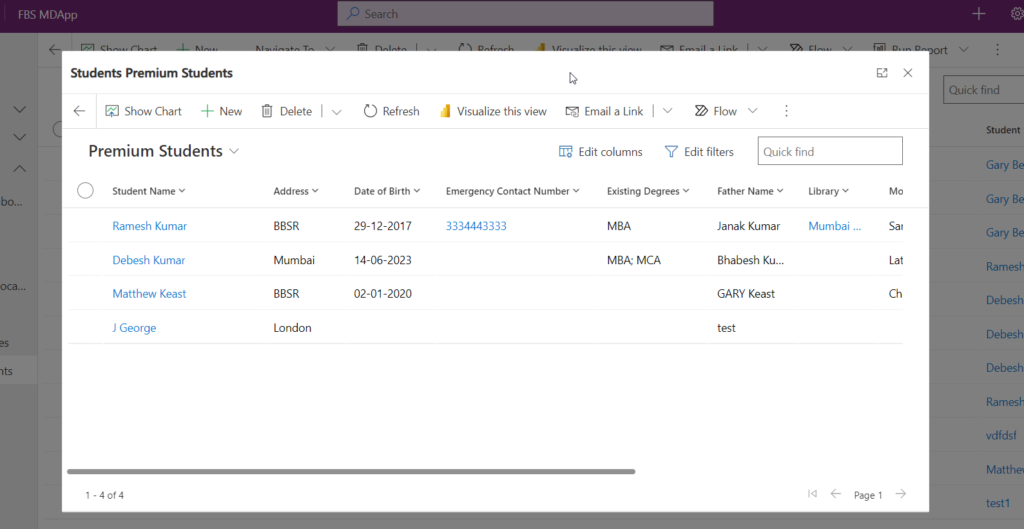
Open windows using NavigateTo client API in Dynamics 365 Power apps
If you want to use scripts to open windows from command buttons or events in Dynamics 365 and Power Apps model driven apps use following scripts appropriately. Hope this helps.
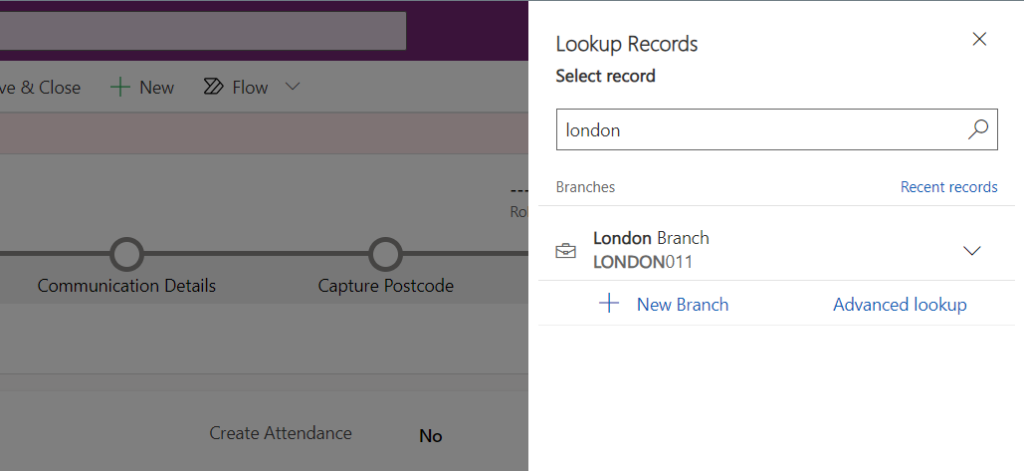
For some business requirements you need to add some more conditions to filter lookup controls. SO in this post you will see how you can add custom filter conditions. First you need to create a JavaScript web resource and add below code. The requirement you need top add a condition to Account lookup on opportunity…
Read more
Dynamics 365 Training Enroll NOW CE CRM & POWER APPS The trainings are Live online training delivered by MCTs and MVPS ensuring quality training and live project business scenarios. Know Your Trainer : Big demand in market to get jobs JOBS 100% Book your seat for upcoming Training Batch : Call to +91-8328865778 Twitter Youtube…
Read more
You can display in-app notifications in Dynamics 365. Follow the below steps: Step 1 – Enable Settings for In-app notification Open a model driven app of your choice and click on F12. in console paste the below code and press enter. Make sure to use correct model driven app unique name. Step 2 – Prepare…
Read more
To check dependencies of a solution component first you need to open the component inside the solution. select the component and click Show Dependencies. Now it will open dependencies panel. Using which you can understand which other components depends on this component. You can notice the object type to understand component type. Here in our…
Read more
Here is the list of differences between Managed and Un-Managed solutions in Power APps. Managed Solution: Completed solution ready for distribution/export, in which the solution components are prevented from being modified in the target environment to which it is imported. Possible to set managed properties, granular levels of rights to change components of the solution…
Read more
Microsoft already rolled out modern solution design using power apps. but sometimes you need to navigate to classic mode. TO switch to classic mode of solutions in dynamics 365 follow the below steps: Step 1 – Open Power Apps and Solution Area Browse https://make.powerapps.com/ and choose correct environment. Click on Solutions option from left panel.…
Read more
To enable custom entities or other entities inside Dynamics 365 Apps for outlook follow below steps: Watch video here or scroll to read the blog for steps: Step 1 : Edit Dynamics 365 App for Outlook go to make.powerapps.com. choose correct environment. click on Apps area. Search Dynamics 365 App for outlook App. Click on…
Read more
While adding Guest user and assigning license you may get the below error. If you click the link it will open details and show the below error as The user is without a usage location specified. Resolution Click on Profile link and click Edit. In the settings area and choose Usage location and Save. Now…
Read more
Sometimes you need to display a paragraph as a caption for a form field in power portal or table form. But table fields do not support paragraphs to display. So how can you do? Follow below steps: Add a section inside tab and in the section label specify the paragraph you want to display. drag…
Read more
Power Automate is built on top of Azure Logic Apps but there are differences in terms of the environments they are used from, e.g. Office 365 and Azure, which provides unique features and optional methods of construction. Here are some of the following key differences: Description Power Automate Logic Apps Focus End Users and Makers…
Read more
Follow below steps to create your first PCF control for Power Apps. Step 1 – Install Node JS First you have to install node.js using official website of Node JS. Follow the link https://nodejs.org/en/download/current/ to navigate to Node JS site. Click on Windows Installer to download the setup file. chose a folder to save the…
Read more
To connect dynamics 365 dataverse using power automate you need to get the bearer token first. Follow below steps to get bearer token. You need to add URI with tenant id use correct tenant id from azure active directory application. URI = https://login.microsoftonline.com/652c35af-04b4-4d8f-9db0-9bb2c58bc908/oauth2/token Content-Type= application/x-www-form-urlencoded in body put below: (get this client id, client secret…
Read more
To set visibility of command button using Power FX follow below steps: Add Command button using Edit in Preview method of Power Apps. Open any model driven app, click 3 dots to choose Edit in Preview and choose entity for which you want to add button. Choose where you want to add button. You can…
Read more
You can open custom pages as a modal pop from Dynamics 365 form custom command button click. Step 1 : Create a Custom Page inside a Solution ( Read here how to add custom page ) Add a custom page inside a solution. The page contains a textbox and a button. on button click we…
Read more
Microsoft Teams is a hidden treasure. You can leverage Teams to add multiple diversified native and external apps from within the Teams App without navigating to external window. Follow steps below to add Dynamics 365 Apps inside Teams Apps. Step : 1 – Open Teams App and click Add App Open office.com using your official…
Read more
Advanced Form in Power Portal gives advanced configuration designing Forms to interact with Dataverse. Here in this post I will explain by taking a business usecase. Business Use case Most of the Banking (BFS) and financial intuitions configure forms to apply loans online as a self service tool. You can leverage Portal Advanced form for…
Read more
Step 1: Create an Advance Form in Power Portal First create a Advance Form in Power Portal with Advanced Steps. Step 2: Create a Web Page and associate the Advanced form in lookup Step 3: In the Content Page of Web Page, associate the Advanced form in lookup From the localized content area choose the…
Read more
You can enable Create Record feature for a list control in power power portal. While enabling Create action feature you can choose either Form, Web page or URL to invoke target interface. Here I will tell you how you can open another page when use clicks Create button. First in Power Portal Studio open the…
Read more
Using Liquid tag you can display current date time on power portal web page. use the below liquid tag on web page to display datetime. <h3> {{ now }} </h3> Now the date will render. hope this helps.
Content snippets are small section of editable content that you can place in any webpage, web template of power portal for re-usable concept. You can define your content once and re-use anytime in your portal. Let take an example, You want to keep a formal notice in multiple pages in your power portal then instead of…
Read more
You can now convert Power Portal to a native app using PWA feature so that you can access portals using a native mobile app downloaded from app store. you can pin the app on screen and experience an native app like portal. Watch the complete video prepared by me here to understand practically how to…
Read more
Achieve CRUD operation using HTML Web resource in Dynamics 365 passing parameter from entity form. use the below JS web resource and HTML web resource. HTML Web Resource hope this helps.