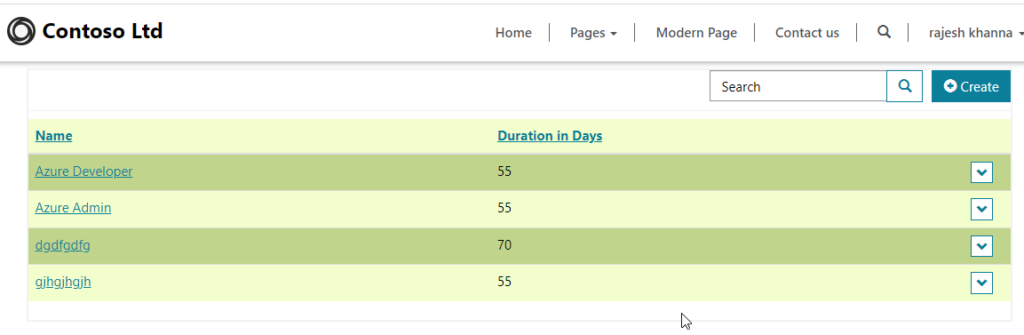
Check page title and display dynamic text using liquid in power portal
Check page and use liquid. hope this helps.
Record Source Type setting is used to define how the information is passed to the form: There are 3 types of record source type can be used. Query String – This setting is default when you are creating a table form or a basic form in power portals Studio. When the page that contains the form is…
Read more
You can open external URL by specifying URL option in grid configuration in a List in power portal. Go to Portal Management Model driven app and navigate to options, click on create. It will add a create section and in the target type choose URL. Mention the target URL in the box such as “https://logyscal.com/”.…
Read more
In Power Portal Table List you can configure Download action option so that when you click the Download button the data from the list will be automatically downloaded in the system. For this open Portal Management Model Driven app and navigate to Lists. Select the List for which you want to enable and in the…
Read more
Regular expression in JavaScript is very powerful way to validate a specific format of a field such as Email, Phone number etc. In Power Portal we can use regular expression to validate form fields without writing code just using configuration. Open the Basic form and go to Form Metadata. Add new form metadata of type…
Read more
Normally we can use Form configuration to attach On Load, On Save, On Change events as given below. But for some business needs if you want to declare the event handlers in code dynamically then use below method. Remember Registering event handlers using code is possible for all handlers except OnLoad, which must be registered…
Read more
Web resources are important components in Power Apps to store JavaScript’s, Images inside Dataverse. You can write JavaScript in web resource so that you can call functions declared for some events like On Save, On Load etc. The column must be represented by a control on the form to be used in a web resource.…
Read more
As an upcoming feature now you can enable Power Automate feature inside canvas apps for flow calling from canvas app. Follow the steps to enable it. Step 1 : open canvas app and go to settings Inside canvas app click on Settings menu and navigate to upcoming features. Scroll down all the way to find…
Read more
Customer Service automatic record creation snapshots. Creating a case with email id. Create Automatic record create and update step. define activity type as Email and queue as Support Queue add rule item. add condition row as subject contains issue. save and open power automate for action. power automate actions defined activate create rule. send email…
Read more
In this post I will explain about the power automate to configure so that it will send an email notification when new file created in Onedrive business. Follow the steps below: Step: 1 – Configure Trigger Create a new flow and choose trigger as OneDrive and option as When a file is created (metadata only).…
Read more
In this post I will explain about the steps to call Power Automate from Dynamics 365 JavaScript. Let us take a scenario, I want to send a PDF with Account information when an account is created in the system using JavaScript. For this follow below steps: Step:1 – Configure Power Automate Open Power Apps solution…
Read more
Some requirement needs to have a counter so that when we type text inside a text input the label will show the maximum character or how many character left to enter. For this requirement take one label to display counter and one text input having multiline text mode. Select the label and in the Text…
Read more
Sometimes we need to validate fields to match with a numeric only like Ages, No. of days etc. So for this scenarios we need to use some PowerFX to validate form fields. Let us see how we can achieve this. Take 3 controls on the canvas app. one Text Input and two text labels. One…
Read more
We can use PowerFX to use the day, month, year, hour, minute, second and weekday concepts in our Power Apps. Lets see in details. Day PowerFX Day PowerFX returns the day component of the current time and date. Syntax : Day(Now()). This will give you the current date part. If the date is 12/21/2021 then…
Read more

Here is the code how to call third party web api.
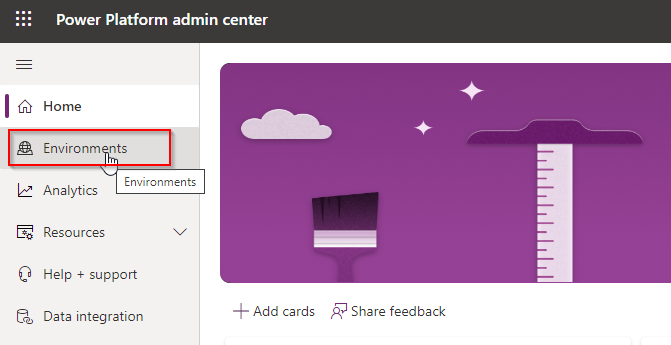
For business needs we can overwrite an existing environment. Follow the steps below to copy or overwrite existing environment. Step : 1 – Open Power Platform Admin Center and Select Existing Environment Open the power platform admin center. You can direct click the link to open – https://admin.powerplatform.microsoft.com/environments now select the environment and click Copy.…
Read more
In this post I will explain about paging concept using FetchXML with Power Automate to retrieve records from Dataverse or Dynamics 365 CE/CRM. Watch the below video for practical knowledge. Or you can scroll down to read the article. Step 1 – Create a Flow and add required variables Create a new Instant flow and…
Read more
Here in this post I have compiled 65+ interview questions and answers for Power Apps, Power Automate, Power BI, Power Virtual Agents and many more on Power Platform. Check out the complete questions here: Explain about the Power platform echo-system? What are PowerApps and why do we use it? What is the difference between a…
Read more
If you want to create records in bulk using loops then read this post. Lets go step-by-step. Our scenario is business wants to create 2500 Account records from Power automate and the Account Name will be dynamically generate as “Account<Counter>” that means like Account1, Account2 and so on till Account2500. Let start. Step:1 – Login…
Read more

Using Power automate we can create a flow to run on a time schedule. Lets say you want to send a daily email to all contacts regarding some news form your company then how can you do this. The Scheduled flow in Power automate is used for this scenario. Follow the steps below: Step-1: Login…
Read more

Power Automate is more powerful cloud automation system to automate almost every manual task. In this post I will explain about how to call a child flow from parent flow. Remember that only parent child flow is supported for solution aware flows means you need to create flows inside a solution then only you can…
Read more
Here in the post Temmy explained how to create auto number code using Azure SQL Sequence. Read the complete blog below.
In this post I will explain about Ads and Ads Placement concepts in power portals. As because power portals are public facing websites we can run Ads on power portal web pages of our choice. We can also configure display styles, positions, live from date and expire date of Ads. Lets us see how we…
Read more
PowerFX is a most Powerful way to use complex business logics in Canvas Apps Power Apps. When we combine multiple functions then the PowerFX gets more power. In this blog I will explain how we can combine 3 most powerful PowerFX to do complex tasks. Business Scenario: Lets Say I want to have a Button…
Read more