How to track emails and activities from outlook to Dynamics 365
Learn how to track emails and activities from outlook to Dynamics 365.
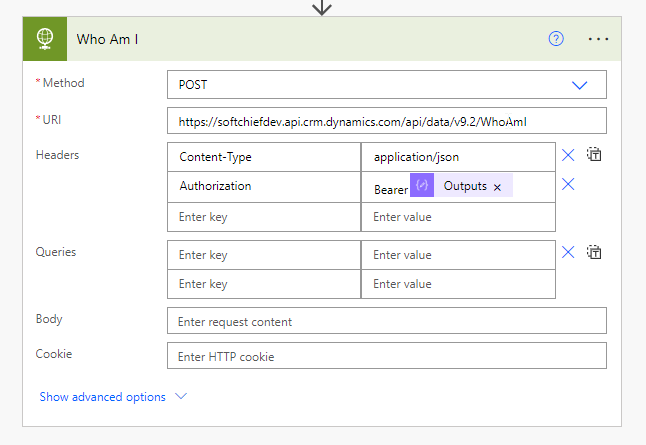
We can connect Dynamics 365 using User Name, Password and Dynamics 365 URL and Client ID if Multi factor Authentication (MFA) is not used. When Multi-Factor Authentication is enabled this connection will not work. So for this we have to use Client Secrets for connection. Follow the steps below to connect MFA Enabled Dynamics 365…
Read more
While trying to connect Dynamics 365 online from console app sometimes you get the exception. The solution is you have to enables Allow Public client Flow option for the App you registered. Go to Azure Active Directory and open the App Registration then choose Authentication and enable the Allow Public Client Flow then save. Now…
Read more
Sometimes it requires to Disable the Multi-Factor Authentication(MFA) in Dynamics 365. SO follow the steps below. Step-1: Open office.com and use your credential. Click on Admin icon. Next click on All Admin Center and Azure Active Directory. Click on Azure Active Directory Link. Now click on Properties then click on Manage Security Defaults the Switch…
Read more
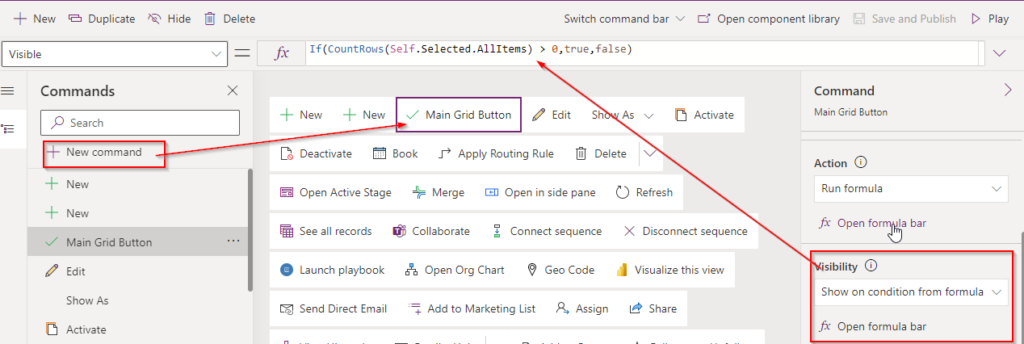
This is really exciting that now we can edit command bar using model driven app modern designer which is in public preview. So I cant wait to tell you how we can use that feature. In this post I will tell you how you can create a CUSTOM PAGE in Model driven app to converge…
Read more
Performance is the key in enterprise applications. Microsoft has introduced Performance analyzer in Power Apps. You can navigate to your Power apps and check the Performance which is in preview currently at the time of blog writing. When you click the Performance option you can see the list of performance related facts like Warnings and…
Read more
Read the articles to understand how Azure Synapse Link Configuration in Data verse Also read other related topics on this.
AI Builder plays an important role to have AI enables processes in our real business scenarios. In this post I will explain the steps how we can extract field information and also tabular data from PDF forms into power apps using AI Builder Form Processing Model. watch the video or scroll to read the complete…
Read more
Previously Lookup fields are only connected to one entity and Customer data type points to either Contact or Account entity but there was no provision to create custom polymorphic lookup. Now Microsoft introduced polymorphic lookup for custom fields. Using user Interface we cannot create this type of field we have to use code or XRMToolBox…
Read more
Model driven apps are game changers in Power Apps revolution. But still the app designer was not very robust so Microsoft has releases new App designer. Now lets see how we can leverage the New Modern app designer to create model driven apps in no-code fashion. Login to Power Apps and select +Create. Choose Model-driven…
Read more
Client validations are very important to alert users if some field value is not supplied when a user clicks Submit button or do some change in a form field. We can add custom JavaScript and jQuery to have our own custom field validations. Lets us see how we can do that. I have an Advanced…
Read more
I was working in some requirement and for some business requirement I wanted to Redirect a page which is not available in my portal to another page. So to do this We have configured Redirects option available in power portal. NOTE : Remember that the Re-direct will only work if the page the user trying…
Read more
Really excited to tell you a lot of features has been added in this Wave 2 release of 2021 in Microsoft Power Platform. Sometimes people have no much time go through all the features so I have compiled all best features of Power Apps, Power Automate, Power Virtual Agent & power BI and AI Builder…
Read more

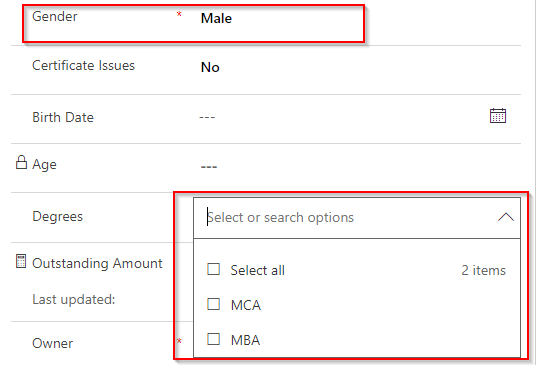
In Microsoft DataVerse we can use Choices data type to allow multiple selections for a specific field for example below I have a Choices field called as Degree where you can select multiple items. Now if you will read the Degree values it will give you the under lying values so to get the selected…
Read more

In Power automate sometimes we need to pick the Name Text of the lookup field. When we assign directly it will give you the GUID so we have to do some tweaks. If you get the output body you can see for every look up control we have five tags in the output. For example…
Read more

I have written a post to get Choice or optionset text in Power automate if you have not read check now. in the below link to understand more. in the same process if you want to get the text value of a Boolean field use the below formatted syntax in your power automate or power…
Read more

Working with Power Automate is not new but sometimes the out-of-the-box value assignment is not sufficient to get correct data items so we need to tweak the expression to get the correct result. In this post I will explain how you can get the choice field text value in power automate. let us say I…
Read more

Let’s say you want to configure an HTTP service, do some task and then return a response. So how we can build this without any code ? Luckily Power Automate gives a no-code platform to configure this. An HTTP Request Trigger can be used to receive an HTTP request, process it, and return a response…
Read more
Power Portal is very popular and robust Power Apps in Microsoft Power Platform designed for public facing websites. Microsoft already stacked excellent features like Table List, Basic Forms, Table Permissions, Web Roles to seamlessly manage power portal. But sometimes it requires to have more complex integration business scenarios that cannot be achieved using out-of-the-box configuration…
Read more
While working with Power Automate you may face this error “Request to XRM API failed with error: ‘Message: Failed to find connection references with logical name(s) ‘shared-commondataser-5436b612-ee7e-46da-9055-cf00-bdcd2204’. Please check if connection references exists. Code: 0x80040216 InnerError: ‘.” When you get this issue: When you copy paste Actions steps of one Flow to Other and use…
Read more
Microsoft Dynamics 365 and Data Verse provides a feature inside Business Process Flow that we can add Instant Flows or Power Automate flows as a Step in a Stage. So let us see how we can configure the Instant Flow from BPF. NOTE : Only a Solution-aware flow can be called from a BPF as…
Read more
OnSave event handler in Dynamics 365 or Data Verse is very commonly used by developers to write logics on data validations or creating related records etc. But if we write any logic inside OnSave event handler those are asynchronous then the Save operation do not wait till the operation gets completed. To address this issue…
Read more
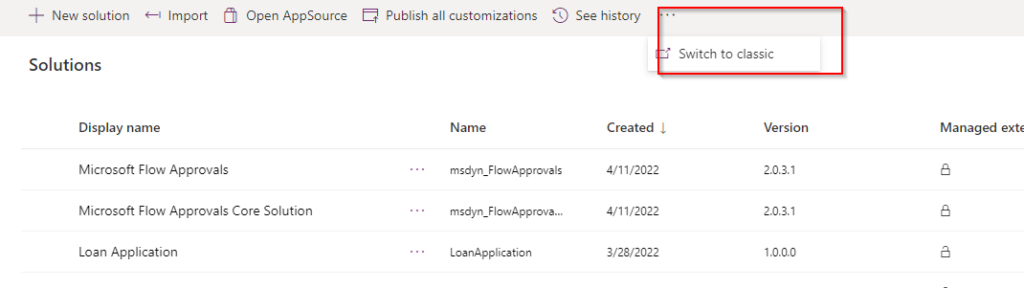
Now you can see the history of Power Platform environments to see different operations performed in the environment. Administrators can see this history. Go to Power Platform Admin Center and click the Environment then click History. You can see the consolidated history. You can also see the full history using See Full History option.
Follow the steps below to achieve this. Step:1 – Create a Canvas APP with Camera and Image Control with a button Step:2 – Create a Power Automate with below Trigger and Actions Important Note : In File Content use the dataUriToBinary method. Step:3 – Call Power Automate from Button click using below functions. My Flow…
Read more
Microsoft Dynamics 365 provides an EXPORT PDF functionality by which we can download QUOTE, Orders and other entities with related entities data as a PDF in a specific format. In the background it actually uses a word template and convert it to PDF. We can create our own template for our need otherwise we can…
Read more