
How to Build AI-Powered Business Applications Using Power Apps and Copilot
Introuction
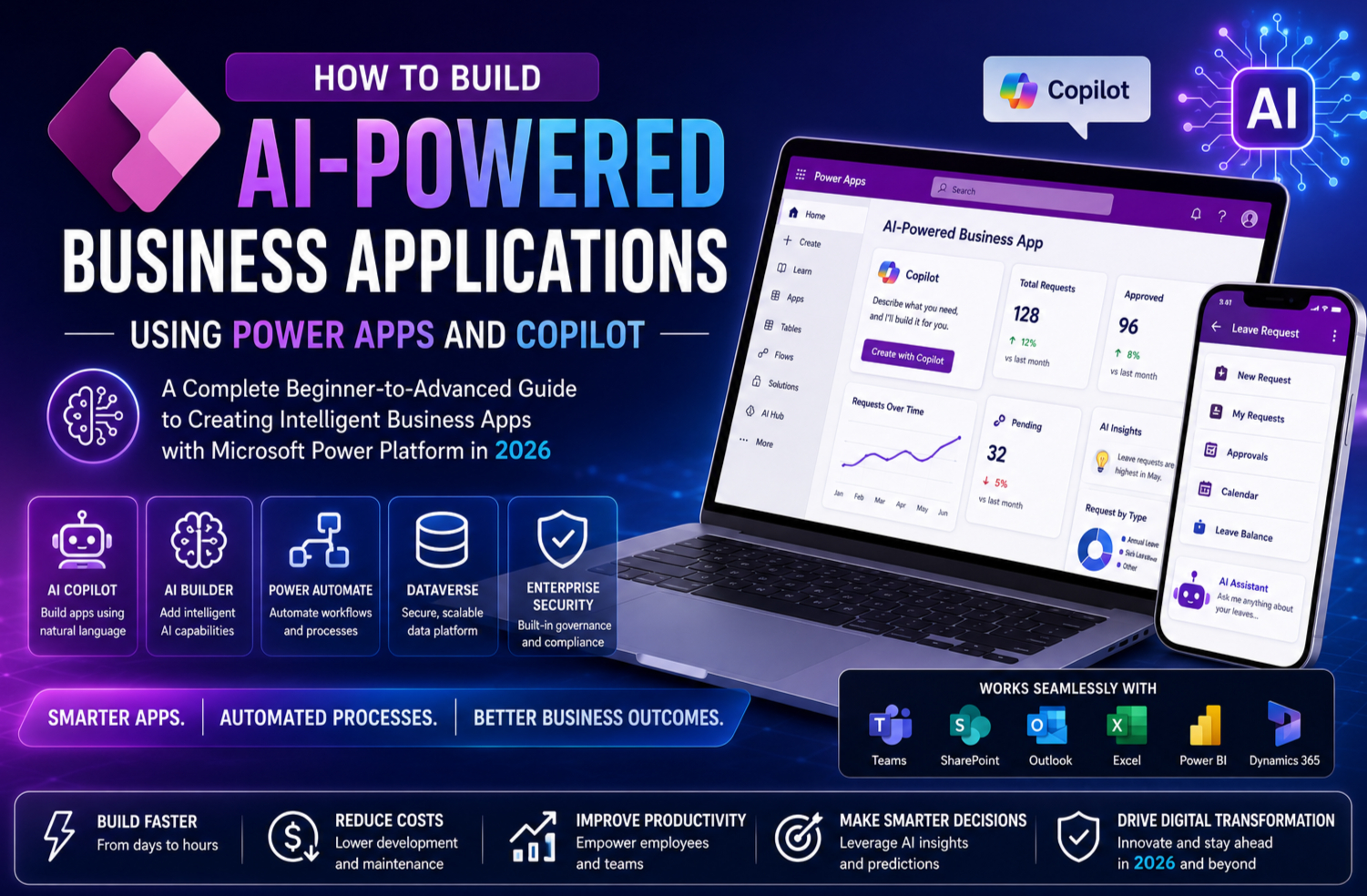
Artificial Intelligence is no longer just a buzzword—it has become an essential part of modern business applications. Organisations are looking for smarter ways to automate processes, improve productivity and deliver better user experiences. Microsoft has responded to this demand by integrating powerful AI capabilities directly into Power Apps through Copilot and AI-powered features.
Today, businesses no longer need large development teams or months of coding to create intelligent applications. With Power Apps and Copilot, even users with minimal programming experience can build sophisticated applications that understand natural language, automate repetitive tasks and generate valuable insights.
In this guide, you’ll learn how to build AI-powered business applications using Microsoft Power Apps and Copilot, explore the latest features introduced in 2026 and discover best practices for creating intelligent solutions that drive business success.
What Is Microsoft Power Apps?
Microsoft Power Apps is a low-code development platform that enables organisations to build custom business applications quickly using visual design tools and pre-built connectors.
Power Apps integrates seamlessly with:
- Microsoft 365
- Microsoft Teams
- SharePoint
- Dataverse
- Dynamics 365
- Azure
- SQL Server
- SAP
- Salesforce
- Hundreds of third-party applications
Instead of writing thousands of lines of code, developers and business users can create professional applications using drag-and-drop components, Power Fx formulas and AI-powered assistance.
What Is Microsoft Copilot in Power Apps?
Microsoft Copilot is an AI-powered assistant embedded within Power Apps that helps users build applications using natural language.
Rather than manually creating screens, configuring controls or writing complex formulas, users simply describe what they want.
For example:
“Create an employee onboarding application with approval workflow, document upload, welcome email and dashboard.”
Copilot can automatically generate:
- Application structure
- Dataverse tables
- Forms
- Galleries
- Business logic
- Power Fx formulas
- Navigation menus
- Sample data
- Responsive layouts
This dramatically reduces development time while making app creation accessible to a wider audience.
Why Businesses Are Choosing AI-Powered Power Apps
Modern organisations are embracing AI-powered applications because they can:
- Automate repetitive tasks
- Reduce manual data entry
- Improve decision-making
- Increase employee productivity
- Deliver personalised user experiences
- Accelerate digital transformation
- Lower development costs
- Integrate seamlessly with existing Microsoft tools
With AI built directly into Power Apps, businesses can achieve these goals without extensive coding or specialised AI expertise.
Key AI Features Available in Power Apps (2026)
Power Apps now includes a range of intelligent capabilities that make application development faster and more powerful.
AI Copilot
Generate applications using natural language prompts.
AI Agents
Automate multi-step business processes by understanding user intent and executing actions across connected systems.
AI Builder
Create AI models for tasks such as:
- Document processing
- Invoice recognition
- Receipt scanning
- Object detection
- Sentiment analysis
- Business card reading
- Text classification
- Prediction models
Natural Language Formula Generation
Describe your desired functionality, and Copilot generates Power Fx formulas automatically.
Intelligent Data Suggestions
Copilot recommends table structures, relationships and business rules based on your application’s purpose.
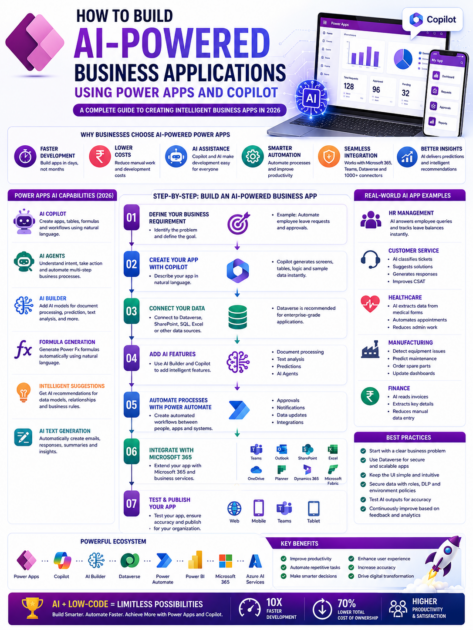
Step-by-Step: Build an AI-Powered Business Application
Let’s walk through creating an Employee Leave Management application using Power Apps and Copilot.
Step 1: Define Your Business Requirement
Before building the app, identify the business problem.
Example:
Employees currently submit leave requests through emails, making approvals slow and difficult to track.
Objective:
Create an intelligent leave management system that automates the entire process.
Step 2: Create Your Power App Using Copilot
Open Power Apps and launch Copilot.
Enter a prompt such as:
“Create an employee leave management application with manager approval, leave balance tracking, calendar integration and email notifications.”
Within minutes, Copilot generates:
- Screens
- Forms
- Navigation
- Data tables
- Sample records
- Business logic
Step 3: Connect Your Data
Choose a data source such as:
- Microsoft Dataverse
- SharePoint
- SQL Server
- Excel
- Azure SQL Database
For enterprise applications, Microsoft Dataverse is the recommended option due to its security, scalability and integration capabilities.
Step 4: Add AI Features
Enhance your application with AI capabilities.
Examples include:
AI Document Processing
Employees upload medical certificates.
AI automatically extracts:
- Employee Name
- Doctor Name
- Dates
- Diagnosis (if applicable)
- Certificate Number
The information is stored directly in Dataverse.
AI Text Generation
Generate automated responses such as:
- Leave approval emails
- HR notifications
- Policy summaries
AI Predictions
Predict:
- Staffing shortages
- Peak leave periods
- Approval trends
- Resource planning
Step 5: Automate Business Processes
Integrate Power Automate to automate workflows.
Example workflow:
Employee submits leave request
↓
Manager receives approval notification
↓
HR receives confirmation
↓
Employee calendar updates automatically
↓
Leave balance recalculates
↓
Teams notification sent
↓
Payroll updated
No manual intervention is required after submission.
Step 6: Integrate with Microsoft 365
Power Apps integrates natively with Microsoft services.
Popular integrations include:
- Outlook
- Teams
- SharePoint
- Excel
- OneDrive
- Planner
- Dynamics 365
- Microsoft Fabric
Users can access the application directly from Microsoft Teams, improving adoption and productivity.
Step 7: Publish Your Application
Once testing is complete, publish your app to your organisation.
Users can access it through:
- Web browsers
- Microsoft Teams
- Mobile devices
- Tablets
Power Apps automatically provides responsive layouts for different screen sizes.
Real-World AI Business Applications
1. HR Management
Employees ask:
“How many annual leave days do I have?”
AI retrieves leave balances instantly.
2. Customer Service
Customers submit support requests.
AI automatically:
- Classifies issues
- Assigns priority
- Routes tickets
- Suggests solutions
- Generates responses
3. Healthcare
Patients upload medical forms.
AI extracts:
- Patient details
- Insurance information
- Appointment requests
Reducing administrative work significantly.
4. Manufacturing
Factory workers report equipment issues.
AI:
- Identifies recurring problems
- Creates maintenance tickets
- Assigns technicians
- Orders spare parts
- Updates dashboards
5. Finance
Employees upload invoices.
AI automatically captures:
- Vendor
- Invoice Number
- Amount
- Tax
- Due Date
Finance teams save hours of manual data entry.
Best Practices for Building AI-Powered Power Apps
To maximise the value of your applications, consider these best practices:
Start with a Clear Business Problem
Avoid adding AI simply because it’s available. Focus on solving genuine business challenges.
Use Dataverse for Enterprise Applications
Dataverse provides secure, scalable and well-governed data storage for business-critical solutions.
Keep User Interfaces Simple
AI should simplify user experiences, not make them more complicated.
Secure Sensitive Data
Implement:
- Role-based security
- Data Loss Prevention (DLP) policies
- Environment governance
- Audit logging
Test AI Outputs
AI-generated responses should be reviewed and validated to ensure accuracy and compliance.
Continuously Improve
Monitor application usage and user feedback to refine workflows and AI models over time.
Benefits of AI-Powered Power Apps
Businesses adopting AI-enabled Power Apps can expect:
- Faster application development
- Reduced operational costs
- Improved employee productivity
- Smarter decision-making
- Better customer experiences
- Increased automation
- Higher data accuracy
- Easier maintenance
- Strong Microsoft ecosystem integration
- Enterprise-grade security
Common Challenges and How to Overcome Them
Challenge: Poor Data Quality
Solution: Clean and standardise your data before implementing AI features.
Challenge: User Adoption
Solution: Provide training and build intuitive, user-friendly interfaces.
Challenge: Governance
Solution: Establish clear policies for environments, connectors and AI usage.
Challenge: Over-Reliance on AI
Solution: Combine AI automation with human oversight for critical business decisions.
The Future of AI in Power Apps
Microsoft continues to expand AI capabilities within the Power Platform. Key trends shaping the future include:
- Autonomous AI Agents
- Multi-agent collaboration
- Natural language app development
- Predictive business analytics
- AI-generated workflows
- Intelligent process optimisation
- Hyperautomation
- Deeper integration with Microsoft Fabric
- Industry-specific AI solutions
As these innovations mature, Power Apps will become even more powerful for organisations of all sizes.
Who Should Learn Power Apps and Copilot?
Power Apps and Copilot are valuable skills for:
- Business Analysts
- Power Platform Developers
- Dynamics 365 Consultants
- Citizen Developers
- Software Engineers
- IT Administrators
- Project Managers
- Digital Transformation Leaders
- Students entering the Microsoft ecosystem
- Professionals looking to future-proof their careers
Final Thoughts
The combination of Microsoft Power Apps and Copilot has transformed the way organisations build business applications. What once required months of development and specialised programming skills can now be accomplished in days with AI-assisted tools and low-code development.
By leveraging Copilot, AI Builder, Power Automate and Dataverse, businesses can create intelligent applications that automate workflows, improve decision-making and deliver exceptional user experiences.
As AI continues to evolve, organisations that embrace Power Apps today will be well-positioned to lead tomorrow’s digital transformation.
Whether you’re building your first business application or modernising enterprise processes, there has never been a better time to harness the power of AI with Microsoft Power Apps.









