
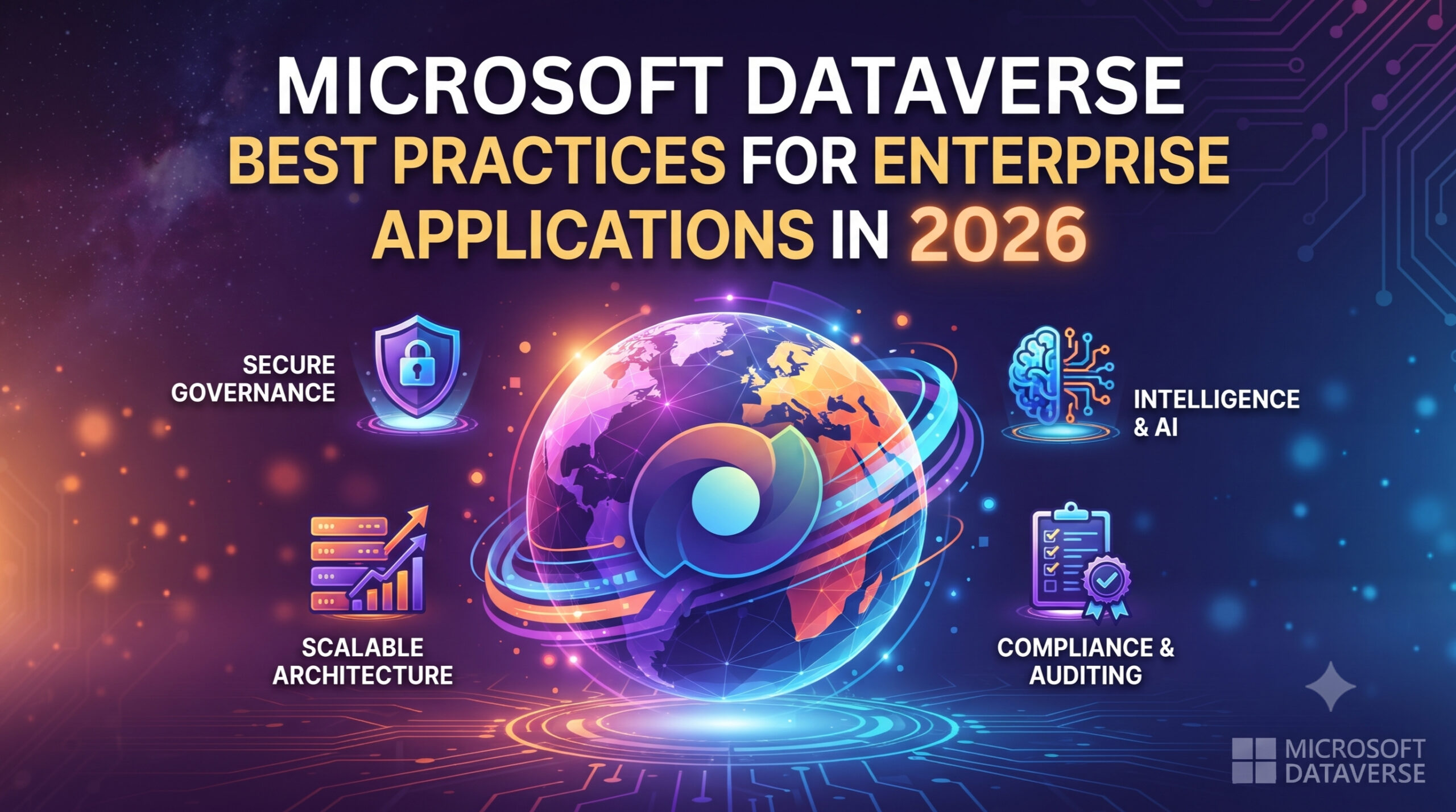
Microsoft Dataverse Best Practices for Enterprise Applications in 2026
Introduction
Modern organizations generate massive amounts of business data every day. Customer information, sales transactions, financial records, operational processes and employee data must be stored securely, accessed efficiently and integrated across multiple business applications.
Traditional databases often require significant development effort to build security models, business logic layers and integration frameworks. Microsoft Dataverse simplifies this challenge by providing a secure, scalable and intelligent data platform that powers the Microsoft Power Platform and Dynamics 365 applications.
However, successfully implementing Dataverse for enterprise applications requires more than simply creating tables and storing data. Poor data modeling, weak security design, inefficient queries and lack of governance can impact performance, scalability and long-term maintainability.
This is where following Microsoft Dataverse best practices becomes essential.
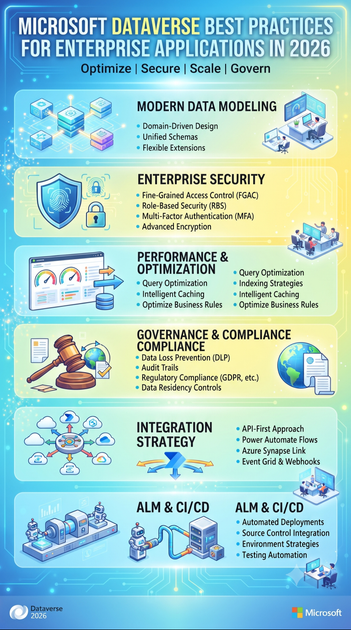
In this comprehensive guide, we will explore enterprise-level Dataverse best practices covering architecture, data modeling, security, performance optimization, integration, governance and application lifecycle management.
Whether you are a Power Platform developer, Dynamics 365 consultant, solution architect or enterprise IT professional, these practices will help you design robust Dataverse solutions that meet real-world business requirements.
What is Microsoft Dataverse?
Microsoft Dataverse is a cloud-based data platform that securely stores and manages business data used by Microsoft Power Platform applications and Dynamics 365 solutions.
It provides:
- Secure data storage
- Relational data modeling
- Business rules
- Security management
- Workflow automation
- Integration capabilities
- API access
- AI-ready data foundation
Dataverse is commonly used with:
- Power Apps
- Power Automate
- Power Pages
- Power BI
- Dynamics 365 Sales
- Dynamics 365 Customer Service
- Dynamics 365 Finance and Operations integrations
- Microsoft Copilot
Instead of building custom database infrastructure, organizations can use Dataverse as an enterprise-grade business data platform.
Why Dataverse is Important for Enterprise Applications
Enterprise applications require more than data storage.
They need:
- Strong security
- Scalability
- Data governance
- Integration capabilities
- Automation
- Reporting
- Compliance
- Performance optimization
Dataverse provides these capabilities through a low-code and pro-code development experience.
Organizations can build applications faster while maintaining enterprise standards.
Understanding Dataverse Architecture
Before discussing best practices, it is important to understand the core components of Dataverse.
1. Tables
Tables store business information.
Examples:
- Account
- Contact
- Customer
- Employee
- Product
- Order
Organizations can use:
- Standard tables
- Custom tables
- Virtual tables
2. Columns
Columns store specific data values.
Examples:
- Customer Name
- Email Address
- Phone Number
- Order Date
Dataverse supports different data types including:
- Text
- Number
- Currency
- Date and Time
- Choice
- Lookup
- File
- Image
3. Relationships
Relationships connect business data.
Examples:
Customer → Orders
Employee → Department
Account → Contacts
Dataverse supports:
- One-to-many relationships
- Many-to-many relationships
4. Solutions
Solutions package Dataverse customizations.
They contain:
- Tables
- Columns
- Forms
- Views
- Business Rules
- Power Automate flows
- Apps
Solutions enable proper application lifecycle management.
Best Practice 1: Understand Business Requirements Before Designing Dataverse
The biggest mistake organizations make is creating tables before understanding business processes.
Before designing Dataverse:
Analyze:
- Business workflows
- User roles
- Reporting requirements
- Security needs
- Integration requirements
- Data lifecycle
Ask:
- What information needs to be stored?
- Who will access the data?
- How will users interact with the data?
- What automation is required?
A strong foundation prevents redesign efforts later.
Best Practice 2: Use Standard Dataverse Tables Whenever Possible
Microsoft provides many pre-built tables.
Examples:
- Account
- Contact
- Lead
- Opportunity
- Case
- Product
Before creating custom tables, evaluate whether existing tables meet your requirements.
Benefits:
- Faster implementation
- Better Dynamics 365 compatibility
- Easier reporting
- Reduced customization complexity
Avoid creating duplicate versions of standard tables.
Example:
Instead of creating:
Customer_Master
Use:
Account and Contact
Best Practice 3: Design a Proper Data Model
A strong data model is the foundation of a successful Dataverse solution.
Follow relational database principles.
Consider:
- Entity relationships
- Data ownership
- Data duplication
- Business processes
- Future scalability
Example:
Poor design:
Customer Information stored repeatedly in multiple tables.
Better design:
Customer
↓
Orders
↓
Payments
↓
Service Requests
This improves data accuracy and maintainability.
Best Practice 4: Follow Naming Conventions
Clear naming standards improve maintainability.
Example:
Good table names:
Customer Request
Project Assignment
Employee Profile
Good schema names:
abc_customerrequest
abc_employeeprofile
Avoid:
Table1
NewTable
DataTest
Sample
Consistent naming helps developers and administrators understand solutions quickly.
Best Practice 5: Keep Data Clean and Consistent
Enterprise applications depend on accurate data.
Implement:
- Required fields
- Data validation
- Duplicate detection
- Standardized choices
- Business rules
Examples:
Instead of allowing:
India
IND
Indian
Use a standardized choice field.
Clean data improves:
- Reporting
- AI accuracy
- Automation
- Decision-making
Best Practice 6: Design Security Before Development
Security should be part of architecture, not an afterthought.
Dataverse provides multiple security layers.
Security Roles
Define user permissions:
Examples:
Sales Representative
- Read own customers
- Create opportunities
Sales Manager
- View team records
Administrator
- Full access
Business Units
Organize users based on organizational structure.
Teams
Provide flexible access management.
Column Security
Protect sensitive information.
Examples:
- Salary information
- Financial details
- Personal data
Best Practice 7: Apply Least Privilege Security
Users should only access the data they need.
Avoid giving excessive permissions.
Follow:
- Role-based access
- Security groups
- Microsoft Entra ID integration
Benefits:
- Improved security
- Better compliance
- Reduced data exposure
Best Practice 8: Optimize Dataverse Performance
Large enterprise applications require performance planning.
Follow these practices:
Avoid Excessive Columns
Do not add unnecessary fields.
Too many columns can:
- Slow forms
- Increase complexity
- Reduce usability
Optimize Views
Avoid loading unnecessary data.
Include only required columns.
Manage Relationships Carefully
Too many complex relationships can affect performance.
Use Appropriate Indexing
Dataverse automatically manages indexes, but proper table design improves query performance.
Best Practice 9: Use Business Rules Instead of Custom Code When Possible
Business Rules allow organizations to implement logic without development.
Examples:
- Make fields mandatory
- Show or hide fields
- Lock fields
- Set default values
Benefits:
- Faster development
- Easier maintenance
- Reduced technical complexity
Use JavaScript or plugins only when advanced logic is required.
Best Practice 10: Use Power Automate for Process Automation
Power Automate extends Dataverse capabilities.
Common automations include:
- Email notifications
- Approval workflows
- Record updates
- Document generation
- Integration workflows
Example:
New Customer Created
↓
Power Automate Trigger
↓
Send Welcome Email
↓
Create Follow-up Task
↓
Notify Sales Team
Automation improves productivity and reduces manual effort.
Best Practice 11: Manage Solutions Properly
Solutions are essential for enterprise deployments.
Use:
Development Environment
Build and customize solutions.
↓
Testing Environment
Validate functionality.
↓
Production Environment
Deploy approved solutions.
Use:
- Managed solutions for production
- Unmanaged solutions for development
Benefits:
- Controlled deployments
- Better version management
- Reduced production risks
Best Practice 12: Follow ALM (Application Lifecycle Management)
Enterprise Dataverse projects require proper lifecycle management.
Recommended practices:
- Use separate environments
- Maintain solution versions
- Automate deployments
- Use source control
- Perform testing before releases
Tools include:
- Azure DevOps
- GitHub
- Power Platform Pipelines
Best Practice 13: Integrate Dataverse Carefully
Enterprise applications often require integration with external systems.
Common integrations:
- ERP systems
- Websites
- Mobile applications
- Azure services
- External databases
Integration options include:
- Dataverse Web API
- Power Automate connectors
- Azure Logic Apps
- Azure Functions
- Custom APIs
Design integrations carefully to avoid:
- Duplicate data
- Performance issues
- Synchronization problems
Best Practice 14: Monitor Dataverse Usage
Continuous monitoring improves reliability.
Track:
- Storage usage
- API consumption
- Performance
- Failed integrations
- Automation errors
Use:
- Power Platform Admin Center
- Application Insights
- Azure Monitor
Best Practice 15: Plan Dataverse Storage Management
Enterprise applications generate significant data.
Implement:
- Data retention policies
- Archiving strategies
- Duplicate cleanup
- File management policies
Optimize:
- Database storage
- File storage
- Log storage
Effective storage management reduces costs.
Best Practice 16: Design for Scalability
Enterprise solutions should support future growth.
Consider:
- Increasing users
- More transactions
- Additional integrations
- New business processes
Avoid solutions that only work for current requirements.
Think about:
“What happens when the organization grows 10 times larger?”
Real-World Scenario: Enterprise Customer Management Solution
A global organization wanted to replace multiple disconnected customer management systems.
Challenges:
- Duplicate customer records
- Limited reporting
- Manual approval processes
- Poor visibility
Using Dataverse:
The organization implemented:
- Customer data model
- Role-based security
- Automated workflows
- Power BI dashboards
- Dynamics 365 integration
- Customer service applications
Results:
- Improved data accuracy
- Faster customer response
- Better reporting
- Reduced manual processes
Dataverse and AI: The Future of Enterprise Applications
Microsoft Dataverse is becoming the foundation for intelligent business applications.
With AI capabilities, organizations can build:
- AI-powered assistants
- Predictive analytics
- Intelligent automation
- Customer insights
- Automated decision-making
Integration with:
- Microsoft Copilot
- Azure AI Services
- Microsoft Fabric
allows businesses to transform operational data into actionable intelligence.
Common Dataverse Mistakes to Avoid
Avoid:
- Creating unnecessary custom tables
- Ignoring security design
- Poor naming conventions
- Excessive customization
- Lack of documentation
- No environment strategy
- Direct production changes
- Ignoring data quality
- Poor integration planning
- No monitoring strategy
Skills Every Dataverse Professional Should Learn
Professionals working with Dataverse should develop expertise in:
- Microsoft Dataverse
- Power Apps
- Power Automate
- Power Pages
- Dynamics 365
- Data Modeling
- Security Configuration
- Solution Management
- Application Lifecycle Management
- Power Platform Administration
- JavaScript
- C#
- Plugins
- Custom APIs
- Azure Integration
- Power BI
Future Trends in Microsoft Dataverse
Dataverse continues evolving as an enterprise data platform.
Future trends include:
- AI-powered business applications
- Copilot-driven development
- Intelligent data modeling
- Real-time analytics
- Autonomous workflows
- Enhanced governance
- Deeper Microsoft Fabric integration
- Advanced enterprise automation
Organizations that build strong Dataverse foundations today will be better prepared for future digital transformation.
Conclusion
Microsoft Dataverse provides organizations with a powerful foundation for building secure, scalable and intelligent enterprise applications. However, successful Dataverse implementations require careful planning, proper data modeling, strong security architecture and effective governance.
By following Dataverse best practices—including using standard tables, designing scalable data models, implementing security correctly, optimizing performance and following proper application lifecycle management—organizations can build solutions that deliver long-term business value.
Whether you are developing Power Apps applications, extending Dynamics 365 solutions or creating enterprise automation workflows, mastering Microsoft Dataverse is an essential skill for modern business application professionals.









