Power Platform Application Ownership and Handover: Keep Apps Running When a Developer Leaves
Introduction
A Power Platform developer can leave on Friday, while their apps and flows keep running on Monday. The risk is that nobody knows who owns them, which connections they use, or where to turn when something fails.
That gap can disrupt business processes and leave sensitive data or credentials tied to a former employee. Transferring access alone doesn’t pass on the knowledge and dependencies needed to safely run or change an application.
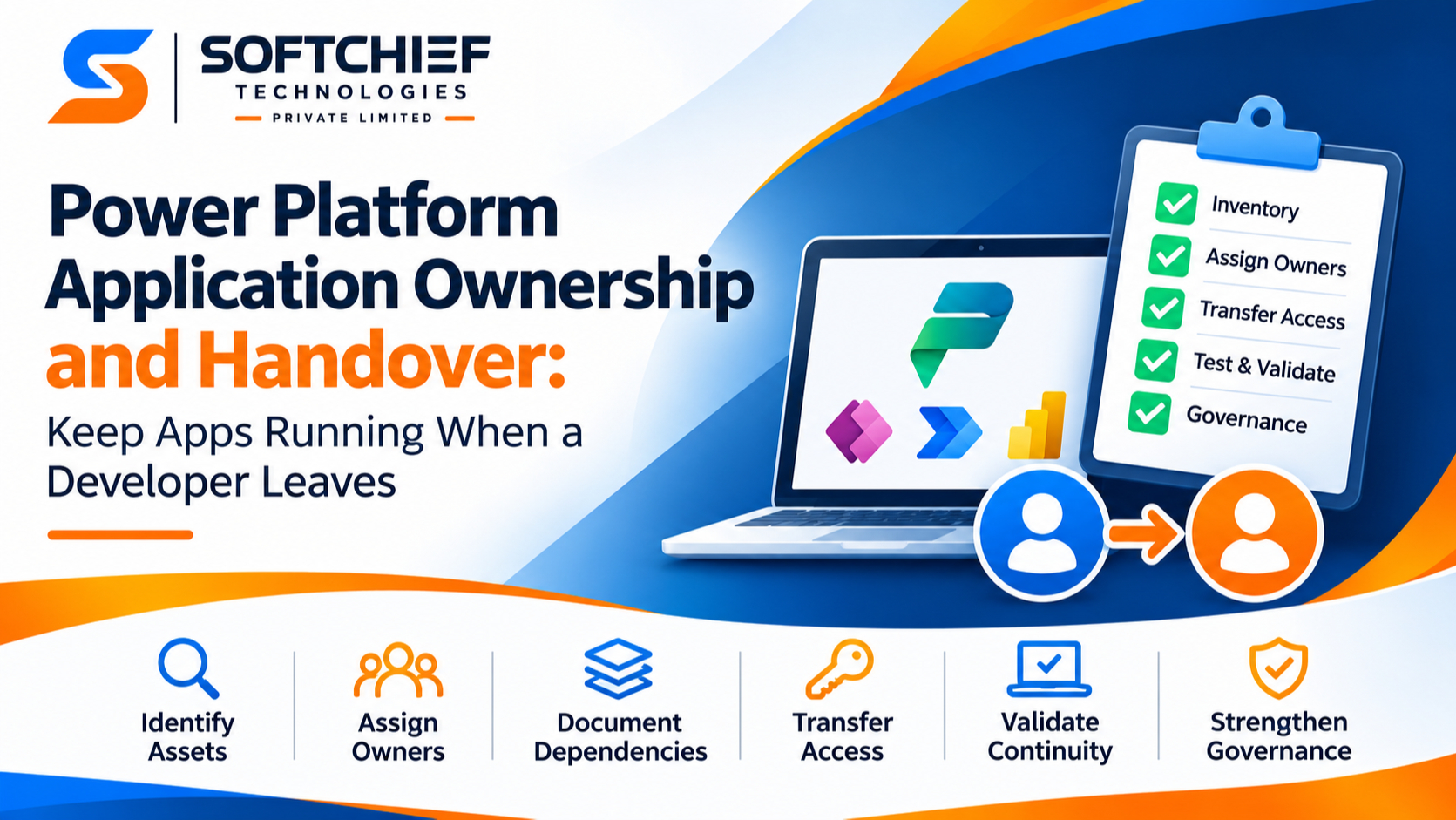
A reliable Power Platform application ownership and handover plan covers the full picture: identify assets, name owners, document dependencies, transfer access, and test support arrangements before the developer’s account is removed.
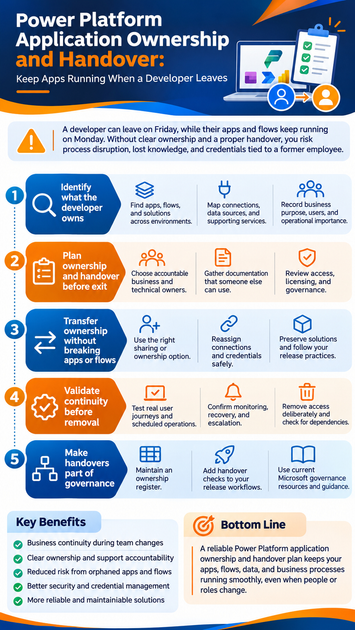
Identify what the departing developer owns or supports
Start the inventory before access changes. A business app may rely on flows, connectors, data sources, and services that aren’t obvious to its users.
Find apps, flows, and solutions across environments
Review each relevant environment for canvas and model-driven apps, cloud and desktop flows, custom connectors, and solution components. Separate production assets from prototypes and personal productivity tools. Check the Power Platform admin center for environment resources, and ask the developer and business teams about assets that may not be easy to spot.
Map connections, data sources, and supporting services
For each asset, record its connectors, connection references, gateways, SharePoint sites, Dataverse tables, mailboxes, service accounts, and other linked services. The asset owner and the account behind a connection may be different, so capture both. A flow might be owned by one employee but send email through a shared mailbox or read data using someone else’s connection.
Record business purpose, users, and operational importance
Write down the process each asset supports, its users, business contact, environment, and the impact of downtime. Note links to related apps and flows so support staff can see how work moves between them. Flag overlapping or unused assets for review rather than assuming each one needs a direct handover.
Plan Power Platform application ownership and handover before exit
A handover works best while the developer can explain design choices, test changes, and answer questions. Use that time to agree who will make business decisions and who will handle technical support.
Choose accountable business and technical owners
Assign a business owner who understands the process and can approve changes. Name a technical owner or support team responsible for access, fixes, and releases. Confirm that each successor has the required environment permissions and enough time to take on the work.
Gather documentation someone else can use
Document the app’s purpose, key logic, data flows, configuration, known issues, deployment steps, and recovery process. Include monitoring details and support contacts, plus links to source files and team documentation. Keep those materials in a shared, approved location, not in a personal folder or old chat thread.
Review access, licensing, and governance
Check environment roles, security groups, app sharing, connector access, and any premium licensing needs. Review data loss prevention rules and your organization’s requirements for service accounts or service principals. Microsoft’s cloud flow ownership guidance explains that flow ownership can affect licensing; confirm the current rules for each flow before choosing a new owner.
Transfer ownership without breaking apps or flows
Treat the transfer as a set of connected changes, not one owner-field update. The right method depends on the asset type and how it was built, so test each asset with its dependencies.
Use the right sharing or ownership option
Review the supported ownership and co-owner options for each app, flow, and other component. For solution-aware cloud flows, Microsoft documents a way to change the primary owner; non-solution flows can’t have their owner changed in place. An app share or flow co-owner assignment may grant access, but it doesn’t automatically transfer every connection, permission, or support duty.
Reassign connections and credentials safely
Replace personal connections where appropriate and update connection references to use approved connections. Confirm that the new owner or operational identity has permission to use every required service. Never pass around a departing employee’s password or leave a critical workflow dependent on their sign-in.
Preserve solutions and release practices
Keep business-critical components in solutions where your team’s design allows it. Document environment variables, connection references, and deployment dependencies so the next owner can move changes through development, test, and production. Microsoft’s connection reference documentation explains how solution flows use these references to connect to services.
Validate continuity before removing the developer’s access
Don’t revoke access until the replacement owner has shown they can run and support the solution. A successful handover means more than an app opening on screen; its key functions and operating tasks must work under the new arrangements.
Test real user journeys and scheduled operations
Have a new owner or support person run representative scenarios, such as submitting a request, completing an approval, and receiving a notification. Check scheduled tasks, integrations, flow run history, and error handling. Use test data where possible, and prevent test runs from sending real payments, changing live records, or triggering other unintended actions.
Confirm monitoring, recovery, and escalation
Record who receives failure alerts, where to check errors, and how to pause or recover a flow. Name the person or team to contact when an issue needs platform or service-owner support. Confirm that the new support contact can reach the run history, monitoring tools, and relevant data.
Remove access deliberately and check dependencies
After testing and approval, adjust or remove the departing developer’s access in line with company policy. Then recheck for personal connections, ownership references, credentials, and other ties to their account. Microsoft’s orphaned-flow guidance describes ways administrators can find flows without valid owners and assign new co-owners.
Make handovers part of Power Platform governance
A departure checklist helps once. A regular ownership process helps teams find gaps before someone leaves and reduces reliance on individual accounts.
Maintain an ownership register
Track each production asset’s business owner, technical owner, environment, criticality, dependencies, and last review date. Update the register after team changes, releases, and major process updates. Review it on a set schedule so outdated names don’t become the next support problem.
Add handover checks to release workflows
Before production approval, require a named business owner, a technical support contact, useful documentation, and a dependency check. Make sure critical apps and flows don’t rely on one person’s account. Treat these checks as part of readiness for support, not as paperwork to finish after launch.
Use current Microsoft governance resources
Use the Power Platform admin center and Microsoft Learn guidance to manage environments, inventory, sharing, and solutions. Microsoft’s 2026 guidance update says the CoE Starter Kit is no longer actively maintained and points to built-in admin center features for governance and visibility. Organizations already using the kit should review its fit and upkeep needs; new governance plans should start with current Microsoft guidance.
Conclusion
When a Power Platform developer leaves, continuity depends on transferring knowledge, access, connections, and accountability together. Inventory the assets, name business and technical owners, document dependencies, and test the new support setup before removing old access.
Start with the production apps and flows that would cause the most disruption if they failed. Turn their handover steps into a routine governance check, and your team will be better prepared whenever people or roles change.