
Top Azure Services Every Dynamics 365 Developer Must Learn
Introduction
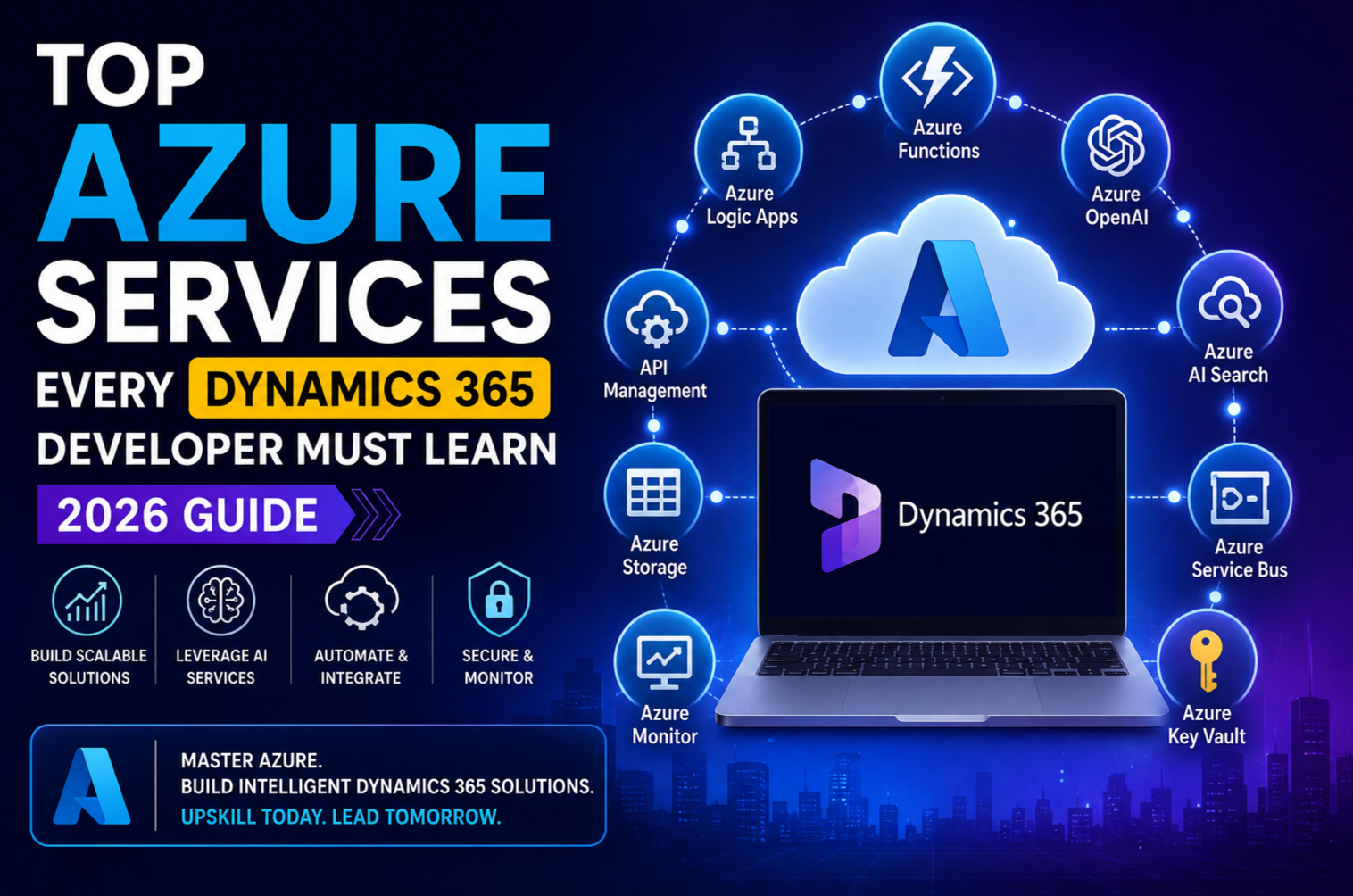
Microsoft Dynamics 365 has evolved far beyond being just a Customer Relationship Management (CRM) or Enterprise Resource Planning (ERP) platform. In 2026, Dynamics 365 has become the foundation for intelligent business applications that leverage cloud computing, artificial intelligence, automation and advanced integrations.
As organisations modernise their business processes, Dynamics 365 developers are increasingly expected to possess strong Azure skills. From building scalable integrations and AI-powered assistants to deploying serverless applications and automating workflows, Azure has become an essential part of every Dynamics 365 developer’s toolkit.
If you want to build future-ready Dynamics 365 solutions and remain competitive in today’s job market, these Azure services should be at the top of your learning roadmap.
Why Dynamics 365 Developers Need Azure Skills
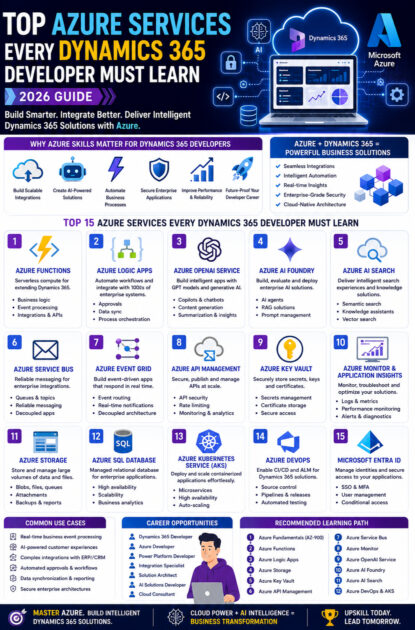
Modern Dynamics 365 implementations rarely operate in isolation. Businesses integrate Dynamics 365 with websites, mobile apps, ERP systems, Power Platform, AI services and external applications.
Azure enables developers to:
- Build scalable integrations
- Create AI-powered applications
- Develop serverless extensions
- Process business events
- Automate workflows
- Secure enterprise data
- Deploy cloud-native applications
- Monitor business solutions
Mastering Azure allows developers to deliver more intelligent, secure and scalable Dynamics 365 solutions.
1. Azure Functions
Azure Functions is one of the most important Azure services for Dynamics 365 developers.
It enables you to execute code without managing servers.
Common use cases include:
- Triggering custom business logic
- Processing Dynamics 365 events
- Calling external APIs
- Data synchronisation
- Background processing
- Scheduled jobs
- File processing
Azure Functions integrate seamlessly with Dataverse and Dynamics 365 APIs.
2. Azure Logic Apps
Azure Logic Apps simplify business process automation by connecting hundreds of cloud services.
Developers use Logic Apps to integrate Dynamics 365 with:
- SAP
- Salesforce
- Outlook
- SharePoint
- SQL Server
- Microsoft Teams
- Azure Storage
- Third-party applications
Logic Apps reduce custom coding while accelerating enterprise integration projects.
3. Azure OpenAI Service
Artificial Intelligence is rapidly becoming a standard feature of Dynamics 365 solutions.
Azure OpenAI enables developers to build:
- AI customer service assistants
- Intelligent sales copilots
- Email generation
- Meeting summaries
- Case summarisation
- Opportunity insights
- AI knowledge assistants
- Natural language search
Azure OpenAI integrates securely with Microsoft cloud services, making it an excellent choice for enterprise AI.
4. Azure AI Foundry
Azure AI Foundry provides tools for building, evaluating and managing enterprise AI applications.
Dynamics 365 developers can use it to:
- Build AI agents
- Develop Retrieval-Augmented Generation (RAG) solutions
- Connect enterprise knowledge
- Evaluate AI models
- Manage prompts
- Deploy intelligent assistants
AI Foundry is becoming increasingly important for enterprise AI development.
5. Azure AI Search
Azure AI Search enables intelligent enterprise search experiences.
Developers can build:
- Knowledge assistants
- Product search
- Customer service search
- Internal document search
- AI-powered Dynamics 365 copilots
Combining Azure AI Search with Azure OpenAI significantly improves response quality.
6. Azure Service Bus
Enterprise applications frequently require asynchronous communication.
Azure Service Bus enables:
- Reliable messaging
- Event processing
- Queue management
- Decoupled integrations
- High-volume transactions
It is commonly used when integrating Dynamics 365 with ERP systems and external business applications.
7. Azure Event Grid
Azure Event Grid enables event-driven architectures.
Typical scenarios include:
- Customer created
- Opportunity updated
- Invoice generated
- Order completed
- Lead qualified
- Workflow completed
Applications can automatically respond to business events in near real time.
8. Azure API Management
Many organisations expose APIs for internal and external integrations.
Azure API Management provides:
- API security
- Authentication
- Rate limiting
- Monitoring
- API documentation
- Version management
This service simplifies the management of enterprise APIs connected to Dynamics 365.
9. Azure Key Vault
Protecting sensitive information is critical.
Azure Key Vault securely stores:
- API keys
- Secrets
- Certificates
- Connection strings
- Encryption keys
Rather than storing credentials in application code, developers should retrieve them securely from Key Vault.
10. Azure Monitor and Application Insights
Monitoring enterprise applications is essential.
Azure Monitor helps developers:
- Track application health
- Identify performance bottlenecks
- Analyse failures
- View logs
- Create alerts
- Monitor dependencies
Application Insights provides detailed diagnostics for Dynamics 365 integrations and Azure-hosted applications.
11. Azure Storage
Enterprise applications often manage large volumes of files.
Azure Storage supports:
- Document management
- Invoice storage
- Images
- Backups
- Attachments
- Reports
It integrates efficiently with Dynamics 365 and Power Platform solutions.
12. Azure SQL Database
Although Dataverse stores business data, many enterprise solutions also require relational databases.
Azure SQL Database is ideal for:
- Reporting
- Data warehousing
- Historical records
- External application data
- Business analytics
It provides high availability and automatic scaling.
13. Azure Kubernetes Service (AKS)
For large enterprise deployments, containerised applications provide flexibility and scalability.
AKS enables developers to:
- Deploy microservices
- Scale applications
- Manage containers
- Automate deployments
- Improve reliability
It is particularly useful for enterprise integrations surrounding Dynamics 365.
14. Azure DevOps
Modern development requires continuous integration and continuous deployment.
Azure DevOps supports:
- Source control
- Build pipelines
- Release pipelines
- Work item tracking
- Automated testing
- Deployment automation
Many Dynamics 365 projects rely on Azure DevOps for Application Lifecycle Management (ALM).
15. Microsoft Entra ID
Identity management is fundamental to enterprise applications.
Microsoft Entra ID enables:
- Single Sign-On (SSO)
- Multi-Factor Authentication (MFA)
- Secure authentication
- User management
- Conditional Access
- Enterprise identity governance
Nearly every Dynamics 365 implementation uses Microsoft Entra ID for authentication.
AI Is Transforming Dynamics 365 Development
Artificial Intelligence is changing how Dynamics 365 applications are built.
Developers can now create:
- AI sales assistants
- Intelligent customer support
- Automated email generation
- Predictive recommendations
- Smart document processing
- AI-powered reporting
- Conversational business applications
Azure AI services make these capabilities easier to implement than ever before.
Recommended Learning Path
If you’re beginning your Azure journey as a Dynamics 365 developer, consider learning in this order:
- Azure Fundamentals (AZ-900)
- Azure Functions
- Azure Logic Apps
- Azure Storage
- Azure Key Vault
- Azure API Management
- Azure Service Bus
- Azure Monitor
- Azure OpenAI Service
- Azure AI Foundry
- Azure AI Search
- Azure DevOps
- Azure Kubernetes Service
This progression builds a solid foundation before moving into advanced cloud and AI scenarios.
Career Opportunities
Developers with expertise in both Dynamics 365 and Azure are in high demand.
Popular job roles include:
- Dynamics 365 Developer
- Dynamics 365 Technical Consultant
- Azure Developer
- Power Platform Developer
- Solution Architect
- Integration Specialist
- Enterprise Application Developer
- Cloud Consultant
- AI Solutions Developer
Organisations increasingly seek professionals capable of delivering integrated, cloud-native and AI-powered business applications.
Best Practices
To build enterprise-ready Dynamics 365 solutions:
- Follow Microsoft’s recommended architecture.
- Secure secrets with Azure Key Vault.
- Use serverless computing where appropriate.
- Monitor applications continuously.
- Design scalable APIs.
- Build reusable integrations.
- Implement proper authentication.
- Automate deployments using CI/CD.
- Document all integrations.
- Apply responsible AI principles when using AI services.
These practices improve scalability, security and long-term maintainability.
Future Trends
The future of Dynamics 365 development will increasingly focus on:
- AI agents
- Autonomous workflows
- Intelligent copilots
- Cloud-native architectures
- Event-driven systems
- Hyperautomation
- Low-code and pro-code collaboration
- Predictive business intelligence
Developers who understand Azure services will be well positioned to build the next generation of enterprise business applications.
Conclusion
Azure has become an indispensable part of the Dynamics 365 development ecosystem. Modern business applications require far more than CRM customisations—they demand scalable integrations, intelligent automation, secure cloud services and AI-powered experiences.
By mastering Azure services such as Azure Functions, Logic Apps, Azure OpenAI, Azure AI Foundry, Service Bus, API Management and Azure DevOps, Dynamics 365 developers can create robust enterprise solutions that meet the evolving needs of organisations across industries.
Whether you are starting your Dynamics 365 career or looking to advance into solution architecture and enterprise development, investing in Azure skills will significantly expand your technical capabilities and career opportunities in 2026 and beyond.









