
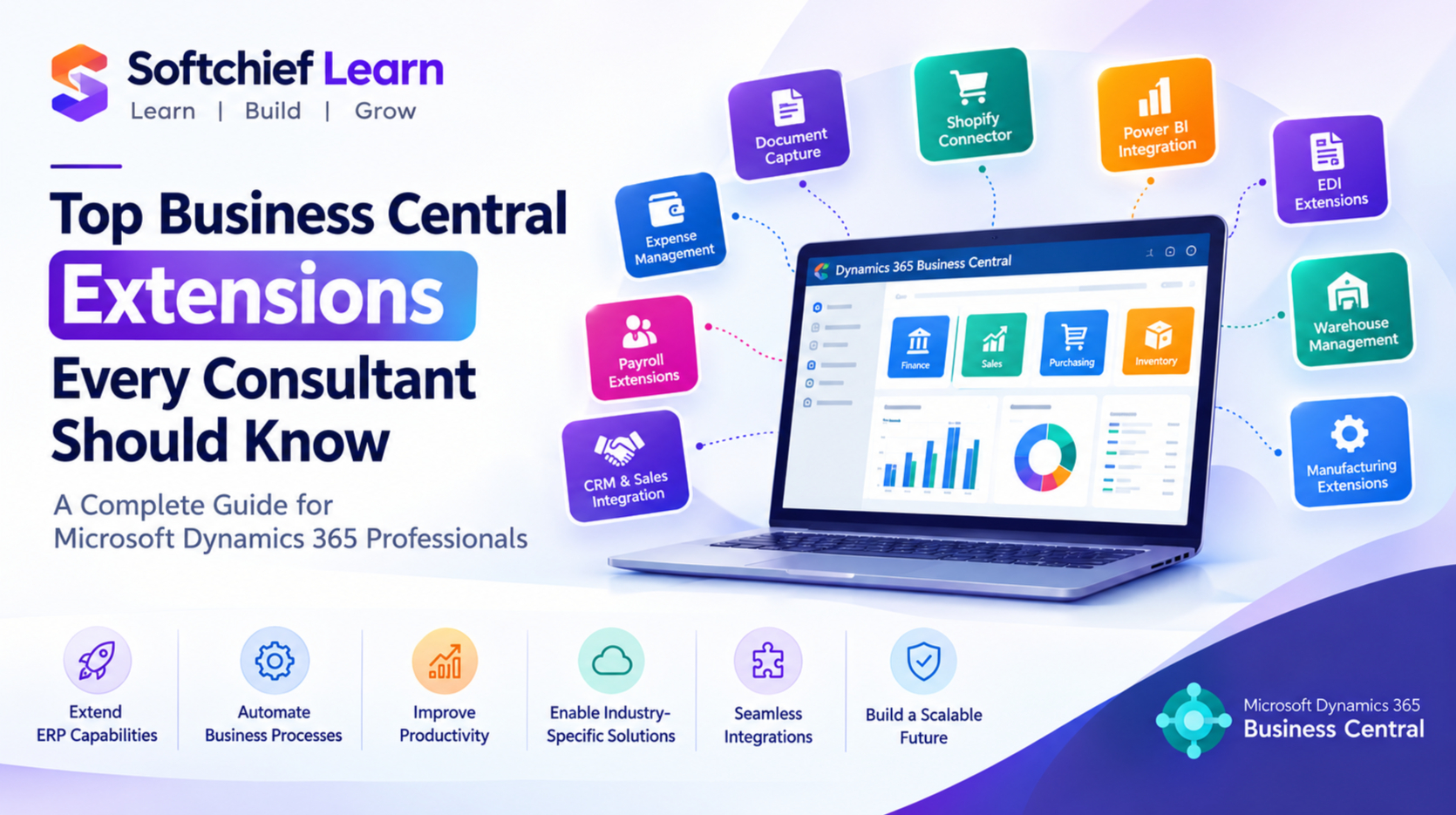
10 Business Central Extensions Every Consultant Should Know in 2026
Introduction
Microsoft Dynamics 365 Business Central has become one of the most widely adopted cloud ERP solutions for small and medium-sized businesses looking to streamline finance, operations, supply chain, sales and service management.
However, every organisation has unique business processes. While Business Central provides powerful standard functionality, many companies require additional capabilities to meet industry-specific requirements, automate repetitive tasks and integrate with external platforms.
This is where Business Central Extensions play a critical role.
Unlike traditional ERP customizations that modify the core system, Business Central extensions allow consultants and developers to enhance functionality while keeping the solution upgrade-friendly and aligned with Microsoft’s cloud strategy.
For Business Central consultants, understanding the right extensions is essential because clients increasingly expect solutions that provide:
- Faster implementation
- Better automation
- Improved reporting
- Industry-specific functionality
- Seamless integrations
- Long-term scalability
In this article, we will explore the top Business Central extensions every consultant should know, their business value and how they help deliver successful ERP implementations.
What Are Business Central Extensions?
Business Central extensions are additional applications that enhance the standard capabilities of Microsoft Dynamics 365 Business Central.
Extensions can add:
- New business processes
- Additional fields and pages
- Workflow automation
- Industry functionality
- Third-party integrations
- Reporting capabilities
- Productivity improvements
Extensions are developed using AL programming language and deployed through Microsoft AppSource or private environments.
Why Are Extensions Important in Business Central?
Modern ERP implementations require flexibility without compromising system stability.
Traditional ERP customization often created challenges:
- Difficult upgrades
- Higher maintenance costs
- Dependency on developers
- Complex migrations
Business Central extensions solve these challenges by providing a cleaner approach.
Key benefits include:
1. Upgrade-Friendly Architecture
Extensions allow organisations to adopt Microsoft updates without rewriting custom code.
This is especially important with Business Central’s frequent cloud releases.
2. Faster Implementation
Instead of developing every feature from scratch, consultants can use proven extensions.
This reduces:
- Development time
- Implementation costs
- Project risks
3. Industry-Specific Capabilities
Different industries have different requirements.
Examples:
- Manufacturing
- Retail
- Construction
- Healthcare
- Professional services
Extensions provide specialised functionality without unnecessary complexity.
4. Improved User Productivity
Extensions automate repetitive tasks and improve daily operations.
Examples:
- Automated approvals
- Document generation
- Advanced reporting
- Data synchronisation
Top Business Central Extensions Every Consultant Should Know
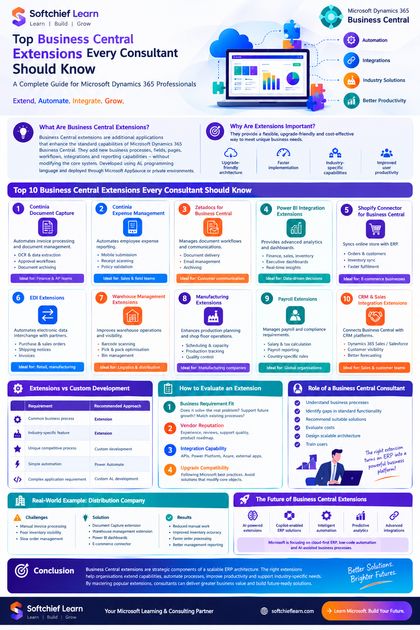
1. Continia Document Capture
Continia Software is one of the most popular extension providers in the Business Central ecosystem.
Purpose:
Automates invoice processing and document management.
Key Features:
- OCR-based invoice recognition
- Automatic invoice data extraction
- Approval workflows
- Vendor invoice automation
- Document archiving
Business Value:
Finance teams spend significant time manually entering supplier invoices.
With Continia Document Capture:
Before:
Invoice received → Manual entry → Approval → Posting
After:
Invoice received → Automatic scanning → Validation → Approval → Posting
Ideal For:
- Finance departments
- Accounts payable teams
- Organisations processing large invoice volumes
2. Continia Expense Management
Managing employee expenses manually creates delays and errors.
Continia Expense Management helps automate expense reporting.
Features:
- Mobile expense submission
- Receipt scanning
- Approval workflows
- Policy validation
- Business Central integration
Example:
A sales employee uploads a travel receipt through the mobile application.
The system:
- Reads receipt information
- Matches expense categories
- Sends approval request
- Creates accounting entries
Benefits:
- Faster reimbursement
- Reduced administration
- Better expense visibility
3. Zetadocs for Business Central
Esker and similar document automation solutions help organisations manage document workflows.
Zetadocs provides:
- Document delivery automation
- Email management
- Customer communication
- Document archiving
Business Scenario:
A company generates hundreds of invoices daily.
Instead of manually emailing invoices:
Business Central automatically:
- Creates invoice documents
- Sends emails
- Stores communication history
4. Power BI Integration Extensions
Business Central provides standard reporting capabilities, but many organisations require advanced analytics.
Power BI integration extensions help create:
- Executive dashboards
- Financial reports
- Sales analytics
- Inventory insights
Common Business Central Analytics Areas:
Finance Dashboard
- Revenue trends
- Cash flow
- Profitability
- Budget comparison
Sales Dashboard
- Sales pipeline
- Customer performance
- Product analysis
Inventory Dashboard
- Stock levels
- Slow-moving items
- Demand trends
5. Shopify Connector for Business Central
E-commerce businesses need seamless integration between online stores and ERP systems.
Shopify connectors enable synchronisation between:
- Shopify
- Business Central
- Inventory
- Customers
- Orders
Typical Process:
Customer places order online:
↓
Shopify sends order information
↓
Business Central creates sales order
↓
Inventory updates automatically
↓
Customer receives confirmation
6. EDI Extensions for Business Central
Electronic Data Interchange (EDI) is essential for companies working with large retailers and supply chain partners.
EDI extensions automate:
- Purchase orders
- Sales orders
- Shipping notices
- Invoices
Industries Using EDI:
- Retail
- Manufacturing
- Distribution
- Logistics
Example:
A supplier receives thousands of purchase orders from retailers.
EDI automation removes manual data entry and improves accuracy.
7. Warehouse Management Extensions
Business Central provides inventory management functionality, but advanced warehouse operations often require additional capabilities.
Warehouse extensions provide:
- Barcode scanning
- Mobile warehouse operations
- Pick and pack optimisation
- Bin management
- Warehouse automation
Business Benefits:
- Faster order fulfilment
- Reduced inventory errors
- Better warehouse visibility
8. Manufacturing Extensions
Manufacturing companies often require advanced production capabilities.
Extensions can enhance:
- Production planning
- Scheduling
- Capacity management
- Shop floor operations
- Quality control
Example:
A manufacturing company needs:
- Machine scheduling
- Production tracking
- Material planning
A manufacturing extension can provide these capabilities without custom development.
9. Payroll Extensions
Payroll requirements vary significantly by country and region.
Payroll extensions help organisations manage:
- Employee salaries
- Tax calculations
- Payroll reporting
- Compliance requirements
Consultant Consideration:
Always select payroll extensions based on:
- Country regulations
- Compliance requirements
- Integration capabilities
10. CRM and Sales Integration Extensions
Many organisations use Business Central alongside CRM platforms.
Integration extensions connect:
- Dynamics 365 Sales
- Salesforce
- Marketing platforms
Benefits:
- Customer visibility
- Better sales forecasting
- Improved collaboration
Business Central Extensions vs Custom Development
A common consultant decision is:
Should we use an extension or build custom functionality?
The answer depends on business requirements.
| Requirement | Recommended Approach |
|---|---|
| Common business process | Extension |
| Industry-specific feature | Extension |
| Unique competitive process | Custom development |
| Simple automation | Power Automate |
| Complex application requirement | Custom AL development |
How Consultants Should Evaluate Business Central Extensions
Before recommending an extension, consultants should analyse:
1. Business Requirement Fit
Ask:
- Does the extension solve the actual business problem?
- Does it support future growth?
- Does it match existing processes?
2. Vendor Reputation
Evaluate:
- Vendor experience
- Customer reviews
- Support quality
- Product roadmap
3. Integration Capability
Check whether the extension supports:
- APIs
- Power Platform
- Azure services
- External applications
4. Upgrade Compatibility
Ensure the extension follows Microsoft best practices.
Avoid solutions that:
- Modify core objects
- Create upgrade risks
- Depend on outdated technology
Role of a Business Central Consultant in Extension Selection
A consultant’s responsibility is not simply installing extensions.
A successful consultant must:
- Understand business processes
- Identify gaps in standard functionality
- Recommend suitable solutions
- Evaluate costs
- Design scalable architecture
- Train users
The right extension can transform an ERP implementation from a basic system into a powerful business platform.
Real-World Example: Distribution Company Implementation
A distribution company implemented Business Central.
Challenges:
- Manual invoice processing
- Poor inventory visibility
- Slow order management
Solution:
Implemented:
- Document Capture extension
- Warehouse management extension
- Power BI dashboards
- E-commerce connector
Results:
- Reduced manual accounting work
- Improved inventory accuracy
- Faster order processing
- Better management reporting
Future of Business Central Extensions
The Business Central ecosystem continues growing rapidly.
Future trends include:
- AI-powered extensions
- Copilot-enabled ERP solutions
- Intelligent automation
- Predictive analytics
- Advanced integrations
Microsoft is increasingly focusing on:
- Cloud-first ERP
- Low-code automation
- AI-assisted business processes
Consultants who understand extensions will be better positioned to deliver modern ERP solutions.
Conclusion
Business Central extensions are essential tools for consultants delivering successful Microsoft Dynamics 365 ERP implementations.
The right extensions help organisations:
- Extend ERP capabilities
- Automate business processes
- Improve productivity
- Reduce development effort
- Support industry-specific requirements
A skilled Business Central consultant understands that extensions are not just additional features; they are strategic components of a scalable ERP architecture.
By mastering popular extensions such as document automation, analytics, warehouse management, EDI, e-commerce integration and industry-specific solutions, consultants can deliver greater business value and build future-ready Business Central solutions.









