
Creating AI-Powered Workflows Using Power Automate and Azure AI
Introduction
Artificial Intelligence is revolutionising business automation by enabling organisations to build workflows that not only automate repetitive tasks but also make intelligent decisions. In 2026, the combination of Microsoft Power Automate and Azure AI has become one of the most powerful solutions for creating smart, scalable and enterprise-ready business processes.
From processing invoices and analysing customer feedback to generating email responses and powering AI-driven approvals, organisations across industries are using AI-powered workflows to improve productivity, reduce operational costs and enhance customer experiences.
This comprehensive guide explores how Power Automate and Azure AI work together, their key capabilities, practical use cases and best practices for building intelligent automation solutions.
What is Power Automate?
Microsoft Power Automate is a cloud-based workflow automation platform that enables users to automate repetitive business processes across hundreds of applications and services with little or no code.
It allows organisations to:
- Automate approvals
- Synchronise data
- Send notifications
- Integrate business applications
- Trigger workflows automatically
- Connect cloud and on-premises systems
- Reduce manual tasks
Power Automate is a core component of the Microsoft Power Platform.
What is Azure AI?
Azure AI is Microsoft’s suite of artificial intelligence services that enables developers and businesses to build intelligent applications using cloud-based AI capabilities.
Azure AI includes services such as:
- Azure OpenAI Service
- Azure AI Foundry
- Azure AI Search
- Azure AI Document Intelligence
- Azure AI Language
- Azure AI Vision
- Azure AI Speech
- Azure AI Translator
These services can be integrated directly into Power Automate workflows to create intelligent business processes.
Why Combine Power Automate with Azure AI?
Traditional workflows automate predefined actions.
AI-powered workflows can:
- Understand documents
- Analyse text
- Generate content
- Make intelligent recommendations
- Classify information
- Summarise data
- Detect anomalies
- Extract business insights
This enables organisations to automate more complex business scenarios that previously required human intervention.
How AI-Powered Workflows Work
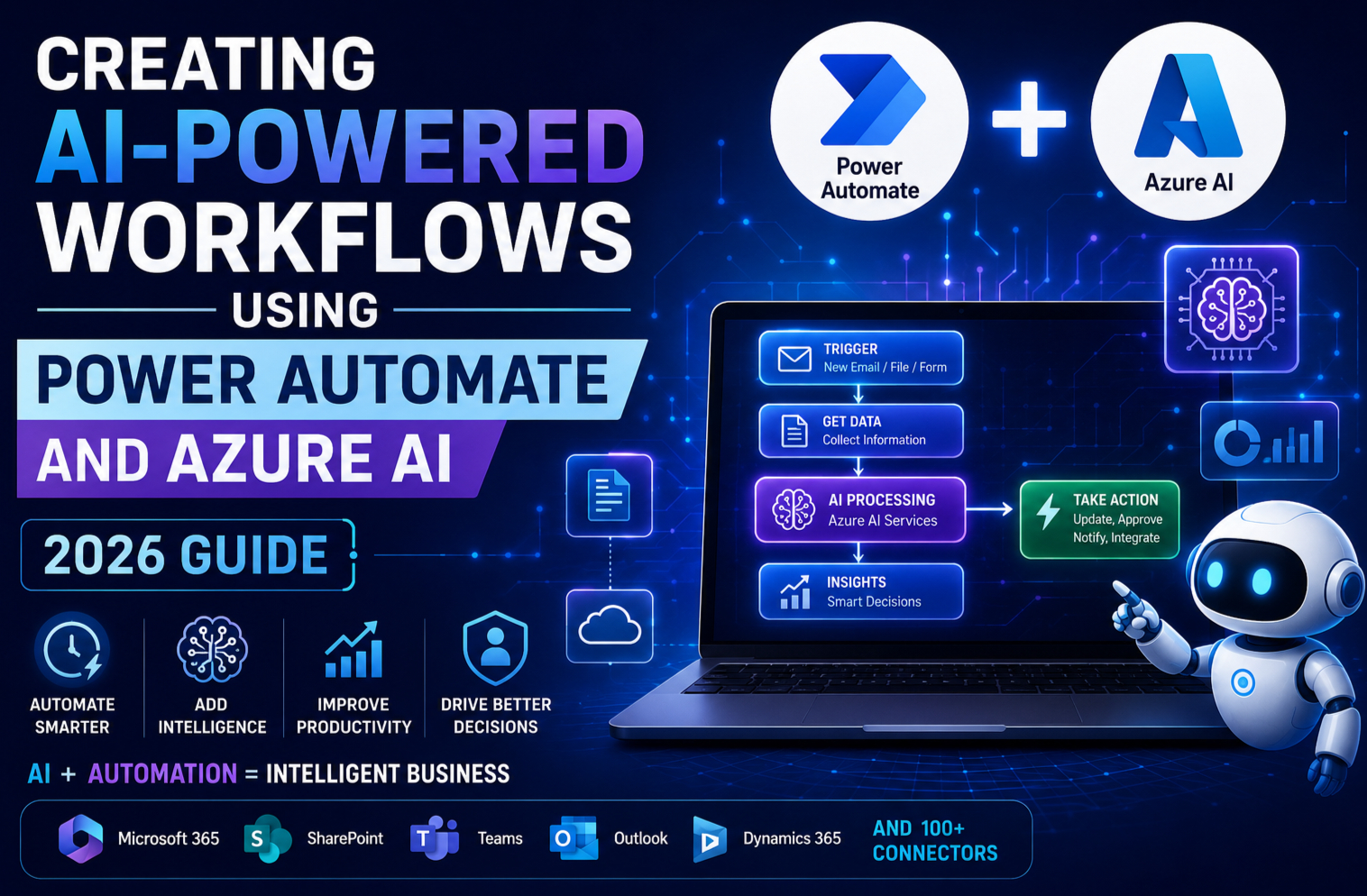
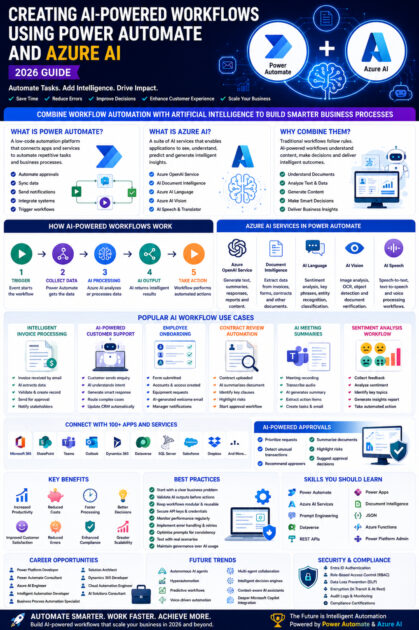
A typical AI-powered workflow follows these steps:
- A trigger starts the workflow (email, file upload, form submission or scheduled event).
- Power Automate collects the required data.
- Azure AI analyses or processes the information.
- AI returns intelligent results.
- Power Automate performs automated actions based on the AI output.
- Notifications, approvals or integrations are completed automatically.
This combination creates workflows that can both automate tasks and make informed decisions.
Key Azure AI Services Used in Power Automate
Azure OpenAI Service
Enables workflows to:
- Generate email responses
- Create reports
- Summarise documents
- Answer customer questions
- Produce marketing content
- Generate meeting summaries
Azure AI Document Intelligence
Extracts information from:
- Invoices
- Purchase orders
- Contracts
- Receipts
- Insurance forms
- Employee documents
This eliminates manual data entry and improves processing accuracy.
Azure AI Language
Supports:
- Sentiment analysis
- Key phrase extraction
- Language detection
- Entity recognition
- Text classification
Useful for analysing customer feedback and support requests.
Azure AI Vision
Processes images to:
- Detect objects
- Read printed text (OCR)
- Classify images
- Verify uploaded documents
Ideal for document verification and image-based workflows.
Azure AI Speech
Enables workflows to:
- Convert speech to text
- Convert text to speech
- Process recorded meetings
- Automate voice-based interactions
Popular AI Workflow Scenarios
Intelligent Invoice Processing
Workflow example:
- Invoice arrives by email.
- Power Automate detects the attachment.
- Azure AI Document Intelligence extracts invoice details.
- Information is validated.
- Approval request is generated.
- Finance system is updated automatically.
- Notification is sent to stakeholders.
Benefits include faster processing, fewer errors and reduced manual effort.
AI-Powered Customer Support
A workflow can:
- Receive customer enquiries.
- Analyse intent using Azure AI.
- Generate draft responses with Azure OpenAI.
- Route complex cases to support teams.
- Update CRM records automatically.
This improves response times while maintaining service quality.
Employee Onboarding Automation
When a new employee joins:
- HR submits an onboarding form.
- Accounts are created automatically.
- Equipment requests are generated.
- Welcome emails are personalised using AI.
- Training schedules are assigned.
- Managers receive notifications.
The entire onboarding process becomes faster and more consistent.
Contract Review Automation
Contracts can be:
- Uploaded to SharePoint.
- Analysed by Azure AI.
- Summarised automatically.
- Key clauses identified.
- Risks highlighted.
- Approval workflows initiated.
Legal teams spend less time reviewing routine documents.
AI Meeting Summaries
After a Microsoft Teams meeting:
- Recording is transcribed.
- Azure OpenAI generates a summary.
- Action items are identified.
- Tasks are created automatically.
- Summary is emailed to participants.
This helps teams stay aligned and reduces administrative work.
Business Applications You Can Integrate
Power Automate connects with hundreds of services, including:
- Microsoft 365
- SharePoint
- Microsoft Teams
- Outlook
- Dynamics 365
- Power Apps
- Microsoft Dataverse
- SQL Server
- Azure SQL Database
- Salesforce
- SAP
- Dropbox
- Google Drive
- OneDrive
- ServiceNow
- Jira
This enables seamless automation across enterprise systems.
AI-Powered Approval Workflows
Traditional approvals rely solely on predefined rules.
AI-enhanced approvals can:
- Prioritise requests
- Detect unusual transactions
- Recommend approvers
- Summarise supporting documents
- Highlight potential risks
- Suggest approval decisions
Human reviewers remain in control while AI provides valuable insights.
Benefits of AI-Powered Automation
Organisations adopting AI-powered workflows experience:
- Increased productivity
- Reduced operational costs
- Faster processing times
- Improved customer satisfaction
- Better decision-making
- Enhanced compliance
- Reduced manual errors
- Greater scalability
Employees can focus on strategic work instead of repetitive administrative tasks.
Security and Compliance
Enterprise automation requires robust security.
Microsoft provides:
- Microsoft Entra ID authentication
- Role-Based Access Control (RBAC)
- Data Loss Prevention (DLP) policies
- Encryption at rest and in transit
- Secure connectors
- Audit logs
- Compliance certifications
- Azure Key Vault integration
These capabilities help protect business data while supporting regulatory requirements.
Best Practices for Building AI Workflows
To create reliable AI-powered workflows:
- Start with a clearly defined business problem.
- Keep workflows modular and reusable.
- Validate AI-generated outputs before critical actions.
- Secure API keys and credentials.
- Monitor workflow performance regularly.
- Implement error handling and retries.
- Optimise prompts for consistent AI responses.
- Test workflows with real business scenarios.
- Maintain governance over AI usage.
Following these practices improves reliability and maintainability.
Skills You Should Learn
Professionals building AI-powered workflows should understand:
- Power Automate
- Power Apps
- Microsoft Dataverse
- Azure OpenAI Service
- Azure AI Foundry
- Azure AI Search
- Azure AI Document Intelligence
- Prompt Engineering
- REST APIs
- JSON
- Microsoft Graph API
- C#
- Azure Functions
- SharePoint
- Dynamics 365
- Power Platform Administration
These skills prepare developers and business users for modern automation projects.
Career Opportunities
As organisations embrace intelligent automation, demand is increasing for professionals skilled in Power Platform and Azure AI.
Popular roles include:
- Power Platform Developer
- Power Automate Consultant
- Azure AI Engineer
- Intelligent Automation Developer
- Business Process Automation Specialist
- Solution Architect
- Dynamics 365 Developer
- Cloud Automation Engineer
- AI Solutions Consultant
These careers span industries such as finance, healthcare, manufacturing, retail, education and government.
Future Trends
The next generation of AI-powered workflows will include:
- Autonomous AI agents
- Multi-agent collaboration
- Predictive business automation
- Voice-driven workflows
- Hyperautomation
- Intelligent decision engines
- Context-aware AI assistants
- Deeper integration with Microsoft Copilot
These innovations will make enterprise automation even more adaptive and efficient.
Conclusion
Power Automate and Azure AI are transforming the way organisations automate business processes. By combining workflow automation with advanced AI capabilities, businesses can move beyond simple rule-based automation and build intelligent systems capable of understanding documents, analysing data, generating content and supporting better decisions.
Whether you’re automating approvals, processing invoices, enhancing customer service or streamlining employee onboarding, the combination of Power Automate and Azure AI provides a secure, scalable and future-ready platform for enterprise automation.
As AI becomes a core component of digital transformation strategies, learning how to design and implement AI-powered workflows will be an increasingly valuable skill for developers, consultants and business professionals alike.









