
AI Agent Project Lifecycle: Build a Reliable System From First Use Case
Introduction
A polished AI agent demo can finish a task in minutes, then fail when it meets a real workflow. Reliable results depend on choices made across the AI agent project lifecycle, not only on which model you select.
In practical terms, an AI agent uses a model to pursue a goal, choose actions, and interact with tools or other systems. Unlike fixed automation, it can respond to changing inputs and choose among possible steps. But if a task follows the same rules every time, conventional automation may be cheaper and easier to control.
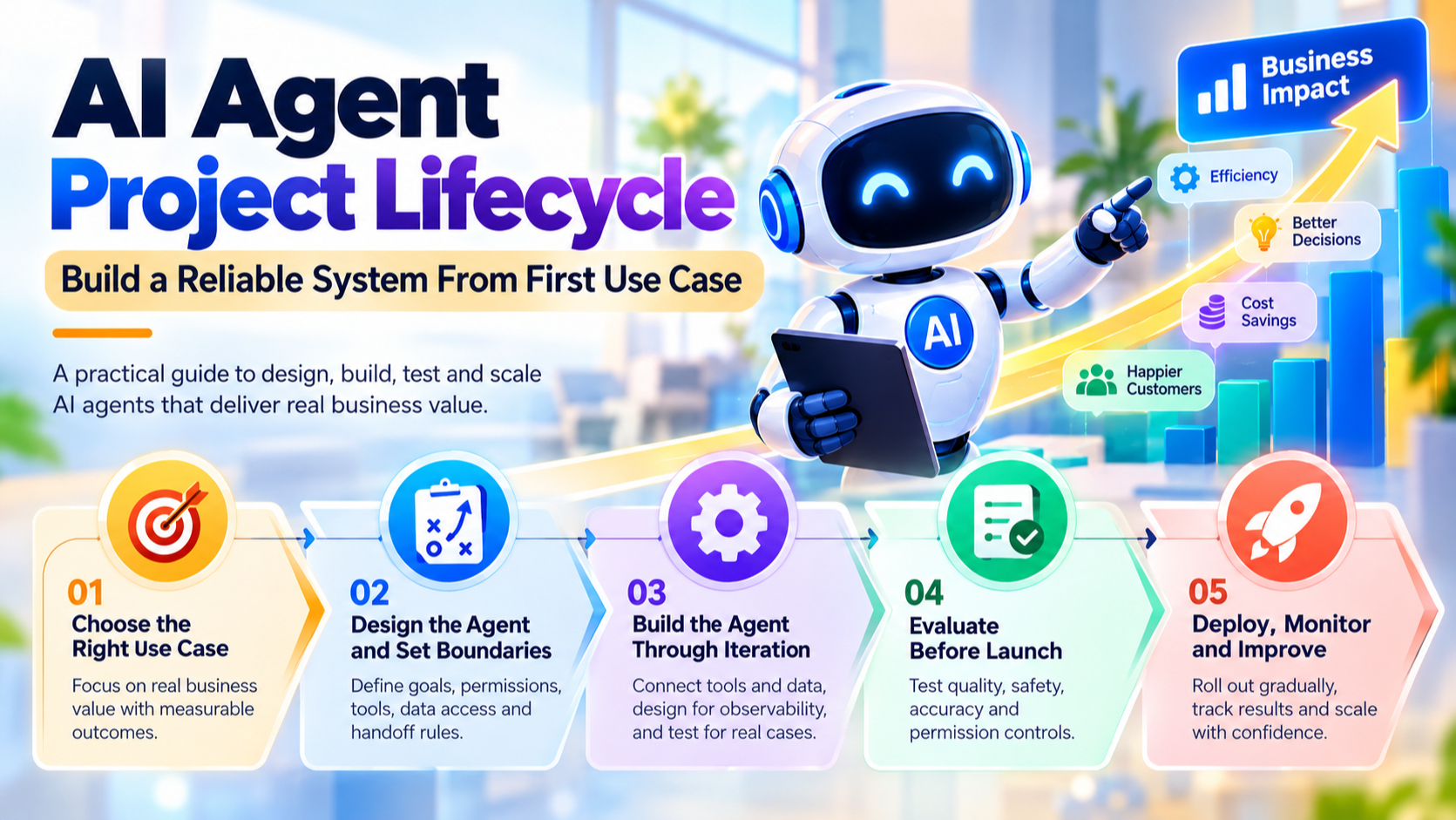
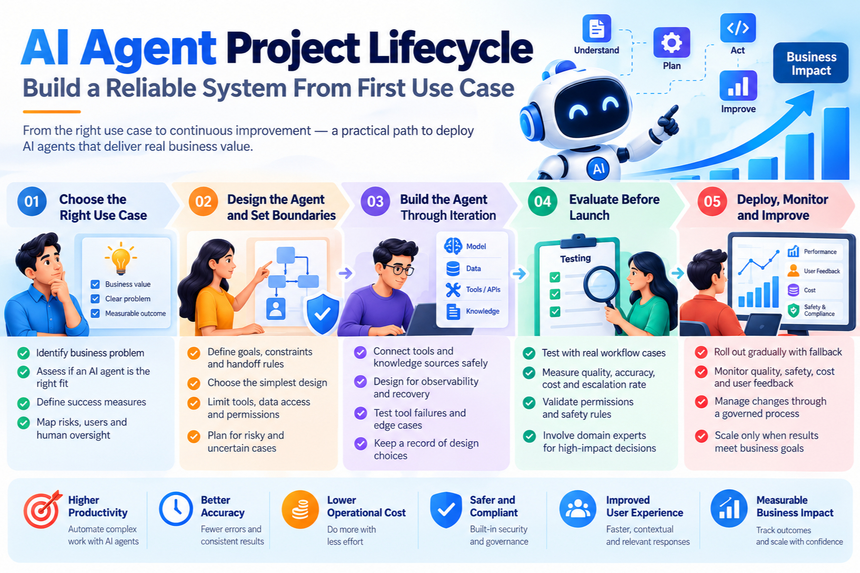
A sound lifecycle starts with a useful business problem. It then sets boundaries, builds and tests the system, launches it with safeguards, and improves it using evidence from production.
Choose an AI Agent Use Case With Measurable Value
Use-case selection is the first major project decision. A capable model can’t make a poor fit worthwhile, especially when added autonomy brings more cost and risk.
Identify work that benefits from flexible decisions
Tasks with changing inputs, several steps, or a need to use tools may suit an agent. For example, a support agent might look up an order, check a policy, and draft a reply based on the case.
By contrast, a fixed task such as copying a known field between systems usually needs no open-ended decisions. Use a rule-based script when it can meet the need.
Define success before selecting a model
Record how the current process performs, then set clear goals for the proposed system. Useful measures include task completion, accuracy, response time, cost per task, and the rate of human escalation.
Choose measures tied to the outcome users care about. A faster reply has little value if it gives the wrong answer or forces staff to redo the work.
Map risks, users, and human oversight
List who will use the agent, what data it can see, and what harm a mistake could cause. A wrong product suggestion differs from an incorrect payment or account change.
Decide early where a person must review the result. This lightweight risk check helps teams judge whether an agent is suitable and where it needs firm limits.
Design Boundaries for the AI Agent Project Lifecycle
An agent’s scope, tools, and permissions shape what it can do. A narrow, controlled design is often easier to test than a flexible system with many steps.
Specify the agent’s goal, constraints, and handoff rules
Write down the goal in terms of the task, not a vague request to “help the user.” State which actions the agent may take, which it must avoid, and what information it needs before proceeding.
Set rules for unclear requests and risky cases. The agent should ask a focused question when key details are missing and hand off to a person when it reaches a defined limit.
Select the simplest design that meets the need
A single model inside a fixed workflow can handle tasks with set steps and limited choices. Add tool use when the model needs to look up information or act in another system.
Use multiple agents only when separate roles solve a real problem. Each added agent can increase testing needs, failure points, and cost, so begin with the least complex design that can meet your goals.
Limit tools, data access, and permissions
Give the agent only the tools and data its task requires. Use secure authentication, validate inputs and outputs, and require confirmation before high-impact actions such as issuing a refund.
For risk planning, consult the NIST AI Risk Management Framework and current OWASP GenAI security guidance. These resources can help teams identify risks such as unsafe tool access and sensitive data exposure.
Build the Agent Through Controlled Iteration
Building an agent involves more than writing a prompt. The model, instructions, tools, data sources, memory, and task flow all affect its behavior.
Connect tools and knowledge sources safely
Connect only the APIs, databases, and retrieval sources needed for the task. Check that each source has current information and that its access rules match the user’s permissions.
Test how the agent handles missing, delayed, or malformed tool results. It should report a problem or use a safe fallback, not invent a result or continue as if the tool worked.
Make agent behavior observable and recoverable
Keep structured logs of key events, such as tool calls, results, errors, and task status. These records help developers find where a workflow failed without exposing private internal reasoning or sensitive user data.
Set time limits and safe retry rules for slow or failed services. Define what happens next: the agent might try again once, ask the user to wait, or send the task to a person.
Keep a record of design choices
Document model and prompt versions, tool permissions, data sources, known limits, and key design decisions. This record helps teams trace behavior changes and understand what must be retested after an update.
Evaluate the AI Agent Project Lifecycle Before Launch
Evaluation should begin during development, not after a polished demo. Test the agent against normal work and likely failure cases before giving it broader access.
Build tests from real tasks and failure modes
Use anonymized examples from the target workflow when possible. Add cases with unclear requests, unusual inputs, tool outages, and attempts to get the agent to break its rules.
Keep test data relevant while removing personal details that aren’t needed. A small set of realistic cases is more useful than a large collection of easy prompts.
Measure outcomes with repeatable tests
Run the same tests against the baseline and the agent, then compare results with the goals set at the start. Track completion, factual accuracy, latency, cost, and correct escalation where they apply.
Report only results the tests support. If the agent completes routine requests well but struggles with exceptions, say so and narrow its scope before release.
Test permissions and human handoffs
Check that users can’t make the agent access data they shouldn’t see. Test unsafe requests, consequential actions, and cases where the agent must pause for review.
Have people review high-impact decisions and document risks the team hasn’t resolved. Don’t launch with the assumption that a good average score makes every failure acceptable.
Deploy Safely and Improve the Agent in Production
Real users, data, and system load can differ from test conditions. Treat launch as a monitored rollout, with a clear owner and a way to stop or reverse it.
Roll out gradually with fallback options
Start with a limited pilot or a supervised mode in which a person reviews the agent’s work. Expand access only when the system meets agreed quality and safety goals.
Set alert thresholds and write down rollback steps before launch. Keep a reliable fallback, such as the existing manual process, for times when the model or a key tool is unavailable.
Track quality, safety, cost, and user feedback
Monitor the same measures used in testing, along with failures, escalations, user corrections, and unexpected tool behavior. Review real cases on a regular schedule so small problems don’t go unnoticed.
GitHub’s Copilot cloud agent offers a concrete example of a bounded workflow: it can work on a branch, while people review its changes before creating a pull request. The review step gives developers a chance to check the work before it enters the codebase.
Update the agent through a governed process
Changes to prompts, models, tools, permissions, or data sources can affect behavior. Keep these parts under version control and require review before changes reach production.
Run regression tests after each change, then check whether the agent still meets its goals. Revisit the risk review as usage grows or the task changes.
Key Takeaways for a Successful AI Agent Project
An agent project is a lifecycle, not a model connection. Choose work that benefits from flexible decisions, set measurable goals, and give the system only the access it needs.
Test against real tasks and failure cases, then launch in stages with human review and a fallback. Use production evidence to guide updates instead of relying on a strong first demo.
Conclusion
A reliable AI agent starts with a problem worth solving and clear limits on its actions. Careful testing, gradual rollout, and ongoing review help keep it useful as real conditions change.
Before approving your next agent project, write down its success measure, action boundary, and fallback. Then test the workflow the way people will use it.









