
How to Switch from Non-IT to Microsoft Technologies Successfully
Introduction
Changing careers can feel overwhelming, especially if you’re coming from a non-technical background. Many people believe that only Computer Science graduates can build successful careers in software development, cloud computing, or enterprise technologies. Fortunately, that’s no longer true.
Today, organizations are actively hiring professionals from diverse educational and professional backgrounds—provided they have the right skills, practical experience, and a willingness to learn.
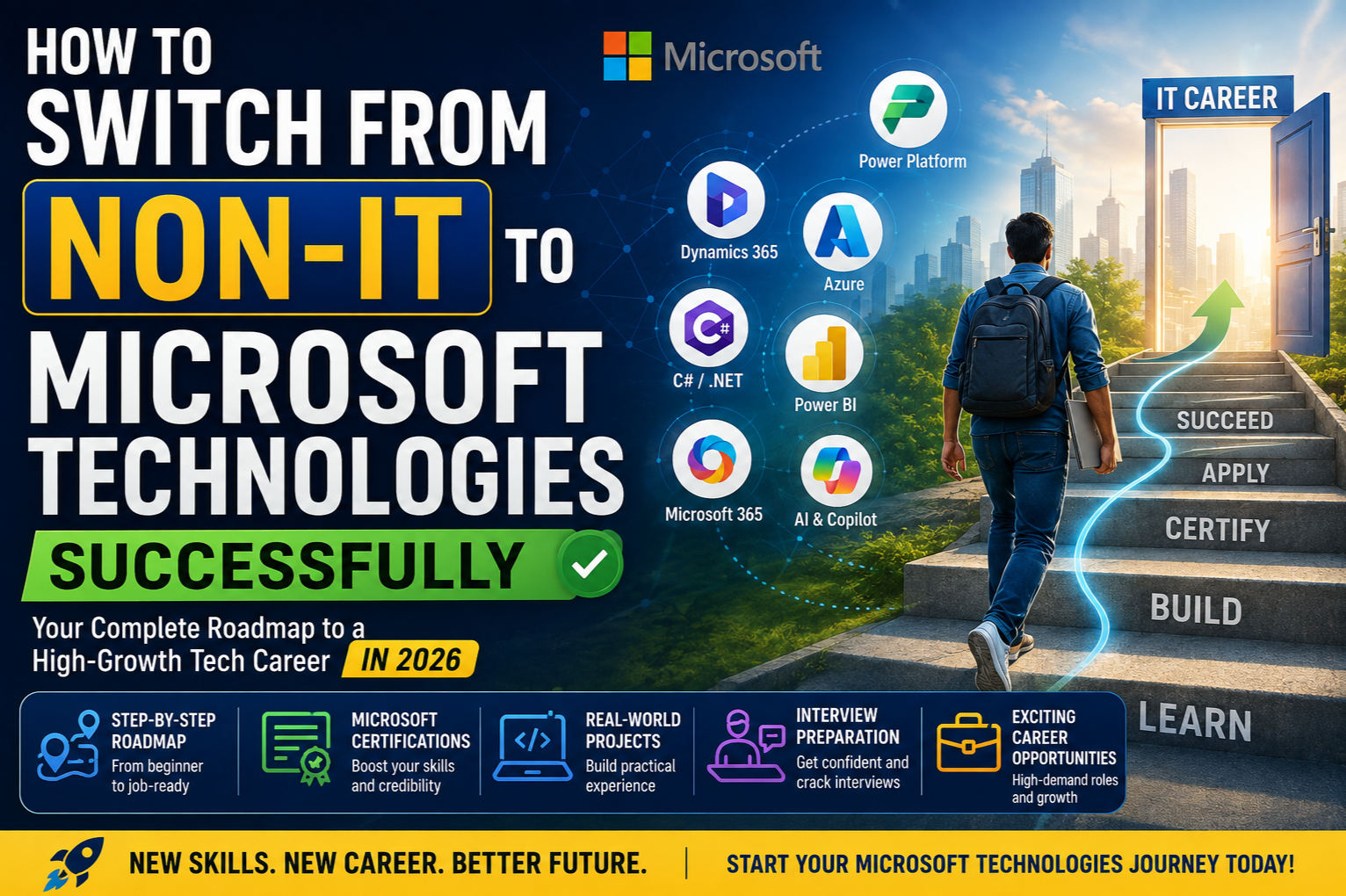
The Microsoft ecosystem, which includes Power Platform, Dynamics 365, Azure, C#/.NET, AI, and Microsoft 365, offers multiple career paths that are accessible to learners with little or no prior IT experience.
Whether you’re a teacher, accountant, banker, mechanical engineer, civil engineer, electronics graduate, B.Com, B.Sc, MBA, or someone returning to work after a career break, this guide will help you understand how to successfully transition into Microsoft technologies.
Can Someone Without an IT Background Really Build a Career in Microsoft Technologies?
Absolutely.
Many successful Microsoft professionals started their careers outside software development.
People from backgrounds such as:
- Mechanical Engineering
- Civil Engineering
- Electrical Engineering
- Commerce
- Business Administration
- Finance
- Banking
- Sales
- Human Resources
- Customer Support
- Healthcare
- Education
have successfully transitioned into roles such as:
- Power Platform Developer
- Dynamics 365 Consultant
- Azure Administrator
- Azure Developer
- C# Full Stack Developer
- Functional Consultant
- Technical Consultant
- Business Applications Consultant
- Solution Architect
Your previous experience can even become an advantage because many Microsoft projects require deep business process understanding.
Why Microsoft Technologies Are a Great Choice for Career Switchers
The Microsoft ecosystem offers several advantages for beginners:
Beginner-Friendly Learning Paths
Technologies such as Power Apps, Power Automate, Power Pages, and Copilot Studio allow learners to build business applications using low-code development before moving into advanced programming.
High Enterprise Adoption
Microsoft technologies are widely used across:
- Banking
- Healthcare
- Manufacturing
- Retail
- Logistics
- Government
- Education
- Insurance
- Telecommunications
This creates opportunities in both consulting firms and product companies.
Multiple Career Paths
Unlike many technology stacks, Microsoft offers several entry points.
You can specialize in:
- Power Platform
- Dynamics 365
- Azure
- C#/.NET Development
- AI
- DevOps
- Data Analytics
- Microsoft Fabric
You don’t have to learn everything at once.
Strong Career Growth
As your skills grow, you can progress into senior technical, consulting, architecture, or leadership roles.
Step 1: Understand the Microsoft Ecosystem
Before choosing a learning path, it’s important to understand what each technology is used for.
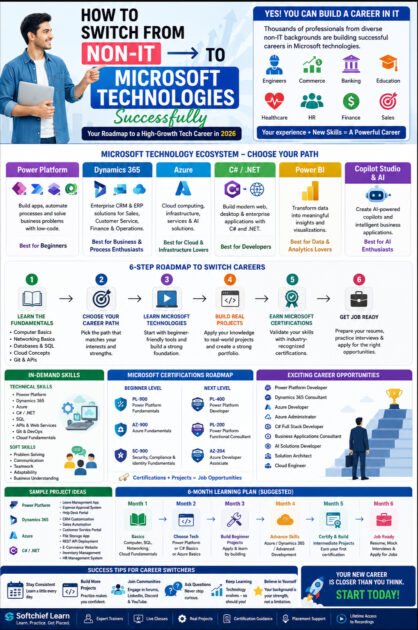
| Technology | Primary Use | Best For |
|---|---|---|
| Power Platform | Low-code app development and automation | Beginners, Business Professionals |
| Dynamics 365 | CRM and ERP business applications | Consultants, Developers |
| Azure | Cloud computing and infrastructure | Developers, Cloud Engineers |
| C#/.NET | Software and web application development | Developers |
| Power BI | Data visualization and analytics | Analysts |
| Copilot Studio | AI-powered conversational agents | AI Enthusiasts |
| Microsoft Fabric | Data engineering and analytics | Data Professionals |
Understanding these options will help you choose a career path that matches your interests and goals.
Step 2: Choose the Right Career Path
Different people enjoy different types of work.
If You Enjoy Business Processes
Consider:
- Dynamics 365 Functional Consultant
- Power Platform Functional Consultant
- Business Analyst
If You Enjoy Building Applications
Choose:
- Power Platform Developer
- C# Full Stack Developer
- Azure Developer
If You Enjoy Cloud Infrastructure
Become:
- Azure Administrator
- Cloud Engineer
If You Enjoy Data
Explore:
- Power BI
- Microsoft Fabric
- Data Analytics
If You’re Interested in AI
Focus on:
- Azure AI
- Copilot Studio
- AI Builder
- Azure OpenAI
Step 3: Learn the Fundamentals
Don’t jump directly into advanced topics.
Start with:
- Computer Fundamentals
- Networking Basics
- Databases
- SQL
- Git
- APIs
- Cloud Concepts
These concepts make learning advanced technologies much easier.
Step 4: Learn Microsoft Technologies
Option 1: Power Platform (Recommended for Beginners)
Power Platform includes:
- Power Apps
- Power Automate
- Dataverse
- Power Pages
- Copilot Studio
Why it’s a good starting point:
- Low-code development
- Quick learning curve
- High demand
- Real business applications
- Strong integration with Microsoft services
Option 2: Dynamics 365
Ideal for professionals interested in CRM and business applications.
Learn:
- Sales
- Customer Service
- Dataverse
- Security
- Business Process Flows
- Power Platform integration
Option 3: Azure
Perfect for those interested in cloud computing.
Start with:
- Azure Fundamentals
- App Services
- Storage
- Virtual Machines
- Azure Functions
Option 4: C#/.NET
If you enjoy programming, learn:
- C#
- ASP.NET Core
- SQL Server
- Entity Framework Core
- REST APIs
- Angular or React
Step 5: Build Real Projects
Projects demonstrate your practical skills.
Examples include:
Power Platform
- Leave Management System
- Expense Approval App
- Help Desk Portal
- Employee Directory
Dynamics 365
- CRM Customization
- Sales Automation
- Customer Complaint Management
Azure
- File Storage Application
- REST API Deployment
- Serverless Functions
C#/.NET
- E-Commerce Website
- Inventory Management System
- HR Management Portal
Document each project with screenshots, architecture diagrams, and deployment details.
Step 6: Earn Microsoft Certifications
Certifications help validate your skills and demonstrate commitment.
Recommended starting points:
Beginners
- PL-900 – Microsoft Power Platform Fundamentals
- AZ-900 – Microsoft Azure Fundamentals
- SC-900 – Security, Compliance, and Identity Fundamentals
Intermediate
- PL-400 – Power Platform Developer
- AZ-204 – Azure Developer
- PL-200 – Power Platform Functional Consultant
Remember, certifications are most effective when combined with hands-on experience.
Step 7: Build a Professional Portfolio
A strong portfolio should include:
- Project descriptions
- Business problem solved
- Technologies used
- Architecture diagrams
- Screenshots
- GitHub repositories (for code-based projects)
- Demo videos
- Challenges and lessons learned
A portfolio often makes a stronger impression than a resume alone.
Step 8: Prepare for Interviews
Technical preparation should include:
- Core concepts
- Practical projects
- Scenario-based questions
- Communication skills
- Resume discussions
Practice explaining why you chose a particular solution, not just how you built it.
Skills Employers Look For
Technical skills are important, but employers also value:
Technical Skills
- Problem-solving
- Power Platform
- Dynamics 365
- Azure
- SQL
- APIs
- Git
Soft Skills
- Communication
- Teamwork
- Adaptability
- Analytical thinking
- Business understanding
- Continuous learning
Your previous professional experience may already demonstrate many of these transferable skills.
Common Challenges Career Switchers Face
Fear of Coding
Not every Microsoft role requires advanced programming.
Many successful professionals begin with low-code tools such as Power Apps and Power Automate before learning C# or JavaScript.
Lack of IT Experience
Projects, certifications, internships, freelance work, and personal portfolios can help bridge this gap.
Feeling Overwhelmed
Avoid trying to learn everything simultaneously.
Focus on one career path, build confidence, then expand your expertise.
Common Mistakes to Avoid
Many career switchers slow their progress by:
- Following too many courses at once.
- Learning without building projects.
- Chasing certifications without practical experience.
- Ignoring interview preparation.
- Avoiding Git and version control.
- Skipping cloud fundamentals.
- Comparing themselves with experienced developers.
Steady, consistent learning is far more effective than rushing.
Suggested 6-Month Learning Plan
| Month | Focus |
|---|---|
| Month 1 | Computer Basics, SQL, Cloud Fundamentals |
| Month 2 | Power Platform or C# Basics |
| Month 3 | Build Beginner Projects |
| Month 4 | Learn Azure or Dynamics 365 |
| Month 5 | Build Intermediate Projects, Earn First Certification |
| Month 6 | Resume Preparation, Mock Interviews, Job Applications |
Adjust the timeline based on your availability and prior experience.
Career Opportunities
Once you’ve developed your skills, you can explore roles such as:
- Power Platform Developer
- Dynamics 365 Functional Consultant
- Dynamics 365 Technical Consultant
- Azure Developer
- Azure Administrator
- C# Full Stack Developer
- Business Applications Consultant
- Cloud Engineer
- AI Solutions Developer
- Solution Architect (with experience)
Why Learn Microsoft Technologies with Softchief Learn?
At Softchief Learn, we’ve helped learners from a wide range of educational and professional backgrounds transition into Microsoft technology careers.
What You’ll Get
- Live instructor-led classes
- Beginner-friendly learning paths
- Real-world enterprise projects
- Microsoft certification guidance
- Resume building
- Mock interviews
- Placement assistance
- Community support
- Lifetime access to recordings
- Updated curriculum covering Power Platform, Dynamics 365, Azure, AI, and C#/.NET
Our focus is on practical, job-oriented learning that prepares you for real-world challenges.
Success Tips for Career Switchers
- Set realistic learning goals.
- Practice consistently every week.
- Build projects instead of only watching videos.
- Join Microsoft communities and forums.
- Keep improving your communication skills.
- Stay updated with new Microsoft releases.
- Celebrate small milestones to maintain motivation.
Remember, career transitions take time, but consistent effort leads to lasting results.
Conclusion
Switching from a non-IT background to Microsoft technologies is entirely achievable with the right mindset and a structured learning plan. The Microsoft ecosystem offers multiple entry points—from low-code development with Power Platform to cloud computing with Azure and full-stack development with C#/.NET.
Rather than trying to master everything, choose a career path that aligns with your interests, build a strong foundation, create meaningful projects, and continuously expand your skills. Your previous experience in business, operations, finance, education, or other industries can become a valuable asset when designing solutions that solve real business problems.
The technology landscape will continue to evolve, especially with the rise of AI and cloud computing. By committing to continuous learning and practical experience, you can successfully transition into Microsoft technologies and build a rewarding, long-term career.









