
Top Power BI Integrations Every Business Should Use
Introduction
Data has become one of the most valuable assets for modern organizations. Every department—whether finance, sales, marketing, operations or human resources—generates enormous volumes of information every day. However, collecting data alone does not create value. The real advantage comes from transforming that data into meaningful insights that drive informed business decisions.
This is where Microsoft Power BI has established itself as one of the world’s leading business intelligence platforms.
Power BI enables organizations to connect hundreds of data sources, create interactive dashboards, automate reporting and provide decision-makers with real-time insights. But what truly makes Power BI powerful is its ability to integrate seamlessly with Microsoft’s ecosystem and numerous third-party applications.
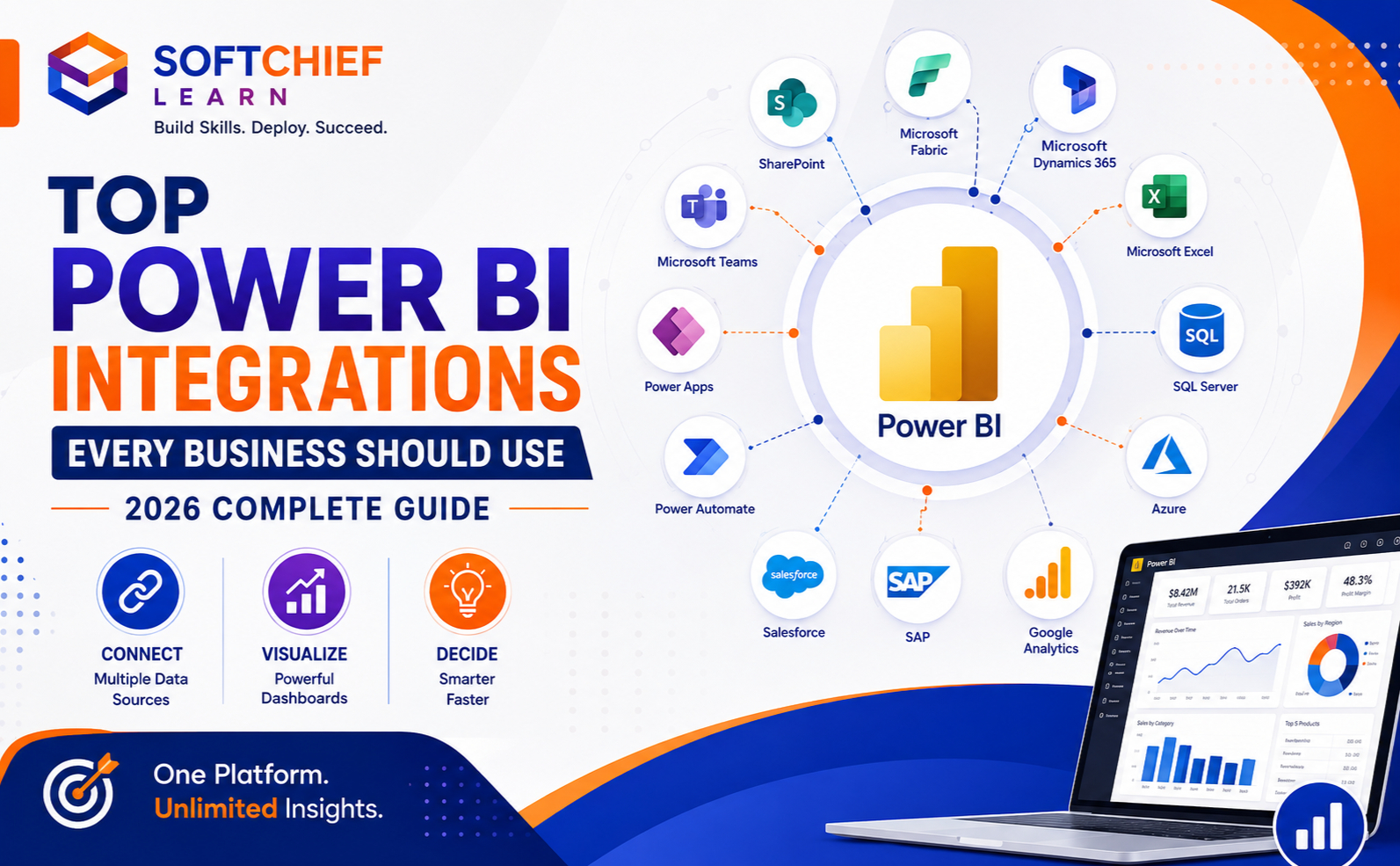
Whether your organization uses Microsoft Dynamics 365, Azure, Microsoft Fabric, Salesforce, SAP or cloud databases, Power BI can bring all your business data together into a single, unified analytics platform.
In this comprehensive guide, we’ll explore the top Power BI integrations every business should use in 2026, explain their business benefits and discuss best practices for building a modern data-driven organisation.
Why Power BI Integrations Matter
Businesses rarely operate using a single application.
Typical organizations use multiple systems for:
- Customer Relationship Management (CRM)
- Enterprise Resource Planning (ERP)
- Accounting
- Marketing
- Human Resources
- Inventory Management
- Project Management
- Customer Support
- E-commerce
- Cloud Infrastructure
Without integration, business data becomes fragmented across different platforms.
Power BI solves this challenge by bringing together data from multiple sources into interactive dashboards that provide a single version of the truth.
Why Businesses Choose Power BI
Power BI offers several advantages:
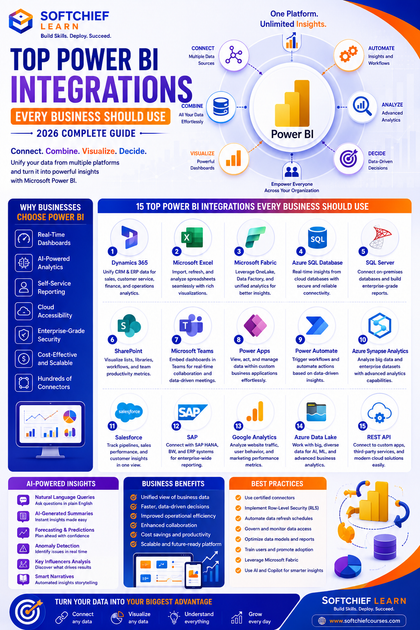
- Real-time dashboards
- AI-powered analytics
- Self-service reporting
- Cloud accessibility
- Mobile support
- Enterprise-grade security
- Hundreds of connectors
- Microsoft ecosystem integration
- Cost-effective licensing
- Easy scalability
These capabilities make Power BI suitable for organizations of all sizes.
1. Microsoft Dynamics 365 Integration
One of the most powerful integrations is between Power BI and Microsoft Dynamics 365.
Organizations can analyze data from:
- Sales
- Customer Service
- Marketing
- Finance
- Supply Chain
- Business Central
- Field Service
- Project Operations
Example dashboards include:
- Sales performance
- Lead conversion
- Customer satisfaction
- Revenue forecasting
- Service response time
- Financial KPIs
Business users gain real-time visibility without manually exporting reports.
2. Microsoft Excel Integration
Excel remains one of the most widely used business tools.
Power BI enhances Excel by:
- Importing spreadsheets
- Refreshing reports automatically
- Connecting PivotTables
- Publishing dashboards
- Combining multiple Excel files
Finance departments frequently use this integration to modernize reporting while continuing to leverage familiar Excel workflows.
3. Microsoft Fabric Integration
Microsoft Fabric has become the foundation of Microsoft’s unified analytics platform.
Power BI integrates seamlessly with:
- OneLake
- Data Factory
- Data Engineering
- Data Science
- Real-Time Intelligence
- Data Warehouse
Benefits include:
- Centralized data storage
- Faster analytics
- AI-powered insights
- Simplified governance
- Reduced data duplication
For organizations adopting Microsoft Fabric, Power BI serves as the visualization layer for enterprise analytics.
4. Azure SQL Database Integration
Many enterprise applications store operational data in Azure SQL Database.
Power BI enables organizations to:
- Build live dashboards
- Monitor transactions
- Analyze business performance
- Track customer activity
- Generate executive reports
Real-time connectivity supports timely decision-making without manual data exports.
5. SQL Server Integration
Organizations running on-premises SQL Server can connect Power BI using the On-premises Data Gateway.
Common use cases include:
- Financial reporting
- Manufacturing dashboards
- Inventory analysis
- HR reporting
- Sales analytics
This integration allows businesses to modernize reporting without replacing existing databases.
6. Microsoft SharePoint Integration
Many organizations manage documents, lists and workflows using SharePoint.
Power BI can visualize:
- Project progress
- Task completion
- Employee requests
- Document approvals
- Team productivity
This provides greater transparency into operational processes.
7. Microsoft Teams Integration
Power BI dashboards can be embedded directly into Microsoft Teams.
Benefits include:
- Real-time collaboration
- Shared dashboards
- Meeting analytics
- Department reporting
- Executive scorecards
Decision-makers can review business insights without leaving their collaboration platform.
8. Power Apps Integration
Power Apps and Power BI work exceptionally well together.
Users can:
- View reports
- Update records
- Submit forms
- Trigger workflows
- Launch business applications
This creates interactive business solutions where users both analyze and act on data within the same experience.
9. Power Automate Integration
Power BI can trigger automated workflows based on business insights.
Examples include:
- Sending approval requests
- Creating tasks
- Notifying managers
- Updating CRM records
- Escalating issues
Automation reduces manual effort and accelerates business processes.
10. Azure Synapse Analytics Integration
Organizations managing large-scale analytics workloads benefit from integrating Power BI with Azure Synapse Analytics.
Capabilities include:
- Big data analytics
- Enterprise reporting
- Data warehousing
- Machine learning insights
- Predictive analytics
This integration supports data-driven decision-making at enterprise scale.
11. Salesforce Integration
Many businesses use Salesforce for customer relationship management.
Power BI enables analysis of:
- Sales pipelines
- Opportunity tracking
- Customer engagement
- Revenue forecasting
- Regional sales performance
Managers gain deeper visibility into sales operations through interactive dashboards.
12. SAP Integration
Large enterprises often rely on SAP ERP systems.
Power BI supports integration with:
- SAP HANA
- SAP BW
- SAP BusinessObjects
Business leaders can analyze:
- Financial performance
- Procurement
- Manufacturing
- Supply chain
- Inventory
- Business operations
Interactive dashboards simplify complex SAP reporting.
13. Google Analytics Integration
Marketing teams can combine website data with business metrics.
Common dashboards include:
- Website traffic
- User behaviour
- Campaign performance
- Conversion rates
- Bounce rates
- Lead generation
This helps organizations measure the effectiveness of their digital marketing efforts.
14. Azure Data Lake Storage Integration
Organizations managing large volumes of structured and unstructured data can connect Power BI to Azure Data Lake Storage.
Use cases include:
- Data science reporting
- Machine learning outputs
- IoT analytics
- Customer behaviour analysis
- Financial analytics
This integration supports enterprise-scale analytics while maintaining flexibility.
15. REST API Integration
Power BI supports REST APIs, enabling organizations to connect virtually any modern application.
Examples include:
- Custom ERP systems
- Internal applications
- CRM platforms
- HR software
- Financial systems
- Third-party cloud services
REST APIs allow businesses to consolidate diverse data sources into unified dashboards.
AI Capabilities with Power BI
Artificial Intelligence is transforming business analytics.
Power BI integrates with Microsoft AI technologies to provide:
- Natural language queries
- AI-generated summaries
- Forecasting
- Anomaly detection
- Key influencers analysis
- Smart narratives
- Predictive analytics
- Copilot-assisted report creation
These capabilities help users uncover insights without requiring advanced data science skills.
Real-World Example
Imagine a growing retail company using:
- Dynamics 365 Business Central for ERP
- Dynamics 365 Sales for CRM
- Azure SQL Database for transactional data
- SharePoint for document management
- Microsoft Teams for collaboration
- Google Analytics for website insights
- Power Automate for workflow automation
By integrating all these systems with Power BI, the company creates executive dashboards that display:
- Daily sales performance
- Inventory availability
- Customer acquisition costs
- Marketing campaign ROI
- Financial health
- Employee productivity
- Website conversion rates
Executives gain a complete view of business performance through a single analytics platform, enabling faster and more informed decisions.
Security and Governance Best Practices
As business intelligence platforms handle sensitive information, organizations should implement strong governance.
Recommended practices include:
- Use Microsoft Entra ID for authentication.
- Apply Role-Based Access Control (RBAC).
- Enable Row-Level Security (RLS) to restrict data access.
- Classify and label sensitive data.
- Monitor report usage and audit logs.
- Schedule secure data refreshes.
- Store credentials securely using Azure Key Vault where applicable.
- Define clear data ownership and governance policies.
Strong governance ensures users access only the data relevant to their roles.
Common Mistakes to Avoid
Organizations often reduce the value of Power BI by:
- Creating disconnected reports without a unified data model.
- Importing duplicate or inconsistent data.
- Ignoring data governance.
- Building overly complex dashboards with excessive visuals.
- Failing to optimize data refresh schedules.
- Not implementing security roles.
- Overlooking user training and adoption.
- Neglecting performance optimization for large datasets.
Addressing these issues improves both usability and scalability.
Best Practices for Power BI Integrations
To maximize the value of Power BI:
- Build a centralized data model that supports consistent reporting.
- Use certified connectors whenever possible.
- Automate data refreshes to keep dashboards current.
- Leverage Microsoft Fabric for unified data management.
- Combine Power BI with Power Apps and Power Automate to create end-to-end business solutions.
- Implement Row-Level Security and governance from the outset.
- Optimize reports for performance by reducing unnecessary visuals and queries.
- Use AI features such as Copilot, forecasting and smart narratives to enhance insights.
- Regularly review dashboard usage to ensure reports continue to meet business needs.
- Train users to interpret data effectively and encourage a data-driven culture.
Career Opportunities
Power BI skills are increasingly in demand as organizations invest in data analytics and business intelligence.
Career opportunities include:
- Power BI Developer
- Business Intelligence Developer
- Data Analyst
- Data Engineer
- Microsoft Fabric Consultant
- Dynamics 365 Functional Consultant
- Business Intelligence Architect
- Analytics Consultant
- Reporting Specialist
- Power Platform Developer
Professionals who combine Power BI expertise with Microsoft Fabric, Azure, SQL and Dynamics 365 knowledge are highly valued across industries.
Learn Power BI with Softchief Learn
At Softchief Learn, we offer practical, career-focused training to help learners master Power BI and the Microsoft data ecosystem.
Our Power BI learning programs include:
- Power BI Fundamentals
- Advanced DAX
- Power Query
- Data Modelling
- Dashboard Design
- Microsoft Fabric
- SQL for Power BI
- Azure Data Services
- Dynamics 365 Integration
- Power Apps Integration
- Power Automate Integration
- AI with Microsoft Copilot
- Row-Level Security (RLS)
- Live Projects and Industry Case Studies
- Microsoft Certification Preparation
Our instructor-led courses combine hands-on labs, real-world scenarios and expert guidance to help learners build job-ready analytics skills.
Conclusion
Power BI has become far more than a reporting tool—it is a comprehensive business intelligence platform that connects data from across the enterprise. By integrating with solutions such as Microsoft Dynamics 365, Microsoft Fabric, Azure SQL Database, SharePoint, Teams, Power Apps, Power Automate, Salesforce, SAP and Google Analytics, organizations can create a unified view of their operations and make faster, data-driven decisions.
The true value of Power BI lies not only in its visualization capabilities but also in its ability to bring together diverse systems, automate insights and empower users at every level of the organization. As businesses continue their digital transformation journeys, investing in well-designed Power BI integrations will be essential for improving efficiency, enhancing collaboration and unlocking the full potential of organizational data.









