
Enterprise Knowledge Retrieval: Help Employees Find Trusted Answers
Introduction
An employee can lose a morning searching for a policy that should take minutes to find. When company knowledge sits in scattered files, chats, and databases, people repeat work, use old guidance, or miss the expert who could help. Enterprise knowledge retrieval helps employees find relevant, trustworthy information across those systems.
A useful system does more than add a chatbot to company data. It connects the right sources, respects existing access rules, and gives people enough context to check each result.
Good retrieval takes planning: teams need to prepare content, assess answer quality, protect sensitive data, and track outcomes. The goal is a search experience employees can rely on when work depends on finding the right information.
What enterprise knowledge retrieval does beyond basic enterprise search
Enterprise knowledge retrieval finds and presents information from an organization’s systems in response to a search or question. It can power a search page, an employee assistant, or retrieval-augmented generation (RAG), where a language model uses retrieved material to form an answer.
How enterprise knowledge retrieval turns scattered information into useful answers
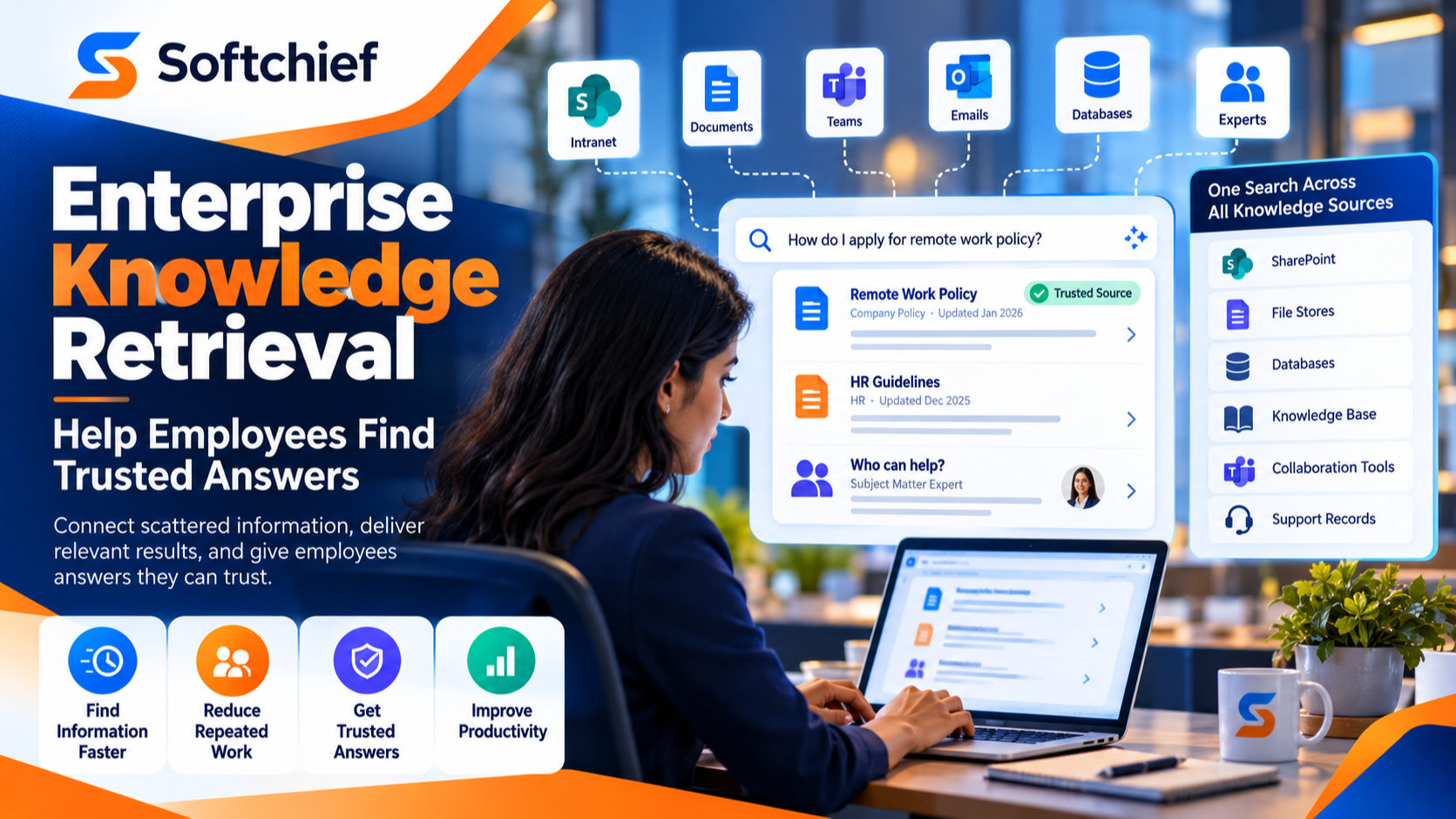
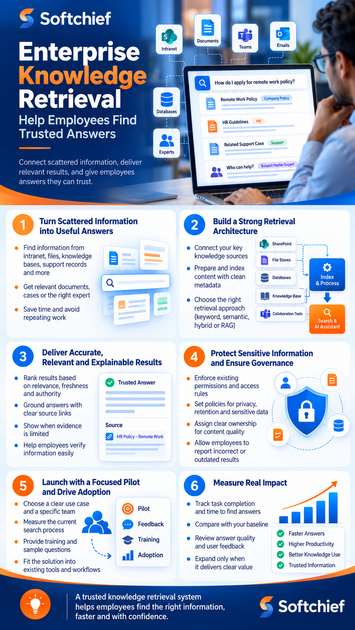
A retrieval system can draw on an intranet, file stores, knowledge bases, support records, and collaboration tools. Instead of searching each place in turn, an employee can ask where to find a process or how a past issue was resolved.
The result might be a policy page, a support case, or a person with relevant expertise. Clear links and useful context help employees decide what applies.
How retrieval differs from search engines and knowledge management
Basic search often matches terms in a query to words in documents. Enterprise retrieval can also use metadata, meaning-based similarity, and business context to surface material that answers the question even when it uses different wording.
Knowledge management is the work of creating, reviewing, and maintaining useful company knowledge. Retrieval helps employees find and use that knowledge; it can’t fix a missing policy or an out-of-date page on its own.
Where enterprise knowledge retrieval creates business value
Common uses include policy lookup, new-hire onboarding, customer support, sales preparation, technical troubleshooting, and research. A support agent, for example, could find an approved fix and a related case without searching several tools.
Choose a use case based on a repeated information-finding problem. A focused need gives teams a clearer way to judge whether retrieval helps.
How to build an enterprise knowledge retrieval architecture
A retrieval system needs connections to information sources, a way to prepare and index content, and an employee-facing experience. These design choices affect what users find, how current it is, and whether they can access it.
Connect knowledge sources without creating new silos
Connectors and APIs can bring information from source systems into an index, while a source inventory shows what the system covers. Start with high-value sources employees use often rather than connecting everything at once.
For each source, record its owner, update schedule, access rules, and role in daily work. That record helps teams spot gaps and decide who can fix stale or incomplete content.
Improve retrieval with clean metadata and content preparation
Before indexing, parse documents so the system can read their text and structure. Break long files into useful sections, remove duplicate copies, and attach details such as title, owner, date, and document status.
Scanned pages and tables may need extra checks to avoid missing key details. Test the process on a mix of real files first; one clean text document won’t reveal every problem.
Choose keyword, semantic, hybrid, or RAG-based retrieval
Keyword search works well when people know the exact product name, policy number, or phrase. Semantic retrieval can help when a user asks a natural-language question with terms that differ from the source text.
Hybrid search combines keyword and semantic signals. RAG adds retrieved content to a language model’s prompt, but that doesn’t ensure the answer is right. The model still needs good sources and checks against unsupported claims.
How to make enterprise knowledge retrieval accurate, relevant, and explainable
Search quality depends on more than returning a result. Employees need current, authoritative information and a way to verify what the system shows.
Design results around relevance, freshness, and authority
Ranking can account for how well a result matches a query, how recent it is, and whether its source is approved. A new draft should not outrank the current policy just because its wording matches more closely.
Set clear source rules for policies, product details, and work procedures. When two sources disagree, the system should favor the designated authority or show the conflict rather than hide it.
Ground answers in sources employees can verify
Answer tools should link to the exact page, passage, or record that supports a claim. A link to a broad folder forces employees to repeat the search and makes review harder.
The system should state when evidence is thin and avoid making a confident answer from weak matches. Employees need a clear path to read the source and decide whether its advice fits their situation.
Evaluate retrieval with realistic employee questions
Build a test set from common queries and difficult cases, such as questions with acronyms, misspellings, or conflicting files. Check whether useful material appears near the top and whether generated answers match their sources.
Repeat those tests after changes to content, ranking, or the model. User feedback and task completion can reveal issues that a lab test misses.
How to protect sensitive information and govern enterprise retrieval
Enterprise retrieval must preserve the rules that already control access to company data. It also needs clear owners who can respond when content or system behavior causes trouble.
Enforce permissions across connected systems
Permission-aware indexing and retrieval use identity data to limit results to what each person can view. Systems should check access during retrieval, not rely only on a one-time permission copy.
Test with different roles and accounts, including after access changes and staff departures. A result that exposes another employee’s file can break trust, even if the answer itself is correct.
Set policies for privacy, retention, and sensitive data
Classify sources before connecting them, especially when they contain personal, financial, health, or regulated data. Define how the system handles logs, retention, and deletion, and review vendors that process company information.
The NIST AI Risk Management Framework offers voluntary guidance for managing AI risks during design, use, and review. NIST says its AI RMF 1.0 is being revised, so teams should check the current materials as they set policy.
Assign ownership for content quality and system behavior
Source owners keep their records accurate and set access rules. Knowledge managers can review content structure, while security teams assess risks and product teams manage search behavior.
Give employees a simple way to report wrong or stale results. Set a process for reviewing reports, updating content, and checking system changes before wider release.
How to launch enterprise knowledge retrieval and prove its impact
A small pilot lets a team test usefulness, safety, and fit with daily work before expanding. Set a baseline first so the organization can compare results after launch.
Start with a focused pilot and a measurable problem
Pick one group and a clear task, such as finding current travel rules or resolving common support issues. Record how employees search now, where they get stuck, and how long the task takes.
Limit the pilot to sources that can answer that task well. A narrow scope makes gaps easier to fix and results easier to assess.
Help employees build confidence and effective habits
Show employees where the system gets its information and how to check cited sources. Offer sample questions, short training, and a feedback button where people already work.
Adoption improves when retrieval fits existing tools and routines. Ask early users what they tried, what they trusted, and where they still needed help.
Measure outcomes, not just searches or AI usage
Track whether employees find useful information, complete tasks, and return to the system. Compare time to find answers and user feedback with the baseline, and review unsupported answers when the tool generates responses.
Usage counts show that people opened the tool; they don’t prove that work improved. Use task results and answer checks to guide decisions about expansion.
Key takeaways for building enterprise knowledge retrieval employees trust
Trustworthy enterprise knowledge retrieval connects useful sources, prepares content well, and returns results employees can verify. It also keeps access controls in place, assigns clear owners, and gets tested with real employee questions.
NASA’s Lessons Learned Information System offers a practical example of shared institutional knowledge. NASA describes it as a database of official, reviewed lessons from its programs and projects; each lesson includes the event behind it and recommendations that can inform training, practices, policies, and procedures. The NASA Lessons Learned system shows why making past experience searchable matters.
Start with one recurring information problem, set a baseline, and pilot retrieval with the people who face it. Expand only when the system helps them find and use accurate information safely.









