
Customer Service Data Modelling: Connect Support Records for Clearer Decisions
Introduction
A customer may contact support by chat, then follow up by phone about the same order. If each system holds a separate record, an agent may miss useful context. Customer service data modelling connects those records so support teams can see what happened and act with better information.
Customer service data modelling is the work of identifying, structuring, and linking the data used to deliver and measure support. The goal isn’t only an orderly database. Agents, managers, analysts, and customer-facing tools all need information they can trust.
A sound customer service data model starts with real support processes. This guide covers core entities, operational and analytical designs, useful service metrics, data governance, and a staged rollout. Together, these steps help build customer support data architecture that supports reliable customer service analytics.
Connect customer, case, and interaction data in one model
A data model defines the structure of information and how records relate. It isn’t the ticketing system, CRM, or report where people enter or view that information. When the model links customers, cases, and interactions, staff can follow a request across channels without relying on scattered notes.
Map the support process before designing fields
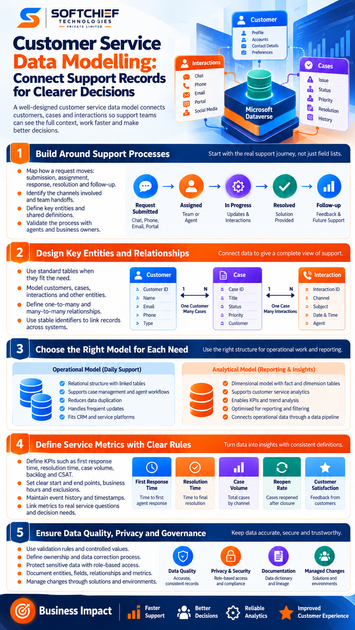
Start by tracing how a request moves: submission, assignment, response, resolution, and follow-up. Record the channels involved, handoffs between teams, and decisions that affect the next step. This shows which details the model needs to capture.
Validate that process with support agents and process owners. They can spot real-life cases that a diagram may miss, such as a request reopened after closure or transferred between teams. Settle those rules before choosing fields or tables.
Define the main entities
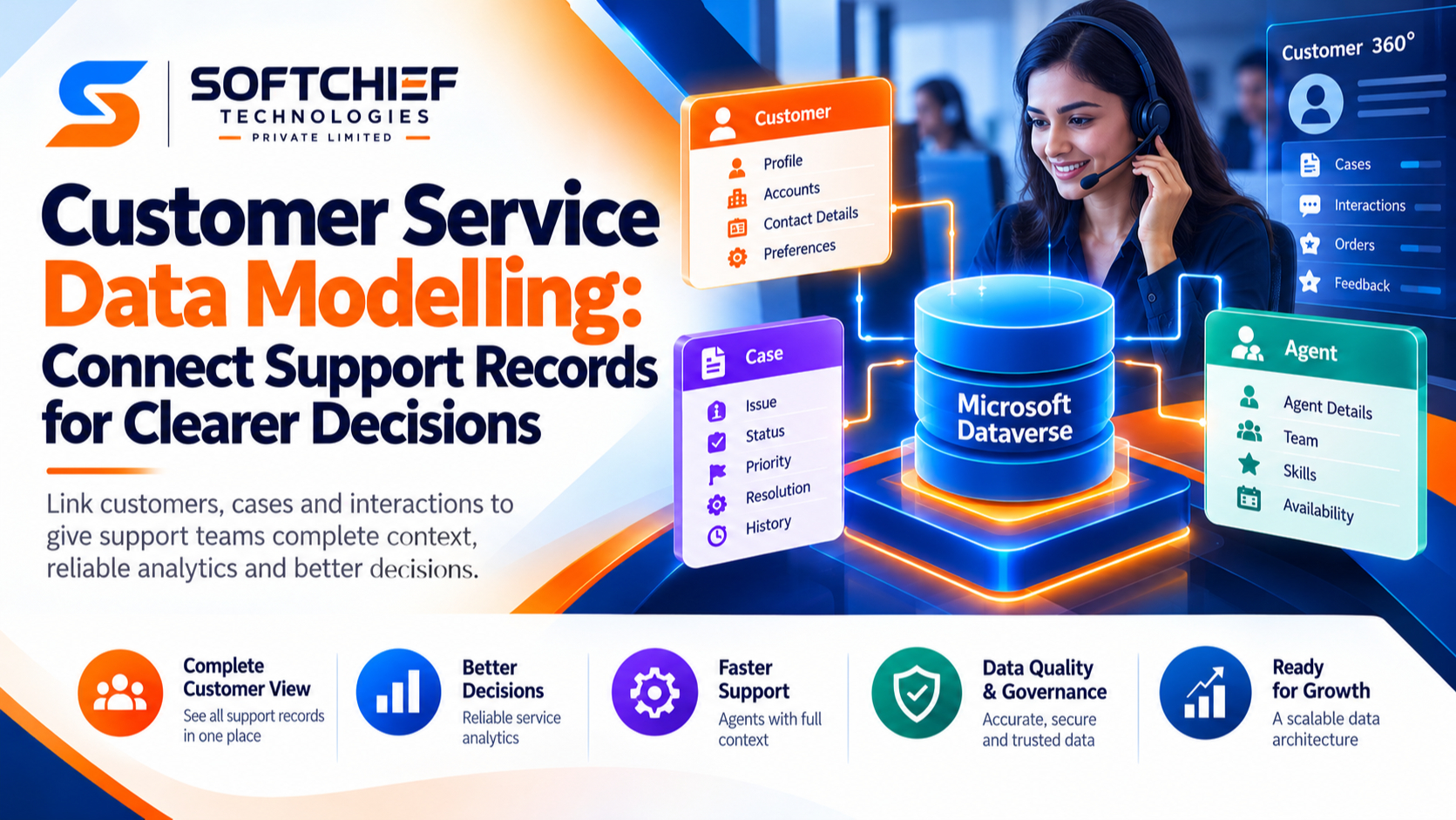
An entity is something the business needs to record and distinguish from other things. Common entities include Customer, Case or Ticket, Interaction, Agent, Channel, Product or Service, and Resolution. Give each a shared definition so teams use the same terms.
Agree on how a case works, too. If a customer replies to a closed request, does the system reopen the existing case or create a new one? The answer affects case counts, history, and service metrics.
Link records with stable identifiers
One customer can have many cases, and one case can include many interactions. Cases may also involve several agents or channels. Define these relationships so the model keeps the links clear.
Use stable IDs to connect records rather than names or email addresses, which can change or be shared. Decide how to handle duplicate profiles, merged customer records, and accounts with multiple users. These rules preserve context when data comes from more than one system.
Choose a customer service data model for each need
A customer service data model should fit actual work and reporting needs, not a preferred tool. Many organisations use one structure for daily transactions and another for analysis. The right design depends on how often records change, what teams need to report, and how systems connect.
Use an operational model for daily support
Relational models often split information into linked tables. A case can store a customer ID, for example, rather than repeating the customer’s full details in every record. This reduces unnecessary duplication and helps keep updates consistent.
That structure can suit case management, agent workflows, and frequent record changes. But the final design must account for the ticketing platform, CRM, and integration limits. A model only works if the systems can send, receive, and update its records reliably.
Use a dimensional model for reporting
For analysis, a dimensional model groups measurable events or outcomes in fact tables and adds descriptive context through dimensions. A case event might be the fact, with date, channel, product, and outcome as dimensions. This lets teams report case volume by channel or resolution over time.
Microsoft’s star schema guidance explains how fact and dimension tables support filtering and summarising data. It also points to The Data Warehouse Toolkit by Ralph Kimball and Margy Ross as a guide to dimensional modelling.
Connect operational records to analytics
Transactional systems are built to handle daily work. They may not suit every reporting need, especially when data comes from several platforms or when teams need historical trends. A data pipeline can collect and transform records for analysis, while a shared semantic layer can give report users common metric names and rules.
Document where each measure is calculated. If one report defines “resolved” differently from another, teams may see different results for the same question. Clear ownership prevents that split.
Define service metrics through events and rules
Customer service analytics becomes more useful when each measure has a clear purpose and definition. Dashboards shouldn’t set the rules after the fact. Start with the service decision, then connect it to the records and events needed to answer it.
Agree on KPI definitions
Teams may track first response time, resolution time, case volume, backlog, reopen rate, and customer satisfaction. Each measure needs rules for its start and end points, business hours, exclusions, and reopened cases. For instance, decide whether resolution time ends at the first closure or the final closure.
Check the formula with the people who use the result before publishing it. A manager planning staffing may need a different view from an agent reviewing one case. Shared definitions help both groups work from consistent reports.
Keep event history and timestamps
A current status shows where a case is now, but not how it got there. Store events such as creation, assignment, response, escalation, and closure when you need to study wait times or handoffs. Event history also helps explain how a metric was calculated later.
Set rules for time zones, missing timestamps, and business calendars. Decide how changes to past records are recorded. These details matter when teams compare periods or review an old report.
Link measures to service questions
Use reports to answer practical questions: where do cases wait, which channels need capacity, and where do customers make repeat contacts? Break results down by useful dimensions, such as date, channel, or product. A pattern can guide further review, but it doesn’t prove what caused the pattern.
Pair service measures with customer feedback and agent insight. Give those sources clear access rules and a shared review process. Numbers can show where to look; staff and customers can help explain what they experience.
Protect data quality, privacy, and trust
A model is only as useful as the information it holds. Inconsistent labels, duplicate records, and unclear ownership can weaken reports and break links between systems. Privacy and access rules also belong in the design from the start.
Set rules for accurate records
Use validation rules, required fields, and controlled values where they improve data quality. If one system records “phone” and another records “call,” reporting may split the same channel into two groups. Assign owners to key terms and record definitions.
Check for errors with documented data quality tests. Define who can correct them and how corrections are tracked. That process helps teams fix recurring issues rather than patching each report by hand.
Build privacy and access into the model
Classify sensitive fields and limit access by role. Collect only the information needed for defined support purposes. Retention, deletion, consent, and access needs depend on applicable laws, contracts, and organisational policy.
The NIST Privacy Framework offers a voluntary way to identify and manage privacy risk. Work with your legal or privacy team to apply the right rules to your organisation and customers.
Document definitions and changes
A data dictionary should explain entities, fields, relationships, and metric calculations. Record lineage too: where information began, how it changed, and which systems or reports rely on it. This helps users trace a value back to its source.
Version major schema changes and tell affected teams what will change. A new case status, for example, can alter reports and system links. Clear change records help teams update dependent tools without losing shared meaning.
Implement the model in stages and improve it with evidence
A phased rollout gives teams time to test the model before extending it. Begin with one useful support question, then add data and reports as you learn. This limits disruption and gives staff a chance to confirm that the design matches their work.
Inventory systems and source data
List relevant sources, such as CRM, ticketing, contact-centre, survey, and order systems. Map overlapping fields, IDs, owners, and known quality issues. Workshops with agents, analysts, operations leaders, and technical teams can confirm how requests move in practice.
Build and test a focused first version
Choose a clear use case, such as linking customers, cases, and interactions for a channel report. Test the relationships, metric rules, unusual cases, and permissions with representative data under approved access controls. Record decisions so later additions don’t change established definitions by accident.
Review adoption and plan for change
Check whether staff can find and use the information they need. Track data quality and consistency across reports alongside adoption. Set up a process for requests to change the model, review downstream effects, and update documentation.
Conclusion
A dependable customer service data model connects customer, case, and interaction records through clear definitions. Choose operational structures for daily work and analytical structures for reporting, then define metrics through events and calculation rules. Data quality, privacy, and ownership should guide each stage.
Start with one support question, validate the model with the people who use it, and expand when the records and rules hold up. That gives your team a practical base for clearer service reporting and better-informed decisions.









