
Human escalation in Copilot solutions
Introduction
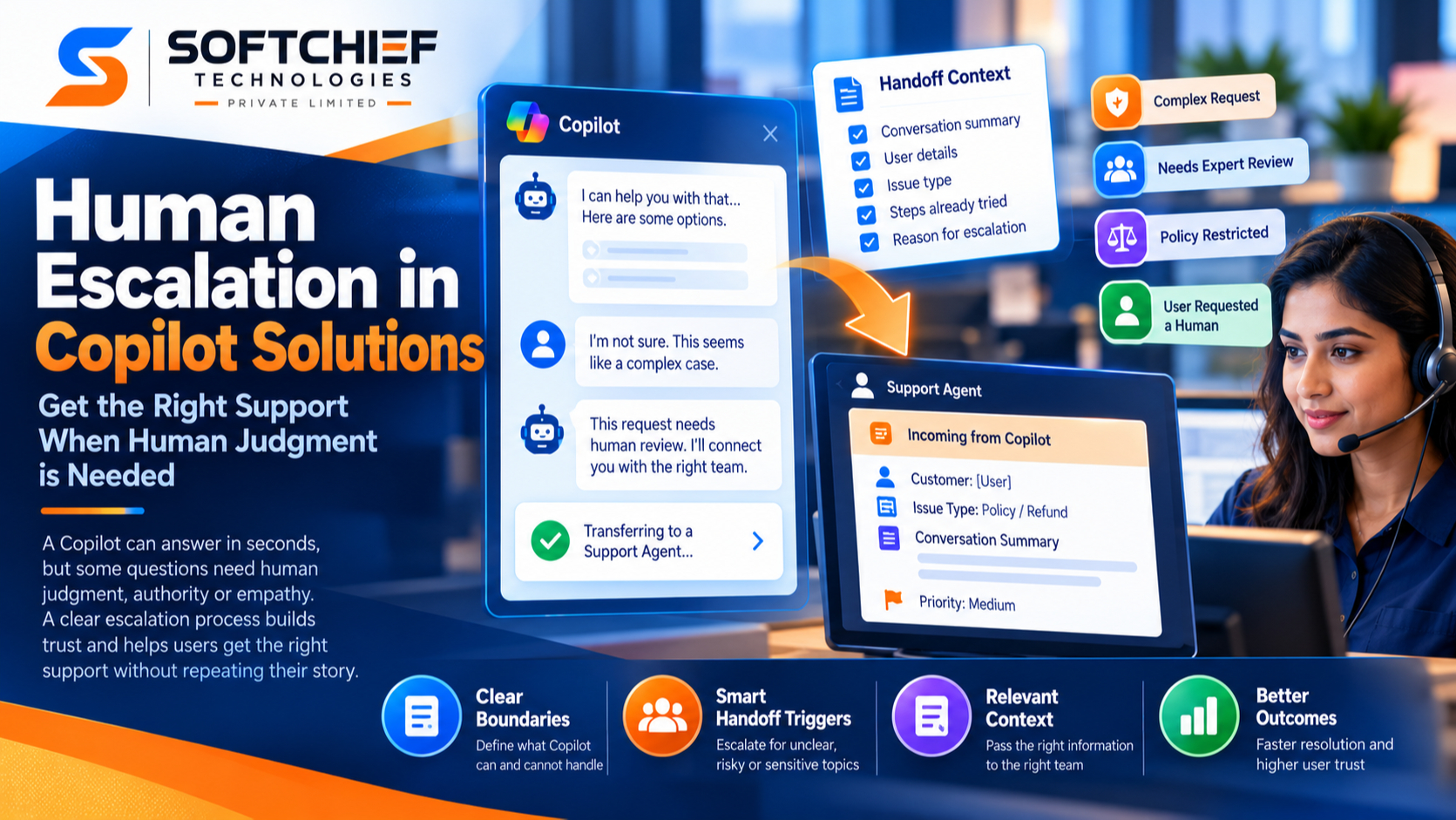
A Copilot can answer in seconds, but speed doesn’t settle every request. Some questions need human judgment, authority, or empathy. Human escalation in Copilot solutions is the planned transfer of a conversation or decision from a Copilot to a person.
A clear handoff can protect trust and help people get the right support without repeating their story. It also gives teams a way to set limits on what a Copilot should handle. Good escalation design starts with clear boundaries, defined triggers, useful context for staff, and regular checks on how the process works.
Make human escalation in Copilot solutions part of the design
Escalation is more than a backup for an answer the Copilot gets wrong. It’s a planned part of the service that gives the Copilot a clear stopping point and lets a person take over when needed.
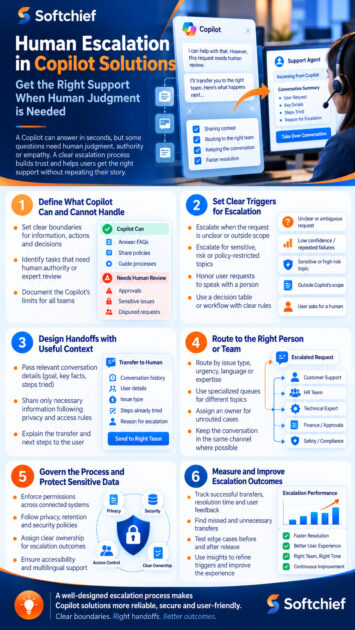
Define what the Copilot can handle
Set out whether the Copilot can share information, suggest an action, or make a decision. These are different levels of responsibility. A Copilot may explain a return policy, for example, while an employee handles a disputed refund that calls for judgment or approval.
Identify tasks that need human authority or expert review before launch. Write down the Copilot’s limits in terms that product, service, and risk teams can all use. Clear boundaries help staff understand when they’re expected to step in.
Treat the transfer as part of the user experience
An abrupt handoff can leave people unsure whether anyone received their request. The Copilot should say why it’s transferring the conversation and what will happen next. If an agent isn’t available, it should explain the next step, such as a callback, support form, or expected wait.
Escalation can mean different things in different settings. A customer support Copilot may send a conversation to a service agent; an employee support tool may direct a worker to an HR team or internal help desk. In higher-impact work, the handoff may need to pause a decision until an authorized person reviews it.
Set clear triggers for when a Copilot should escalate
Define handoff rules before release, then put them in a decision table or workflow. This helps teams agree on what the Copilot should do when a request is unclear, risky, or outside its role.
Escalate when the Copilot cannot resolve the request
A request may be ambiguous, missing key details, or outside the topics the Copilot can answer. Repeated misunderstandings are another warning: if a user has to restate the same issue, the system should offer a person rather than keep guessing.
Don’t rely on one confidence score to make every transfer decision. Test real examples of unclear requests and failed replies, then set rules that reflect the task. Review those rules when the Copilot’s content or scope changes.
Escalate when a request crosses a risk boundary
Sensitive topics, high-impact choices, and policy-restricted requests may call for human review. Tie these triggers to your organization’s policies and relevant legal or regulatory duties. A Copilot response should not replace qualified judgment where a person must assess the facts or approve an action.
Honor requests to speak with a person
Give users a clear way to request human help. Make that option visible where users may need it, such as after an unresolved reply or on a support screen. If live help is closed or unavailable, state that plainly and offer a real next step rather than implying an agent is waiting.
Design handoffs that give people useful context
A transfer works only when the receiving person can continue the conversation. The Copilot should pass enough information to help, without sharing details that aren’t needed.
Pass along relevant conversation context
A human may need the user’s goal, details already provided, steps tried, and reason for the handoff. Microsoft’s Copilot Studio handoff documentation describes passing conversation history and relevant variables to a connected engagement hub. It also documents a transfer flow that can include a private message for the agent.
Choose context carefully. Share only what the receiving team needs for the task, and follow privacy, access, and record-retention rules. Tell users what information will be passed along when that disclosure is needed.
Route the request to the right person
Route by issue type, urgency, language, or the expertise needed. A billing question and a safety concern may need different queues and response times. Assign an owner for cases the system can’t route, so they don’t sit unclaimed.
Explain the transfer and keep the thread intact
Before handoff, tell users why the Copilot is transferring them. Explain whether they’ll stay in the same channel, how long they may wait, and whether they need to repeat anything. If the transfer fails or no agent is available, provide an alternative path and say who owns the next step.
Govern human oversight without creating a bottleneck
Human oversight needs clear roles and workable review steps. The NIST AI Risk Management Framework offers voluntary guidance for managing AI risks. Microsoft’s responsible AI principles also name accountability, privacy, transparency, and human oversight as key concerns. Neither replaces legal advice or controls tailored to your organization.
Assign responsibility for escalation outcomes
Name who owns the rules, who receives handoffs, and who can approve or make decisions. Product teams may maintain the Copilot’s triggers, while service teams manage queues and staffing. Risk and policy teams should review the limits and exception paths.
Document these roles so a handoff doesn’t end with “someone should look at it.” Set a path for urgent cases and a backup owner when the usual team is unavailable.
Protect privacy and make the process usable
Limit access to conversation records and transfer only task-related details. Explain the handoff in language users can understand, and check that the process works for people who use assistive technology, speak different languages, or can’t use the main service channel.
Test with people who reflect your intended users. A handoff that works only in a quiet office, in one language, or on one device may fail the people who need it most.
Measure whether human escalation improves outcomes
Count more than how often the Copilot handles a request without help. Set a baseline for the service, then track whether people reach the right team and get a useful resolution.
Track transfer quality as well as speed
Useful measures can include successful transfers, time to reach a person, resolution time, repeat contacts, abandoned conversations, and user feedback. Check whether agents receive enough context to continue without asking users to start over. Pair these numbers with feedback from both users and frontline staff.
No single measure works for every use case. A fast transfer may still be poor if the user reaches the wrong team or has to explain everything again. Choose measures that match the service’s goals.
Find missed and unnecessary transfers
Review cases where the Copilot should have escalated but didn’t, along with handoffs that added no value. Sample conversations, study complaints, and ask frontline staff where the rules create extra work. Use patterns to refine triggers rather than treating every error as an isolated case.
Test edge cases before and after release
Try ambiguous requests, sensitive topics, repeated failures, unavailable agents, and interrupted transfers. Retest after major changes to the Copilot or support process. Microsoft documents Copilot Studio handoff options, including escalation triggers and context passed to connected agents; test the exact setup you plan to use before launch.
Conclusion
A safe Copilot doesn’t need to answer every request. It needs clear boundaries, explicit handoff triggers, useful context for the person taking over, and named owners for the outcome. Measure the full transfer, then improve weak points using user and staff feedback.
Map the moments when a person must step in. Test each handoff from the user’s first request through the human response before expanding the Copilot’s role.









