
Scalable D365 CE Data Model: Design for Growth and Performance
Introduction
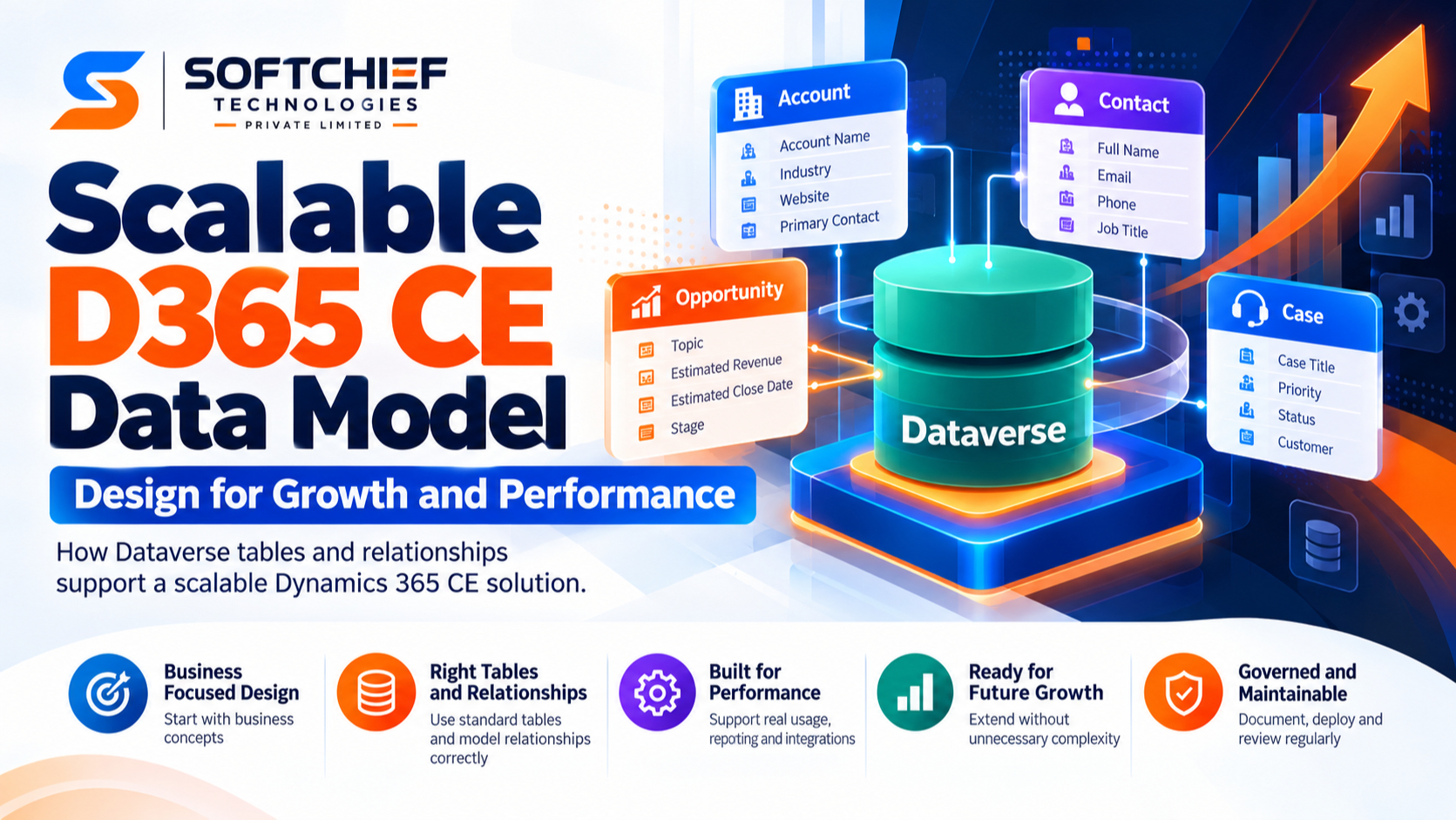
A D365 Customer Engagement (D365 CE) solution may begin with a few tables and links. As teams add processes, apps, and integrations, that model can become harder to change and maintain. A scalable D365 CE data model starts with clear business concepts and fits the capabilities of Microsoft Dataverse, the data platform used by Dynamics 365 apps. The design choices below can help you support growth while keeping records useful for daily work, reporting, and system connections.
Build a scalable D365 CE data model around business concepts
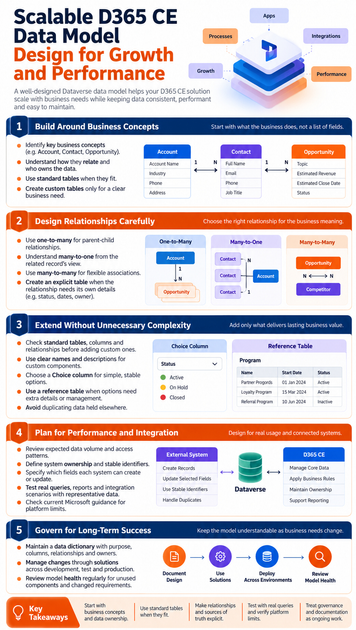
Start with the work your organization needs to do, not a list of form fields. Dataverse stores business data in tables made up of rows and columns, and it includes standard tables as well as options for custom tables. Microsoft explains these building blocks in its Dataverse introduction.
Map business concepts before creating tables
Identify the key things the business tracks, how they relate, and who is responsible for each kind of data. An Account can hold information about a company, a Contact about a person, and an Opportunity about a potential sale. These familiar concepts help teams discuss the model before they decide which columns a form needs.
Forms show information to users, but they shouldn’t dictate the full data structure. A department may need a special view or workflow without needing a separate copy of the same customer record. Define the shared business concepts first, then shape the app experience around them.
Choose standard tables when they fit
Review existing Dataverse and Dynamics 365 tables before creating custom ones. Standard tables can connect your design with built-in app features and familiar patterns. If a business concept has its own meaning, rules, and lifecycle, a custom table may be the better fit.
Keep that choice tied to a clear need. A custom table created only to match a temporary project or team label may add extra upkeep without improving the business model.
Design relationships in a scalable D365 CE data model
Relationships affect how people find related records, how reports bring data together, and how connected systems share it. Dataverse relationships also have behavior settings that can affect actions such as assigning or deleting records. Document the purpose of each link and the owner of the related data.
Match the relationship to the business meaning
A one-to-many relationship connects one parent row to multiple related rows. For example, an Account may link to several Contacts or Opportunities. A many-to-one relationship describes the same kind of link from the related row’s point of view: each Contact may refer to one Account.
Use a many-to-many relationship when records on both sides can link to several records on the other side. For example, an Opportunity may involve several competitors, and a competitor may appear in several Opportunities. Microsoft’s Dataverse relationship guidance explains these patterns and related behavior settings.
Use many-to-many links with care
A direct many-to-many link can suit a simple association where the link itself needs no extra details. But if the relationship needs its own status, dates, owner, or review process, create an explicit table between the two records. That table can hold the relationship’s details and support its own lifecycle.
For example, if a Contact’s participation in a service program needs a start date and status, the participation may deserve its own record. The right structure depends on the business process, not just on how many links the records need.
Extend the model without needless complexity
A growing solution will need changes, but not every request calls for a new table or column. First decide whether the need is durable business data, a user-interface preference, or a rule that belongs in app logic. That distinction helps keep the model focused.
Add custom columns and tables selectively
Check standard tables, columns, and relationships before adding custom components. When a custom component is needed, use a clear name and description so other makers can understand its purpose. Also record which team owns its definition and how changes should be approved.
Avoid adding fields that repeat data held elsewhere. If an Account’s address belongs in the Account record, storing a second copy in a custom customer table creates a risk that the values will diverge.
Choose choices and reference tables deliberately
A choice column fits a short, stable set of options, such as a simple status category. A reference table works better when each option needs extra details, links to other records, or its own management process. It can also help when authorized users need to maintain the options as business needs change.
Put validation and automation in the right place. A column defines what data can be stored; a business rule, flow, or other logic can guide how people enter or update it. Document these links so a later table change doesn’t break a process that relies on it.
Prepare the D365 CE data model for performance and integration
Performance depends on how apps and connected systems read and change data, not only on the number of tables. Review the records users need, the fields they access often, and the volume and rate of updates. Check current Microsoft documentation for platform limits that apply to your design rather than relying on old figures.
Plan integrations around identifiers and ownership
Agree on which system creates each type of record and which system can update or retire it. Choose stable identifiers for matching records across systems, and define how duplicates and failed syncs will be handled. A clear ownership plan helps prevent two systems from overwriting each other’s changes.
For example, an integration plan might state that one system creates Accounts while another can update only selected fields. Write down those rules for each record type, including who resolves conflicts.
Test real queries and reports
Use representative data to test common user tasks and reporting needs. A sample could include Accounts, Contacts, and Opportunities linked in ways that reflect realistic work; it doesn’t need to mirror any specific organization. Check how long key views take to load and whether reports can answer the questions users ask.
Test changes as well as reads. Updates from integrations, bulk edits, and record ownership changes can reveal issues that a small demo dataset won’t show.
Govern the model as business needs change
Documentation and controlled releases help a useful model stay understandable. Microsoft Learn’s guidance on Dataverse tables and relationships and solutions can help teams check platform design and deployment practices.
Document definitions and design choices
Keep a data dictionary with each table’s purpose, key column meanings, relationship rationale, and data owner. Record integration responsibilities and any important dependencies on business rules or automation. This gives administrators, developers, and business teams a shared reference when changes come up.
Manage changes through solutions and environments
Build and test customizations in separate development, test, and production environments. Use solutions to move components between environments, and review dependencies before deployment. Microsoft describes solutions as a way to transport apps and components and manage changes across environments.
Review model health over time
Set a regular time to look for unused components, duplicate facts, changed business rules, and integrations that no longer match the design. Check proposed changes with the people who own the data and processes. Then test them against real workflows before release.
Conclusion
A scalable D365 CE data model starts with real business concepts, uses standard Dataverse features where they fit, and gives each fact a clear home. Deliberate relationships and stable integration rules help data stay useful as the solution grows. Document the design, check current platform guidance, and review the model as work changes.
Keep these principles in view as you plan the next change:
- Start with business concepts and data ownership, not a field list.
- Use standard tables when they fit; customize for a clear business need.
- Make relationships and sources of truth explicit.
- Test against real queries and verify platform limits in current Microsoft guidance.
- Treat governance and documentation as ongoing work.









