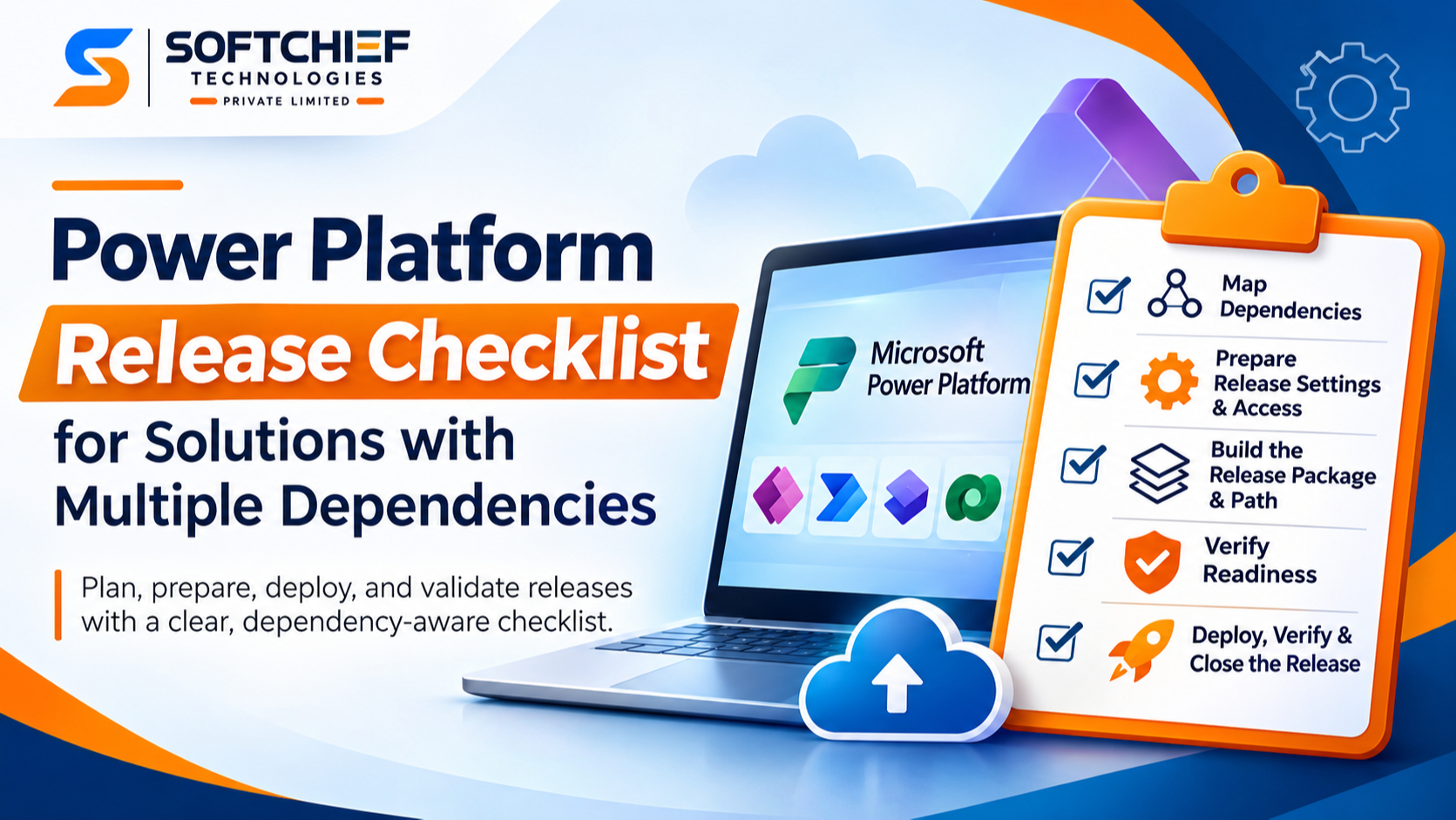
Power Platform Release Checklist for Solutions with Multiple Dependencies
Introduction
A Power Platform release can import without errors and still fail at runtime. A missing connection, wrong environment value, denied permission, or unavailable prerequisite can stop an app or flow from doing its job.
Solutions with several dependencies need more than an import checklist. Your team needs a repeatable way to map what depends on what, prepare each target environment, confirm deployment order, and test the result.
Use this Power Platform release checklist for solutions with apps, flows, Dataverse tables, connection references, environment variables, and integrations. Adapt it to your architecture and ALM approach, whether you deploy with Power Platform pipelines or another approved CI/CD process.
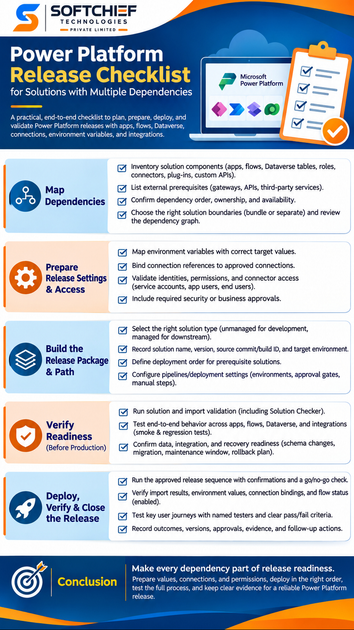
Map dependencies for a Power Platform release checklist
Dependency discovery helps you see what must be in place before deployment. Map links between solution components, target environments, and connected services before you decide what to package.
Inventory solution components and external prerequisites
Record the components in scope, such as canvas and model-driven apps, cloud flows, Dataverse tables, security roles, custom connectors, plug-ins, and custom APIs. Add items that may sit outside the solution, including gateways, APIs, and third-party services.
Use the solution’s dependency view and your architecture records to build the inventory. Microsoft’s dependency guidance explains how to view dependencies for a solution or component. Check the list against the target environment rather than relying on what the team remembers.
Confirm dependency order, ownership, and availability
For each prerequisite, record what must exist first and who owns it. A flow might need a table from a base solution, an approved connection, and an external API endpoint before it can run.
Add the target environment, validation method, and planned release timing to each item. Confirm availability with the owning team before the change window. If a prerequisite is missing or fails its check, stop the deployment instead of moving ahead with a partial release.
Choose solution boundaries that support safe releases
Bundling related components can make a release easier to manage when they share an owner and release schedule. Separate components when teams own them independently or when they change on different schedules. Either choice can add work if it creates unclear dependencies or forces teams to deploy unrelated changes together.
Review the dependency graph before you split or combine solutions. Microsoft’s solution ALM concepts explain how managed solutions can depend on other solutions. Test proposed boundaries in the release path your organization uses.
Prepare Power Platform release settings and access
A solution package carries its components, but production still needs the right configuration and access. Check these items for every target environment before you deploy.
Map environment variables to the target environment
Use environment variables for values that change between development, test, and production, such as an API address or SharePoint site. Confirm that each required variable has a correct target value and that any default is suitable for the destination.
Microsoft’s environment variable guidance explains how values can be provided during solution import. Add a pre-deployment check for missing or incorrect values. Avoid hard-coding environment-specific settings in apps and flows.
Bind connection references to approved connections
A connection reference links a solution-aware app or flow to a connector connection. The connection holds the sign-in details; the reference lets the solution point to the correct connection in each environment. Check that the connector is available and the connection uses an approved authentication method.
Confirm the connection owner and target-environment binding before enabling dependent flows. The connection reference documentation notes that users enabling flows need access to the connections they use. Check this with the identity that will operate the flow.
Validate identities, permissions, and connector access
Review access for service accounts, application users, end users, and external systems. Confirm that Dataverse security roles allow the needed actions and that connector or API permissions are in place. Keep access limited to what each identity needs.
Test with the identities used in production, not only with an administrator account. An admin can hide a permission gap that stops a regular user or service identity from completing a task. Include any required security or business approvals in the release record.
Build a Power Platform release package and path
A repeatable package makes it easier to trace and test a release. Set the solution type, artifact details, deployment order, and pipeline settings before moving changes toward production.
Select the right solution type and release artifact
Teams commonly use unmanaged solutions for development and managed solutions in downstream environments. Follow your organization’s ALM rules, and keep the publisher consistent. Treat the exported managed solution as a traceable release artifact rather than rebuilding it by hand for each environment.
Record the solution name and version, source commit or build ID, and target environment. Microsoft outlines the common development-to-deployment pattern in its solution ALM guidance. Keep the artifact and release record together so you can identify exactly what was deployed.
Define deployment order for prerequisite solutions
When one solution relies on another, deploy the required solution first. For example, a base solution may add a Dataverse table that a second solution uses in an app or flow. Confirm each prerequisite version is present before importing the dependent package.
Write the expected order into the release plan and add a stop condition for a failed prerequisite. Do not continue with a partial deployment and hope that the missing component will be added later. Partial changes can leave users with features that appear available but cannot complete their work.
Configure pipelines and deployment settings
Use your approved deployment method, such as Power Platform pipelines or an established CI/CD process. Set the target environment, approval gates, and any required manual tasks. For automated imports, a deployment settings file can provide environment values and connection bindings.
Check current Microsoft Learn guidance for the pipeline and build tools you use. For native pipelines, preflight checks can identify missing dependencies, and the deployment stages must run in order. Make sure the team knows who can approve the release and who handles any manual step.
Verify readiness before production deployment
Automated checks can catch some issues, but they cannot prove that every production setting or business process works. Pair solution checks with tests of the complete dependency chain.
Run solution and package checks
Run solution validation and import validation where your deployment method supports them. Review Solution Checker results and agree on which findings block release. Record accepted exceptions with an owner and a remediation plan.
Solution Checker can flag patterns in solution components, but its static analysis does not know every destination environment setting. It does not replace checks for permissions, connections, integrations, or business behavior. Treat a clean report as one readiness signal, not proof of a successful deployment.
Test end-to-end behavior across dependent components
Build smoke and regression tests around real user tasks that cross apps, flows, Dataverse, connectors, and external systems. Test the expected success path and the error handling for a failed API call or missing input. A flow that runs successfully in isolation may still fail when the app or data source calls it.
For each critical test, record the environment, test identity, expected result, and evidence. Use cases that reflect your organization’s processes and release risks. Include a small set of checks that can be repeated after production deployment.
Confirm data, integration, and recovery readiness
Identify schema changes, data migration, integration coordination, and any maintenance window the release needs. Confirm that support staff know what to monitor and who owns each external service. Set out recovery or remediation steps before making production changes.
Define what happens if an integration is unavailable or a post-deployment test fails. Name who can authorize a rollback or corrective deployment, and how the team will communicate the decision. A clear recovery plan helps the release lead act without delaying the response.
Deploy, verify, and close the release with evidence
The checklist remains active during production deployment. Track each prerequisite and package, then verify the running solution in the destination environment.
Run the approved release sequence
Confirm approvals and the change window before deployment begins. Follow the documented prerequisite order, and record the outcome for each package or component. Hold a go/no-go check before the first production change.
Assign a release lead to track completion and raise blockers. When using native pipelines, follow the required stage order and promote the approved artifact through the pipeline. Do not substitute a different package after testing without repeating the needed checks.
Verify components and user journeys after deployment
Check that imports completed, environment values are correct, and connection references point to approved connections. Confirm that flows are enabled and permissions work for the intended users. Then run the production smoke tests with named testers and clear pass or fail criteria.
Watch for delayed or asynchronous processing, especially where an external system receives or sends data. Verify that critical user tasks complete across the app, flow, Dataverse, and integration. If a check fails, use the agreed recovery path and notify the release owner.
Record outcomes and update the release process
Capture deployed versions, target environment, approvals, test evidence, exceptions, and incidents. Record follow-up work with an owner and due date. Keep the release record with the solution’s ALM documentation so future teams can trace what changed and why.
After the release, review which checks caught issues and which steps caused delays. Update the checklist when the architecture or deployment method changes. A release record is useful only when the next team can act on it.
Conclusion: Make every dependency part of release readiness
A dependable Power Platform release starts with a clear dependency map. Prepare environment-specific values, connections, and permissions; deploy prerequisites in a documented order; and test the full process in the destination environment.
Treat external services and access settings as release dependencies, follow your organization’s ALM and approval process, and keep evidence of readiness and outcome. Before the next production change, assign owners to every prerequisite and make each one pass its check before deployment begins.