Business Central Extension Points: Add Custom Features Without Editing Standard Code
Intrduction
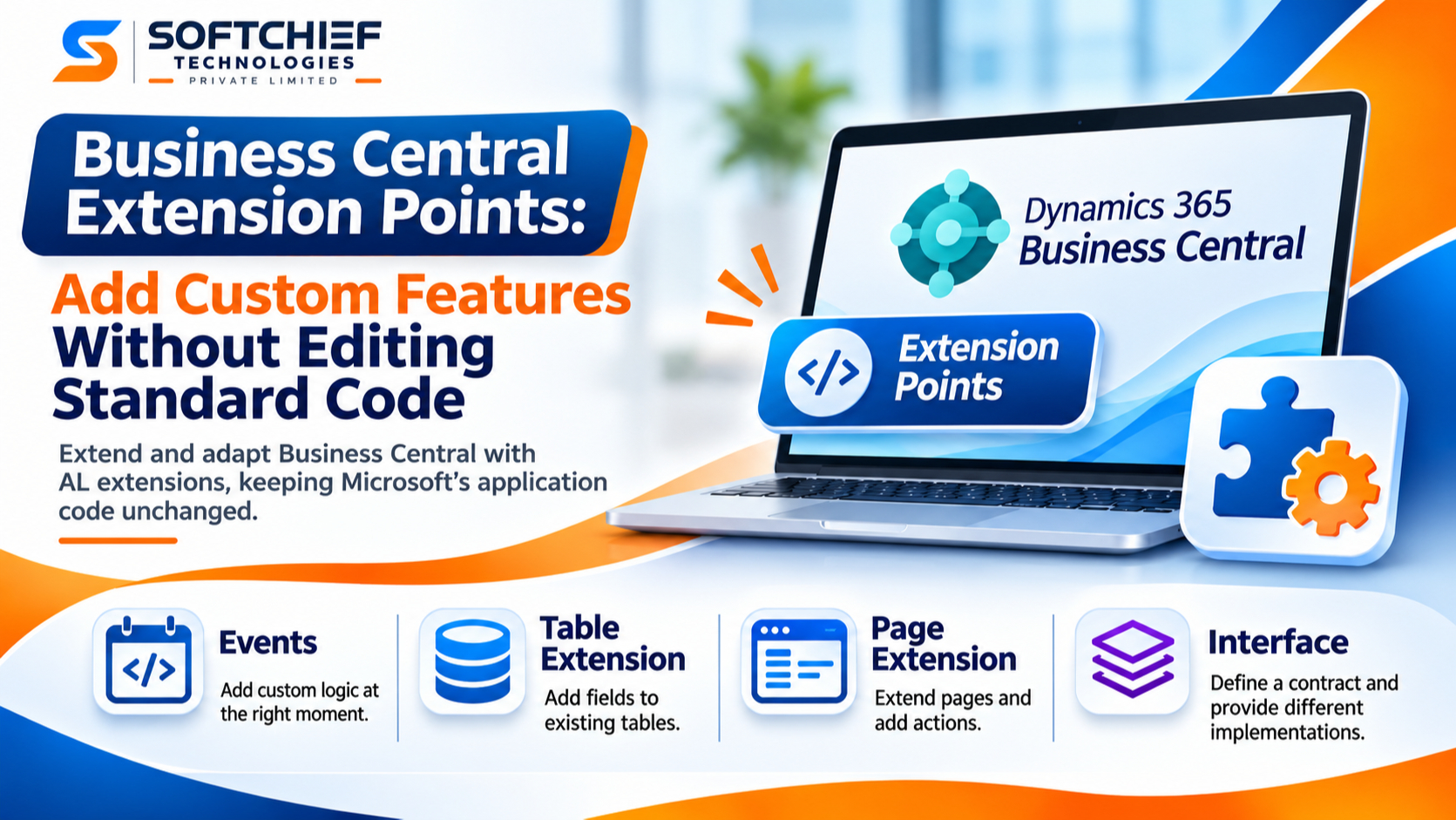
A small change to standard Business Central code can create a lasting upgrade and maintenance burden. Business Central extension points let you add or adapt features through AL extensions while leaving Microsoft’s application objects unchanged. That separation makes custom behavior easier to review and manage.
The key design question is whether the application exposes a suitable place for your code to run. The right event, table extension, page extension, or interface can keep custom behavior focused. A poor fit can lead to fragile workarounds or surprising effects on other processes.
Safe design lowers the risk of conflicts, but it doesn’t guarantee compatibility with every update. Check the available mechanisms, define clear behavior, and test the full extension against the Business Central version and other apps you use.
Choose the right Business Central extension point
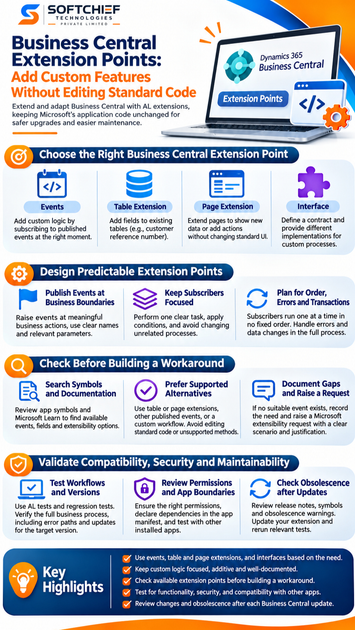
Decide where the behavior belongs before writing AL code. Microsoft describes several supported ways to extend Business Central, including events, tables, pages, and the security model in its extensibility overview. Pick the option that matches the change instead of copying or replacing standard logic.
Subscribe to an event at the right moment
An event subscriber responds when a published event runs. It lets your extension handle a point in standard code without editing the object that publishes the event. Microsoft’s AL events documentation describes publishers and subscribers as a way to separate custom functionality from application logic.
Before subscribing, check what the event means, which parameters it provides, and when it runs in your target version. An event raised before posting may suit a validation; an event raised after posting may suit a notification. Verify its timing in symbols and documentation rather than relying on its name alone.
Extend tables and pages for additive changes
Use a table extension to add data, such as a customer’s external reference number. Use a page extension to show that field or add an action to a relevant page. These extension objects add to existing objects rather than replacing standard application code.
Keep the change additive and avoid rebuilding a feature that Business Central already provides. For example, before adding a custom action, check whether a standard action or setup option meets the need. Also consider where users enter, view, and maintain any added data.
Use interfaces to separate custom implementations
An AL interface defines a contract: it lists procedures that an implementing object must provide. A caller can use that contract without depending on one specific codeunit. Microsoft’s interfaces in AL documentation explains how this supports different implementations behind the same set of methods.
Interfaces are useful when your extension controls both the caller and the implementations. For example, a custom shipping process could call one interface while separate codeunits handle different carriers. Keep the contract small and document what each method must do.
Design predictable Business Central extension points
A good extension point has a clear purpose and a narrow scope. When you consume a Microsoft event, you work within the event’s existing contract. When you own the custom application code, you can choose where to publish events and what information subscribers need.
Publish events at clear business boundaries
In your own code, publish events where a meaningful business action occurs, such as before a custom approval is sent or after a custom import completes. Use names that describe the action and parameters that give subscribers the context they need. Document the purpose and timing so another developer can use the event correctly.
Avoid exposing details that may change without affecting the business process. A subscriber may need the document record, for instance, but not every local variable used to build it. Microsoft’s extensibility request guidance also recommends clear event signatures and avoiding unnecessary implementation details.
Keep subscribers focused and scoped
A subscriber should perform one clear task. If it applies only to a certain document type or status, check that condition before changing data. Respect the event’s parameters, and don’t alter unrelated records or workflows.
Small subscribers are easier to test and review. If the feature needs several distinct actions, separate them into methods or subscribers where that fits the event design. Avoid treating a subscriber as a place to take over an entire standard process.
Plan for order, errors, and transactions
The Microsoft Learn guidance for event subscribers says that multiple subscribers to one event run one at a time in no particular order. Don’t make your code depend on another extension’s subscriber running first. If steps must happen in a fixed order, design a process you control.
Also test how errors and database changes affect the full calling process. A subscriber runs as part of the event flow, so its behavior may affect the operation that raised the event. Confirm the result when an error occurs, when data is changed, and when other installed extensions subscribe to the same event.
Check for a suitable extension point before building a workaround
Start by checking what the target version supports. The event or object that fits your requirement may already exist, but a similar-sounding event might run too early, too late, or lack the needed data. Confirm the contract before choosing a design.
Search symbols and documentation
Inspect the app symbols for published events and available object members. Then compare what you find with Microsoft Learn documentation for the relevant object and Business Central version. Verify that the event is available to your target app and that its parameters support the change you need.
Check table and page extensibility too. A field or page action may solve the problem without a code-flow subscriber. Reviewing the full set of supported options can prevent a workaround that adds more moving parts than the feature needs.
Prefer supported alternatives
If no event fits, consider a table or page extension, another published event, or a custom workflow built around supported application behavior. Don’t edit standard source, access the database directly, or rely on undocumented internals. Those choices can make the extension harder to maintain when the application changes.
A nearby event is not automatically a safe substitute. If its timing or data differs from your need, changing the design may be safer than forcing the requirement into it. Test the alternative through the full business process before release.
Document gaps and raise a request
When the standard app lacks a suitable event or public method, record what is missing and why the feature needs it. Assess whether the business requirement can change, whether the feature can wait, or whether you should request a supported extension point. Microsoft’s request process asks developers to check existing requests and explain the exact scenario and requested change.
Keep a note of the target version, assumptions, and any limits in the design. That record helps future maintainers revisit the decision when symbols or events change. It also gives a clear starting point if you redesign the feature later.
Validate compatibility, security, and maintainability
An extension can compile and still cause problems in a wider workflow. Test the package and its interactions, not only the new code path. That helps catch issues in posting, permissions, dependencies, and other extensions.
Test workflows and versions
Use automated AL tests where they fit the feature, and add regression tests for affected workflows. Test against the Business Central version you plan to support. Check that the intended result occurs and that nearby standard behavior remains unchanged.
Include error paths and unusual but valid records. If a subscriber changes data during posting, for example, verify the final entries and document state. Retest after relevant application or dependent app updates.
Review permissions and app boundaries
Check that the extension has the permissions it needs, and no more. Declare dependencies in the app manifest and confirm that required objects come from the expected apps. Keep calls within supported app boundaries.
Also consider how your extension interacts with other installed apps. An event may have several subscribers, and a page may receive changes from more than one extension. Test in an environment that reflects the set of apps you expect to run together.
Check obsolescence after updates
Before upgrading, review release notes, refreshed symbols, and obsolescence warnings for the objects and events you use. Update the extension when a member or event changes status. Then rerun the relevant tests.
Supported AL extension design reduces the need to change standard code, but it doesn’t remove compatibility work. Treat each update as a reason to verify the extension’s assumptions.
Conclusion
The safest Business Central extension point has a clear business purpose, a usable contract, and behavior you can test. Use events when their timing and parameters fit; use table and page extensions for additive data and UI changes; use interfaces when you control the caller and need replaceable implementations.
Avoid undocumented workarounds, keep subscribers focused, and check permissions and dependencies. Before each release or upgrade, test the full workflow against the target version. A few careful checks now can spare future maintainers from brittle custom code.