How Dataverse Web API Works Internally (Complete Guide)
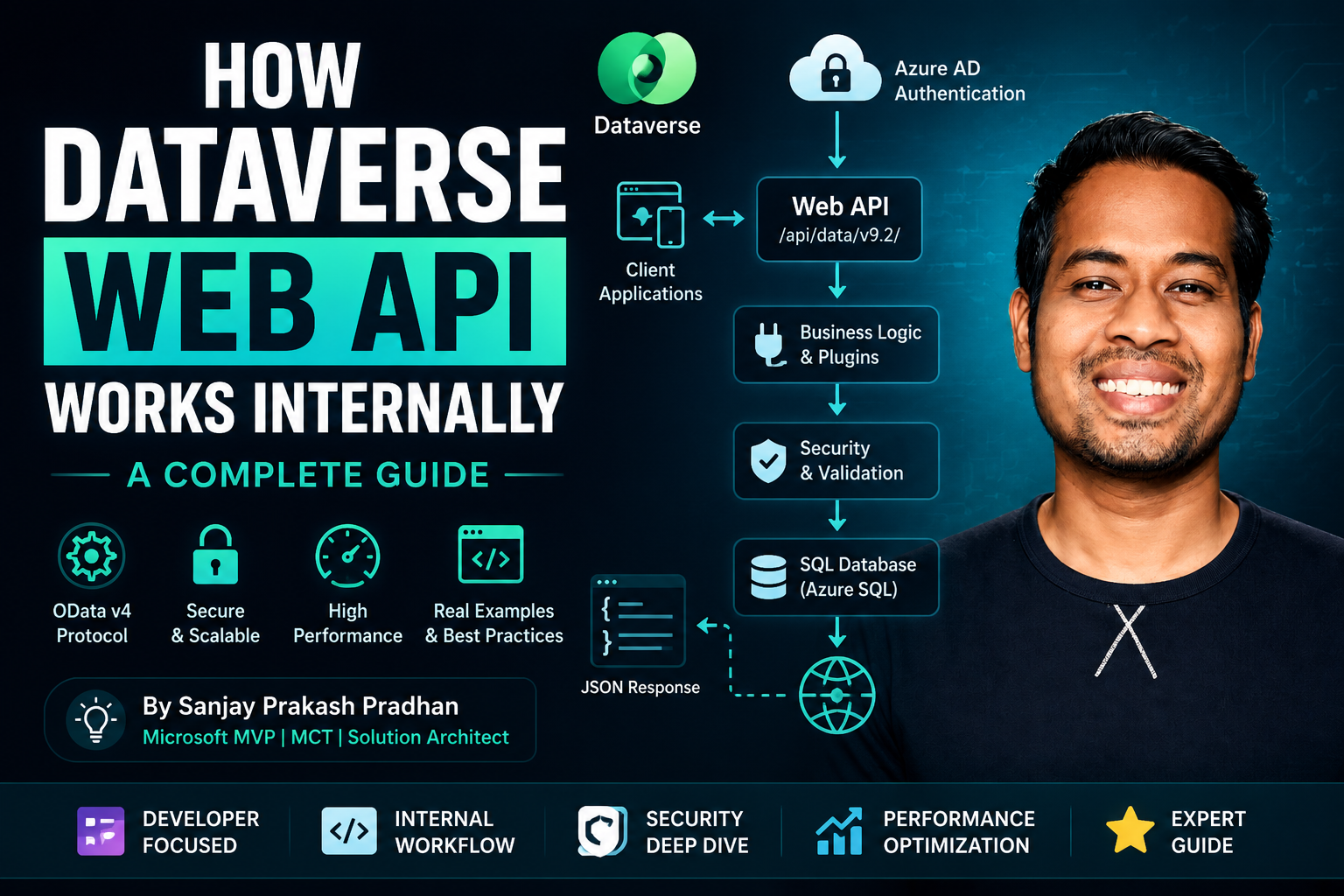
Microsoft Dataverse is the heart of the Power Platform ecosystem. Whether you’re building Power Apps, Power Automate flows, Dynamics 365 applications, custom portals, mobile apps, Azure integrations, or external systems, everything ultimately communicates with Dataverse through APIs.
The Dataverse Web API is Microsoft’s RESTful API implementation built on top of OData v4 standards.
Watch the video or scroll.
Understanding how the Web API works internally helps developers:
- Build faster integrations
- Optimize performance
- Troubleshoot issues
- Design scalable architectures
- Write better JavaScript, C#, and Power Automate solutions
In this guide, we will explore what happens behind the scenes whenever a request reaches Dataverse.
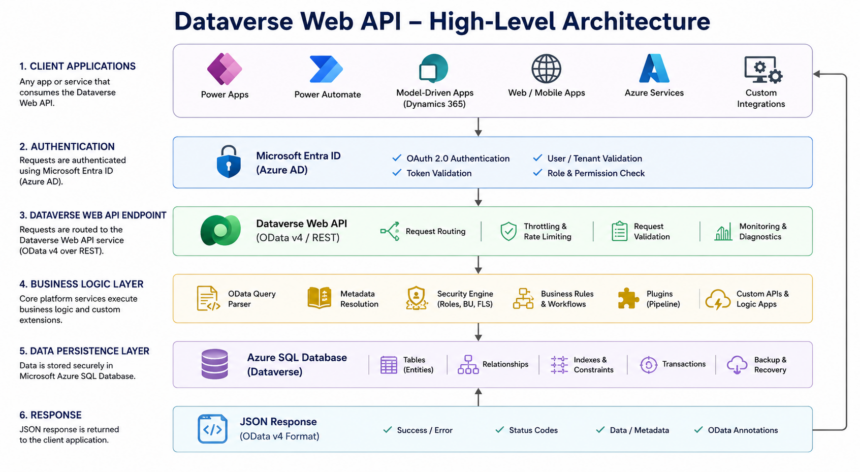
High-Level Architecture
What Is Dataverse Web API?
Dataverse Web API is a REST-based service that allows applications to interact with Dataverse data using standard HTTP methods.
Supported Operations:
| HTTP Method | Operation |
|---|---|
| GET | Retrieve |
| POST | Create |
| PATCH | Update |
| DELETE | Delete |
| PUT | Replace |
| OPTIONS | Metadata |
Example:
GET https://org.crm.dynamics.com/api/data/v9.2/accountsResponse:
{
   "value":[
      {
         "accountid":"123",
         "name":"Softchief Learn"
      }
   ]
}
Understanding the Request Journey
Let’s see what happens internally.
Suppose a user executes:
GET /api/data/v9.2/accountsThe request goes through several layers.
Step 1: Authentication Layer
Before Dataverse processes any request, it validates the access token.
Dataverse uses:
- Microsoft Entra ID (Azure AD)
- OAuth 2.0
- OpenID Connect
Example:
Authorization: Bearer eyJhbGciOi...Dataverse verifies:
- ✔ Token validity
- ✔ User identity
- ✔ Tenant
- ✔ Expiry
- ✔ Permissions
If validation fails:
401 Unauthorizedis returned.
Step 2: API Gateway
After authentication, the request reaches the Dataverse API Gateway.
Responsibilities:
- Request validation
- Routing
- Throttling
- Rate limiting
- Request tracking
Dataverse generates:
ActivityId
CorrelationId
RequestId
These IDs are used for diagnostics and support tickets.
Step 3: OData Request Parsing
Dataverse Web API follows OData v4 standards.
Example:
GET accounts?
$select=name,revenue&
$filter=revenue gt 100000
Parser converts this into an internal query model.
Internally:
OData Query
     |
     v
Query Expression
     |
     v
SQL Query
Step 4: Metadata Resolution
Every table and column is validated against Dataverse Metadata.
Example:
$select=nameDataverse checks:
- Does account table exist?
- Does name column exist?
- Is user allowed to access it?
Metadata cache significantly improves performance.
Step 5: Security Evaluation
This is one of the most important stages.
Dataverse security engine evaluates:
Security Roles
Read
Write
Create
Delete
Append
Append To
Assign
Share
Ownership
User Owned
Team Owned
Organization Owned
Business Units
Root BU
Child BU
Field Level Security
Sensitive columns are checked individually.
Security Pipeline Example
User requests:
GET contactsDataverse checks:
User Exists?
    |
Role Assigned?
    |
Read Permission?
    |
Business Unit Access?
    |
Field Access?
Only then data retrieval begins.
Step 6: Query Optimization Engine
Dataverse doesn’t directly execute OData queries.
Instead it transforms them.
Example:
GET accounts?
$select=name&
$top=10
Internally becomes:
SELECT TOP 10
Name
FROM AccountBase
Dataverse applies:
- Query optimization
- Index selection
- Caching
- Parallel execution
Understanding SQL Storage
Dataverse stores data in Azure SQL.
Behind the scenes:
Account Table
Contact Table
Lead Table
Opportunity Table
Logical Names:
account
contact
lead
Physical Names:
AccountBase
ContactBase
LeadBase
Developers never directly access SQL.
Step 7: Plugin Execution Pipeline
This is where custom business logic executes.
Pipeline Stages:
PreValidation
      |
PreOperation
      |
Core Operation
      |
PostOperation
Example:
POST accountExecution:
Request Received
      |
PreValidation Plugin
      |
PreOperation Plugin
      |
Database Insert
      |
PostOperation Plugin
Plugin Pipeline Example
Create Account Request:
{
 "name":"Softchief"
}
PreOperation Plugin:
if(entity.Contains("name"))
{
   entity["name"] += " Pvt Ltd";
}
Final Database Value:
Softchief Pvt LtdStep 8: Business Rules Processing
Business Rules execute after validations.
Examples:
- Set default values
- Lock fields
- Calculate fields
- Validation checks
These execute without writing code.
Step 9: Power Automate Triggers
Once transaction completes:
Account Created
      |
      v
Power Automate Trigger
Flow may:
- Send Email
- Create Task
- Call Azure Function
- Update SharePoint
Step 10: SQL Commit
After successful execution:
Begin Transaction
      |
Insert Record
      |
Plugin Execution
      |
Validation
      |
Commit Transaction
If anything fails:
RollbackDataverse guarantees transactional consistency.
Response Generation
Data is converted into JSON.
Example:
{
   "@odata.context":"...",
   "value":[
      {
         "accountid":"123",
         "name":"Softchief Learn"
      }
   ]
}
Returned to the caller.
Understanding OData Query Processing
$select
Bad:
GET accountsReturns every column.
Good:
GET accounts?$select=name,revenueImproves performance significantly.
$filter
GET accounts?
$filter=revenue gt 100000
Equivalent:
WHERE revenue > 100000$orderby
$orderby=name ascEquivalent:
ORDER BY name ASC$top
$top=100Equivalent:
TOP 100$expand
GET accounts?
$expand=primarycontactid
Equivalent to SQL Join.
Account
JOIN Contact
Batch Request Internals
Dataverse supports batch processing.
Example:
POST /$batchContains:
Create Account
Create Contact
Update Lead
Delete Task
Benefits:
- Fewer network calls
- Better performance
- Reduced latency
Pagination Internals
Dataverse limits record retrieval.
Example:
GET contactsResponse:
{
 "@odata.nextLink":"..."
}
Use nextLink for subsequent pages.
Benefits:
- Memory efficiency
- Faster responses
- Scalability
Throttling and Service Protection Limits
Dataverse protects itself from overload.
Common Limits:
- API requests per user
- Concurrent requests
- Execution time limits
Possible Error:
429 Too Many RequestsSolution:
Retry Logic
Exponential Backoff
Caching Inside Dataverse
Dataverse caches:
- Metadata
- Security roles
- User permissions
- Frequently used queries
Benefits:
- Faster response times
- Reduced database load
How Power Apps Uses Web API
When user opens a form:
Model Driven App
      |
Web API Call
      |
Dataverse
      |
JSON Response
Even if you never write API code, Power Apps is using the Web API internally.
How Power Automate Uses Web API
Dataverse Connector:
List Rows
Create Row
Update Row
Delete Row
Internally:
Power Automate
      |
Dataverse Connector
      |
Web API
      |
Dataverse
Performance Best Practices
Always Use $select
Bad:
GET contactsGood:
GET contacts?$select=fullname,emailaddress1Avoid Large $expand
Bad:
$expand=*Good:
$expand=primarycontactid($select=fullname)Use Server-Side Filtering
Bad:
Retrieve 10000 records
Filter in JavaScript
Good:
$filter=statuscode eq 1Use Batch Requests
Combine multiple operations into a single request.
Implement Pagination
Never attempt to load huge datasets at once.
Common Interview Questions
What protocol does Dataverse Web API use?
OData v4 REST protocol.
Which authentication method is used?
OAuth 2.0 through Microsoft Entra ID.
What is $expand?
Used to retrieve related records.
Difference between FetchXML and Web API?
FetchXML is XML-based querying. Web API uses REST/OData.
Can plugins execute through Web API requests?
Yes. Every Create, Update, Delete operation can trigger plugins.
Final Thoughts
The Dataverse Web API is far more than a simple REST endpoint. Behind every request, Dataverse performs authentication, security validation, metadata resolution, query optimization, plugin execution, business logic processing, transaction management, and response generation.
Understanding this internal pipeline enables developers to:
- Build enterprise-grade integrations
- Optimize performance
- Troubleshoot faster
- Design scalable Power Platform solutions
- Become better Dynamics 365 and Dataverse architects
Mastering the Dataverse Web API is one of the most valuable skills for any Power Platform or Dynamics 365 developer because almost every component in the Microsoft Business Applications ecosystem ultimately communicates through this powerful API layer.