
How to Create Reusable Components in Power Apps: A Developer’s Guide
Introduction
Microsoft Power Apps has transformed the way organisations build business applications by enabling professional developers and citizen developers to create solutions faster with low-code technology.
As organisations expand their Power Platform adoption, a common challenge emerges: how to build applications that are consistent, maintainable and scalable.
Many organisations start by creating individual Power Apps solutions for different departments. Over time, they discover repeated design patterns, duplicated formulas and similar user interface elements across multiple applications.
This is where reusable components in Power Apps become extremely valuable.
Reusable components allow developers to create building blocks that can be shared across applications, reducing development effort, improving consistency and accelerating application delivery.
In this comprehensive guide, we will explore:
- What Power Apps components are
- Why reusable components matter
- Types of components
- How to create reusable components
- Best practices
- Real-world business scenarios
- Enterprise implementation strategies
What Are Reusable Components in Power Apps?
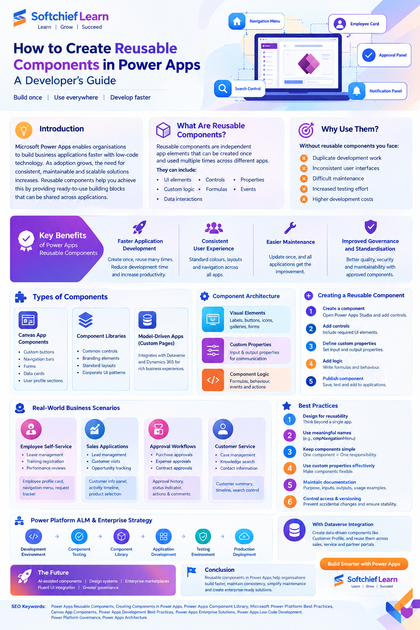
Reusable components in Power Apps are independent application elements that can be created once and used multiple times across different apps.
A component can contain:
- User interface elements
- Controls
- Properties
- Custom logic
- Formulas
- Events
- Data interactions
Instead of rebuilding the same functionality repeatedly, developers can create a reusable component and add it wherever required.
Examples:
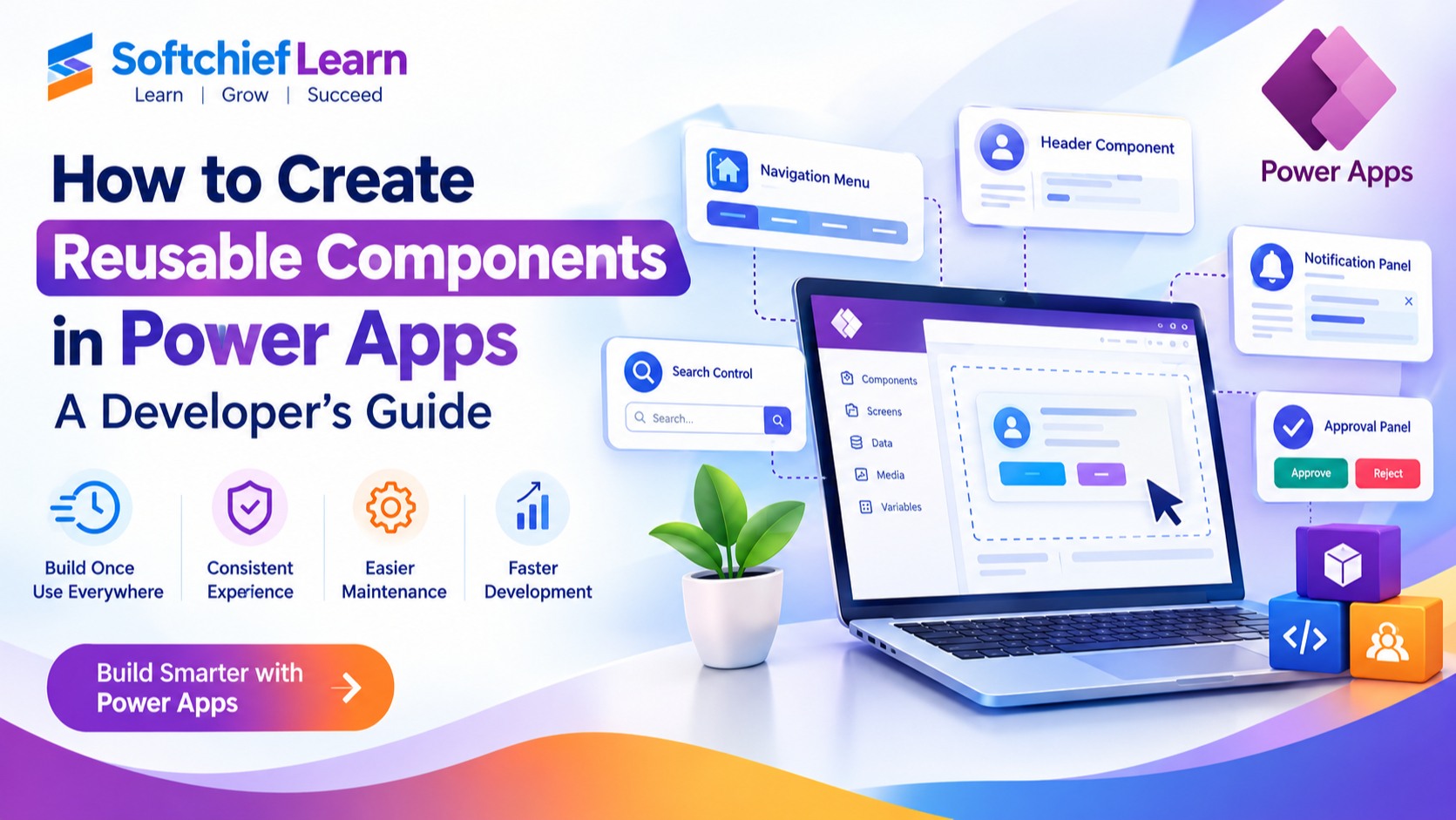
- Navigation menus
- Header sections
- Search controls
- Approval buttons
- Notification panels
- Employee profile cards
- Custom data entry controls
Why Use Reusable Components in Power Apps?
Without reusable components, organisations often experience:
- Duplicate development work
- Inconsistent user interfaces
- Difficult maintenance
- Increased testing effort
- Higher development costs
Reusable components solve these challenges by introducing a component-based development approach.
Key Benefits of Power Apps Reusable Components
1. Faster Application Development
Developers can create common functionality once and reuse it across multiple applications.
Example:
An organisation develops a standard employee profile component.
Instead of creating employee information screens separately for:
- HR App
- Leave Management App
- Training App
The same component can be reused everywhere.
Benefits:
- Reduced development time
- Faster application delivery
- Increased productivity
2. Consistent User Experience
Enterprise applications should provide a consistent experience across departments.
Reusable components ensure:
- Same colours
- Same layouts
- Same navigation patterns
- Same interaction behaviour
Example:
A company creates a standard approval component.
Every approval application uses the same:
- Approve button
- Reject button
- Comment section
- Approval status display
Users get a familiar experience across applications.
3. Easier Application Maintenance
Without components, updating common functionality requires modifying multiple applications.
Example:
A company changes its corporate branding.
Without components:
- Update every application individually
With components:
- Update the shared component once
All applications automatically receive the improvement.
4. Improved Governance and Standardisation
Reusable components support enterprise Power Platform governance.
Organisations can create:
- Approved UI components
- Standard business controls
- Shared application patterns
This improves:
- Quality
- Security
- Maintainability
Types of Components in Power Apps
Power Apps provides different approaches for creating reusable functionality.
1. Canvas App Components
Canvas app components allow developers to create reusable controls within Power Apps.
Examples:
- Custom buttons
- Navigation bars
- Forms
- Data cards
- User profile sections
A component can contain multiple controls grouped together.
Example:
A company creates a reusable employee card component.
It includes:
- Employee photo
- Employee name
- Department
- Contact information
The component can then be used across multiple applications.
2. Component Libraries
Component Libraries are the recommended enterprise approach for sharing components across multiple applications.
A component library acts as a central repository of reusable components.
Developers can create:
- Common controls
- Branding elements
- Standard layouts
- Corporate UI patterns
Then distribute them across applications.
Example Component Library Structure
A large organisation may create:
Corporate Component Library

|
|-- Navigation Components
|
|-- Form Components
|
|-- Notification Components
|
|-- Branding Components
|
|-- Approval Components
Different development teams can reuse approved components.
3. Custom Pages Components in Model-Driven Apps
For organisations using Dynamics 365 and Dataverse, Power Apps components can support model-driven application experiences.
Developers can create reusable experiences that integrate with:
- Dataverse
- Dynamics 365 applications
- Business processes
Understanding Power Apps Component Architecture
A component generally consists of:
1. Visual Elements
Controls that users interact with.
Examples:
- Labels
- Buttons
- Icons
- Galleries
- Forms
2. Custom Properties
Properties allow components to communicate with applications.
Examples:
Input properties:
- Customer name
- Record ID
- Theme colour
Output properties:
- Selected item
- User action
- Status value
3. Component Logic
Components can include formulas and behaviour.
Example:
Button click logic:
Notify(
"Request Submitted Successfully",
NotificationType.Success
)
Creating a Reusable Component in Power Apps
Step 1: Create a Component
Inside Power Apps Studio:
- Open a Canvas App
- Select Components
- Create a new component
- Add required controls
Example:
Create a reusable approval panel.
Step 2: Add Controls
Add:
- Approval status label
- Approve button
- Reject button
- Comments box
Step 3: Define Custom Properties
Create properties such as:
Input:
ApprovalStatusOutput:
SelectedActionThis allows the component to communicate with the application.
Step 4: Add Logic
Example:
Approve button:
Set(
ApprovalResult,
"Approved"
)
Reject button:
Set(
ApprovalResult,
"Rejected"
)
Step 5: Publish Component
After testing:
- Save the component
- Publish changes
- Add it to applications
Real-World Examples of Power Apps Reusable Components
1. Employee Self-Service Applications
An organisation creates multiple HR applications:
- Leave management
- Employee requests
- Training registration
- Performance reviews
Common components:
- Employee profile card
- Navigation menu
- Request status tracker
Benefits:
- Faster development
- Consistent employee experience
2. Sales Applications
A sales organisation creates applications for:
- Lead management
- Customer visits
- Opportunity tracking
Reusable components:
- Customer information panel
- Sales activity timeline
- Product selection control
Sales teams get consistent functionality across applications.
3. Approval Workflows
Many organisations require approval processes.
Examples:
- Purchase approvals
- Expense approvals
- Leave approvals
- Contract approvals
Reusable approval components can include:
- Approval history
- Status indicator
- Approve/reject actions
- Comments
4. Customer Service Applications
Customer service teams often use multiple applications.
Reusable components:
- Customer summary card
- Case timeline
- Knowledge article search
- Contact information panel
Agents can access consistent customer information.
Best Practices for Creating Power Apps Components
1. Design Components for Reusability
A good component should not be created for only one application.
Before creating a component, ask:
- Can other teams use this?
- Is the functionality common?
- Can the design be standardised?
2. Use Meaningful Naming Standards
Avoid:
Component1
NewComponent
TestControl
Use descriptive names:
cmpNavigationMenu

cmpEmployeeProfile

cmpApprovalPanel
Clear naming improves maintainability.
3. Keep Components Simple
A component should perform a focused purpose.
Avoid creating extremely large components containing:
- Multiple unrelated features
- Complex business logic
- Too many dependencies
Follow the principle:
One component = One responsibility
4. Use Custom Properties Effectively
Custom properties make components flexible.
Example:
Instead of creating separate buttons:
ApproveButton
RejectButton
SubmitButton
Create one reusable action button component with properties:
ButtonText

ButtonColour

ButtonAction
5. Maintain Component Documentation
Enterprise component libraries should include documentation.
Document:
- Purpose
- Inputs
- Outputs
- Usage examples
- Version history
This helps developers adopt components correctly.
6. Control Component Library Access
Not every user should modify shared components.
Recommended approach:
Component Owners:
- Power Platform administrators
- Senior developers
Component Consumers:
- App makers
- Business users
This prevents accidental changes.
7. Use Component Version Management
When updating shared components:
Consider:
- Testing impact
- Application dependencies
- Backward compatibility
A versioning approach improves enterprise stability.
Reusable Components and Power Platform ALM
Reusable components should follow proper Application Lifecycle Management practices.
A recommended enterprise process:
Development Environment

        |

Component Testing

        |

Component Library

        |

Application Development

        |

Testing Environment

        |

Production Deployment
Using solutions helps organisations move components safely between environments.
Reusable Components with Dataverse Integration
Components can work with Microsoft Dataverse to create powerful business experiences.
Example:
Customer Profile Component:
Displays:
- Customer name
- Contact details
- Account status
- Recent activities
Data source:
Dataverse Customer Table
This component can be reused in:
- Sales applications
- Customer service apps
- Partner portals
Common Mistakes When Creating Components
1. Creating Components Too Early
Not every control needs to become a reusable component.
Create components when:
- Functionality repeats
- Standardisation is required
2. Hardcoding Values
Avoid:
"Blue"
"Company Name"
"Admin Email"
Instead use:
- Input properties
- Environment variables
- Configuration tables
3. Mixing Business Logic and UI Design
A component should focus on presentation and reusable behaviour.
Complex business rules should remain in:
- Power Automate flows
- Dataverse logic
- Business services
Future of Reusable Components in Power Platform
As organisations adopt enterprise low-code development, reusable components will become increasingly important.
Future trends include:
- AI-assisted component creation
- Advanced design systems
- Enterprise component marketplaces
- Greater integration with Microsoft Fluent UI
- Increased automation through Power Platform governance
Reusable components will help organisations build applications faster while maintaining professional software development standards.
Conclusion
Reusable components in Power Apps are essential for organisations looking to scale their low-code development practices.
They help businesses:
- Reduce development time
- Improve application consistency
- Simplify maintenance
- Encourage collaboration
- Build enterprise-ready solutions
By using component libraries, following naming standards, implementing governance and designing components with reusability in mind, organisations can create a powerful Power Apps ecosystem.
For businesses adopting Microsoft Power Platform, reusable components provide the foundation for building scalable, secure and maintainable low-code applications.









