
Microsoft Certification vs Practical Experience: Which Matters More for Your Career?
Introduction
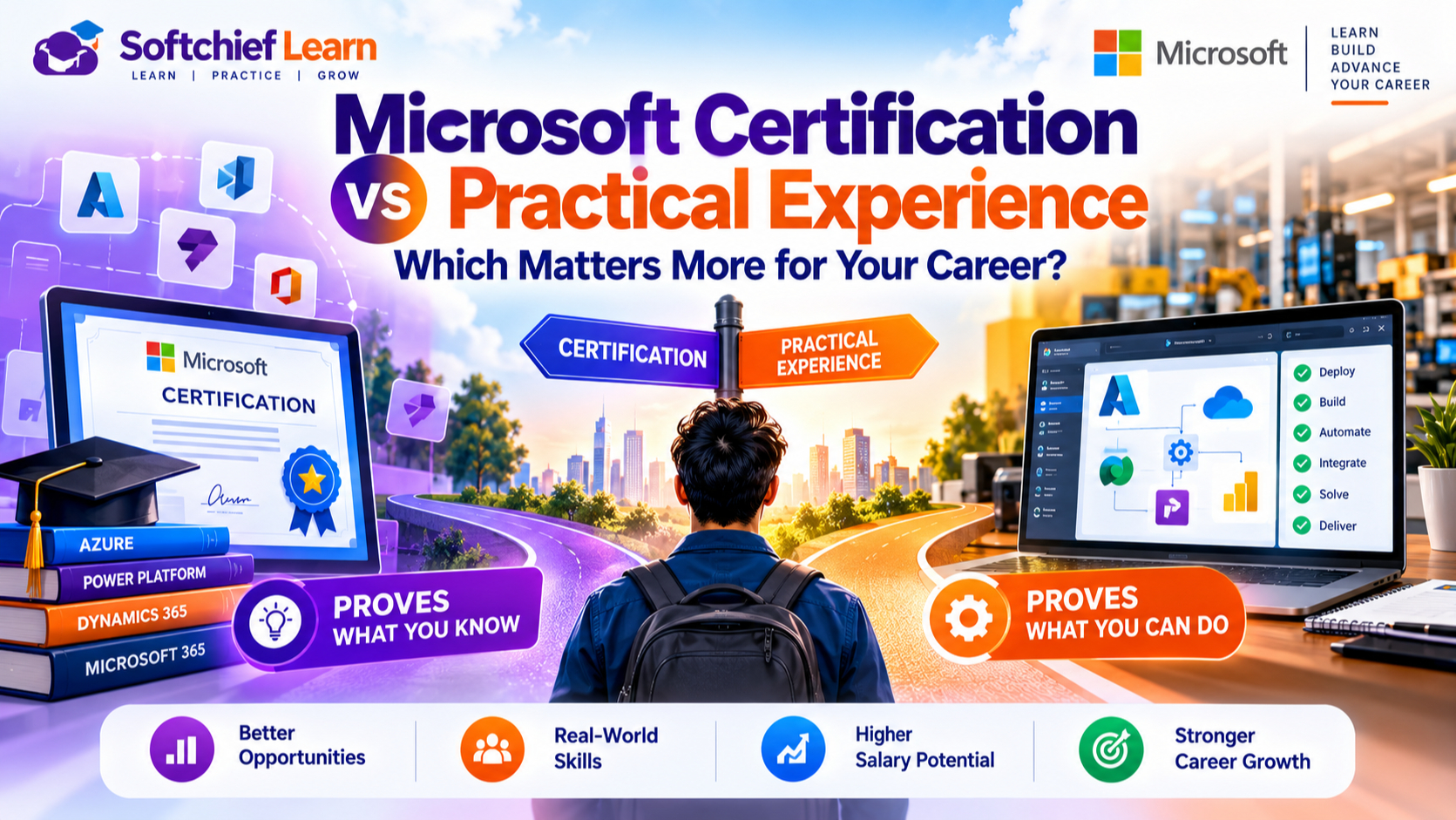
A Microsoft certification can get your résumé noticed, but employers also want proof you can do the work. A badge alone may not show how you’d fix a failed Azure deployment or explain a Power Platform choice to a team.
Microsoft certification vs practical experience isn’t a contest with one winner. The right balance depends on the job, your career stage, and the evidence you can share.
Here’s how each one helps, what employers may look for, and how to build a stronger case for your skills.
What Microsoft certification proves—and what it cannot
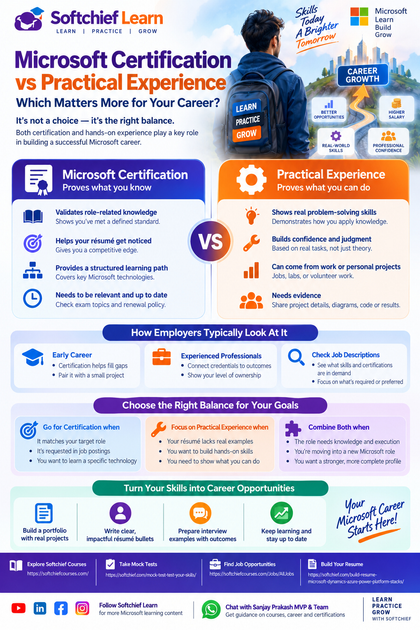
A Microsoft credential tells employers you’ve met a defined standard for a technology or role. It can support your application, but it doesn’t prove every skill needed on the job.
Certification provides a structured signal of role-related knowledge
Role-based certifications can show that you’ve studied concepts and tasks tied to a job, such as managing Azure services or working with Microsoft security tools. That gives hiring teams a shared reference point when they review candidates.
Still, don’t choose a credential by name alone. Check the current requirements and exam topics through Microsoft Learn’s credential browser to see whether they match your target role.
Passing an exam does not automatically prove on-the-job performance
An exam checks defined skills under test conditions. It may not show how you’d diagnose a live issue, weigh cost against security, or explain a technical decision to colleagues.
A passing score is useful evidence, but it’s only one kind. Employers may also ask you to describe a project or solve a practical problem during an interview.
Credential value depends on relevance and currency
A certification tied to a job posting usually helps more than several credentials unrelated to the role. Check whether employers ask for a specific certification, a certain level of skill, or either one.
Credentials can also change as Microsoft updates its exams and programs. Microsoft says role-based and specialty certifications have renewal requirements, while fundamentals certifications don’t expire; review the current credential expiration policy before planning your study time.
What practical experience proves
Hands-on work shows how you apply knowledge when real tasks have limits, risks, and consequences. That evidence can come from a job, a volunteer project, a lab, or a personal build.
Real tasks reveal problem-solving and judgment
Building or maintaining a Microsoft system can show more than tool familiarity. A documented Azure deployment, for example, can explain how you planned access, tested changes, and handled an error.
A Power Platform automation can show how you mapped a process and checked that the flow worked as intended. Microsoft’s Applied Skills credentials offer another form of task-based validation through lab assessments, though they don’t replace every kind of workplace experience.
Experience can be difficult to evaluate without evidence
A résumé that says “five years of Azure experience” doesn’t explain what you built or how much responsibility you held. Hiring teams need enough detail to judge the scope and quality of the work.
Share a short project summary, a system diagram, sanitized code, test results, or documented outcomes. Protect private employer data, and be clear about what you owned versus what the wider team delivered.
Work experience and personal projects show different strengths
Work projects can show how you handled team needs, deadlines, and existing systems. Personal labs and volunteer projects can show initiative and give you a place to practice skills you haven’t used at work.
They have limits, too. A home lab may not capture production scale, formal security rules, or the impact of downtime, so describe it honestly.
How employers weigh Microsoft certification vs practical experience
Hiring priorities vary by role, company, and seniority. A job posting gives you a better guide than broad claims about what “all employers” want.
Job descriptions reveal the skills a role prioritizes
Review several current postings for the job you want. Note which Microsoft tools, tasks, and credentials appear repeatedly, then mark each qualification as required, preferred, or open to equivalent experience.
Look beyond the technology list. A cloud role may ask for deployment skills, while a support role may focus on troubleshooting and user communication.
Early-career candidates can use certification to fill gaps
If you have limited work history, a relevant entry-level credential can provide a structured study goal and signal baseline knowledge. It gives employers something concrete to assess, though it won’t replace examples of applied skills.
Pair it with a project that reflects common tasks in target postings. A small, well-documented build can show what you can do with the concepts you studied.
Experienced candidates should connect credentials to outcomes
For experienced professionals, certifications can confirm updated skills or support a move into a new Microsoft role. But hiring teams also need to understand your past work and level of ownership.
Explain the problem, your decisions, and the result. If you earned a certification after leading an Azure migration, connect the new knowledge to that work rather than listing the badge on its own.
Choose the right balance for your Microsoft career goals
Decide what to work on by comparing your target role with the evidence you already have. The biggest gap may call for a certification, more hands-on practice, or both.
Prioritize certification when it fits your target role
A certification may be a good next step if it appears in job postings, supports a clear career move, or covers a knowledge gap you’ve identified. Check the current exam scope and renewal details on Microsoft Learn first.
This helps you spend study time on skills that matter to your goal. It also keeps you from collecting credentials without a plan to use them.
Prioritize hands-on practice when your résumé lacks examples
If your résumé names Microsoft tools but says little about what you did with them, build practical evidence. Choose a project that matches a task from the postings you reviewed.
For example, you might deploy a small Azure service or create a Power Platform flow, then document your setup and tests. Keep the scope realistic and explain what the project does not cover.
Combine both when the role calls for knowledge and execution
Some roles require both broad knowledge and proof that you can complete specific tasks. In that case, pair a relevant certification with a project or work example that uses the same skills.
The combination makes your application easier to assess: the credential shows structured study, while the project shows how you applied it. Set a goal for each one so your learning leads to visible evidence.
Turn credentials and experience into convincing career evidence
The way you present your skills affects how employers judge them. Use clear examples, accurate details, and evidence you’re allowed to share.
Build a portfolio that shows the work behind the skill
Write a short summary for each project. Explain the problem, tools, key choices, and result, then add a diagram, sanitized script, configuration notes, or demo when useful.
Keep the focus on your own contribution. A clear account of a small project can tell an employer more than a long list of tools.
Connect résumé bullets to the job posting
Match your résumé language to the work the role asks you to do. Instead of listing “Azure, PowerShell, Microsoft 365,” describe what you configured, tested, or supported.
Include outcomes when you can verify and share them. Don’t claim a team result as your own or reveal confidential details to make a bullet sound stronger.
Prepare interview examples that show applied judgment
Choose a project or work example and explain the situation, your role, the choices you made, and the outcome. Include the trade-offs you considered, such as speed, cost, access, or ease of support.
Be candid about your part in the work and what you learned. That detail helps employers judge how you think, not only which tools you’ve used.
The strongest Microsoft career profile combines proof with practice
Certifications and experience answer different questions. A credential can validate structured knowledge, while practical work shows how you apply skills in context.
Key takeaways for choosing what matters next
Choose credentials that match your target role, and build hands-on proof where your résumé feels thin. Use current job postings to judge what employers request instead of relying on assumptions.
A practical next step for your career
Pick one Microsoft role and compare your résumé with several relevant job descriptions. Identify one clear gap, then make a focused plan to close it with a credential, a practical project, or both.









