
Power BI vs Power Apps: Which Microsoft Power Platform Tool is Better for Your Career?
Introduction
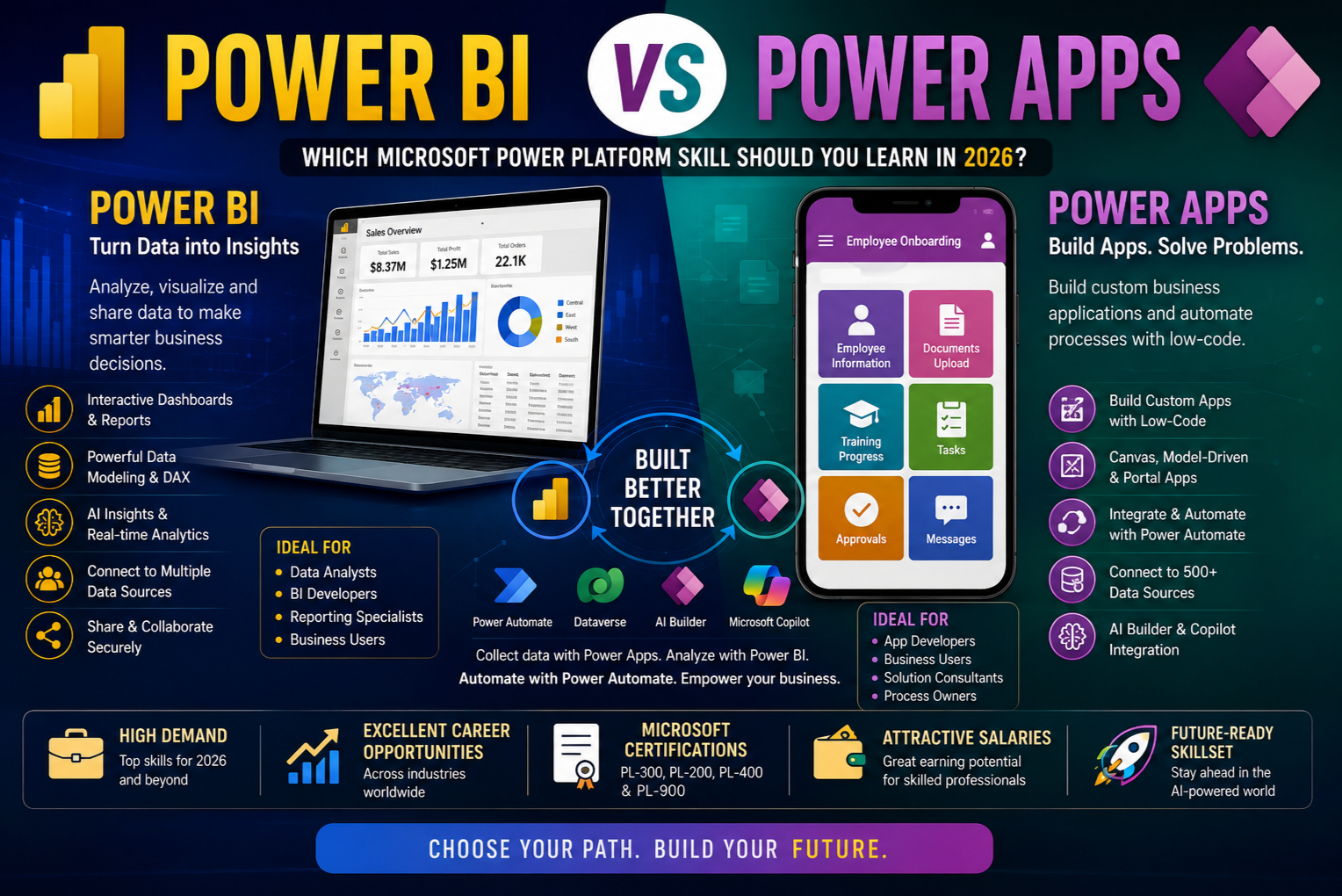
Microsoft Power Platform has become one of the fastest-growing technology ecosystems in the world. Organizations across industries use it to build applications, automate workflows, analyze business data, and create AI-powered business solutions.
Among its flagship products, Power BI and Power Apps are often compared because they both help organizations make better business decisions—but in very different ways.
Many students and professionals ask:
- Should I learn Power BI or Power Apps?
- Which has better career opportunities?
- Which tool is easier to learn?
- Can I use both together?
The truth is that Power BI and Power Apps are complementary technologies, not competitors. However, depending on your career goals, one may be a better starting point than the other.
This comprehensive guide compares Power BI and Power Apps from technical, business, and career perspectives.
What is Microsoft Power BI?
Microsoft Power BI is a Business Intelligence (BI) and Data Analytics platform that helps organizations transform raw data into interactive dashboards, reports, and actionable insights.
Power BI enables businesses to analyze historical and real-time data from multiple sources and make data-driven decisions.
Instead of building applications, Power BI focuses on visualizing data.
Core Features of Power BI
- Interactive Dashboards
- Business Reports
- Data Visualization
- Real-Time Analytics
- AI Insights
- KPI Tracking
- Data Modeling
- Predictive Analytics
- Data Sharing
- Enterprise Reporting
Common Data Sources
Power BI connects to:
- Excel
- SQL Server
- Azure SQL
- Microsoft Dataverse
- SharePoint
- Dynamics 365
- Oracle
- SAP
- Salesforce
- Google Analytics
- APIs
- CSV Files
What is Microsoft Power Apps?
Microsoft Power Apps is Microsoft’s low-code application development platform that allows users to build custom business applications without traditional software development.
Instead of analyzing data, Power Apps focuses on creating applications that collect, manage, and update business data.
Power Apps is ideal for replacing spreadsheets, paper forms, and manual processes with modern business applications.
Types of Power Apps
Canvas Apps
- Drag-and-drop design
- Mobile-first
- Flexible layouts
- Power Fx formulas
Model-Driven Apps
- Dataverse-based
- Enterprise applications
- Process-driven
- Responsive UI
Power Pages
- Customer portals
- Partner portals
- External websites
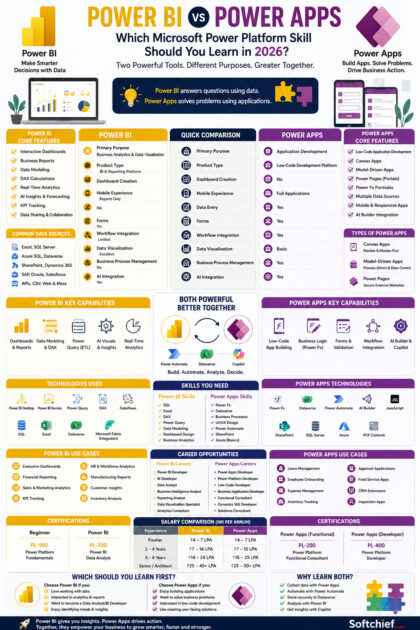
Power BI vs Power Apps: Quick Comparison
| Feature | Power BI | Power Apps |
|---|---|---|
| Primary Purpose | Business Analytics | Application Development |
| Product Type | BI & Reporting | Low-Code Development |
| Dashboard Creation | Yes | No |
| Mobile Apps | Reports Only | Full Applications |
| Data Entry | No | Yes |
| Forms | No | Yes |
| Workflow Integration | Limited | Yes |
| Data Visualization | Excellent | Basic |
| Business Process Management | No | Yes |
| AI Integration | Yes | Yes |
Understanding the Difference
The easiest way to understand these products is:
Power BI answers questions using data.
Power Apps solves problems using applications.
For example:
A sales manager wants to see monthly revenue trends.
👉 Use Power BI.
An employee needs an application to submit expense claims.
👉 Use Power Apps.
Many organizations use both together.
Core Features Comparison
Power BI Features
Interactive Dashboards
Create visually rich dashboards.
Reports
Generate detailed business reports.
Data Modeling
Build relationships between multiple datasets.
DAX
Use Data Analysis Expressions (DAX) for advanced calculations.
Power Query
Transform and clean data using Power Query.
AI Visuals
Leverage AI-powered analytics and forecasting.
Real-Time Dashboards
Monitor live business metrics.
Power Apps Features
Low-Code Development
Create applications with minimal coding.
Power Fx
Build business logic using Excel-like formulas.
Multiple Data Sources
Connect to:
- Dataverse
- SharePoint
- SQL Server
- Excel
- Dynamics 365
- Azure SQL
Mobile Applications
Develop apps for:
- Android
- iOS
- Web
Business Logic
Implement validation, calculations, and custom workflows.
AI Builder
Integrate AI capabilities such as document processing and object detection.
Technology Comparison
Power BI Technologies
Professionals commonly use:
- Power BI Desktop
- Power BI Service
- Power Query
- DAX
- Dataflows
- SQL
- Excel
- Azure Synapse
- Microsoft Fabric (integration)
- Dataverse
Power Apps Technologies
Developers commonly use:
- Power Fx
- Dataverse
- JavaScript
- PCF Controls
- SharePoint
- SQL Server
- Azure
- Power Automate
- AI Builder
Skills Required
Power BI
Professionals benefit from knowledge of:
- SQL
- Excel
- DAX
- Power Query
- Data Modeling
- Business Analytics
- Dashboard Design
- KPIs
Power Apps
Professionals benefit from knowledge of:
- Power Fx
- Dataverse
- Business Processes
- UI Design
- Power Automate
- SharePoint
- Azure
- JavaScript (optional)
Integration with Microsoft Ecosystem
Power BI integrates with:
- Excel
- Power Apps
- Power Automate
- Microsoft Teams
- Dynamics 365
- Azure
- SQL Server
- SharePoint
- Microsoft Fabric
Power Apps integrates with:
- Dataverse
- Power BI
- Power Automate
- SharePoint
- Dynamics 365
- Azure
- SQL Server
- Microsoft Teams
Together, Power BI and Power Apps provide a complete low-code ecosystem for application development and analytics.
AI Integration
Microsoft has embedded AI across the Power Platform.
Power BI
AI capabilities include:
- AI Visuals
- Forecasting
- Smart Narratives
- Anomaly Detection
- Natural Language Queries
- Copilot-assisted report creation
Power Apps
AI capabilities include:
- AI Builder
- Microsoft Copilot
- Form Processing
- Object Detection
- AI Prompts
- Azure OpenAI integration
Real-World Use Cases
Power BI
Ideal for:
- Executive Dashboards
- Financial Reporting
- Sales Analytics
- HR Dashboards
- Manufacturing Reports
- Customer Insights
- Inventory Analysis
- KPI Monitoring
Power Apps
Ideal for:
- Leave Management Systems
- Employee Onboarding Apps
- Expense Management
- Inventory Tracking
- Inspection Apps
- CRM Extensions
- Approval Applications
- Field Service Apps
Career Opportunities
Power BI Careers
Popular roles include:
- Power BI Developer
- BI Developer
- Data Analyst
- Business Intelligence Analyst
- Reporting Analyst
- Data Visualization Specialist
- Analytics Consultant
Power Apps Careers
Popular roles include:
- Power Apps Developer
- Power Platform Developer
- Low-Code Developer
- Business Application Developer
- Solution Consultant
- Dynamics 365 Developer
Professionals who understand both analytics and application development are increasingly valuable.
Certifications
Recommended Microsoft Certifications
Beginner
- PL-900: Microsoft Power Platform Fundamentals
Power BI
- PL-300: Microsoft Power BI Data Analyst
Power Apps
- PL-200: Microsoft Power Platform Functional Consultant
- PL-400: Microsoft Power Platform Developer
These certifications validate practical skills and are highly recognized by employers.
Salary Comparison
(Approximate salaries vary based on location, employer, and experience.)
| Experience | Power BI | Power Apps |
|---|---|---|
| Fresher | ₹4–7 LPA | ₹4–7 LPA |
| 2–4 Years | ₹7–14 LPA | ₹7–15 LPA |
| 5–8 Years | ₹14–24 LPA | ₹15–25 LPA |
| Senior Consultant / Architect | ₹25–45+ LPA | ₹25–50+ LPA |
Professionals with expertise in the broader Power Platform ecosystem, Azure, and AI often command higher compensation.
Which Tool Should You Learn First?
Choose Power BI if you:
- Enjoy working with data and numbers.
- Want to become a Data Analyst or BI Developer.
- Like creating dashboards and reports.
- Are interested in business intelligence and analytics.
- Enjoy identifying trends and supporting decision-making.
Choose Power Apps if you:
- Enjoy building business applications.
- Like solving operational challenges.
- Want to become a Low-Code Developer.
- Are interested in application development.
- Prefer creating user-facing solutions.
Why Learning Both is the Best Choice
Power BI and Power Apps work exceptionally well together.
A complete business solution often includes:
- Power Apps for collecting business data.
- Power Automate for automating workflows.
- Dataverse for secure data storage.
- Power BI for analytics and dashboards.
- Microsoft Copilot for AI-powered insights and productivity.
Organizations increasingly seek professionals who can deliver end-to-end solutions across the Power Platform ecosystem.
Frequently Asked Questions (FAQs)
Is Power BI the same as Power Apps?
No. Power BI is designed for business intelligence and data visualization, while Power Apps is used to build custom business applications.
Which is easier to learn?
Power Apps is generally easier for beginners with little technical background. Power BI requires learning concepts such as data modeling, Power Query, and DAX, especially for advanced analytics.
Which has better career opportunities?
Both are in high demand. Power BI is ideal for analytics-focused roles, while Power Apps is better suited for application development and business process modernization. Professionals with skills in both often have the widest range of opportunities.
Can Power BI and Power Apps work together?
Yes. Power Apps can collect and manage business data, while Power BI analyzes and visualizes that data through interactive reports and dashboards.
Should I learn both?
Absolutely. Learning both Power BI and Power Apps provides a balanced skill set that combines application development with data analytics, making you more valuable in the Microsoft ecosystem.
Conclusion
Power BI and Power Apps are two of the most powerful tools within Microsoft Power Platform, each serving a distinct but complementary purpose. Power BI empowers organizations to make informed decisions through interactive dashboards, reports, and analytics, while Power Apps enables the rapid development of custom business applications that digitize processes and improve productivity.
Rather than choosing one over the other, professionals should consider how these tools work together. Businesses increasingly expect solutions that not only capture and manage data but also transform it into actionable insights. By learning both Power BI and Power Apps—along with Power Automate, Dataverse, Azure, and Microsoft Copilot—you can position yourself as a versatile Power Platform professional ready to support modern digital transformation initiatives.









