

Power Pages vs WordPress: Choose the Right Platform for Your Business Website
Introduction
A website can publish content, collect leads, process applications, or give customers access to account records. Those jobs need different tools. The Power Pages vs WordPress decision affects ownership, security, customer experience, integrations, publishing speed, and long-term cost.
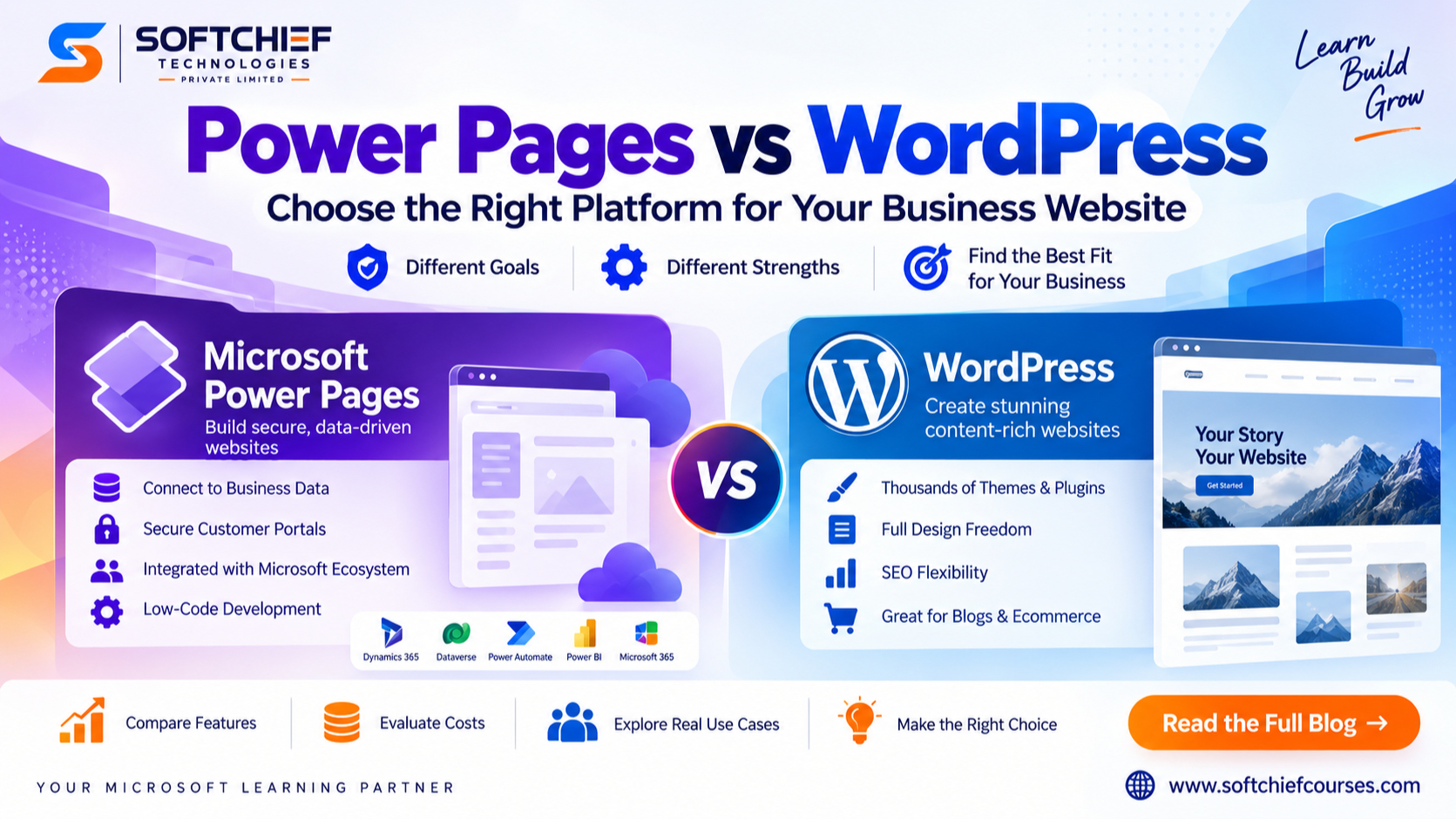
WordPress is a flexible content management system for marketing and publishing. Microsoft Power Pages is built for data-connected websites, portals, and self-service services within the Microsoft environment. This comparison covers design, SEO, security, integrations, pricing, scalability, and use cases to help you choose the best platform for business websites.
Power Pages connects websites to business data
Microsoft Power Pages is a low-code platform for external websites and authenticated portals. It connects with Microsoft Dataverse, Dynamics 365, Power Automate, Power BI, and Microsoft Entra identity services.
That makes it useful for customer self-service portals, partner access, application forms, case management, registration systems, and secure access to account records. A customer could submit a service request, view a support case, or update company details without staff building each feature from scratch.
Power Pages suits organisations already using Microsoft 365, Azure, Dynamics 365, or the Power Platform. Its main value comes from linking the website to business processes.
WordPress gives businesses a flexible publishing system
WordPress supports corporate websites, blogs, online shops, membership services, news sites, and resource libraries. Themes control the visual design, while plugins add features such as forms, payments, search, analytics, and CRM connections.
Businesses can also use custom post types, page builders, reusable blocks, and custom code. Self-hosted WordPress, often called WordPress.org, runs on a host chosen by the business. WordPress.com is a separate hosted service with different controls and plans, as explained in the WordPress.org documentation.
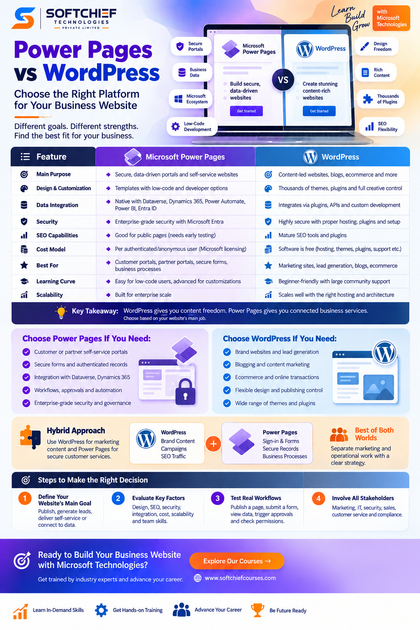
Choose Power Pages or WordPress based on the website’s main job:
| Business goal | Stronger starting point |
|---|---|
| Brand awareness, lead generation, blogging, and SEO | WordPress |
| Secure forms and authenticated records | Power Pages |
| Ecommerce and online transactions | WordPress |
| Customer or partner self-service | Power Pages |
| Internal access to business processes | Power Pages |
Some organisations should use both: WordPress for public marketing content and Power Pages for secure customer services.
WordPress Gives More Design and Publishing Freedom
WordPress supports broad creative control
WordPress offers thousands of themes, visual builders, plugins, and development options. This helps marketing teams create distinctive landing pages, campaign hubs, editorial sites, online shops, and content-rich knowledge centres.
It also gives businesses access to many agencies, freelancers, designers, and developers. The trade-off is maintenance. Poorly supported plugins can create security gaps, conflicts, slow pages, or problems after updates. A WordPress business website needs clear ownership for core updates, themes, plugins, backups, and testing.
Power Pages speeds up functional website building
Power Pages includes templates, a design studio, forms, lists, reusable components, permissions, and Dataverse connections. These features can reduce the work needed to create a portal linked to real records and workflows.
Designers can connect tables, views, forms, and approvals to business processes. However, highly distinctive branding, advanced front-end effects, or unusual layouts may need custom HTML, CSS, JavaScript, or developer support.
Governance also differs. WordPress often suits a small marketing team that needs fast publishing. Power Pages fits larger teams using development, testing, and production environments, Microsoft security roles, Dataverse permissions, and solution-based deployment.
Power Pages Has an Edge for Secure Business Services
Power Pages keeps users and records connected
Power Pages can display Dataverse information through forms, lists, and authenticated pages. Microsoft’s Power Pages security documentation describes web roles, table permissions, page permissions, authentication providers, and site visibility controls.
This supports services such as product registration, application submission, partner management, case viewing, and account updates. Power Automate can send alerts, route requests, trigger approvals, and update internal systems.
WordPress needs a planned integration design
WordPress can connect to CRMs, ERP systems, payment tools, email platforms, and databases. Common methods include REST APIs, webhooks, form connectors, middleware, and custom PHP or JavaScript.
A plugin may provide a quick start, but the business still needs to check authentication, data syncing, API limits, error handling, ownership of custom code, and future compatibility. WordPress is flexible, yet complex integrations can become costly to maintain.
Both platforms need least-privilege access, monitoring, testing, backups, and an incident plan. WordPress teams manage hosting security, updates, firewalls, malware scans, login protection, and multifactor authentication. Power Pages teams manage Entra settings, web roles, table permissions, and environment governance.
WordPress Usually Offers More SEO Flexibility
WordPress has a mature content SEO toolkit
WordPress supports editable URLs, taxonomies, internal links, XML sitemaps, image alt text, redirects, schema plugins, and metadata controls. Its official SEO documentation explains built-in search features and the role of plugins and clean permalinks.
This makes WordPress a strong choice for frequent blogging, large content libraries, multilingual marketing, newsrooms, and long-form resources. SEO still depends on useful content, hosting, accessibility, technical setup, and site speed. The CMS alone cannot secure search visibility.
Power Pages SEO needs early testing
Power Pages can support public search, but teams should test page titles, descriptions, URLs, canonical tags, sitemaps, redirects, rendered HTML, mobile use, and performance before launch. Public information pages have different SEO goals from login-protected records, which usually should not appear in search results.
Google’s SEO Starter Guide recommends clear URLs, useful content, accessible resources, descriptive titles, relevant links, and suitable indexation controls. Create a content audit before choosing: record every page type, approval stage, publishing role, SEO field, and localisation need.
Total Cost Depends on Ownership and Maintenance
Power Pages pricing depends on usage
Power Pages pricing includes capacity for authenticated and anonymous users, assigned per website. The current US pricing page lists $200 per month for 100 authenticated users per website and $75 per month for 500 anonymous users per website, paid yearly. Microsoft states that regional prices and terms can differ on its Power Pages pricing page.
A proper estimate must include Dataverse storage, environments, premium connectors, development and testing, implementation support, and expected user volume. Calculate the cost of a completed customer interaction, not only the number of pages.
WordPress costs spread across the stack
WordPress software can be free, but a business site may need hosting, a domain, premium themes, plugins, design, development, security tools, backups, performance work, ecommerce features, and ongoing support.
Compare both options over three years. Include implementation, recurring fees, infrastructure, compliance, content work, integration maintenance, disaster recovery, scaling, redesigns, and emergency fixes. A low-cost launch can create high technical debt later.
Choose According to Risk, Size, and Growth
Choose WordPress for content-led websites
WordPress is usually the better fit for corporate lead generation, content marketing, blogs, publications, campaign sites, and ecommerce using established commerce tools. It gives marketing teams more control over content structure, design, publishing, and SEO operations.
Take extra care if the site needs strict enterprise governance, complex authenticated data, or extensive Microsoft system access. Those needs may make Power Pages or another WordPress alternative a better fit.
Choose Power Pages for Microsoft-centred portals
Power Pages fits customer self-service, supplier portals, partner services, secure applications, Dataverse records, Dynamics 365 experiences, and workflows with approvals or notifications.
Before committing, test licensing, design limits, SEO controls, accessibility, user volumes, and the exact Microsoft integrations required. A working demonstration is more useful than a feature list.
Use a hybrid architecture when needed
A hybrid setup can keep WordPress responsible for brand content, campaigns, and search traffic while Power Pages handles sign-in, forms, records, and secure services. This separates marketing work from operational work.
It also adds governance, analytics, navigation, support, and integration tasks. Define which team owns each platform, how users move between them, how data flows, and how accessibility is checked.
Use a Scorecard Before You Decide
Score each platform against purpose, design, content publishing, SEO, identity, authenticated journeys, data integration, security, accessibility, analytics, performance, cost, internal skills, partner access, and future growth.
Give extra weight to non-negotiable needs such as compliance or Dynamics 365 integration. Then test the highest-risk actions: publish a page, submit a form, create an account, view personalised data, trigger an approval, manage permissions, and track a conversion.
Include marketing, IT, security, customer service, sales, and compliance staff in the test. Record assumptions, limits, dependencies, and maintenance duties. Verify the final choice against current Microsoft, WordPress, Google Search, and WCAG documentation.
Conclusion: WordPress Wins for Content, Power Pages Wins for Connected Services
WordPress is generally stronger for flexible, content-led business websites that need design freedom, publishing speed, SEO control, and a wide choice of extensions.
Power Pages is generally stronger for secure, data-driven portals connected to Dataverse, Dynamics 365, Microsoft identity, and Power Platform workflows. Neither platform is best for every business.
Define the website’s main role first: publish information, generate demand, deliver self-service, or connect users with operational data. Then use a weighted scorecard and test the riskiest workflows before choosing Power Pages, WordPress, or a hybrid model.









