

Microsoft Power Platform Data Loss Prevention (DLP) Policies: How to Secure Your Environment
Introduction
Low-code and no-code development platforms have transformed how organizations build applications, automate workflows and analyze business data. Among these platforms, Microsoft Power Platform has become a leading choice for enterprises looking to accelerate digital transformation.
With tools such as Power Apps, Power Automate, Power BI, Power Pages and Copilot Studio, organizations can empower business users and professional developers to create innovative solutions quickly.
However, as adoption increases, organizations face a critical challenge:
How can businesses enable innovation while ensuring sensitive data remains secure?
This is where Data Loss Prevention (DLP) Policies in Microsoft Power Platform become essential.
Power Platform Data Loss Prevention policies help organizations control how connectors are used, prevent unauthorized data sharing and establish governance standards across environments.
This blog explores how organizations can secure Microsoft Power Platform using DLP policies, why governance matters, how DLP policies work and best practices for implementing enterprise-grade security.
Understanding Microsoft Power Platform Security Challenges
Microsoft Power Platform enables users to connect applications, automate processes and integrate data from multiple sources.
Common enterprise scenarios include:
- Building customer applications using Power Apps
- Automating approval workflows using Power Automate
- Connecting business systems through APIs
- Creating analytics dashboards with Power BI
- Developing AI assistants using Copilot Studio
While these capabilities improve productivity, uncontrolled usage can introduce security risks.
Potential risks include:
- Accidental exposure of confidential data
- Unauthorized data movement between systems
- Connecting business data with unsafe services
- Lack of visibility into citizen-developed applications
- Compliance violations
For example:
A user may create a Power Automate flow that transfers customer information from a secure enterprise database to a personal cloud storage service.
Without governance controls, sensitive information could leave the organization’s controlled environment.
What Are Data Loss Prevention Policies in Power Platform?
Data Loss Prevention (DLP) Policies are governance controls within Microsoft Power Platform that define how connectors can interact with each other.
DLP policies help administrators:
- Control data movement
- Classify connectors
- Restrict risky integrations
- Protect sensitive business information
- Establish security standards
Simply put:
DLP policies determine which services can communicate with each other and how organizational data can be shared.
Why Are DLP Policies Important for Enterprises?
Organizations using Power Platform at scale need governance to balance:
- Innovation
- Security
- Compliance
- Productivity
Without DLP policies, users may create solutions that:
- Expose confidential information
- Bypass security controls
- Create compliance risks
DLP policies provide a structured approach to citizen development by ensuring users build solutions within approved security boundaries.
How Power Platform Data Loss Prevention Policies Work
Power Platform connectors allow applications and workflows to communicate with external services.
Examples:
- Microsoft Dataverse
- SharePoint
- SQL Server
- Salesforce
- Outlook
- Azure services
- Social media platforms
- External APIs
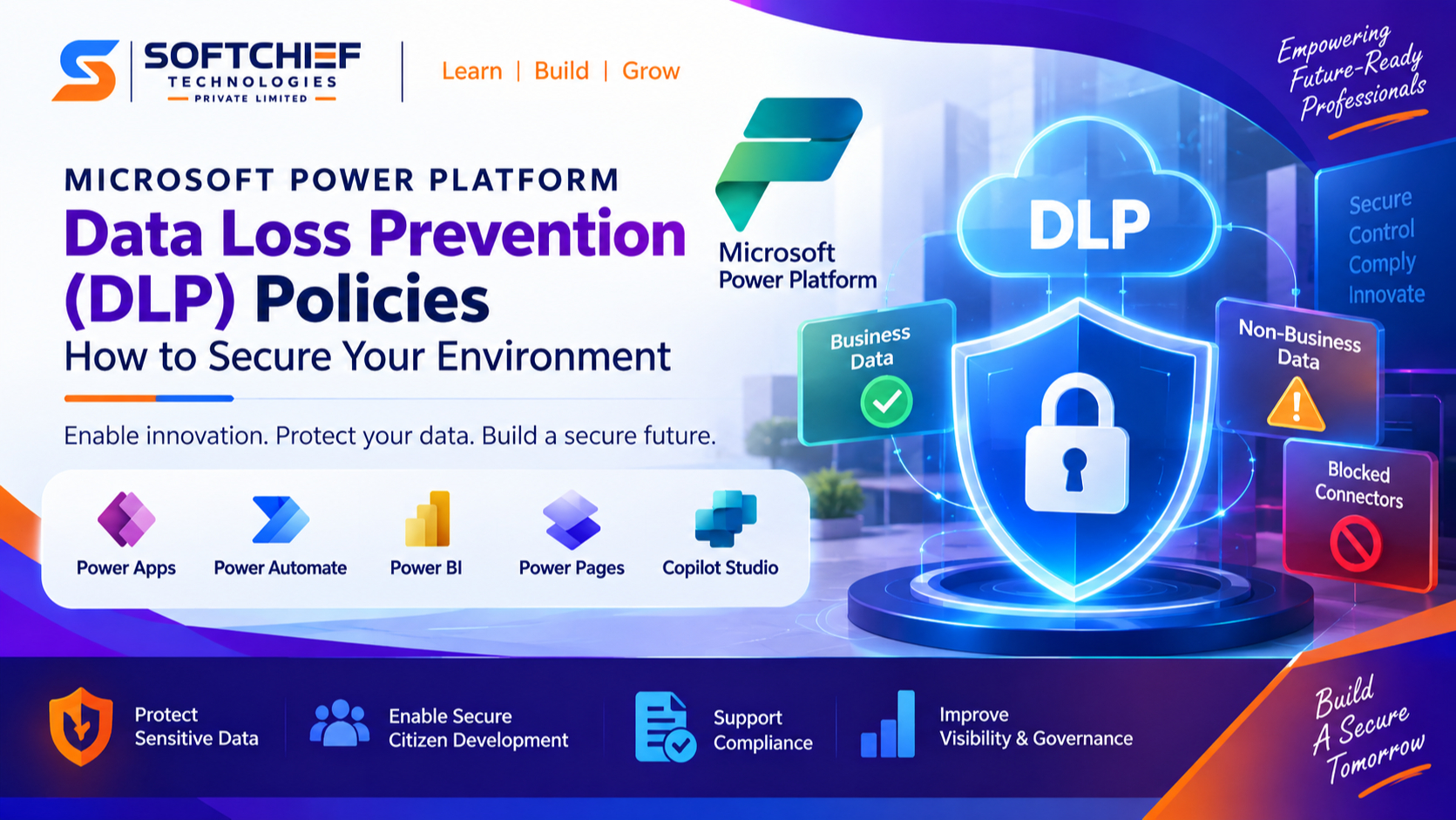
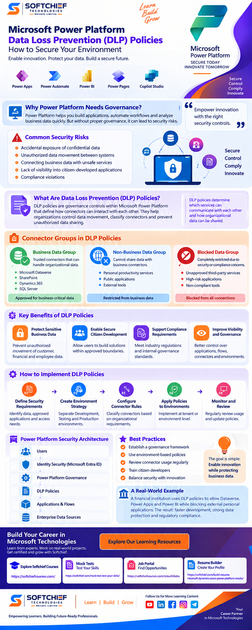
DLP policies classify connectors into three categories.
1. Business Data Group
The Business data group contains trusted connectors that can handle organizational information.
Examples:
- Microsoft Dataverse
- SharePoint
- Dynamics 365 services
- SQL Server
These connectors are approved for handling business-critical data.
Example:
A company may allow:
Dynamics 365 CRM → Power Automate → SharePointbecause all services are approved enterprise platforms.
2. Non-Business Data Group
The Non-business group contains connectors that cannot share data with business connectors.
Examples may include:
- Personal productivity services
- Public applications
- External tools
Example:
A company may prevent:
Customer Database → Personal Email Accountto avoid accidental data leakage.
3. Blocked Data Group
Blocked connectors are completely restricted.
Organizations may block connectors due to:
- Security concerns
- Compliance requirements
- Regulatory restrictions
Examples:
- Unapproved third-party services
- High-risk applications
Example: Preventing Data Leakage with DLP Policies
Consider a healthcare organization using Power Apps.
The company stores patient records in Microsoft Dataverse.
Without DLP policies:
A user could create a Power Automate flow:
Dataverse Patient Data
        |
        |
Personal Cloud Storage
Sensitive information could be exposed.
With DLP policies:
Dataverse
        |
        |
Approved Enterprise Services
The system blocks unauthorized connections automatically.
Key Benefits of Power Platform DLP Policies
1. Protect Sensitive Business Data
DLP policies prevent unauthorized movement of:
- Customer information
- Financial records
- Employee data
- Confidential documents
2. Enable Secure Citizen Development
Organizations can allow business users to build applications while maintaining security controls.
Users gain flexibility within predefined boundaries.
3. Support Compliance Requirements
DLP policies help organizations meet security standards related to:
- Data privacy
- Industry regulations
- Internal governance policies
Examples:
- Healthcare compliance
- Financial regulations
- Enterprise security frameworks
4. Improve Visibility and Governance
Administrators gain better control over:
- Applications
- Flows
- Connectors
- Environments
Implementing DLP Policies in Microsoft Power Platform
Step 1: Define Security Requirements
Before creating policies, organizations should understand:
- What data requires protection?
- Which applications are approved?
- Which integrations are allowed?
- Which users need access?
Example:
Finance department:
Allowed:
- Dynamics 365 Finance
- Dataverse
- Power BI
Restricted:
- Personal storage services
Step 2: Create Environment Strategy
A strong Power Platform governance model separates environments based on purpose.
Common environments:
Development Environment
Used for:
- Experimentation
- Testing
- Prototyping
Testing Environment
Used for:
- Quality assurance
- User acceptance testing
Production Environment
Used for:
- Business-critical applications
Each environment can have different DLP policies.
Step 3: Configure Connector Rules
Administrators can classify connectors according to organizational requirements.
Example policy:
Business Group:
- Dataverse
- SharePoint
- SQL Server
- Dynamics 365
Blocked:
- Unknown external connectors
This ensures approved data flows only between trusted services.
Step 4: Apply Policies to Environments
DLP policies can be applied:
- Across the entire tenant
- Specific environments
- Department-specific environments
Example:
A financial organization may apply strict policies to production environments while allowing more flexibility in development environments.
Step 5: Monitor and Review Policies
Security requirements change over time.
Organizations should regularly review:
- Connector usage
- New applications
- User activities
- Security risks
Continuous governance ensures long-term protection.
Power Platform Security Architecture with DLP
A mature Power Platform security model includes multiple layers.
Users
 |
Identity Security
 |
Microsoft Entra ID
 |
Power Platform Governance
 |
DLP Policies
 |
Applications & Flows
 |
Enterprise Data Sources
DLP policies are one important component of a broader security strategy.
Combining DLP Policies with Other Power Platform Security Features
Microsoft Entra ID Integration
Identity management ensures only authorized users access applications.
Capabilities include:
- User authentication
- Conditional access
- Multi-factor authentication
Role-Based Security
Power Platform supports role-based access control.
Organizations can define permissions based on:
- Job roles
- Departments
- Responsibilities
Microsoft Purview Data Classification
Microsoft Purview helps organizations discover and classify sensitive data.
Integration helps identify:
- Confidential information
- Regulatory data
- Sensitive records
Environment Security Controls
Administrators can manage:
- Environment access
- User permissions
- Application ownership
Real-World Example: Enterprise Banking Scenario
A financial institution uses Power Platform to automate customer service workflows.
Applications:
- Power Apps customer request portal
- Power Automate approval workflows
- Power BI financial dashboards
Data sources:
- Customer database
- Transaction systems
- Document management platform
Security requirements:
- Customer information must remain protected
- External sharing must be restricted
- Only approved systems can exchange data
DLP implementation:
Allowed:
Dataverse
   |
Power Apps
   |
Power BI
Blocked:
Dataverse
   |
External Personal Applications
Result:
The organization achieves:
- Faster application development
- Strong data protection
- Regulatory compliance
Power Platform DLP Best Practices
1. Establish a Governance Framework
Define:
- Security ownership
- Approval processes
- Development standards
2. Use Environment-Based Policies
Avoid applying the same restrictions everywhere.
Different environments have different requirements.
3. Review Connector Usage Regularly
New connectors are continuously added.
Security teams should review:
- Newly available connectors
- User adoption patterns
- Business requirements
4. Train Citizen Developers
Users should understand:
- Data security principles
- Approved connectors
- Compliance responsibilities
5. Combine Automation with Governance
Power Platform should not be restricted completely.
The goal is:
Enable innovation while protecting business data.
Common Mistakes Organizations Should Avoid
1. Allowing All Connectors by Default
This creates unnecessary security risks.
2. Ignoring Citizen Development Governance
Unmanaged applications can become security challenges.
3. Creating Overly Restrictive Policies
Excessive restrictions can prevent users from achieving business goals.
4. Not Reviewing Policies Regularly
Security policies must evolve with business needs.
Future of Power Platform Security
As organizations adopt more AI-powered applications, security governance will become increasingly important.
Future Power Platform security trends include:
- AI-powered threat detection
- Automated governance recommendations
- Advanced data classification
- Intelligent compliance monitoring
- Secure AI application development
With increasing adoption of Copilot and AI solutions, organizations must ensure that data remains protected while enabling innovation.
Conclusion
Microsoft Power Platform provides organizations with powerful tools to build applications, automate processes and unlock business insights. However, with greater flexibility comes the responsibility of protecting valuable business data.
Data Loss Prevention policies in Power Platform provide the foundation for secure low-code development by controlling data movement, managing connectors and enforcing governance standards.
A successful Power Platform strategy combines:
- DLP policies
- Identity security
- Environment management
- Data classification
- User governance
Organizations that implement strong Power Platform security practices can confidently scale citizen development while maintaining enterprise-grade protection.
By adopting DLP policies today, businesses can create a secure, compliant and future-ready Microsoft Power Platform environment.









