
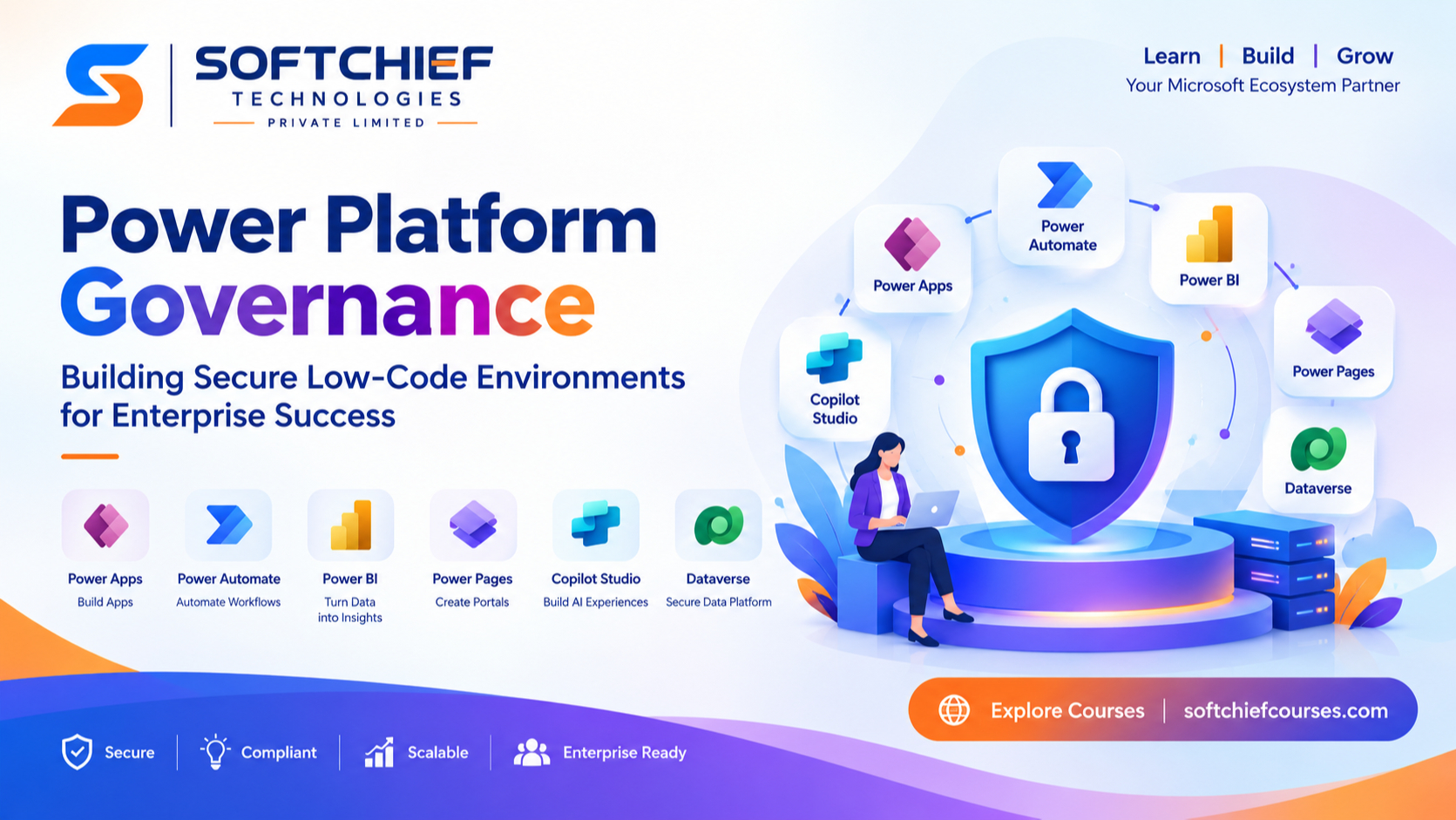
Power Platform Governance: Building Secure Low-Code Environments for Enterprise Success
Introduction
Low-code development has transformed the way organisations build applications, automate business processes and empower employees to solve problems faster. Microsoft Power Platform has become one of the leading platforms enabling businesses to create applications, automate workflows, analyse data and build intelligent solutions with minimal traditional coding.
However, as organisations rapidly adopt low-code technologies, a new challenge emerges: how to maintain security, compliance and control while encouraging innovation.
Without proper governance, Power Platform environments can become difficult to manage. Organisations may face issues such as uncontrolled application creation, data security risks, duplicate solutions, compliance violations and increased operational complexity.
This is where Power Platform Governance becomes essential.
A well-designed governance framework allows organisations to balance two important goals:
- Empower business users to innovate quickly
- Maintain enterprise-level security, compliance and scalability
In this article, we will explore what Power Platform governance means, why it is important and how organisations can build secure low-code environments using Microsoft best practices.
What is Power Platform Governance?
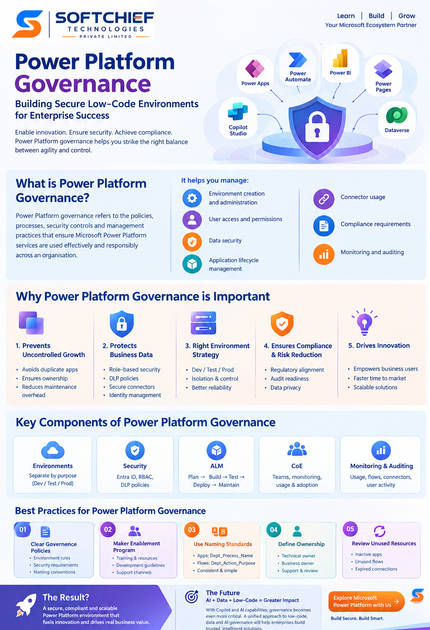
Power Platform Governance refers to the policies, processes, security controls and management practices that ensure Microsoft Power Platform services are used effectively and responsibly across an organisation.
The Microsoft Power Platform ecosystem includes:
- Power Apps – Application development
- Power Automate – Workflow automation
- Power BI – Business intelligence and analytics
- Power Pages – External-facing websites and portals
- Microsoft Copilot Studio – AI-powered conversational experiences
- Microsoft Dataverse – Secure enterprise data platform
Governance provides a structured approach to managing:
- Environment creation and administration
- User access and permissions
- Data security
- Application lifecycle management
- Connector usage
- Compliance requirements
- Monitoring and auditing
A strong governance strategy ensures that low-code solutions are not only fast to build but also secure, maintainable and aligned with business objectives.
Why Power Platform Governance is Important
Many organisations initially adopt Power Platform because of its simplicity and speed. Business teams can create apps and automate processes without waiting for traditional development cycles.
However, rapid adoption without governance can create several challenges.
1. Preventing Uncontrolled Application Growth
When users across departments start creating applications independently, organisations may experience:
- Duplicate applications
- Lack of ownership
- Unused solutions
- Difficult maintenance
- Confusion around business-critical apps
For example, multiple departments may create separate employee onboarding applications using different data sources. Over time, maintaining these solutions becomes expensive and inefficient.
Governance helps organisations define:
- Who can create applications
- Where applications should be developed
- Approval processes
- Ownership responsibilities
2. Protecting Business Data
Data security is one of the biggest concerns in low-code environments.
Power Platform applications often connect with important business systems including:
- Customer relationship management platforms
- Financial systems
- Human resource applications
- ERP solutions
- External databases
Without proper controls, sensitive information could be exposed through inappropriate connectors or incorrect permissions.
Governance helps organisations implement:
- Role-based security
- Data Loss Prevention policies
- Environment security controls
- Identity management
- Data classification standards
Understanding Power Platform Environments
A key component of Power Platform governance is effective environment management.
An environment acts as a secure boundary where organisations store:
- Apps
- Flows
- Dataverse databases
- Connections
- Solutions
- Security configurations
A common enterprise strategy is to separate environments based on purpose.
Development Environment
Used by makers and developers to:
- Build applications
- Test ideas
- Create prototypes
- Experiment with solutions
Development environments should not contain production data.
Testing Environment
Used for:
- Quality assurance
- User acceptance testing
- Performance validation
- Business approval
Testing ensures applications work correctly before deployment.
Production Environment
Used for live business operations.
Production environments require:
- Strict access controls
- Monitoring
- Backup strategies
- Change management processes
- Deployment approvals
A structured environment strategy reduces risk and improves application reliability.
Implementing Security Controls in Power Platform
Security should be built into every stage of the Power Platform lifecycle.
1. Microsoft Entra ID Integration
Microsoft Entra ID (formerly Azure Active Directory) provides identity and access management capabilities.
Organisations can use Entra ID to manage:
- User authentication
- Security groups
- Conditional access policies
- Multi-factor authentication
- Privileged access management
For example, only authorised finance users should access applications containing financial information.
2. Role-Based Access Control (RBAC)
Role-based security ensures users receive only the permissions required for their responsibilities.
Common roles include:
Environment Administrator
Responsible for:
- Environment configuration
- Security management
- User permissions
Maker
Responsible for:
- Creating applications
- Building automation workflows
- Developing solutions
User
Responsible for:
- Using approved applications
- Running business processes
Applying the principle of least privilege reduces security risks.
3. Data Loss Prevention (DLP) Policies
Data Loss Prevention policies help organisations control how data moves between connectors.
Power Platform connectors are usually categorised into:
Business Data Connectors
Approved connectors that handle sensitive business information.
Examples:
- Microsoft Dataverse
- SharePoint
- Dynamics 365
Non-Business Data Connectors
Connectors that may require additional restrictions.
Examples:
- Public services
- External applications
Blocked Connectors
Connectors that are not allowed due to security concerns.
DLP policies prevent users from accidentally combining confidential business data with unsuitable external services.
Power Platform Center of Excellence (CoE) Approach
Microsoft recommends using the Power Platform Center of Excellence Starter Kit to establish governance practices.
The CoE approach helps organisations:
- Monitor applications and flows
- Identify inactive resources
- Track adoption
- Establish governance processes
- Improve platform management
A successful CoE typically includes:
Platform Administration Team
Responsible for:
- Security management
- Environment strategy
- Governance policies
Business Enablement Team
Responsible for:
- Supporting makers
- Creating training programs
- Encouraging adoption
Innovation Team
Responsible for:
- Exploring new Power Platform capabilities
- Building prototypes
- Driving digital transformation
Application Lifecycle Management (ALM) for Power Platform
Enterprise organisations should treat Power Platform solutions like traditional software applications.
Application Lifecycle Management (ALM) includes:
- Planning
- Development
- Testing
- Deployment
- Maintenance
Using solutions allows organisations to package and move components between environments.
A typical ALM process includes:
- Developer creates a solution
- Changes are tested in development
- Solution moves to testing environment
- Business users validate functionality
- Approved solution is deployed to production
This approach improves reliability and reduces deployment risks.
Monitoring and Auditing Power Platform Usage
Continuous monitoring is essential for maintaining secure environments.
Organisations should monitor:
- Application usage
- Flow execution history
- Failed automation runs
- Security changes
- Connector usage
- User activity
Tools commonly used include:
- Power Platform Admin Center
- Microsoft Purview
- Azure Monitor
- Microsoft Defender solutions
Regular audits help identify security gaps before they become major issues.
Best Practices for Power Platform Governance
1. Establish Clear Governance Policies
Define guidelines covering:
- Environment creation
- Application ownership
- Security requirements
- Naming conventions
- Deployment processes
2. Create a Maker Enablement Program
Governance should not restrict innovation.
Provide makers with:
- Training resources
- Development guidelines
- Best practices
- Support channels
A trained maker community creates better solutions.
3. Use Naming Standards
Consistent naming improves management.
Examples:
Apps:
Department_Process_NameExample:
HR_Employee_Onboarding_AppFlows:
Department_Action_PurposeExample:
Finance_Invoice_Approval_Workflow4. Define Application Ownership
Every business application should have:
- Technical owner
- Business owner
- Support process
- Review schedule
Applications without ownership become security and maintenance risks.
5. Regularly Review Unused Resources
Organisations should periodically identify:
- Inactive applications
- Unused flows
- Expired connections
- Duplicate solutions
Removing unnecessary resources improves security and reduces complexity.
Real-World Example: Enterprise Power Platform Governance
Consider a global organisation implementing Power Apps for employee operations.
Initially, different departments created their own applications:
- HR created employee request apps
- Finance created approval workflows
- Operations created inspection apps
However, there were no governance rules.
The organisation faced:
- Duplicate applications
- Security concerns
- Data inconsistency
- Difficult maintenance
After implementing Power Platform governance:
- Separate development and production environments were created
- DLP policies controlled connector usage
- Applications received proper ownership
- ALM processes were introduced
- Security monitoring was implemented
The organisation achieved faster innovation while maintaining enterprise security.
The Future of Power Platform Governance with AI
As AI capabilities become integrated into Power Platform through Copilot experiences, governance becomes even more important.
Organisations must consider:
- Responsible AI usage
- Data privacy
- AI-generated content accuracy
- Model access controls
- Compliance requirements
Future governance frameworks will combine:
- Low-code governance
- Data governance
- AI governance
- Security management
This will help enterprises build trusted AI-powered business solutions.
Conclusion
Power Platform governance is not about limiting innovation. It is about creating a secure foundation where innovation can scale.
A successful governance strategy enables organisations to:
- Build applications faster
- Protect business data
- Improve compliance
- Reduce operational risks
- Encourage citizen development
By implementing strong environment strategies, security controls, Data Loss Prevention policies, ALM processes and monitoring practices, organisations can confidently adopt Microsoft Power Platform as an enterprise-grade low-code development platform.
For businesses embracing digital transformation, Power Platform governance is the key to balancing agility, security and innovation. for this blog please give me an infographic image with our brand colours









