
YouTube vs. Structured Online Courses: Choose the Best Way to Learn Microsoft Technologies
Introduction
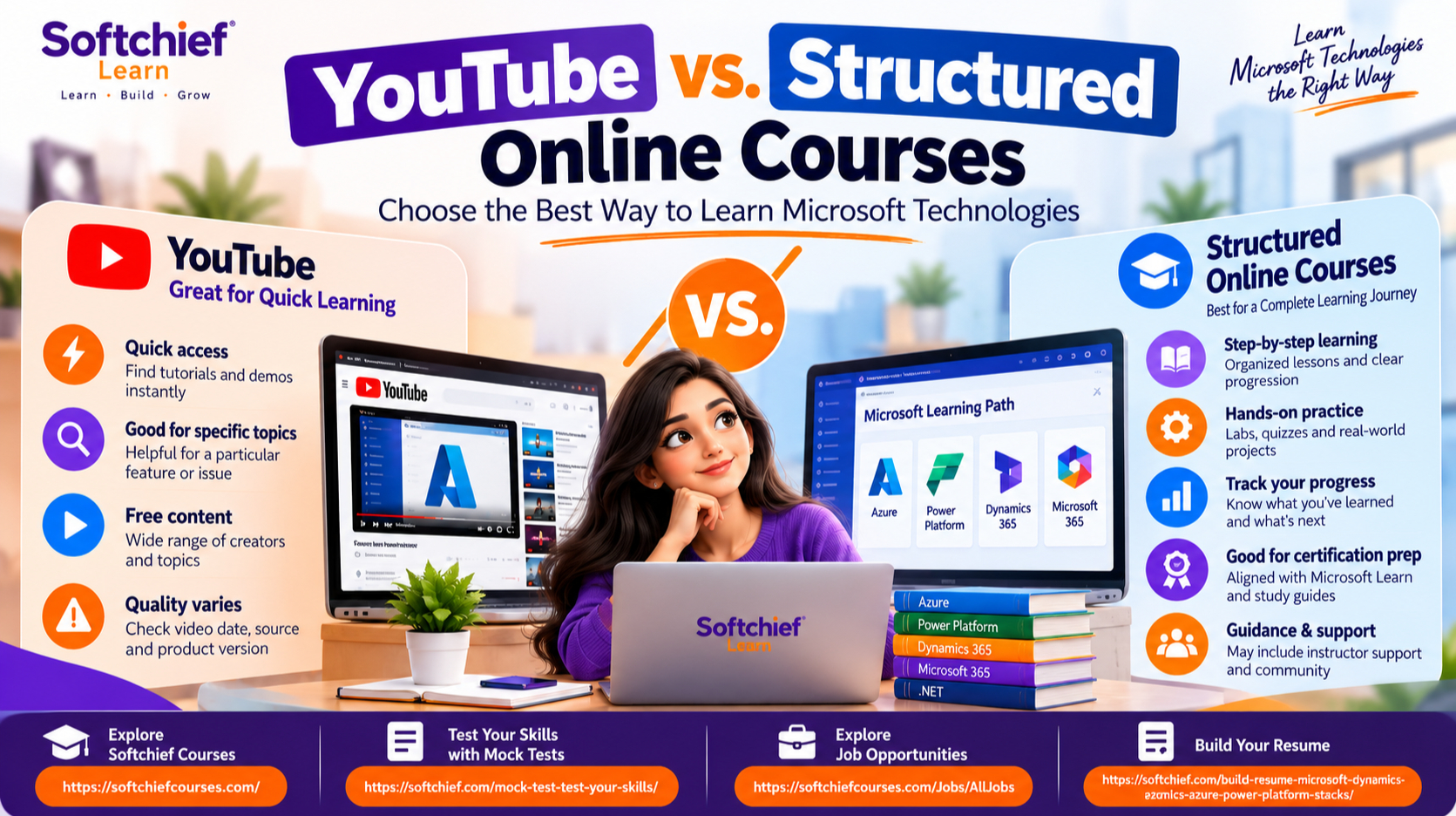
A quick YouTube search can show you how to write a PowerShell command or build a Power BI chart. A structured course can guide you through the skills behind that task, lesson by lesson. When comparing YouTube vs. structured online courses for Microsoft technologies, the right choice depends on what you want to learn and how much guidance you need.
You might be exploring Azure, fixing a .NET issue, learning Microsoft 365, or preparing for a certification. A short video may answer a narrow question, while a planned course can help you build a broader skill set. Your experience, available time, and preferred way to practice all matter.
The comparison below covers access, depth, hands-on work, and progress. It also points to Microsoft Learn and Microsoft’s current certification study guides, which can help you check official learning content and exam topics.
What YouTube and structured courses offer Microsoft learners
YouTube is a video platform with tutorials from Microsoft, software companies, teachers, and independent creators. Structured online courses arrange content around a subject, skill path, or specific outcome. They may be free or paid, self-paced or instructor-led, and vary in quality and features.
YouTube makes targeted Microsoft learning easy to access
A focused search can lead to a walkthrough of a Power BI DAX measure, an Azure portal task, or a PowerShell command. Videos work well when you want to see a feature in action or refresh your memory before trying a task. Quality and accuracy vary, though, and an older video may show a product screen or process that has changed.
Structured courses organize learning into a progression
A course may group lessons in a planned order and include practice tasks, quizzes, or a final project. Microsoft Learn offers guided learning paths and individual modules for its products; paid course platforms may offer their own teaching styles and extras. Check the course itself rather than assuming every program includes the same support or practice.
Both formats can support Microsoft certification preparation
Videos and courses can explain exam topics, but neither guarantees that you’re ready to pass. Use the current AZ-900 study guide or PL-300 study guide to see the skills Microsoft measures. Compare any course or video series with that guide, since exam topics can change.
How YouTube vs. structured online courses differs in practice
Both formats can teach useful skills, but they support different learning habits. Think about whether you need a quick answer or a path through a larger subject. Also ask how you’ll test what you’ve learned.
Video tutorials help answer specific questions quickly
YouTube is handy for a visual demo, a quick refresher, or help with one task. If a Power BI visual looks wrong, a targeted video may show where to adjust its settings. The risk is relying on scattered clips that leave gaps or following steps that no longer match the current product.
Course structure can make progress easier to track
A syllabus gives you a clear order for covering a topic, while checkpoints can show where you need more practice. A final project can also help you connect lessons into a complete task. Structure alone doesn’t make a course good, so check its update date, prerequisites, reviews, and exercises before enrolling.
Hands-on practice turns explanations into usable skills
Watching someone else complete a task isn’t the same as doing it yourself. Try the steps in Power BI Desktop, a local .NET setup, or a Microsoft 365 test environment. For Azure, confirm access, costs, and safety guidance before using a subscription or sandbox.
Which option fits your Microsoft learning goal
Your goal can point you toward the best format. A beginner with a broad plan may need a different approach than an experienced user filling one knowledge gap. The time you can set aside and the support you want also affect the choice.
Choose YouTube for exploration and focused problem-solving
Pick YouTube when you want a quick introduction or need help with a specific feature. For example, you might watch a demo before trying a Power BI function or review a PowerShell command while troubleshooting. Check the creator, video date, product version, and links to Microsoft documentation before following the steps.
Choose a structured course for a planned skill path
A structured course can help when you want to cover a subject in a set order, such as foundational Azure skills or a Power BI learning plan. Compare its lessons with Microsoft Learn and the current skills measured for any related certification. A course title alone won’t tell you whether its content matches your goal.
Match the format to experience, budget, and accountability
Beginners may value guided lessons and planned practice, while experienced users may prefer videos for a narrow topic. Free content can be useful, and a paid course isn’t automatically better. Before paying, review its access terms, exercise requirements, update history, and whether it offers the deadlines or instructor help you need.
Use a hybrid approach to learn Microsoft technologies more effectively
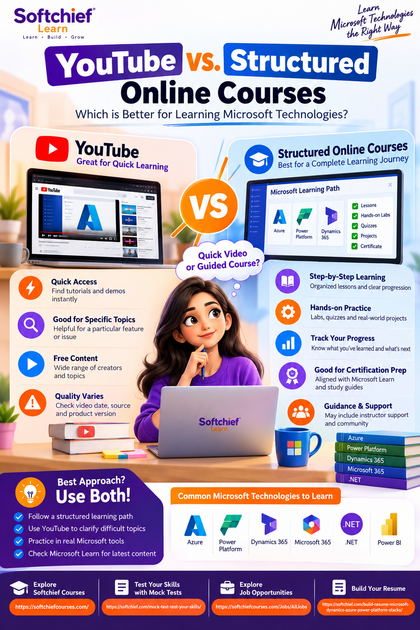
You don’t have to choose only one format. A learning path can keep your study organized, while videos can offer another explanation when a lesson doesn’t click. Use both with regular practice and a way to check your progress.
Start with a learning path, then use videos to clarify difficult topics
Choose a course or Microsoft Learn path as your main plan. When a concept feels unclear, find a relevant video and compare its steps with official guidance. If you’re preparing for an exam, return to the current certification page to confirm the topic still fits the exam scope.
Practice each concept in a real Microsoft tool or environment
After each lesson, repeat the task without copying every step. Then change one setting or input and note what happens. You could build a Power BI report, test an Azure configuration in an appropriate environment, or run a .NET sample project; follow security and cost guidance when cloud resources are involved.
Check accuracy, recency, and progress as you learn
Verify commands, product features, and exam details with Microsoft Learn or current Microsoft documentation. Track the modules you finish, tasks you complete, and questions you still need to answer. This gives you a clearer view of progress than counting videos watched.
Decide whether YouTube vs. structured online courses is better for you
The choice can change as your goal changes. You might begin with a video to explore a tool, then move to a course when you want to build skills in a planned order. A quick check before you start can save time and help you pick useful materials.
Use a simple decision checklist before choosing
Ask yourself whether you have one specific question or a broad learning goal. Decide if you need lessons in sequence, assessments, a project, or outside support. If you can judge video quality and plan your own practice, YouTube may suit you; a structured path may fit better when you want a defined curriculum.
Evaluate course and video quality before investing time
Look at who created the content, when it was published, and which product version it covers. Check for clear learning goals, hands-on tasks, and links to official Microsoft resources. For certification study, compare the material with the current Microsoft study guide, not just the course name.
Measure progress by what you can do independently
Set a clear goal, such as creating a report, completing a configuration, or explaining a core concept. Then try it without following a tutorial step by step. Being able to finish the task and solve a basic problem shows more than the number of lessons you watched.
Conclusion
YouTube is often the better fit for quick explanations, product demos, and focused questions. Structured online courses are often a better fit for guided progress and planned skill-building. A mix of both can work well: follow a clear learning path, use videos to clarify tricky steps, and practice in the relevant Microsoft tool.
Choose your next learning goal, check it against Microsoft Learn or the current certification study guide, and set a task you can complete on your own. That’s a practical way to turn study time into a Microsoft skill you can use.









