
Free Courses vs. Paid Training: Build Job-Ready Microsoft Skills
Introduction
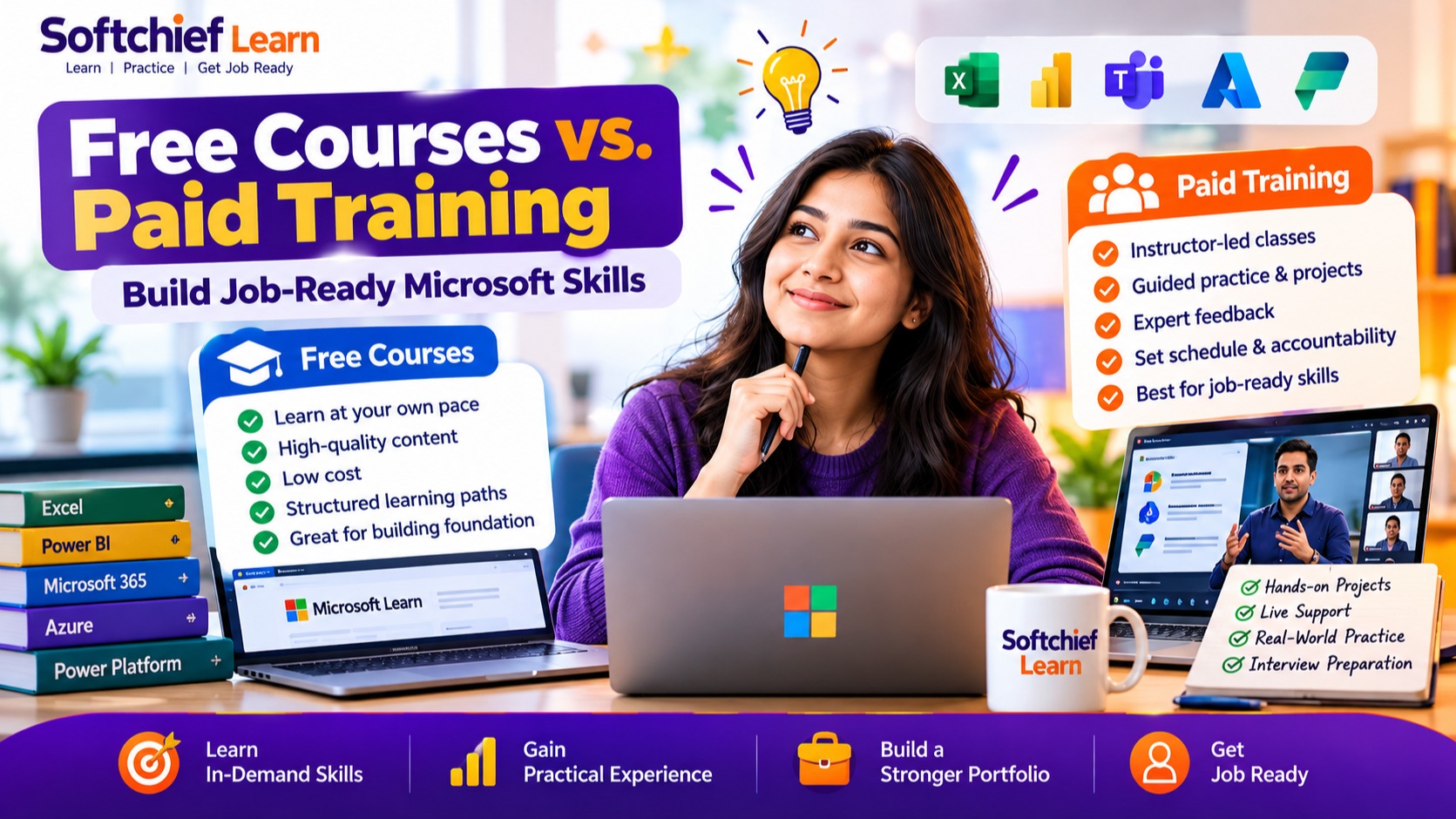
Watching an Excel tutorial is easy; cleaning a messy workbook under a deadline takes practice. The same gap appears when you move from a Power BI demo to a clear report, or from a Microsoft 365 lesson to a working team process. Free courses vs paid training is less about price than whether you can show what you can do.
Free learning can offer strong instruction and useful practice. Paid training may add set lesson times, instructor feedback, or project reviews, but a fee alone proves nothing. The best option depends on your target role, budget, experience, and need for support.
Job-ready means you can use the right Microsoft tool to complete a realistic task, then explain your choices and results. The sections below help you compare learning routes and build evidence of skill, whether you study on your own or with an instructor.
Job-ready Microsoft skills mean more than finishing a course
Course completion can show that you followed a lesson. It can’t show on its own that you can handle a task without step-by-step help. Compare courses by the skills they help you practice and the work you can demonstrate afterward.
Employers need skills that match specific Microsoft tools and roles
Excel skills may include organizing data, using formulas, and checking results. Power BI work often involves preparing data and building reports. Microsoft 365 skills can include managing files or setting up team workflows, while Azure roles may call for cloud setup and support.
Job titles don’t always make the required tools clear, so read several job descriptions for roles you want. Note which products and tasks appear more than once. Use that list to pick a focused course instead of trying to learn every feature in a Microsoft product.
Practical performance is a better test than course completion
A useful test is whether you can complete a task, explain your choices, and fix a problem when something goes wrong. For practice, you might clean a sample spreadsheet, build a Power BI dashboard from public data, or document a Microsoft 365 workflow.
These are learning exercises, not examples of a specific employer’s requirements. Keep your finished work and write down the steps you took. That record can help you spot gaps and explain your skills in an interview.
Microsoft learning paths and credentials can help map skill goals
Microsoft Learn offers free learning paths, hands-on training, and product-specific resources. Its modules and paths can help you move through topics in a set order, while official credentials can give you a way to check relevant goals.
Browse Microsoft’s current credentials for certifications and Applied Skills information. Credential names, requirements, exam details, and fees can change. Check Microsoft’s official pages before choosing a course or booking an assessment.
Free Microsoft courses can build strong foundations at low cost
Free courses can give you a sound start, especially when you want to explore a tool or fill a known skill gap. Quality and depth vary, so look at the actual lessons and practice before you commit your time. Independent study also asks you to set your own pace and keep going.
Official learning resources provide structured ways to study Microsoft products
Microsoft Learn offers modules and guided learning paths for Microsoft products. For example, its Power BI training page groups learning around data preparation, modeling, reports, and visuals. That structure can help you choose lessons that match a role or task.
Before starting, check the resource’s topics, prerequisites, hands-on exercises, and update date. A lesson that covers a product feature may not include enough practice for your needs. Pair it with a small task so you can see whether you can apply what you learned.
Self-directed practice turns free lessons into usable skills
Open the relevant app or practice environment while you study, then repeat each key task without copying the lesson line by line. If you’re learning Excel, try cleaning a sample dataset and checking whether your formulas return the expected results. For Power BI, build a simple report from public or sample data.
Choose one project tied to a target job task and keep it small enough to finish. Save the final file or screenshots, plus a brief note on your process and decisions. Don’t include private work data or anything you don’t have permission to share.
Independent learners must supply their own structure and feedback
Studying alone can leave you unsure what to learn next or whether you’ve misunderstood a step. It’s also easy to skip practice when no class or teacher is waiting. Those gaps can slow progress even when the lessons themselves are strong.
Follow an official learning path, set weekly milestones, and check your work against product documentation or sample solutions. Repeat tasks without instructions to test what you remember. When you find an error, write down what caused it and how you fixed it.
Paid Microsoft training may add structure, feedback, and accountability
Paid training can help when you need a schedule, guided practice, or a person who can answer questions. What you get depends on the provider and course, so check the included support rather than judging by price or marketing claims. A paid course still needs to lead to practice you can use.
Instructor-led classes can help learners resolve questions faster
Live classes let you ask questions as an instructor demonstrates a task. This can help when you’re learning a complex tool or need someone to explain why a method works. Scheduled sessions may also make it easier to protect study time.
Ask about class size, instructor experience, time spent practicing, and how questions are handled. Find out if you can access a recording or follow-up support after class. A class that mainly shows slides may offer less help than one with guided exercises.
Cohort courses and bootcamps can create a clearer study routine
A cohort course may set weekly lessons, project deadlines, and group sessions. This routine can help you keep moving, while peer discussion may expose you to different ways of solving the same task. Guided progression is useful when you’re not sure how to plan your own study.
Check how much time you’ll spend doing hands-on work instead of watching presentations. Ask whether an instructor reviews your project and gives clear feedback. A deadline can keep you on track, but the project itself should match the skills you want to show.
Paid course features matter more than the price alone
Compare the curriculum with your target tasks. Check whether the fee includes software or lab access, instructor feedback, project reviews, or exam preparation. Course prices, refund terms, and included services vary, so confirm current details with the provider before paying.
Also check whether exam fees or retakes cost extra. A course certificate may show completion, while a Microsoft credential may involve a separate assessment. Know what each item costs and what evidence of skill it gives you.
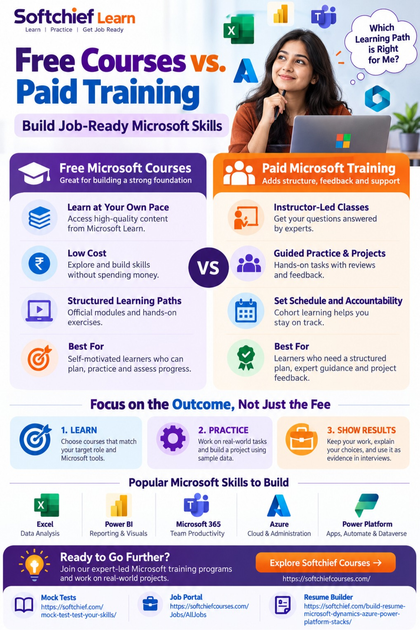
Free courses vs paid training: compare the outcome, not the fee
There’s no single best route for every learner. Free courses can work well when you can plan your study and review your own work. Paid training may suit you better when it includes support you need and will use.
Choose free learning when you can plan and assess your progress
Free resources may fit if you’re exploring Excel, building on skills you already have, or learning independently. Pick one clear target, such as creating a report with pivot tables, and set a date to finish a practice project. A specific goal makes it easier to stay focused.
Decide in advance how you’ll check your work. You might compare your result with official documentation or repeat the task using a different sample file. If you can complete it accurately without following each lesson, you have a stronger sign of progress than a course badge alone.
Consider paid training when you need guided practice or expert feedback
Paid instruction is worth considering if you need help with questions, a set study schedule, or a review of your project. These features can help you improve faster when they address a real gap in your learning. Check that the course includes them before enrolling.
Ask what feedback looks like and how often you’ll receive it. Confirm whether you’ll build a project yourself or mainly watch demonstrations. If the course promises support, look for details about instructor access and response times.
Compare total cost, not just the course fee
The listed fee may not cover all your expenses. Include study time, software or lab access, exam fees, retakes, and extra learning materials in your comparison. Check current charges with the provider and Microsoft before you make a decision.
Then compare the total with the outcomes offered. A low-cost course may be enough if it fills your skill gap and you can practice on your own. A higher fee needs a clear reason, such as reviewed projects or direct teaching that you’ll use.
A project-based plan can turn learning into job evidence
Once you’ve chosen free resources, paid training, or both, focus on the work you want to demonstrate. A finished project gives you a concrete way to show how you apply Microsoft skills. Keep the project relevant, clear, and safe to share.
Start with a job task and identify the Microsoft skills it requires
Review several job descriptions for one role and note repeated tools and tasks. A data-focused role might ask for Excel analysis or Power BI reporting; an IT role may call for Azure administration. Pick the skills that appear most often and fit your current level.
Use those needs to choose a course or learning path. This helps you avoid spending weeks on product features that don’t relate to your goal. Keep the first project narrow enough to complete and explain.
Build a portfolio project that demonstrates applied ability
Create an Excel analysis, a Power BI report, or a documented Microsoft 365 workflow. Use sample or public data when it fits the task. Include a short explanation of the problem, your steps, and what the finished work shows.
Check that someone else can follow your process. Remove personal details and never share confidential employer information. A clear project can help you discuss your skills in an interview, even if you learned through free lessons.
Validate skills with practice tasks and official assessment information
Try the task again without step-by-step instructions, then compare your work with reliable product documentation. Notice where you pause, make mistakes, or need to look up a feature. Those moments point to the next topic to practice.
If you plan to earn a Microsoft credential, check Microsoft’s official pages for current exam objectives, assessment details, and fees. Use the listed objectives to guide your study, not as a substitute for hands-on work. Credentials can support your evidence, but your ability to do the task matters too.
Choose the learning path that proves you can do the work
Free Microsoft courses can build strong skills when you practice consistently and check your own work. Paid training may be a good fit when it offers structure, guided practice, or expert feedback you need. Neither a course fee nor a completion badge proves job readiness by itself.
Choose one target role and one Microsoft tool. Find a resource that matches your skill gap, then complete a realistic project and use it to show what you can do.









