
Business Central vs Dynamics 365 Finance: Understanding the Differences and Choosing the Right ERP
Introduction
Choosing an Enterprise Resource Planning (ERP) platform is an important decision for any organisation. An ERP system influences how a business manages finance, purchasing, sales, inventory, manufacturing, projects, reporting and other core business processes.
Microsoft provides several business applications within the Dynamics 365 ecosystem. Two commonly evaluated ERP applications are Microsoft Dynamics 365 Business Central and Microsoft Dynamics 365 Finance.
Both solutions provide comprehensive financial management capabilities and integrate with the wider Microsoft ecosystem. However, they are designed around different business scenarios, levels of financial complexity and operational requirements.
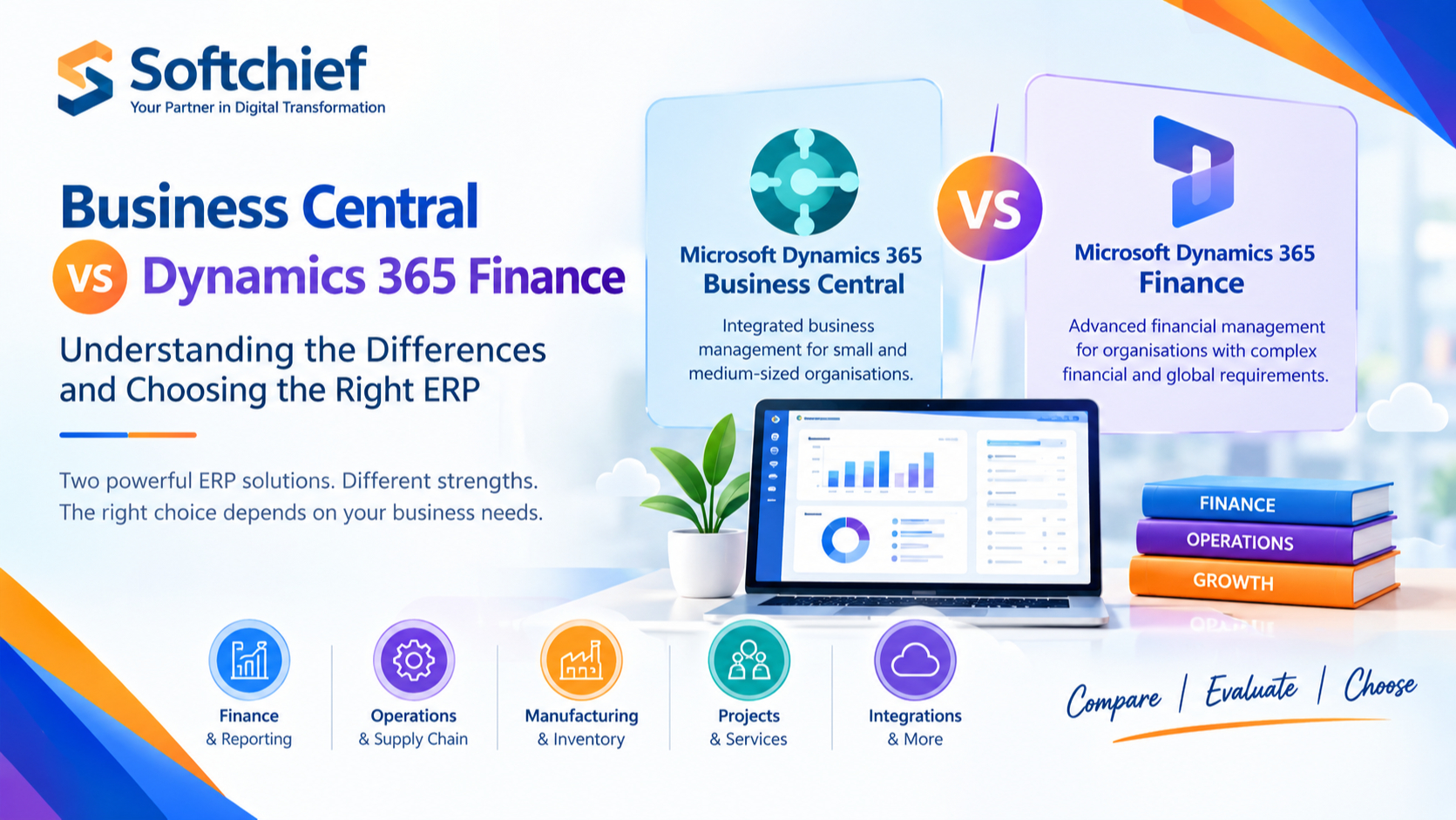
Business Central is positioned by Microsoft as a business management solution for small and medium-sized organisations, while Dynamics 365 Finance provides extensive financial management capabilities for organisations with more complex financial and global operational requirements.
The right choice depends not simply on company size, but on factors such as financial complexity, legal entities, geographic operations, industry requirements, supply chain needs, integrations, reporting and long-term business plans.
This guide explains the key differences between Dynamics 365 Business Central and Dynamics 365 Finance and the factors organisations should consider when evaluating them.
Understanding Microsoft Dynamics 365 ERP
Microsoft Dynamics 365 is a portfolio of cloud-based business applications covering areas such as:
- Finance
- Supply chain management
- Sales
- Customer service
- Commerce
- Human resources
- Project operations
- Business intelligence and analytics
Within this ecosystem, Business Central and Finance address different ERP requirements.
Business Central provides an integrated business management environment covering finance and a range of operational processes.
Dynamics 365 Finance focuses more deeply on financial management, global financial operations, budgeting, reporting, regulatory requirements and related enterprise scenarios.
For broader enterprise operations, Dynamics 365 Finance can be used alongside applications such as Dynamics 365 Supply Chain Management.
What Is Microsoft Dynamics 365 Business Central?
Microsoft Dynamics 365 Business Central is a cloud business management solution designed and optimized for small and medium-sized organisations.
It brings together capabilities across areas such as:
- Financial management
- Sales
- Purchasing
- Inventory
- Warehouse management
- Manufacturing
- Project management
- Service management
- Planning
- Reporting
Business Central is the successor to Microsoft Dynamics NAV and provides organisations with an integrated platform for managing financial and operational processes.
Key Business Central Capabilities
1. Financial Management
Business Central supports common financial processes such as:
- General ledger
- Accounts payable
- Accounts receivable
- Cash and bank management
- Fixed assets
- Budgets
- Financial dimensions
- Financial reporting
- Multiple currencies
- Multiple companies
This allows organisations to manage financial and operational information within one connected environment.
2. Sales and Purchasing
Business Central supports processes including:
- Sales quotations
- Sales orders
- Customer invoicing
- Purchase quotations
- Purchase orders
- Vendor management
- Pricing
- Order processing
Sales and purchasing activities can be connected with inventory and financial processes.
3. Inventory and Warehouse Management
Businesses can use Business Central to manage:
- Item availability
- Inventory transactions
- Stock levels
- Locations
- Warehouse movements
- Replenishment
- Purchasing requirements
This can be useful for distribution, wholesale, retail and manufacturing organisations.
4. Manufacturing
Business Central also provides manufacturing functionality, including capabilities related to:
- Bills of materials
- Production orders
- Routings
- Capacity planning
- Material requirements planning
- Production scheduling
The suitability of these capabilities depends on the complexity of the organisation’s manufacturing requirements.
5. Project Management
Business Central supports project and job-related processes such as:
- Project planning
- Resource allocation
- Job costing
- Project expenses
- Project billing
- Project profitability
This can be relevant for consulting, professional services, construction and other project-oriented organisations.
What Is Microsoft Dynamics 365 Finance?
Dynamics 365 Finance is Microsoft’s financial management application for organisations that require sophisticated financial processes and global financial capabilities.
It provides functionality across areas such as:
- General ledger
- Accounts payable
- Accounts receivable
- Cash and bank management
- Budgeting
- Budget control
- Financial dimensions
- Cost accounting
- Fixed assets
- Financial reporting
- Tax management
- Electronic reporting
- Globalisation capabilities
- Regulatory reporting
Dynamics 365 Finance can also work together with other Dynamics 365 applications to support broader enterprise processes.
For example, an organisation can use Dynamics 365 Finance together with Dynamics 365 Supply Chain Management when it requires both advanced financial management and broader supply chain capabilities.
Key Dynamics 365 Finance Capabilities
1. Advanced Financial Management
Finance provides capabilities for organisations dealing with sophisticated financial structures.
These can include:
- Financial dimensions
- Multiple legal entities
- Intercompany accounting
- Consolidation
- Budget control
- Cost accounting
- Financial reporting
- Cash-flow forecasting
These capabilities are particularly relevant when financial structures become more complex.
2. Global Financial Operations
Organisations operating across countries may need to manage:
- Multiple legal entities
- Multiple currencies
- Local taxation requirements
- Country-specific regulatory requirements
- Global financial reporting
- Localised business processes
Dynamics 365 Finance provides globalisation capabilities designed to support these scenarios.
However, international operations alone do not automatically mean an organisation requires Finance. The specific financial and regulatory requirements should be evaluated.
3. Budgeting and Financial Planning
Finance provides capabilities for managing:
- Budget planning
- Budget control
- Forecasting
- Financial analysis
- Cost management
These capabilities can help finance teams monitor budgets and analyse financial performance.
4. Tax and Regulatory Requirements
Organisations operating across different jurisdictions may need capabilities for:
- Tax calculation
- Tax reporting
- Regulatory reporting
- Electronic reporting
- Audit requirements
- Country-specific financial requirements
Finance includes capabilities designed to address these requirements.
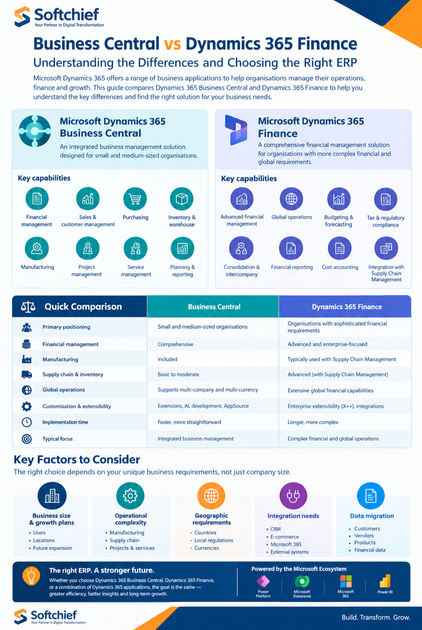
Business Central vs Dynamics 365 Finance: Quick Comparison
| Area | Dynamics 365 Business Central | Dynamics 365 Finance |
|---|---|---|
| Primary positioning | Small and medium-sized organisations | Organisations with sophisticated financial requirements |
| Financial management | Comprehensive | Advanced and enterprise-focused |
| General ledger | Yes | Yes |
| Accounts payable and receivable | Yes | Yes |
| Budgeting | Yes | Advanced capabilities |
| Financial dimensions | Yes | Extensive capabilities |
| Multiple companies | Supported | Supported |
| Multiple currencies | Supported | Supported |
| Manufacturing | Supported | Often used with Supply Chain Management for broader scenarios |
| Inventory | Yes | Commonly integrated with Supply Chain Management |
| Warehouse management | Supported | Advanced capabilities available through Supply Chain Management |
| Projects | Project/job functionality | Can integrate with Project Operations |
| Extensibility | Extensions and Microsoft ecosystem | Enterprise extensibility and development capabilities |
| Power Platform | Power Apps, Power Automate, Power BI and related integrations | Power Platform and Dynamics 365 integrations |
| Typical focus | Integrated business management | Complex financial and global operations |
This table provides a high-level comparison. Actual suitability depends on the organisation’s requirements, configuration, integrations and implementation scope.
Business Central vs Dynamics 365 Finance: Detailed Comparison
1. Business Size and Product Positioning
Business Central is designed and optimized for small and medium-sized organisations.
It can support organisations that are growing beyond spreadsheets, disconnected accounting systems or multiple standalone business applications.
Dynamics 365 Finance is designed for organisations that require more sophisticated financial management and global financial capabilities.
However, employee count or revenue should not be used as the only deciding factor.
A better approach is to assess:
- Financial complexity
- Number of legal entities
- Geographic footprint
- Regulatory requirements
- Supply chain complexity
- Manufacturing requirements
- Integration requirements
- Reporting needs
2. Financial Complexity
Business Central provides comprehensive financial management for a broad range of business scenarios.
It supports:
- General ledger
- Accounts payable
- Accounts receivable
- Budgets
- Financial dimensions
- Fixed assets
- Financial reporting
- Cash management
Dynamics 365 Finance provides additional capabilities for more complex financial structures, including:
- Advanced financial dimensions
- Budget control
- Cost accounting
- Intercompany accounting
- Globalisation
- Regulatory reporting
- Electronic reporting
- Complex organisational structures
Therefore, organisations should evaluate the complexity of their financial processes rather than selecting a platform solely based on company size.
3. Manufacturing and Supply Chain
Business Central includes manufacturing and supply chain-related functionality.
It can support processes involving:
- Inventory
- Purchasing
- Planning
- Production
- Warehouse operations
- Bills of materials
- Production orders
For organisations requiring broader enterprise supply chain capabilities, Dynamics 365 Finance can be implemented alongside Dynamics 365 Supply Chain Management.
Supply Chain Management provides functionality across areas such as:
- Procurement
- Inventory
- Warehouse management
- Manufacturing
- Planning
- Asset management
- Transportation
This distinction is important because Dynamics 365 Finance and Dynamics 365 Supply Chain Management are separate applications that can work together.
4. Global Operations
Both solutions can support organisations operating across different locations and companies, but the required capabilities should be assessed carefully.
Business Central supports scenarios involving:
- Multiple companies
- Multiple currencies
- International transactions
- Localised functionality
Dynamics 365 Finance provides extensive global financial capabilities, including:
- Multiple legal entities
- Global financial management
- Tax capabilities
- Regulatory reporting
- Electronic reporting
- Country/region-specific functionality
Therefore, having operations in multiple countries does not automatically determine the choice. The organisation should evaluate its specific global finance and regulatory requirements.
5. Customisation and Extensibility
Modern Dynamics 365 implementations should generally favour configuration, supported extensions and integrations rather than unnecessary modifications to the standard application.
Business Central
Business Central supports extensibility through:
- Extensions
- AL development
- Microsoft AppSource solutions
- Power Platform
- APIs
- Integration services
Dynamics 365 Finance
Finance provides extensibility and development capabilities for enterprise scenarios, including:
- Extensions
- X++ development
- APIs
- Integration frameworks
- Workflows
- Power Platform integrations
The required level of customisation should be determined during solution architecture and business process analysis.
6. Integration With Microsoft Technologies
One of the advantages of both solutions is their ability to participate in the broader Microsoft ecosystem.
Depending on the scenario, organisations can integrate their ERP environment with:
- Power BI
- Power Apps
- Power Automate
- Microsoft Teams
- Microsoft Excel
- Microsoft Dataverse
- Dynamics 365 applications
- External business applications
These integrations can support:
- Business intelligence
- Workflow automation
- Custom applications
- Collaboration
- Data analysis
- Process automation
Real-World Business Scenarios
Scenario 1: Growing Distribution Business
Consider a distribution organisation that needs to manage:
- Customers
- Sales orders
- Purchasing
- Inventory
- Warehouses
- Finance
- Reporting
The organisation may evaluate Business Central because it provides integrated financial and operational capabilities designed for small and medium-sized businesses.
The final decision should still be based on the detailed requirements and implementation scope.
Scenario 2: Organisation With Complex Global Finance
Consider an organisation operating through multiple legal entities and countries with requirements for:
- Complex financial dimensions
- Intercompany accounting
- Budget control
- Global reporting
- Tax and regulatory processes
Such an organisation may evaluate Dynamics 365 Finance because its capabilities are designed to support sophisticated financial and globalisation scenarios.
Scenario 3: Professional Services Organisation
A professional services organisation may need:
- Project management
- Resource planning
- Job costing
- Customer billing
- Financial reporting
Business Central provides project and job-related capabilities that can be evaluated against these requirements.
For organisations with more complex project operations, Dynamics 365 Project Operations may also form part of the broader Dynamics 365 architecture.
How Should an Organisation Choose?
Instead of asking:
“Which ERP is better?”
organisations should ask:
“Which ERP capabilities align with our business requirements?”
A structured assessment can include the following areas.
1. Financial Requirements
Evaluate:
- Number of legal entities
- Financial dimensions
- Consolidation
- Budgeting
- Tax requirements
- Regulatory reporting
- Intercompany processes
- Currency requirements
2. Operational Requirements
Evaluate:
- Inventory
- Procurement
- Manufacturing
- Warehouse management
- Planning
- Projects
- Service management
3. Geographic Requirements
Consider:
- Countries of operation
- Local regulations
- Local taxation
- Currencies
- Legal entities
- International reporting
4. Integration Requirements
Identify existing and planned integrations with:
- CRM
- E-commerce
- Banking
- Payroll
- Warehouse systems
- Data platforms
- Reporting systems
- External applications
5. Data Migration
ERP implementation may involve migrating:
- Customers
- Vendors
- Products
- Chart of accounts
- Opening balances
- Historical information
- Transactional data
Data quality should be assessed before migration begins.
ERP Implementation Considerations
Selecting the product is only one part of an ERP project.
Successful implementation also requires attention to:
Business Process Analysis
Document current processes and identify opportunities for standardisation and improvement.
Solution Design
Define the required:
- Modules
- Configuration
- Extensions
- Integrations
- Security roles
- Reporting
Data Migration
Create a clear strategy for data cleansing, mapping, validation and migration.
Testing
Testing should cover:
- Unit testing
- Integration testing
- User acceptance testing
- End-to-end business processes
User Training
Employees need appropriate training and documentation before the system goes live.
Change Management
ERP implementation changes how people work. Communication and user involvement can therefore be important to adoption.
Common ERP Selection Mistakes
Choosing Only Based on Price
The initial licence or implementation cost should not be the only consideration.
Organisations should also evaluate:
- Implementation scope
- Integration requirements
- Data migration
- Support
- Training
- Future expansion
- Total cost of ownership
Using Employee Count as the Only Decision Factor
Two organisations with the same number of employees can have completely different ERP requirements.
Financial complexity and business processes are often more useful decision factors.
Assuming More Features Always Means a Better Fit
A larger feature set is not automatically better for every organisation.
The goal should be to select an architecture that meets business requirements without introducing unnecessary complexity.
Ignoring Future Growth
Organisations should consider expected changes over the next several years, including:
- New legal entities
- Geographic expansion
- Increased transaction volumes
- New products
- Manufacturing expansion
- Additional integrations
- Changing reporting requirements
Treating ERP as Only a Technology Project
ERP transformation affects finance, operations, procurement, sales, supply chain and employees.
Business process design, data quality, testing, training and change management should therefore be included in the implementation strategy.
The Role of AI and Automation
AI and automation are increasingly becoming part of modern business applications.
Microsoft continues to introduce AI-powered capabilities across Dynamics 365 and the broader Microsoft ecosystem.
Potential areas include:
- Process automation
- Financial analysis
- Business insights
- Forecasting
- Copilot experiences
- Document processing
- Workflow automation
- Data analysis
Organisations evaluating an ERP should therefore consider not only current requirements but also how AI, automation and analytics could support future business processes.
Business Central or Dynamics 365 Finance?
There is no universal answer that applies to every organisation.
Business Central may be worth evaluating when:
- The organisation fits Microsoft’s small and medium-sized business positioning.
- Integrated finance and business management are priorities.
- The required inventory, purchasing, manufacturing, project or service capabilities align with Business Central.
- The organisation wants to use the wider Microsoft ecosystem for analytics, automation and extensions.
Dynamics 365 Finance may be worth evaluating when:
- Financial processes are highly complex.
- Multiple legal entities require sophisticated financial management.
- Globalisation and regulatory requirements are significant.
- Advanced budgeting, financial dimensions, reporting or cost accounting are important.
- Finance needs to operate as part of a broader enterprise Dynamics 365 architecture.
These are evaluation criteria rather than strict product boundaries. A detailed requirements assessment should be completed before selecting a platform.
Conclusion
Dynamics 365 Business Central and Dynamics 365 Finance are both important ERP applications within the Microsoft Dynamics 365 ecosystem, but they address different types of business requirements.
Business Central provides integrated financial and operational management capabilities and is designed and optimized for small and medium-sized organisations.
Dynamics 365 Finance provides extensive financial management capabilities for organisations with more sophisticated financial, globalisation, regulatory and organisational requirements.
The most effective ERP selection process should consider:
- Financial complexity
- Business processes
- Legal entities
- Geographic operations
- Manufacturing requirements
- Supply chain requirements
- Reporting
- Compliance
- Integrations
- Data migration
- Security
- User adoption
- Long-term business objectives
Rather than selecting an ERP based only on organisation size or a feature checklist, businesses should map their actual requirements to the capabilities of each platform.
A structured assessment can help organisations determine whether Dynamics 365 Business Central, Dynamics 365 Finance, or a broader combination of Dynamics 365 applications best aligns with their business architecture.









