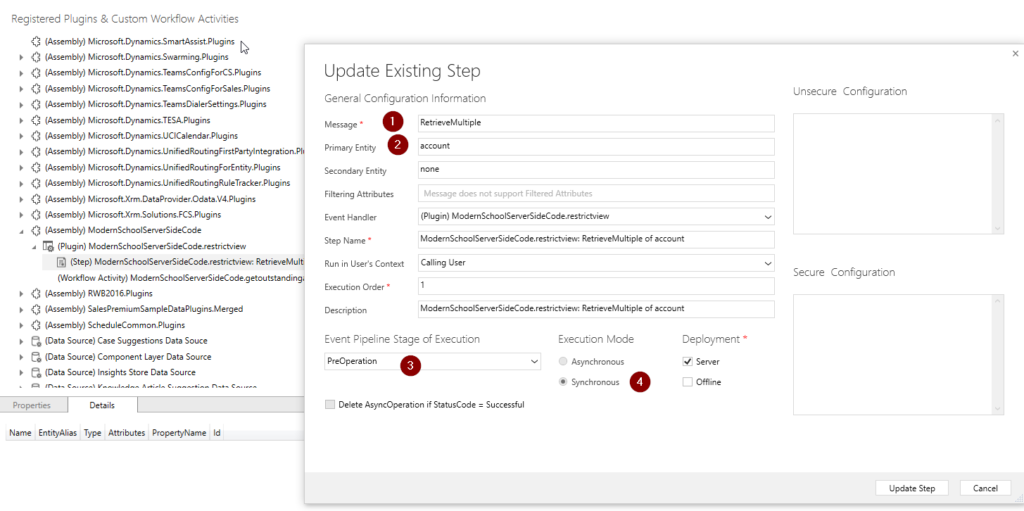
Parallel wait in workflow for dynamics 365 power apps
you can use parallel wait for multiple business use cases. below video explains in details.
you can use parallel wait for multiple business use cases. below video explains in details.
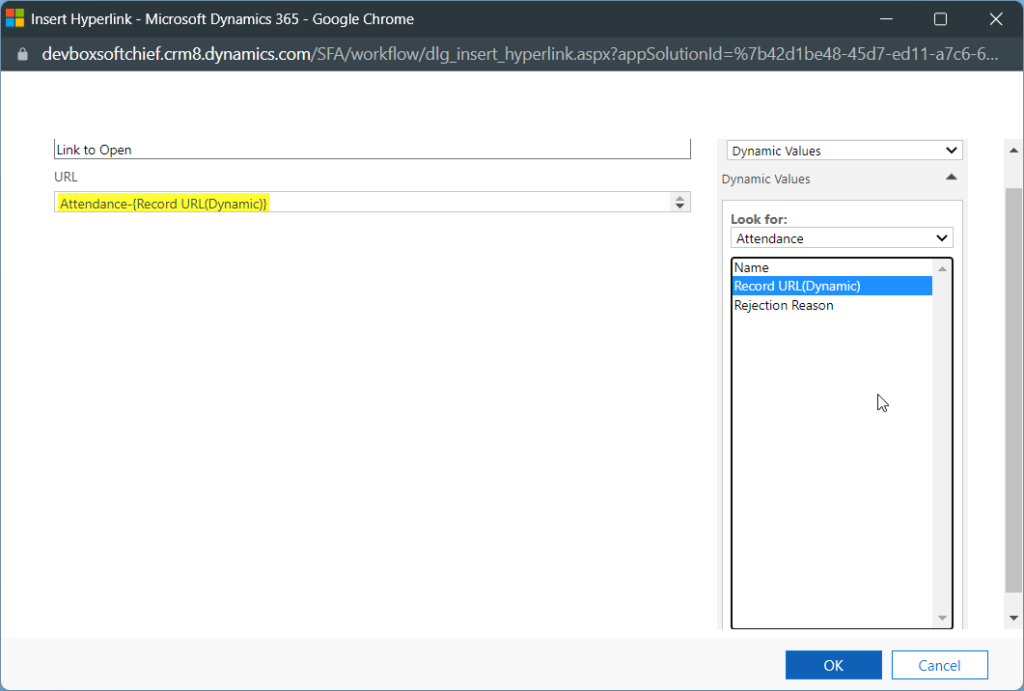
You can Use Record URL in Email using Workflow Dynamics 365/ Power Apps so that User can click the link to open the record directly. In workflow, open send email property and in the body select a location and click Insert Hyperlink. In pop up window mention the link title and in URL add dynamic…
Read more
WATCH the video below to learn more.
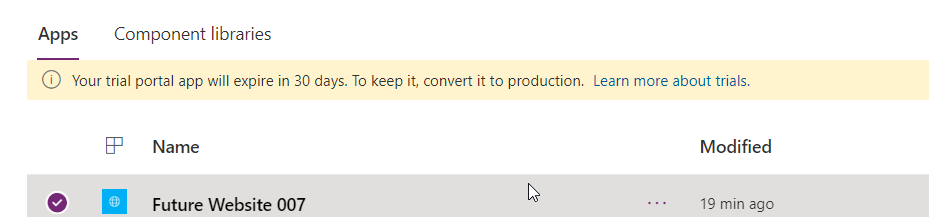
Sometimes if you get errors while creating a custom portal or power page website like below then follow the procedure to solve this. The ERROR: Resolution: To solve this issue, navigate to https://portal.azure.com/ and then navigate to Azure Active Directory. Click Users and select the user who is trying to create the Portal/ Power Page…
Read more
You can manage Images, videos and documents inside Dynamics 365 Marketing and tag them with keywords, so that you can use these library contents in marketing executions. Watch the below video for details walkthrough. Hope this helps.
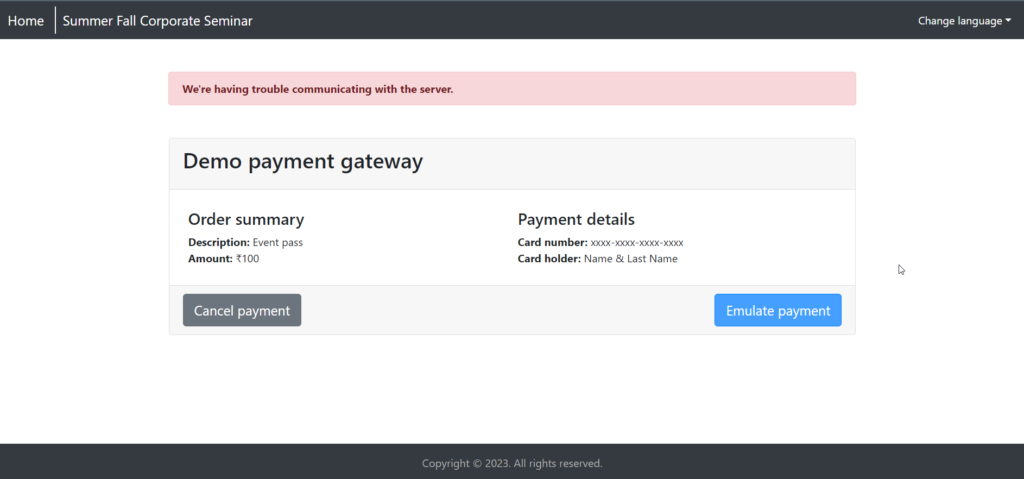
While Clicking Emulate Payment in Event Registration screen for demo marketing event, you can get below error. “We’re having trouble communicating with the server.” Check the resolution below. Resolution To resolve this add an Event Administration Settings record as below. In Marketing APP, navigate to Sitemap and select Settings then Event Administration and add new…
Read more
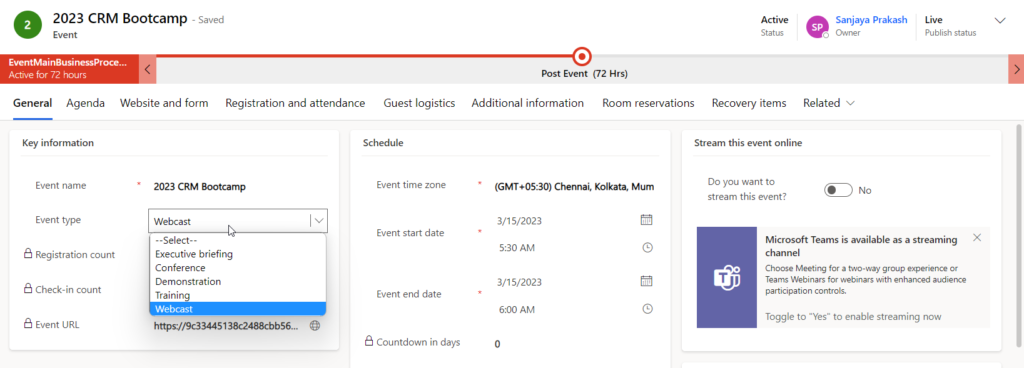
Event Planning is a very important module in Dynamics 365 Marketing. In event planning you can manage Events, Participants, Venue, Logistics & Sponsors. Below diagram gives a full picture of event management practice. The Event Management module includes many concepts required for organizing events, bootcamps etc. Read the below points to understand details configuration. Venue…
Read more
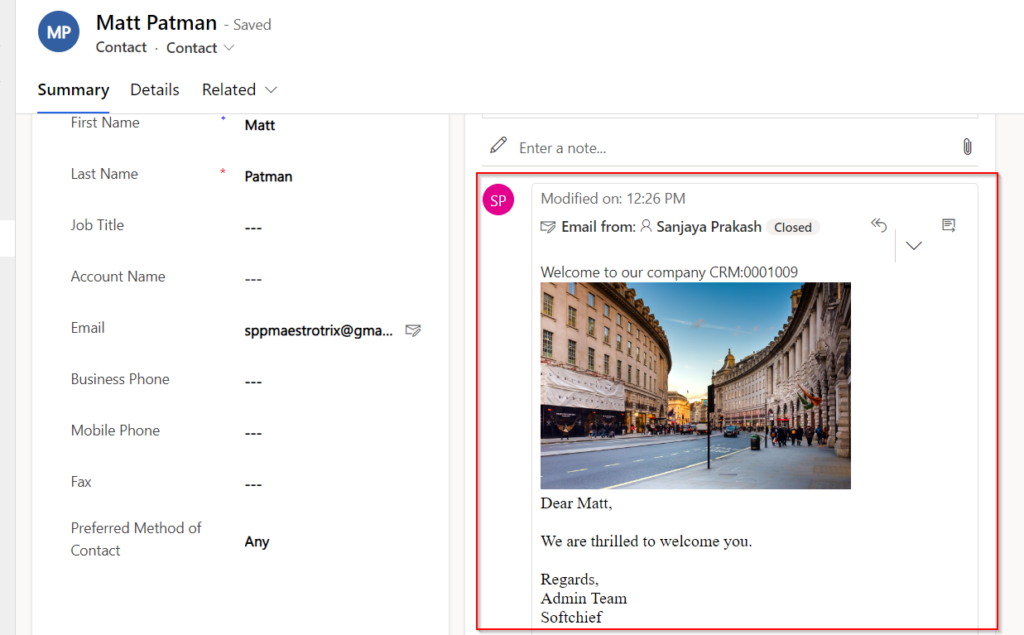
You can send emails using Email Templates with Power Automate. Follow the below steps to use email templates with Power Automate. Step 1 – Configure the Email Template Navigate to Advanced Settings in Power Apps and choose Templates -> Email Templates. Create New Email Template with Template Type as Contact and Specify Subject and Body…
Read more

To understand more about status fields, why status and status reason both fields are there in dataverse and power apps watch the below video. hope this helps.
To Debug JavaScript code, you need to enable Developer mode in browser as scripts are client side codes and runs only on browsers. watch the below video to learn more. Hope this helps.
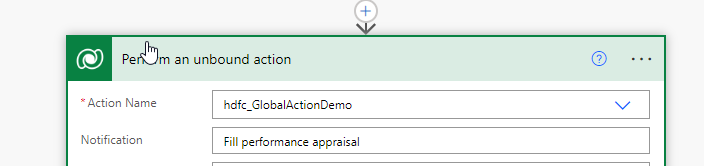
When you want to call a custom Action (which are created specifically as Global/None) from power automate then you can use Perform unbound action step of Dataverse connector in Power Automate. If you want to call an entity specific custom action you can read this blog. To Call global action from Power Automate follow below…
Read more
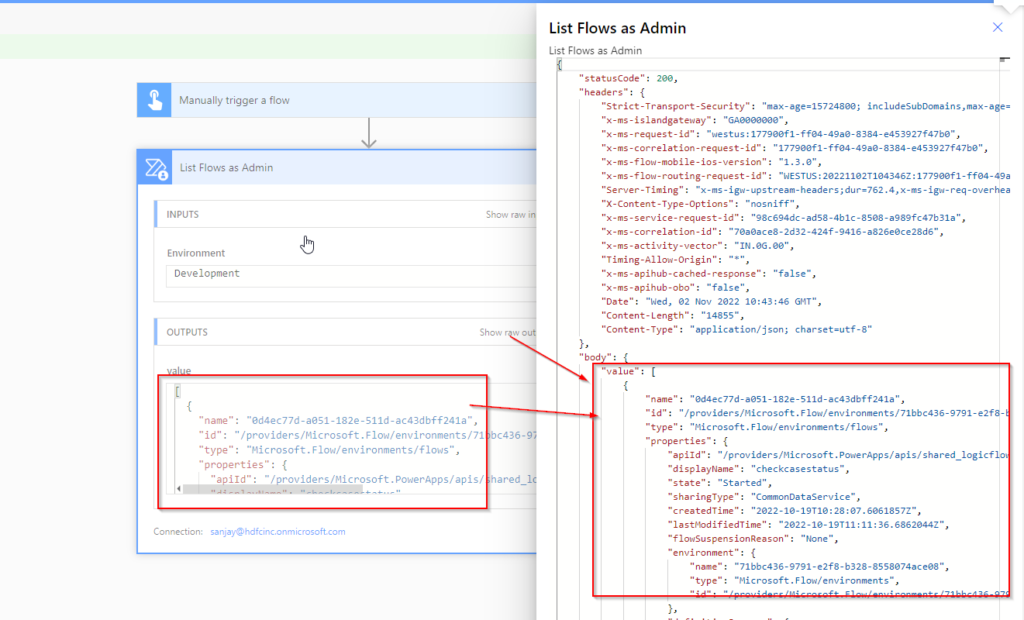
You can use Flow Management connector to get the history of all flows from an environment for analysis and troubleshooting purposes. Follow below steps to use this connector and specific actions. STEP 1 – Create Instant/ Automated Flow Create an instant flow as trigger manual button click. Step 2 – Add a Connector called as…
Read more
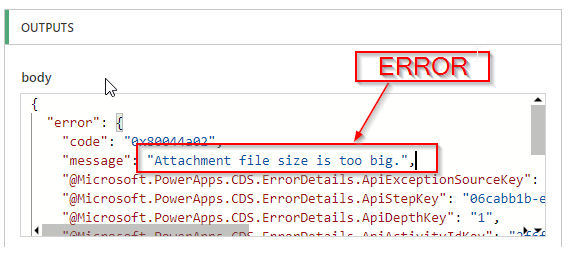
While creating a new annotation record or attaching a file in notes section of Timeline control in Dynamics 365, you can face the below error. Attachment file size is too big Resolution Normally by default the maximum size allowed as an attachment file is 5120 KB/ 5MB. Any file larger than this size will throw…
Read more
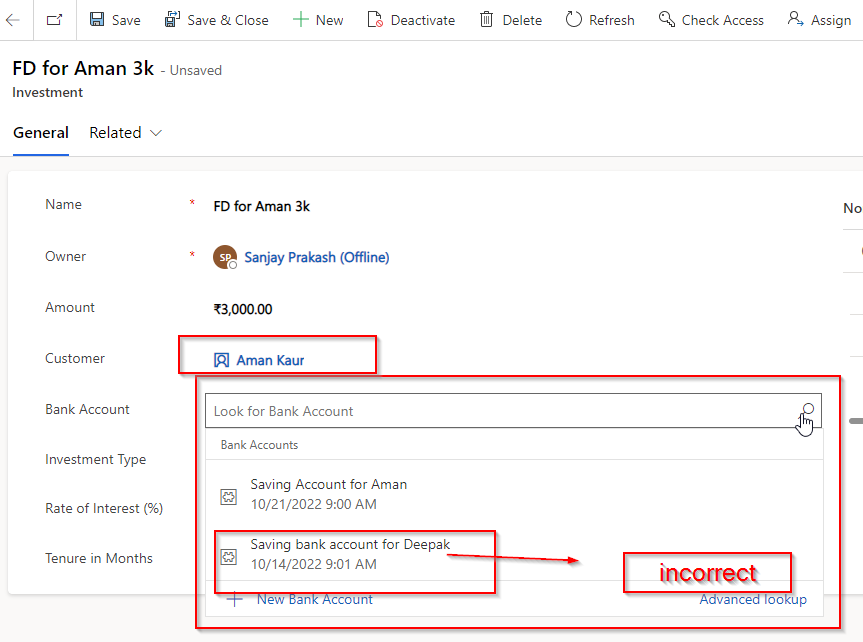
In Dynamics 365 or Dataverse Forms, you can choose what items to display and selectable for a lookup field depending on another lookup. For example in below form we have Customer lookup (Parent) and Bank Account (Child) Lookup. By default the Customer lookup display all active customers and Bank account display all bank accounts. But…
Read more
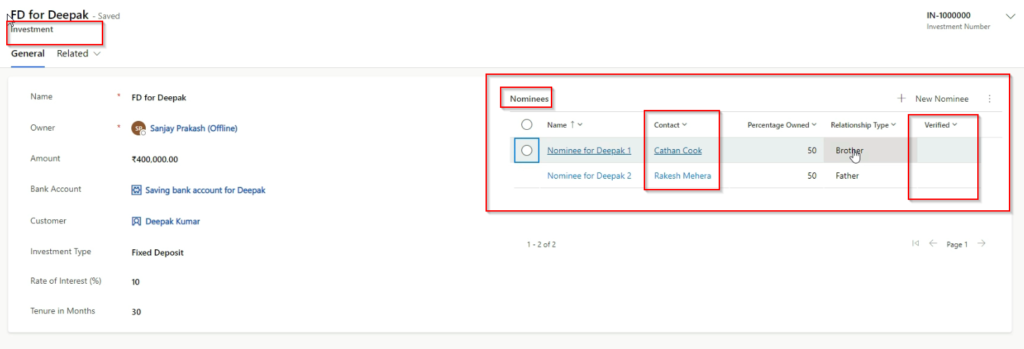
You can add command buttons to Subgrid Command bar for an entity. For some business requirement, you can also call a JS or PowerFX on the command button click which will trigger a power automate. This post will explain a business scenario to do thi. The Scenario There are 3 entities Investment, Contact and Nominees.…
Read more
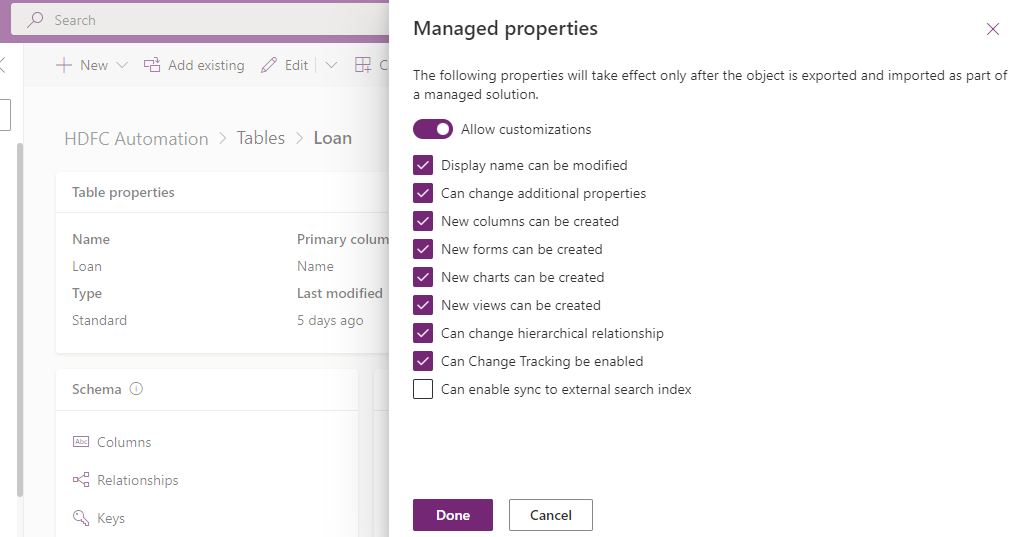
Managed properties is introduced to allow component customizations inside a managed solution. By default all components are disabled for customizing in a managed solution. But for some reason if you want to allow customization for components inside a managed solution then you can follow below steps. Note that only inside a unmanaged solution you can…
Read more
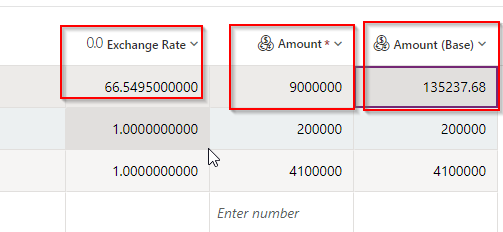
Dynamics 365 or Dataverse supports multiple currency. You can choose a base currency while creating an environment. For example USD. But if your users are working in different currency then they can change their default currency so that while dealing with customers, they can select local currency. To update default local currency the user need…
Read more
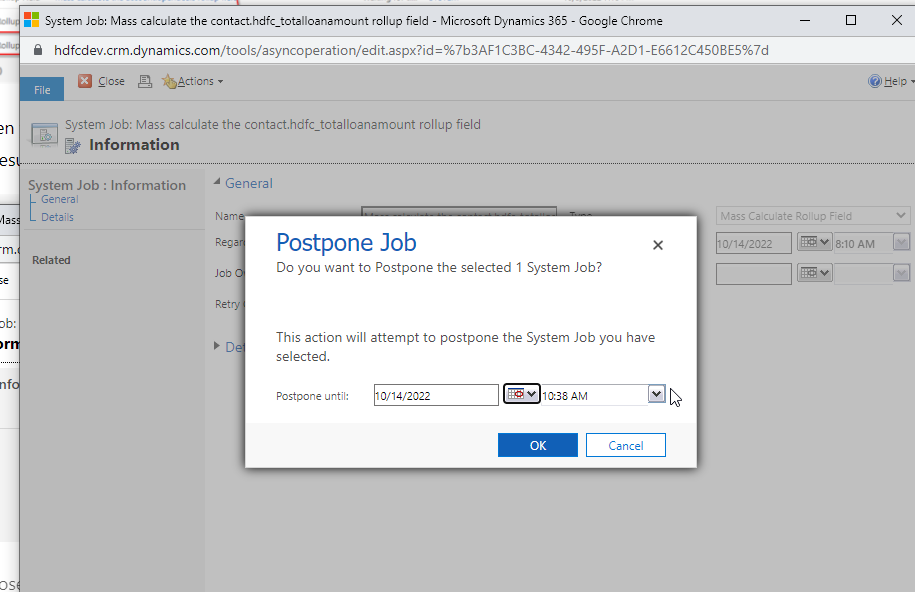
By default, each attribute is updated hourly. When a rollup attribute is created or updated a Mass Calculated Rollup Fields job is scheduled to run in 12 hours But you can change it. Follow below steps to change the frequency. Business Scenario: We have a Total Loan Amount Rollup field in customer table and we want…
Read more
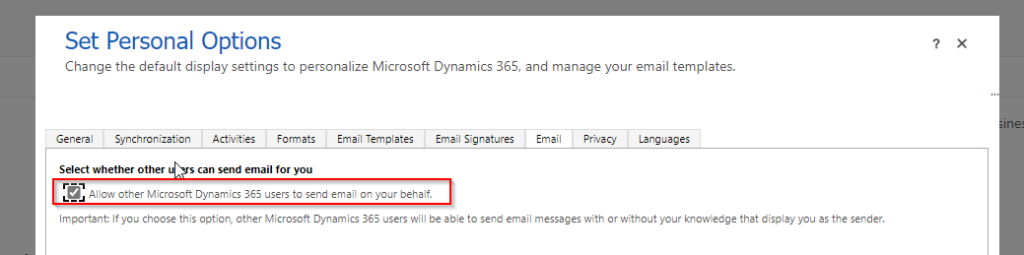
In Dynamics 365, You can use Timeline control or Activities area to create Emails, Phone calls etc. from within Dynamics 365. While creating an Email Activity inside Dynamics 365 record, by default the FROM address is populated as current login user but you can choose a different user in the FROM address, if you want…
Read more
You can add maximum 4 fields on header of a entity form in model driven apps. But in JavaScript if you want to get values of any header field of the form you have to use header prefix while reading values. Check the code below and use it according to your business need. Hope it…
Read more
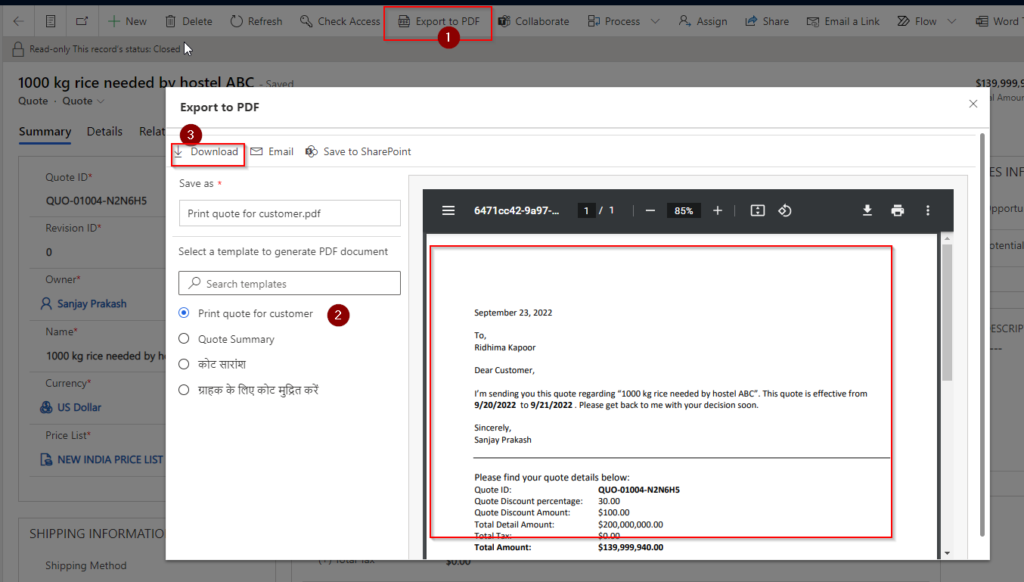
In Dynamics 365 Sales, you have seen that there is an EXPORT TO PDF button available for Quote and on clicking of which you can choose a Quote document template and you can download the PDF or send the PDF as an attachment to respective customer of your choice. The below snapshots are from Quote…
Read more
Console App Sample code.
Dynamically Add event handlers in Dynamics 365 Form Scripts. Take a look of all code : https://docs.microsoft.com/en-us/power-apps/developer/model-driven-apps/clientapi/reference/xrm-webapi https://docs.microsoft.com/en-us/power-apps/developer/model-driven-apps/clientapi/reference Hope this helps

Here sample code given for Plugin using Plugin Images. Hope this helps.
Here is the Sample Custom Workflow Activities code for your usages. Modify the code as per your business need. Hope this helps.

Get New Blog Notifications in Email.. Fill out the form below to get a quick callback.