
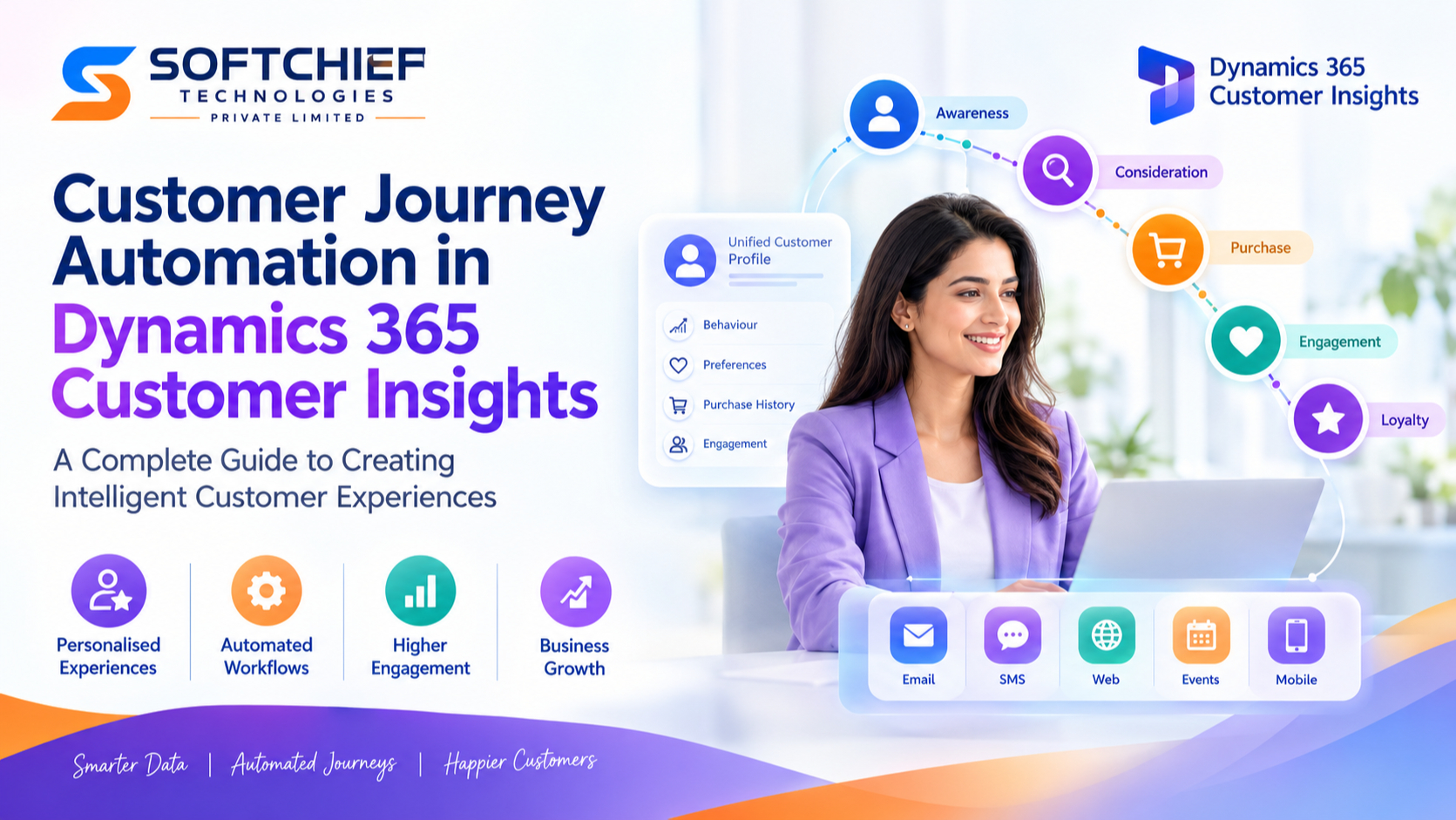
Customer Journey Automation in Dynamics 365 Customer Insights: A Complete Guide to Creating Intelligent Customer Experiences
Introduction
Customer expectations have changed dramatically in the digital era. Customers no longer want generic marketing messages or one-size-fits-all communication. They expect businesses to understand their preferences, anticipate their needs and deliver personalised experiences across every interaction.
For modern organisations, creating meaningful customer journeys requires more than sending emails or running traditional marketing campaigns. Businesses need intelligent platforms that can collect customer data, analyse behaviour and automate personalised engagement at scale.
This is where Microsoft Dynamics 365 Customer Insights – Journeys helps organisations transform customer engagement.
Customer Journey Automation in Dynamics 365 Customer Insights enables businesses to design, automate and optimise personalised experiences across multiple channels including email, SMS, websites, events and digital platforms.
By combining customer data, artificial intelligence, automation capabilities and real-time insights, organisations can build stronger relationships, improve customer satisfaction and increase business growth.
This comprehensive guide explores:
- What customer journey automation means
- How Dynamics 365 Customer Insights supports automated journeys
- Key features and capabilities
- Real-world business scenarios
- Best practices for successful implementation
What is Customer Journey Automation?
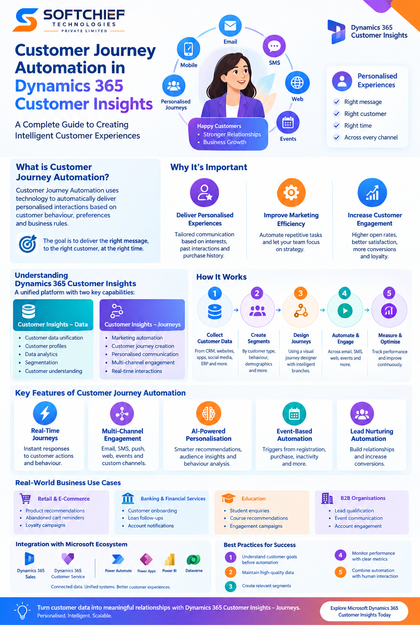
Customer Journey Automation is the process of using technology to automatically deliver personalised interactions to customers based on their behaviours, preferences and business rules.
Instead of manually managing every customer interaction, businesses create automated workflows that respond intelligently to customer actions.
Examples:
A customer:
- Downloads a product brochure → receives a follow-up email
- Abandons a shopping cart → receives a reminder notification
- Registers for an event → receives automated event updates
- Completes a purchase → enters a customer onboarding journey
The goal is to deliver the right message, to the right customer, at the right time.
Understanding Dynamics 365 Customer Insights
Microsoft Dynamics 365 Customer Insights is a customer data and engagement platform designed to help organisations understand customers and create personalised experiences.
It consists of two major capabilities:
1. Customer Insights – Data
Focuses on:
- Customer data unification
- Customer profiles
- Data analytics
- Segmentation
- Customer understanding
It brings together customer information from multiple sources such as:
- CRM systems
- Websites
- Applications
- ERP systems
- Marketing platforms
2. Customer Insights – Journeys
Focuses on:
- Marketing automation
- Customer journey creation
- Personalised communication
- Multi-channel engagement
- Real-time interactions
Together, these capabilities help organisations move from data collection to meaningful customer engagement.
Why Customer Journey Automation is Important
Traditional marketing approaches often create challenges:
- Limited personalisation
- Manual campaign management
- Poor customer visibility
- Delayed responses
- Inconsistent communication
Customer journey automation solves these challenges by enabling organisations to:
Deliver Personalised Experiences
Customers receive communication based on:
- Interests
- Previous interactions
- Purchase history
- Engagement behaviour
Improve Marketing Efficiency
Automation reduces repetitive tasks such as:
- Sending follow-up emails
- Updating customer records
- Managing campaign responses
Marketing teams can focus on strategy instead of manual execution.
Increase Customer Engagement
Relevant communication improves:
- Open rates
- Customer satisfaction
- Conversion rates
- Customer loyalty
How Customer Journey Automation Works in Dynamics 365 Customer Insights
A customer journey typically follows a structured process.
Step 1: Collect Customer Data
Customer information is gathered from different sources.
Examples:
- Dynamics 365 Sales
- Websites
- Mobile applications
- Social media platforms
- E-commerce systems
This data creates a complete customer profile.
Step 2: Create Customer Segments
Segmentation allows businesses to group customers based on specific characteristics.
Examples:
Customer Type
- New customers
- Existing customers
- High-value customers
Behaviour
- Website visitors
- Email responders
- Product viewers
Demographics
- Location
- Industry
- Preferences
Segments ensure customers receive relevant communication.
Step 3: Design Customer Journeys
Marketing teams create automated journey flows using a visual journey designer.
A journey may include:
Customer Joins Segment
          |
          |
Send Personalised Email
          |
          |
Customer Interaction
          |
          |
Decision Branch
          |
          |
Follow-up Action
The journey automatically adapts based on customer behaviour.
Key Features of Customer Journey Automation in Dynamics 365 Customer Insights
1. Real-Time Customer Journeys
Modern customer engagement requires immediate responses.
Real-time journeys allow businesses to react instantly to customer actions.
Examples:
Customer visits pricing page:
→ Trigger product information email
Customer submits enquiry:
→ Create sales follow-up activity
Customer completes purchase:
→ Start onboarding journey
Real-time engagement improves customer experience and conversion opportunities.
2. Multi-Channel Customer Engagement
Customers interact through multiple communication channels.
Dynamics 365 Customer Insights supports engagement through:
- SMS
- Push notifications
- Forms
- Events
- Custom channels
Businesses can create consistent experiences across different touchpoints.
3. AI-Powered Personalisation
Artificial Intelligence helps organisations deliver smarter customer experiences.
AI capabilities can support:
- Content recommendations
- Audience insights
- Customer behaviour analysis
- Engagement optimisation
For example:
A customer interested in cloud services may receive content related to Azure solutions rather than general technology updates.
4. Event-Based Automation
Customer journeys can start automatically based on specific events.
Examples:
Customer Registration
Event:
Customer signs up for a webinar.
Automation:
- Send confirmation email
- Send calendar invitation
- Send reminder before event
Customer Purchase
Event:
Customer completes a purchase.
Automation:
- Send thank-you message
- Request feedback
- Start loyalty campaign
Customer Inactivity
Event:
Customer has not interacted for 90 days.
Automation:
- Send re-engagement campaign
- Offer personalised promotion
5. Lead Nurturing Automation
Many customers are not ready to buy immediately.
Customer journey automation helps organisations nurture leads through personalised communication.
Example:
A technology company receives a website enquiry.
Journey:
Day 1:
Send product introduction email
Day 5:
Share customer success story
Day 10:
Invite customer for product demonstration
Day 20:
Sales representative follows up
This improves conversion opportunities while reducing manual effort.
Customer Journey Automation Use Cases
1. Retail and E-Commerce
Retail organisations can automate:
- Product recommendations
- Abandoned cart reminders
- Customer loyalty campaigns
- Birthday offers
- Post-purchase engagement
Example:
A customer purchases sports equipment.
The system automatically sends:
- Product usage tips
- Related product recommendations
- Membership offers
2. Banking and Financial Services
Banks can automate:
- Customer onboarding
- Loan application follow-ups
- Account notifications
- Financial education campaigns
Example:
A customer opens a new account.
Automation:
- Welcome email
- Mobile banking guide
- Personal finance resources
3. Education Sector
Educational institutions can automate:
- Student enquiries
- Application follow-ups
- Course recommendations
- Student engagement campaigns
Example:
A student downloads course information.
The journey automatically sends:
- Course details
- Career benefits
- Admission guidance
4. B2B Organisations
Businesses can automate:
- Lead qualification
- Sales nurturing
- Event communication
- Account engagement
Example:
A potential customer attends a technology webinar.
Automation:
- Send webinar recording
- Share related resources
- Schedule sales follow-up
Integration with Dynamics 365 and Microsoft Ecosystem
One of the biggest advantages of Dynamics 365 Customer Insights is its integration capabilities.
It connects with:
Dynamics 365 Sales
Benefits:
- Sales and marketing alignment
- Better lead management
- Improved customer visibility
Dynamics 365 Customer Service
Benefits:
- Complete customer history
- Personalised support
- Better service experiences
Microsoft Power Platform
Integration with:
- Power Automate
- Power Apps
- Power BI
- Dataverse
enables organisations to build connected business solutions.
Best Practices for Customer Journey Automation
1. Understand Customer Goals Before Automation
Successful journeys start with customer understanding.
Before creating automation:
- Identify customer needs
- Define business objectives
- Map customer touchpoints
2. Maintain High-Quality Customer Data
Personalisation depends on accurate data.
Organisations should ensure:
- Clean customer records
- Duplicate removal
- Consistent data structures
- Proper governance
3. Create Relevant Customer Segments
Avoid sending the same message to everyone.
Use segmentation based on:
- Behaviour
- Preferences
- Customer lifecycle stage
4. Monitor Journey Performance
Track important metrics:
- Email engagement
- Conversion rates
- Customer responses
- Journey completion rates
Use insights to continuously improve campaigns.
5. Combine Automation with Human Interaction
Automation should enhance customer relationships, not replace human engagement.
Example:
Marketing automation identifies a highly interested customer.
A sales representative then provides personalised assistance.
Real-World Example: Automated Customer Experience Transformation
A software company wanted to improve customer engagement.
Previously:
- Marketing emails were sent manually
- Leads were not followed up consistently
- Customer interactions were difficult to track
The company implemented Dynamics 365 Customer Insights – Journeys.
Automated journeys were created for:
- Website enquiries
- Product demonstrations
- Trial users
- Customer onboarding
Results:
- Faster lead response
- Improved customer engagement
- Better sales alignment
- More personalised communication
The Future of Customer Journey Automation with AI
Artificial Intelligence is transforming customer engagement.
Future customer journeys will become more intelligent through:
- Predictive customer insights
- AI-generated content
- Intelligent segmentation
- Automated decision-making
- Conversational customer experiences
Microsoft Copilot capabilities will further help marketing teams create campaigns faster and make smarter decisions.
Conclusion
Customer Journey Automation in Dynamics 365 Customer Insights enables organisations to create personalised, intelligent and scalable customer experiences.
By combining unified customer data, automation workflows, AI capabilities and multi-channel communication, businesses can build stronger relationships and improve customer engagement.
Successful customer journey automation requires more than technology. It requires a clear understanding of customers, effective data management and a strategy focused on delivering meaningful experiences.
For organisations looking to modernise their marketing and customer engagement strategies, Dynamics 365 Customer Insights – Journeys provides the foundation for creating connected, personalised and intelligent customer experiences.









