
Power Automate AI Agents: The Future of Workflow Automation (2026 Guide)
Introduction
Workflow automation has evolved significantly over the past decade. Traditional automation focused on executing predefined rules and repetitive tasks. While this approach improved efficiency, it lacked the ability to understand context, make decisions or adapt to changing business scenarios.
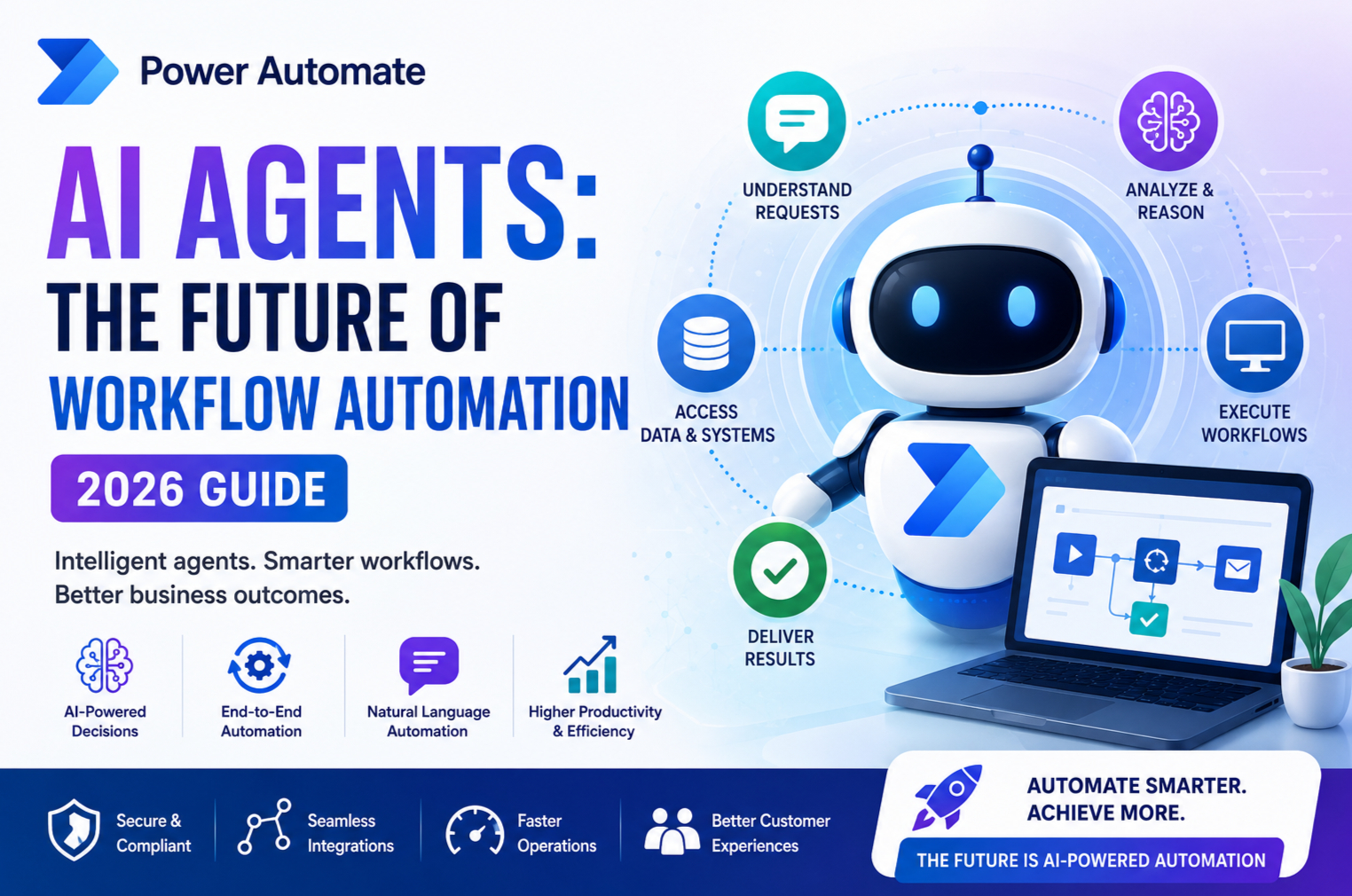
Today, a new era of automation has arrived with Power Automate AI Agents. Powered by Microsoft’s AI technologies, these intelligent agents can analyse information, reason through tasks, interact with enterprise systems and complete complex workflows with minimal human intervention.
As organisations continue their digital transformation journeys, AI Agents are becoming an essential part of business operations, helping teams automate not just tasks but entire business processes.
In this comprehensive guide, we’ll explore what Power Automate AI Agents are, how they work, their key features, real-world applications, business benefits and why they represent the future of workflow automation.
What Are Power Automate AI Agents?
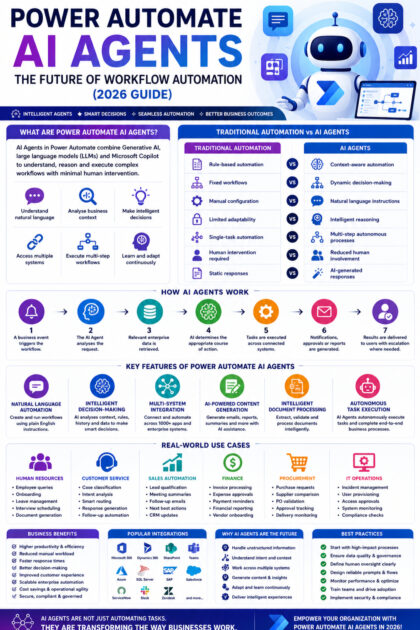
Power Automate AI Agents are intelligent automation components that combine Generative AI, large language models (LLMs), Microsoft Copilot and enterprise workflows to complete business tasks autonomously.
Unlike traditional workflows that follow fixed rules, AI Agents can:
- Understand natural language instructions
- Analyse business context
- Make informed decisions
- Access multiple business systems
- Execute multi-step workflows
- Generate intelligent responses
- Learn from interactions and adapt to changing requirements
Instead of automating a single action, AI Agents orchestrate complete business processes from start to finish.
Traditional Automation vs AI Agents
| Traditional Power Automate | Power Automate AI Agents |
|---|---|
| Rule-based automation | Context-aware automation |
| Fixed workflows | Dynamic decision-making |
| Manual configuration | Natural language instructions |
| Limited adaptability | Intelligent reasoning |
| Single-task automation | Multi-step autonomous processes |
| Human intervention required | Reduced human involvement |
| Static responses | AI-generated responses |
This shift enables organisations to automate increasingly complex business scenarios.
Why AI Agents Are the Future of Workflow Automation
Modern businesses require automation that can:
- Handle unstructured information
- Understand customer intent
- Work across multiple systems
- Generate business content
- Make recommendations
- Assist employees in real time
- Adapt to changing business conditions
AI Agents provide these capabilities, enabling organisations to move beyond simple task automation toward intelligent business process automation.
How Power Automate AI Agents Work
A typical AI-powered workflow follows these steps:
- A business event triggers the workflow.
- The AI Agent analyses the request.
- Relevant enterprise data is retrieved.
- AI determines the appropriate course of action.
- Tasks are executed across connected systems.
- Notifications, approvals or reports are generated.
- Results are delivered to users, with escalation where human review is required.
This intelligent orchestration allows organisations to automate end-to-end business operations.
Key Features of Power Automate AI Agents
1. Natural Language Automation
Users can describe automation requirements in plain English.
For example:
“When a customer submits a support request, classify its priority, assign it to the correct team, notify the manager if it’s urgent and send a confirmation email.”
The AI Agent interprets the request and creates or executes the appropriate workflow.
2. Intelligent Decision-Making
AI Agents evaluate:
- Customer history
- Business rules
- Previous interactions
- Document content
- Risk indicators
- Workflow context
They use this information to make recommendations and automate decisions while allowing human oversight where appropriate.
3. Multi-System Integration
Power Automate AI Agents can work across hundreds of connected services, including:
- Microsoft 365
- Dynamics 365
- Microsoft Teams
- SharePoint
- Dataverse
- Azure
- SQL Server
- SAP
- Salesforce
- ServiceNow
This enables seamless automation across an organisation’s technology landscape.
4. AI-Powered Content Generation
AI Agents can generate:
- Emails
- Approval summaries
- Meeting notes
- Customer responses
- Business reports
- Proposal drafts
- Knowledge articles
Generated content can be reviewed before being shared, improving efficiency while maintaining quality.
5. Intelligent Document Processing
AI Agents can process documents such as:
- Invoices
- Purchase orders
- Contracts
- Expense claims
- Application forms
- Receipts
Using AI, they extract key information, validate data and trigger the next steps in the workflow.
6. Autonomous Task Execution
AI Agents can independently perform tasks such as:
- Updating CRM records
- Scheduling meetings
- Sending notifications
- Routing approvals
- Creating support tickets
- Updating ERP systems
- Generating reports
This reduces repetitive work and accelerates business processes.
Real-World Use Cases
Human Resources
AI Agents can:
- Answer employee policy questions.
- Guide new hires through onboarding.
- Process leave requests.
- Schedule interviews.
- Generate employment documents.
HR teams spend less time on administrative tasks and more time supporting employees.
Customer Service
When a support request is received, the AI Agent can:
- Classify the issue.
- Summarise the customer’s history.
- Recommend a resolution.
- Route the case to the appropriate team.
- Notify stakeholders.
- Generate follow-up communications.
This improves response times and customer satisfaction.
Sales Automation
Sales teams can use AI Agents to:
- Qualify leads.
- Generate personalised follow-up emails.
- Summarise customer meetings.
- Recommend next actions.
- Prepare sales proposals.
- Update CRM records automatically.
Sales representatives spend more time building relationships and closing deals.
Finance
Finance departments can automate:
- Invoice processing.
- Expense approvals.
- Payment reminders.
- Financial reporting.
- Vendor onboarding.
- Purchase request workflows.
This reduces manual processing and improves compliance.
Procurement
AI Agents help procurement teams by:
- Analysing supplier requests.
- Validating purchase orders.
- Comparing vendor quotations.
- Tracking approvals.
- Monitoring delivery status.
This speeds up procurement cycles while maintaining governance.
Benefits of Power Automate AI Agents
| Feature | Business Benefit |
|---|---|
| Intelligent Decision-Making | Faster and more accurate workflows |
| Natural Language Automation | Easier workflow creation |
| AI Content Generation | Reduced administrative effort |
| Multi-System Integration | Unified business processes |
| Autonomous Task Execution | Higher productivity |
| Document Intelligence | Faster document handling |
| Real-Time Recommendations | Improved decision-making |
| Enterprise Security | Secure and compliant automation |
Best Practices for Implementing AI Agents
To maximise the value of AI Agents:
- Start with high-impact business processes such as customer service, HR or finance.
- Maintain accurate and well-governed business data.
- Clearly define where human approvals are required.
- Design prompts and workflows carefully to achieve reliable outcomes.
- Monitor workflow performance and continuously optimise AI behaviour.
- Train employees to work effectively alongside AI-assisted processes.
- Implement governance policies to ensure responsible AI usage.
Common Challenges
Data Quality
AI Agents depend on accurate and complete business data. Poor-quality data can reduce automation effectiveness.
Change Management
Employees may require training and support to adopt AI-powered workflows confidently.
Governance
Organisations should establish policies covering AI usage, auditing, data security and compliance.
Human Oversight
AI Agents should complement human expertise rather than replace it. Critical business decisions should always include appropriate review and approval.
The Future of Workflow Automation
Power Automate AI Agents represent the next stage in business automation.
Future developments are expected to include:
- Autonomous AI agents capable of managing entire business processes.
- Enhanced collaboration with Microsoft Copilot across Microsoft 365.
- Advanced reasoning and planning capabilities.
- Deeper integration with Azure AI Foundry and Microsoft Fabric.
- Voice-driven workflow creation.
- Predictive automation based on business trends.
- Industry-specific AI agents tailored to sectors such as healthcare, finance and manufacturing.
As these capabilities mature, organisations will increasingly rely on AI Agents to streamline operations and support employees.
Why Businesses Should Adopt AI Agents Now
Early adoption offers several strategic advantages:
- Increased operational efficiency.
- Reduced manual workload.
- Faster response times.
- Improved customer experiences.
- Better use of employee expertise.
- Scalable automation for growing organisations.
- Stronger competitive positioning in an AI-driven marketplace.
Businesses that begin exploring AI Agents today will be better prepared for the future of intelligent automation.
Conclusion
Power Automate AI Agents are transforming workflow automation by moving beyond rule-based processes to intelligent, context-aware automation. By combining Generative AI, Microsoft Copilot and the Power Platform, organisations can automate complex business operations, improve productivity and empower employees with intelligent decision support.
From HR onboarding and customer service to finance, procurement and sales, AI Agents are enabling businesses to work faster, smarter and more efficiently. As Microsoft continues to expand AI capabilities across the Power Platform ecosystem, these intelligent agents will play an increasingly important role in enterprise digital transformation.
For organisations looking to modernise their operations and developers seeking future-ready skills, now is the ideal time to explore the possibilities of Power Automate AI Agents.









