
Power Platform vs Dynamics 365 CE: Choose the Right Learning Path
Introduction
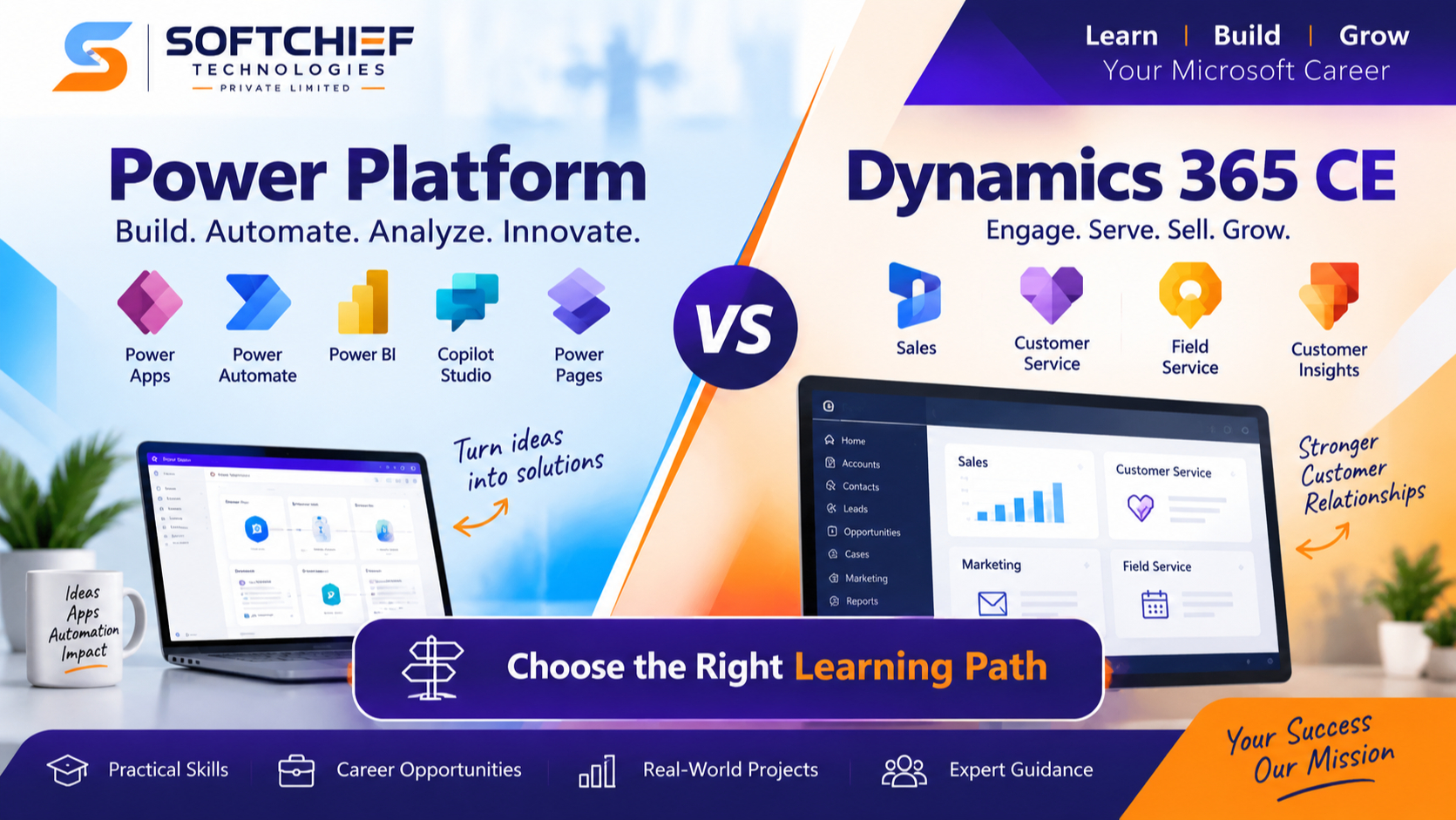
A search for Power Platform vs Dynamics 365 CE can create more confusion than clarity. Both use Microsoft Dataverse, connect with Microsoft 365, and appear in the same business technology projects. Yet they lead to different skills, job roles, and implementation work.
Power Platform gives you tools to build apps, automate tasks, analyze data, create websites, and add AI features. Dynamics 365 Customer Engagement provides ready-made applications for sales, customer service, marketing, and field operations. They are complementary technologies, not competing products.
Neither option is better for every learner. Your choice depends on the work you want to do, the business processes you want to support, the certifications that match your goal, and the level of technical depth you prefer.
Understand How Power Platform and Dynamics 365 CE Fit Together
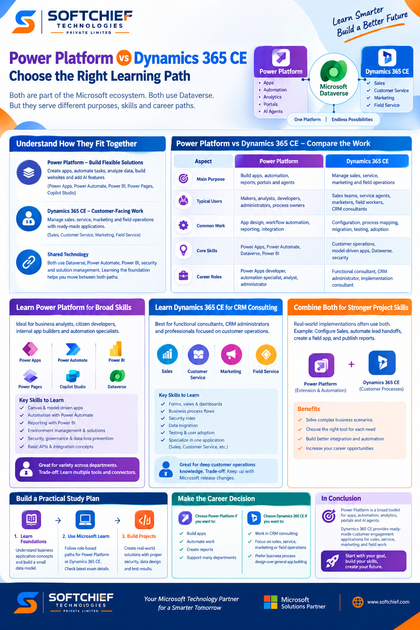
Power Platform is the broader set of tools. Dynamics 365 CE is a group of business applications built on shared Microsoft technology.
Power Platform builds flexible business solutions
Power Apps lets teams create canvas apps and model-driven apps. Power Automate handles approvals, alerts, data movement, and other automated tasks. Power BI turns business data into reports and dashboards.
Power Pages supports external websites and portals, while Copilot Studio helps create conversational agents. Microsoft Dataverse stores business data with tables, relationships, security rules, and business logic. These tools can support finance, human resources, operations, education, healthcare, and many other departments.
Dynamics 365 CE supports customer-facing work
Dynamics 365 Sales manages accounts, contacts, leads, opportunities, and sales pipelines. Dynamics 365 Customer Service supports cases, queues, knowledge articles, and service teams. Customer Insights – Journeys helps plan marketing interactions and customer communications.
Dynamics 365 Field Service supports work orders, scheduling, inspections, and mobile work. The names, packaging, and available features may change, so check current Microsoft documentation before planning a course or certification.
Shared technology connects both paths
A Dynamics 365 CE project often uses Power Automate for record-based workflows, Power BI for reporting, and Power Apps for custom tools. Dataverse tables, relationships, security roles, solutions, environments, and model-driven apps appear in both areas.
This shared foundation makes it easier to move between the two paths. Learning Dataverse, permissions, data design, and solution management first gives you a useful base for either direction.
Power Platform vs Dynamics 365 CE: Compare the Work
The main difference is breadth versus specialization. Power Platform helps you create and connect solutions across a business. Dynamics 365 CE starts with defined customer processes and gives you an application to configure.
| Area | Power Platform | Dynamics 365 CE |
|---|---|---|
| Main purpose | Build apps, automation, reports, portals, and agents | Manage sales, service, marketing, and field operations |
| Typical users | Makers, analysts, developers, administrators, process owners | Sales teams, service agents, marketers, field workers, CRM consultants |
| Common work | App design, workflow automation, reporting, integration | Configuration, process mapping, migration, testing, adoption |
| Core skills | Power Apps, Power Automate, Dataverse, Power BI | Customer operations, model-driven apps, Dataverse, security |
| Career roles | Power Apps developer, automation specialist, analyst, administrator | Functional consultant, CRM administrator, implementation consultant |
Power Platform fits custom and department-specific needs
An organization may use Power Apps to replace a spreadsheet-based request process. Power Automate can route approvals, send alerts, or move documents between systems. Power BI can show open requests, response times, and workload by team.
Power Platform also connects Microsoft 365, Dynamics 365, and third-party services through connectors, APIs, and custom connectors. Start with the process, users, data sources, and desired result before choosing a tool.
Dynamics 365 CE fits structured customer processes
Dynamics 365 CE is a strong choice when a company needs a shared system for accounts, opportunities, cases, marketing activity, or field work. It includes predefined tables, forms, views, roles, workflows, and process concepts.
Teams can configure and extend these applications, but the starting point is a business product rather than a blank design space. That gives consultants a clear base for customer relationship management projects.
Match the Learning Path to Your Career Goals
Your target role matters more than product popularity. The best choice is the one that matches the problems you want to solve each week.
Learn Power Platform for broad solution-building skills
Power Platform suits business analysts, citizen developers, internal app builders, Power Apps developers, Power Automate specialists, and Microsoft 365 administrators. It also helps reporting professionals who want to connect dashboards to operational data.
Study Dataverse, canvas apps, model-driven apps, Power Automate triggers and expressions, environment management, solutions, security, governance, and data-loss prevention. Learn basic API and integration concepts as your projects grow.
This path offers variety across departments. The trade-off is that you must learn several tools, connectors, permission models, and deployment practices.
Learn Dynamics 365 CE for CRM consulting
Dynamics 365 CE fits functional consultants, CRM administrators, implementation consultants, and professionals focused on sales, customer service, marketing, or field operations. It also suits people who enjoy workshops, requirements gathering, process mapping, training, and stakeholder communication.
Build skills in forms, views, dashboards, business process flows, security roles, data migration, testing, and user adoption. Then specialize in one application, such as Sales, Customer Service, Customer Insights, or Field Service.
This path creates deeper knowledge of customer operations. You must also keep up with Microsoft release plans and changes to application features.
Combine both paths for stronger project skills
Real implementations often need both products. You may configure Dynamics 365 Sales, automate lead handoffs with Power Automate, create a field worker app with Power Apps, and publish performance reports in Power BI.
Combined knowledge helps you decide when to configure an existing feature, build a Power Platform extension, or use custom development. Learn one path first, then add one related skill instead of trying to study every Microsoft product at once.
Build a Practical Study Plan
Start with shared business application concepts before choosing a narrow specialization. Create a small data model with tables, relationships, users, teams, security roles, and a basic process. This exercise teaches more than watching videos without building anything.
Use Microsoft Learn and role-based credentials
For a Power Platform focus, review Microsoft Learn paths for fundamentals, app making, automation, administration, development, or functional consulting. For a Dynamics 365 CE focus, choose a role-based path tied to Sales, Customer Service, Customer Insights, or Field Service.
Certification names, exam numbers, and retirement dates can change. Check current Microsoft Learn certification pages before paying for an exam or following an older study guide.
Build projects that show business value
A strong portfolio explains the problem, users, data model, security design, test results, and final outcome. Good examples include a model-driven request app, an approval flow with error handling, a Dynamics 365 CE process case study, or a Power BI report based on customer data.
Screenshots alone do not show implementation skill. Document why you made each design choice and how the solution protects data.
Power Platform vs Dynamics 365 CE: Make the Career Decision
Choose Power Platform first if you want to build apps, automate work, create reports, or support many departments. It is often the better entry point for Microsoft 365 users and beginners who want broad low-code skills.
Choose Dynamics 365 CE first if you want a CRM implementation career or already understand sales, service, marketing, or field operations. It is a strong match for learners who prefer business process design over general app building.
Licensing can affect real projects. Costs may depend on users, applications, connectors, Dataverse capacity, and environment needs, so verify current details before recommending a design.
Conclusion
Power Platform is a broad toolkit for apps, automation, analytics, portals, and AI agents. Dynamics 365 CE provides ready-made customer engagement applications for sales, service, marketing, and field work.
Learn Power Platform first for flexible solution-building skills. Learn Dynamics 365 CE first for CRM consulting and customer operations expertise. For long-term growth, combine both through a focused project-based plan.
Review current job postings for your target role, note the repeated skills, and choose your first Microsoft Learn path from that evidence.









