
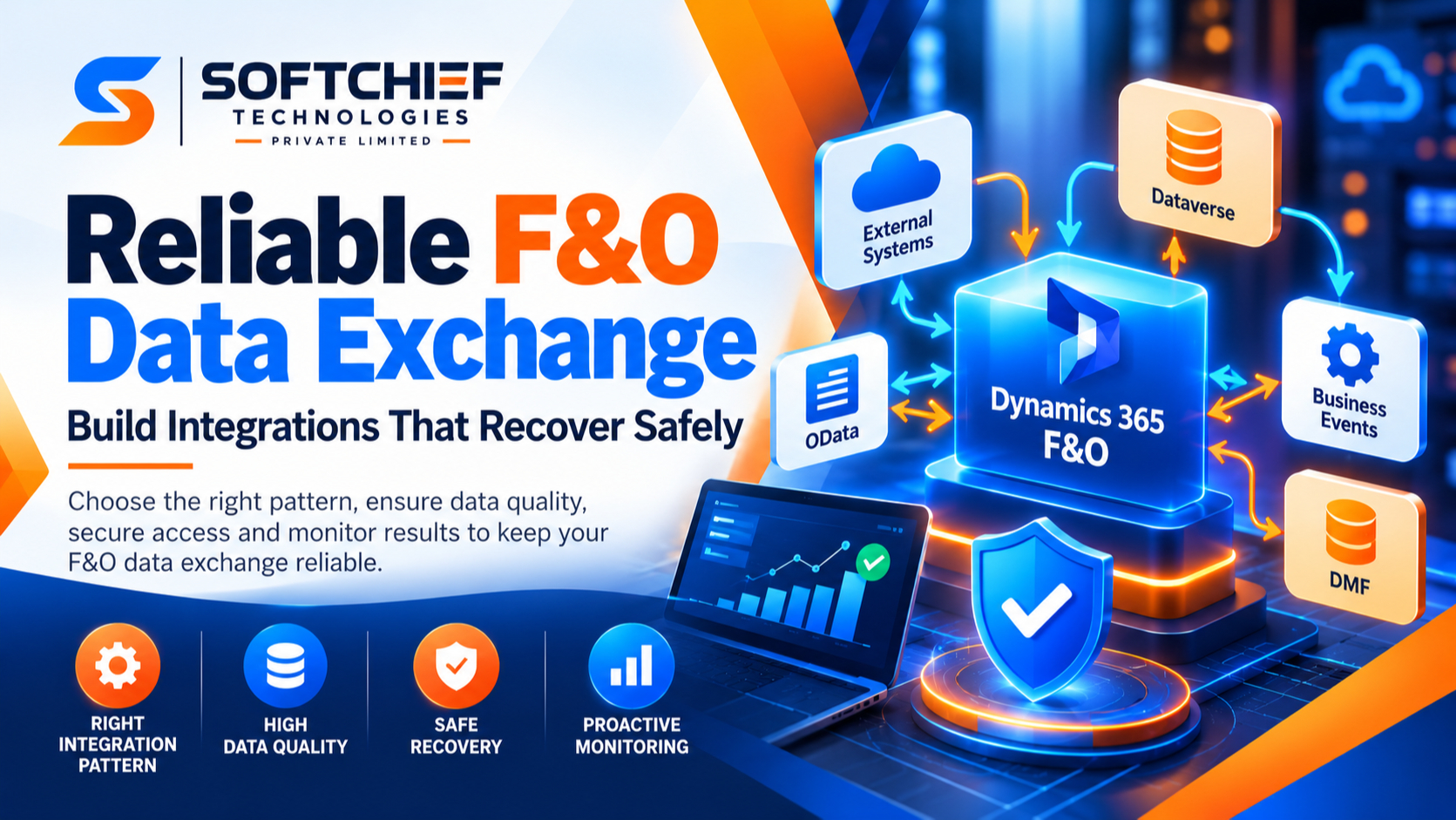
Reliable F&O Data Exchange: Build Integrations That Recover Safely
Introduction
A sales order arrives with the wrong customer ID, or an inventory update fails before posting. In Dynamics 365 Finance and Operations (F&O), unreliable data exchange can delay fulfillment, disrupt financial posting, and leave teams working from different figures.
Reliable F&O data exchange starts with the right pattern for each flow. It also depends on clear data rules, safe recovery, controlled access, and monitoring that checks business results, not just whether a job ran.
Use the guidance below to choose an exchange method, protect data quality, prepare for failures, and track integration health. For product-specific details, check Microsoft Learn documentation because supported features and limits can change.
Choose the F&O data exchange pattern that fits
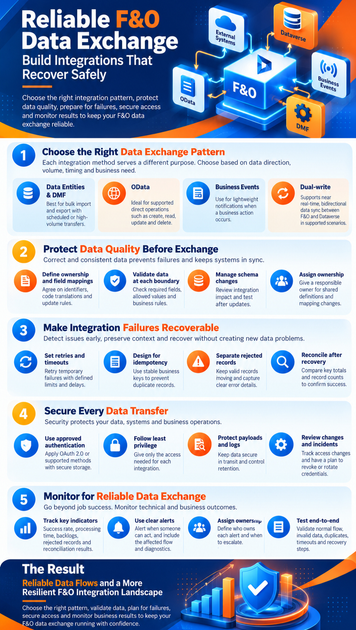
The right method depends on data direction, volume, timing, and business purpose. A financial posting may need a direct operation, while a large product update can run as a scheduled package. Microsoft’s F&O integration overview compares common patterns and explains their trade-offs.
Use data entities and Data Management for bulk exchange
Data entities give integrations a business-focused view of F&O data. The Data Management framework supports package-based import and export, including recurring flows that suit scheduled or high-volume transfers. Microsoft classifies batch data APIs as a fit for large imports and exports, though the right volume depends on the entity and its business logic.
Before building a flow, confirm that the required entities are available and suitable. Test staging, target processing, and validation with representative records. The Data Management package API documentation describes package jobs, status checks, and error retrieval.
Use OData for supported direct operations
OData exposes public F&O data entities for supported create, read, update, and delete operations. It can fit a direct request, such as checking an order status or updating a supported record, when the entity and operation meet the need.
Check the specific entity, key fields, query behavior, and expected request rate before choosing OData. F&O applies service protection limits to relevant API traffic, so clients must handle throttling and retry responses as described in Microsoft’s service protection API guidance. Don’t assume OData is the right choice for bulk movement or analytics.
Use business events and dual-write for different needs
Business events notify external systems that a business action occurred. They can prompt follow-up work, but Microsoft says they’re lightweight notifications, not a method for exporting large data sets. Consumers also need to handle possible duplicate delivery and events arriving out of order, as described in the business events overview.
Dual-write supports near-real-time, bidirectional data synchronization between F&O apps and Dataverse in supported scenarios. It can fit shared data domains such as customer or product records. Business events signal that something happened; dual-write keeps mapped data in sync. The dual-write overview explains its scope and setup concepts.
Protect data quality before F&O data exchange
A connection can work as designed and still move incorrect information. Agree on the meaning and format of each field before data crosses systems. Both ends need clear rules for identifiers, ownership, and acceptable values.
Define ownership, identifiers, and field mappings
Document which system owns each data domain, such as customers, products, or vendors. Map the key fields between systems and define how updates, deletions, and code translations work. This prevents a familiar problem: one system’s customer number points to a different account in another.
Include units of measure, currencies, legal entities, and date formats in the mapping plan. A product quantity sent as cases can’t be treated as individual units without a clear conversion rule. Assign an owner to approve changes to these shared definitions.
Validate data at each boundary
Check required fields, allowed values, reference data, and business rules before import, export, and transformation. For example, validate that an order line refers to an active product and uses a valid unit. Test normal records as well as missing, outdated, and malformed values.
Keep rejected records separate from successfully processed records when the flow allows it. Give support teams an actionable reason for each rejection, such as an unknown product code or invalid date. Avoid placing sensitive data in error messages unless it’s needed and protected.
Manage schema and configuration changes deliberately
An entity, field, version, or F&O configuration change can break a connected flow. Review integration impacts before deployment and involve both the F&O team and external-system owners. Update mapping documents and tests along with the change.
Run regression tests against key flows after each relevant update. Include both existing records and newly added fields, since a change can affect old data too. Keep release records so the team can identify which integration changes went live and when.
Make F&O integration failures recoverable
A reliable integration can detect a problem, preserve enough context to diagnose it, and support a safe restart. Retries help with temporary outages, but they don’t guarantee that two systems stay consistent. Recovery rules must fit the business operation.
Set retries, timeouts, and idempotency rules
Retry temporary failures such as timeouts or service throttling, using a defined delay and limit. Don’t retry every error: invalid data or missing references usually need correction first. Follow any retry timing supplied by the service.
Design processing so a repeated request won’t create a duplicate order, payment, or journal. Use a stable business key or request identifier to detect work already completed. For event consumers, use the event control number to identify duplicate delivery; don’t treat it as a sequence number.
Separate rejected records from completed work
Record enough details to trace each attempt: a correlation ID, timestamp, source system, entity, and error message. Keep valid records moving where the process supports partial success, and route failed records for review. For package jobs, capture the execution ID and check the final status rather than treating a successful scheduling call as a completed import.
Limit sensitive payload details in logs and error files. Support staff need to know what failed and where, but logs shouldn’t become an uncontrolled copy of customer or financial data. Define who can view and retain diagnostic files.
Reconcile and plan recovery
Compare source and destination record counts, key totals, or business states after critical transfers. Choose thresholds based on the impact of an error; a missing sales order may need a faster response than a delayed reference-data update. Assign an owner to investigate unresolved differences.
Write down how to restart a job, replay a safe subset, and prevent already-posted records from running twice. Test those steps before an outage occurs. A recovery plan should state when to replay data and when to correct the source first.
Secure every F&O data transfer
Data exchange reliability includes confidentiality, integrity, and access control. Use Microsoft’s current security guidance and your organization’s standards to set up each connection. Security choices should be reviewed when systems or access needs change.
Authenticate integrations with approved methods
Use an authentication method supported for the selected F&O endpoint. Microsoft documents OAuth 2.0 for service endpoints, including service-to-service access with client credentials. Where available, use managed credentials and secure storage, and rotate secrets on a planned schedule.
Never place passwords, keys, or tokens in scripts, exported files, or source code. Treat package URLs and temporary access tokens as sensitive too. Restrict access to the systems that issue, store, and renew integration credentials.
Apply least privilege to identities and data
Give each integration its own identity and only the permissions needed for its tasks. Review its access to legal entities, data entities, and sensitive fields. Remove permissions when a flow is retired or its scope changes.
Protect data in transit and set clear retention rules for payloads, exports, and error files. Limit who can download or inspect them. Logs should help diagnose failures without exposing more information than support teams need.
Add security checks to releases and incidents
Review identities, permissions, and credential storage during deployment checks. Track changes to access settings and investigate unexpected activity. Include the connected-system owner in the release process so changes aren’t missed on either side.
If a credential may be exposed, have a clear process to revoke or rotate it and assess affected flows. Test the replacement before restoring production exchange. Keep the response steps with the integration’s support records.
Monitor reliable F&O data exchange
A green job status doesn’t prove that the right business data arrived on time. Monitor both technical outcomes and business effects. Choose measures that match each flow’s purpose and risk.
Track technical and business indicators
Monitor success and failure rates, processing time, backlogs, rejected records, and reconciliation results. For example, a successful order import matters less if fulfillment teams still can’t see the orders. Define expected timing and alert thresholds for each flow using your own operating needs.
Tie technical alerts to business impact, such as delayed orders or unposted transactions. This helps support teams decide which issue needs attention first. Review trends over time to find repeated failures or capacity concerns.
Use logs, alerts, and clear ownership
Centralize the logs needed to trace an exchange across F&O and connected systems. Use a shared correlation ID where possible, and include the job or event identifier in support records. Microsoft’s business events tools include error logs and options to resend failed events.
Send alerts only when someone can act on them, and name the team responsible for the response. A useful alert states what failed, which flow is affected, and where to find diagnostic details. Review Microsoft troubleshooting guidance when an issue involves a specific F&O service or feature.
Test the full flow and its failure paths
Test the normal path from source to destination, then test invalid data, duplicates, timeouts, service interruptions, and recovery. Confirm that retries don’t create duplicate business records and that rejected rows can be corrected and resubmitted safely. Include the people who will handle production exceptions.
Repeat end-to-end tests after changes to entities, mappings, credentials, or connected services. Record the result and any limits found. This gives the support team a known baseline when production behavior changes.
Conclusion: Build F&O data exchange around recovery
Reliable F&O data exchange comes from matching the pattern to the workload, validating data at system boundaries, and preparing safe recovery paths. Secure identities and payloads, then monitor whether the business data arrived correctly and on time.
Start by listing your critical F&O flows. For each one, document its owner, exchange pattern, validation rules, recovery method, and health indicators. Use that inventory to close the riskiest gaps first.









