
Set Combo Box Value Dynamically by other Combo Box Value in Canvas APP

In this post You will come to know how to Set Default Selected Items of a Combo Box as per value selected in another Combo BOX.
Problem Statement
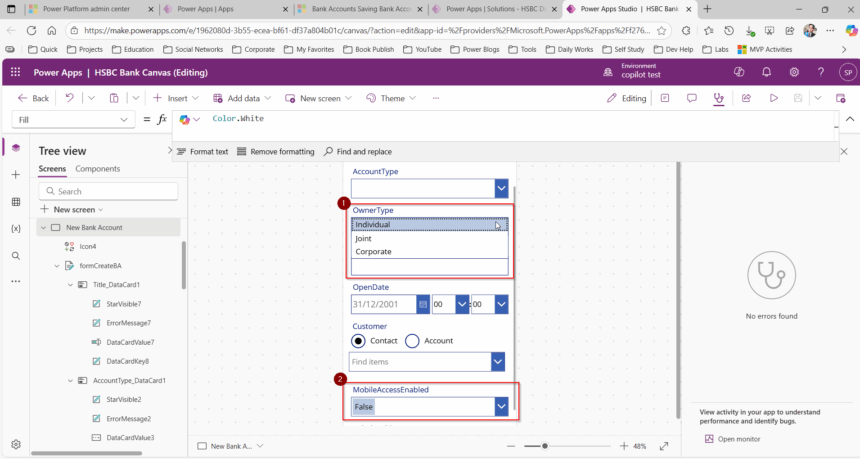
In the below canvas app screenshot, there is a combo box called Owner Type which is connected to Choice field with below powerfx. Owner Type is a Choice Field with Items Individual, Corporate and Joint.
Choices(‘OwnerType (Bank Accounts)’)
There is another Combo Box called as MobileAccessEnabled which is a choice Boolean YES/NO Values with beow Power FX.
Choices(‘MobileAccessEnabled (Bank Accounts)’)
Now requirement is When OwnerType is Coporate the MobileAccessEnabled Combo Box to be auto set as YES else False.
Solution
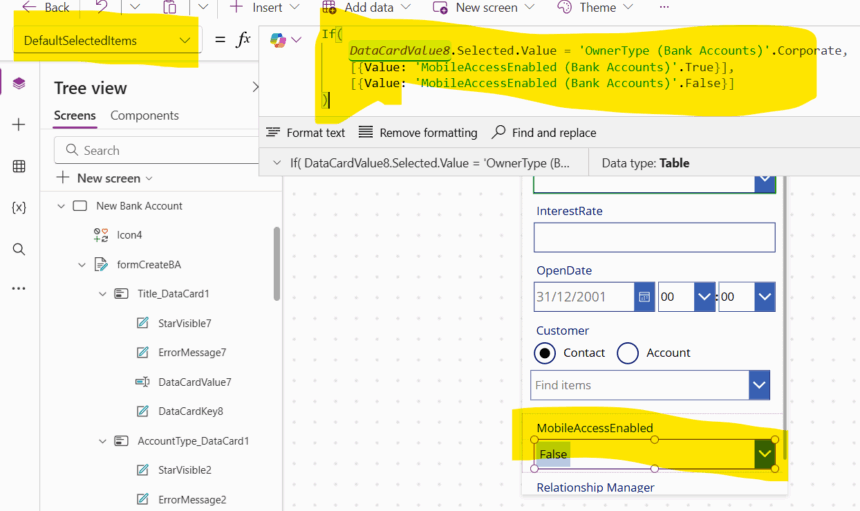
To achieve this, you have to Write a Power FX in DefaultSelectedItems property of MobileAccessEnabled Combo BOX as below.
If(
    DataCardValue8.Selected.Value = 'OwnerType (Bank Accounts)'.Corporate,
    [{Value: 'MobileAccessEnabled (Bank Accounts)'.True}],
    [{Value: 'MobileAccessEnabled (Bank Accounts)'.False}]
)
Hope It Helps.








