

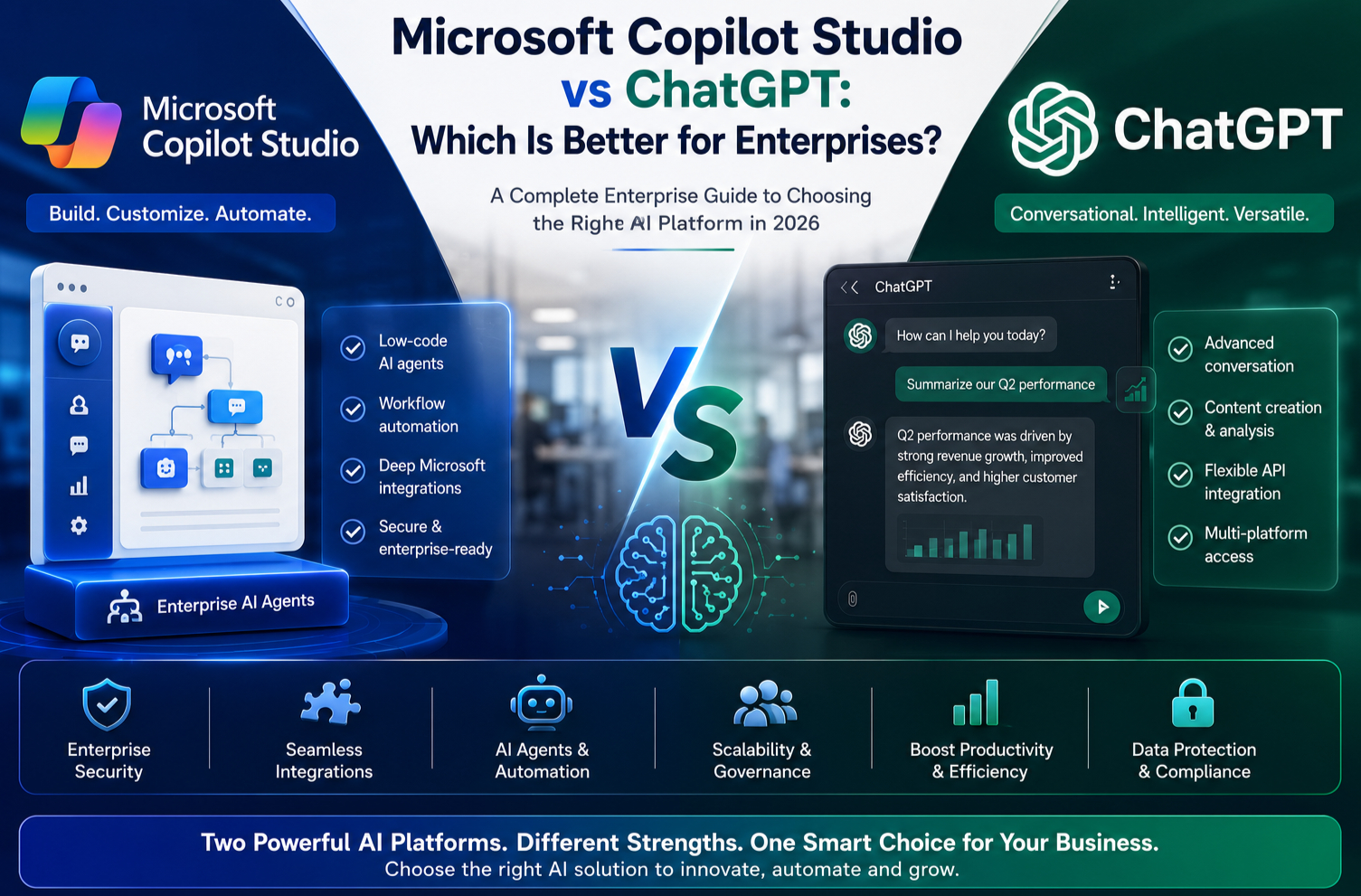
Microsoft Copilot Studio vs ChatGPT: Which Is Better for Enterprises?
Introduction
Artificial Intelligence has become a strategic investment for organisations of every size. Businesses are no longer exploring AI only for chatbots—they are using it to automate workflows, improve customer experiences, assist employees and analyse business data.
Among the most discussed AI platforms in 2026 are Microsoft Copilot Studio and ChatGPT. Both use advanced language models and can understand natural language, generate content and assist users with a wide variety of tasks. However, they are designed with different goals in mind.
For enterprise organisations, the decision is rarely about choosing the “better” AI. Instead, it is about selecting the platform that best aligns with business requirements, existing technology investments and governance needs.
In this guide, we’ll compare Microsoft Copilot Studio and ChatGPT across architecture, enterprise capabilities, security, integrations, automation, AI agents and real-world business scenarios to help you make an informed decision.
Understanding Microsoft Copilot Studio
Microsoft Copilot Studio is a low-code platform that enables organisations to create customised AI assistants and autonomous business agents.
Unlike a general-purpose chatbot, Copilot Studio is designed to connect with enterprise systems and automate business processes.
With Copilot Studio, organisations can create AI assistants that:
- Answer employee questions
- Retrieve business information
- Automate workflows
- Execute business actions
- Integrate with Microsoft 365
- Connect to Dynamics 365
- Access Dataverse data
- Trigger Power Automate flows
- Connect securely to third-party applications
Rather than being limited to conversations, Copilot Studio helps organisations build AI solutions that actively participate in business operations.
Understanding ChatGPT
ChatGPT is a conversational AI assistant capable of generating text, summarising information, writing code, brainstorming ideas, analysing documents and supporting many creative and technical tasks.
It can help individuals and teams with:
- Writing content
- Coding assistance
- Research
- Learning
- Data analysis
- Document summarisation
- Brainstorming
- Productivity
For enterprise use, ChatGPT can also be integrated into business workflows through APIs and enterprise offerings, depending on organisational requirements and implementation choices.
Key Differences at a Glance
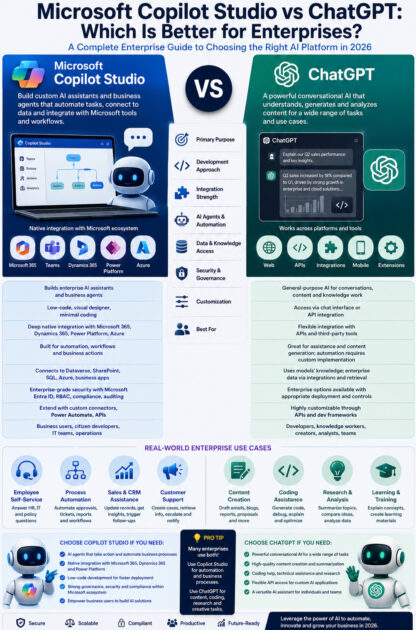
| Feature | Microsoft Copilot Studio | ChatGPT |
|---|---|---|
| Primary Purpose | Build enterprise AI assistants and business agents | General-purpose conversational AI |
| Low-Code Development | Yes | Not applicable as a development platform |
| Workflow Automation | Native with Power Automate | Requires custom integrations |
| Microsoft 365 Integration | Native | Via integrations where available |
| Dynamics 365 Integration | Native | Custom integration required |
| Dataverse Connectivity | Native | Custom implementation |
| Enterprise Governance | Built into Microsoft ecosystem | Depends on deployment and configuration |
| AI Agents | Purpose-built for business processes | Can be implemented through custom development |
| Target Audience | Organisations building business AI solutions | Individuals, teams and developers |
1. Ease of Enterprise Integration
One of the biggest strengths of Copilot Studio is its deep integration with Microsoft’s business ecosystem.
It connects directly with:
- Microsoft 365
- Microsoft Teams
- Power Apps
- Power Automate
- Dynamics 365
- Dataverse
- SharePoint
- Azure services
This allows organisations already using Microsoft technologies to extend existing business processes with AI.
ChatGPT can also be integrated into enterprise systems through APIs and custom development, making it suitable for organisations with broader technology stacks or specialised requirements.
Best Fit: Organisations heavily invested in Microsoft technologies often benefit from Copilot Studio’s native integrations, while organisations seeking broader conversational AI capabilities may choose ChatGPT with appropriate integrations.
2. AI Agent Capabilities
Copilot Studio focuses on creating AI agents that can perform business tasks rather than simply answer questions.
Examples include:
- Creating support tickets
- Checking leave balances
- Scheduling meetings
- Updating CRM records
- Starting approval workflows
- Generating reports
These actions can be completed through integrated business processes.
ChatGPT excels at generating high-quality conversational responses and can support agent-like workflows when combined with APIs, tools and application logic.
Best Fit: For business process automation with Microsoft services, Copilot Studio offers built-in capabilities. For flexible conversational experiences and custom AI applications, ChatGPT is a strong option.
3. Low-Code vs Custom Development
Copilot Studio enables business users and citizen developers to create AI assistants using a visual interface.
Users can:
- Design conversations
- Connect data sources
- Configure actions
- Publish copilots
- Manage responses
Minimal coding is required for many scenarios.
ChatGPT is typically integrated into applications through APIs or existing interfaces. Developers can build highly customised AI experiences around it, but this generally requires more software development effort.
Best Fit: Copilot Studio for low-code business solutions; ChatGPT for highly customised AI experiences.
4. Security and Governance
Enterprise organisations prioritise:
- Identity management
- Role-based access
- Audit logging
- Data governance
- Compliance
- Administrative controls
Copilot Studio benefits from Microsoft’s enterprise ecosystem, including integration with Microsoft Entra ID and Power Platform governance features.
Enterprise deployments of ChatGPT can also be configured with organisational controls, depending on the chosen service and implementation approach.
Regardless of platform, organisations should establish policies for data handling, access control and responsible AI use.
5. Workflow Automation
Automation is where Copilot Studio has a significant advantage within the Microsoft ecosystem.
It works closely with Power Automate to:
- Trigger approvals
- Update databases
- Send emails
- Generate documents
- Create tasks
- Notify users
- Connect with hundreds of business applications
ChatGPT can participate in automated workflows through APIs and orchestration platforms, but automation capabilities are not built into ChatGPT itself.
6. Knowledge Management
Both platforms can help users access organisational knowledge.
Copilot Studio can be configured to retrieve information from approved enterprise sources such as SharePoint, Dataverse and other connected systems.
ChatGPT can also assist with knowledge retrieval when integrated with enterprise content and retrieval systems.
The quality of responses depends on the connected knowledge sources and implementation design.
7. Developer Experience
Developers working with Copilot Studio benefit from:
- Power Platform integration
- Visual development
- Built-in connectors
- Extensibility through custom connectors and APIs
- Low-code configuration
Developers using ChatGPT can create highly customised applications through APIs and integrate AI into web, mobile and enterprise software.
The right choice depends on whether the goal is rapid business automation or building bespoke AI-powered applications.
Real-World Business Scenarios
Human Resources
Copilot Studio
Employees ask:
“How many annual leave days do I have remaining?”
The AI assistant retrieves the information from HR systems and can initiate leave requests.
ChatGPT
Can help draft HR policies, onboarding materials, training content and employee communications. With appropriate integrations, it can also participate in HR workflows.
Sales
Copilot Studio
Sales representatives can:
- Retrieve CRM information
- Update opportunities
- Schedule follow-ups
- Trigger approval processes
ChatGPT
Supports sales teams by drafting emails, preparing meeting agendas, summarising customer interactions and generating proposals.
Customer Service
Copilot Studio
Can authenticate users, retrieve case information, create tickets and trigger workflows connected to enterprise systems.
ChatGPT
Can generate natural responses, explain products, summarise conversations and assist agents, particularly when integrated with customer service platforms.
Advantages of Microsoft Copilot Studio
- Native Microsoft ecosystem integration
- Low-code development
- Built-in workflow automation
- Strong support for enterprise business processes
- Easy integration with Power Platform
- AI agents designed for operational tasks
- Suitable for citizen developers and IT teams working together
Advantages of ChatGPT
- Highly capable conversational AI
- Excellent writing, summarisation and coding assistance
- Flexible API-based integration
- Broad applicability across industries and use cases
- Strong support for knowledge work, brainstorming and content creation
- Useful for developers building custom AI applications
Can Organisations Use Both?
Absolutely.
Many organisations adopt a complementary approach rather than choosing one platform exclusively.
For example:
- Use Copilot Studio to automate internal business processes, employee self-service and Microsoft-based workflows.
- Use ChatGPT for content creation, software development assistance, research, customer communication drafting and other conversational AI scenarios.
A combined strategy allows organisations to benefit from the strengths of both platforms while meeting different business needs.
Best Practices for Enterprise AI Adoption
Regardless of the platform you choose:
- Define clear business objectives.
- Establish AI governance and responsible AI policies.
- Protect sensitive organisational data.
- Train employees on effective AI usage.
- Validate AI-generated outputs before acting on them.
- Monitor adoption and continuously improve AI experiences.
- Start with high-value business scenarios and expand gradually.
Future Trends
The enterprise AI landscape continues to evolve rapidly. Key trends include:
- Autonomous AI agents
- Multi-agent collaboration
- Natural language business automation
- AI-powered workflow orchestration
- Intelligent knowledge management
- Context-aware enterprise assistants
- AI integrated across productivity, CRM and ERP platforms
Both Microsoft Copilot Studio and ChatGPT are expected to continue expanding their enterprise capabilities as organisations increase their investment in AI.
Which Platform Should You Choose?
Choose Microsoft Copilot Studio if your organisation:
- Uses Microsoft 365, Dynamics 365 or the Power Platform extensively
- Wants low-code AI development
- Needs AI agents that automate business processes
- Requires deep integration with Microsoft business applications
- Wants business users to build AI solutions with IT governance
Choose ChatGPT if your organisation:
- Needs versatile conversational AI for a wide range of tasks
- Wants strong support for writing, coding and knowledge work
- Plans to build custom AI-powered applications through APIs
- Has a mixed technology environment beyond Microsoft services
For many enterprises, the most effective strategy is to evaluate both platforms against specific business scenarios rather than assuming one replaces the other.
Final Thoughts
Microsoft Copilot Studio and ChatGPT are both powerful AI technologies, but they are designed to solve different enterprise challenges.
Copilot Studio excels at building AI assistants that integrate with Microsoft’s business ecosystem, automate workflows and support operational efficiency through low-code development. It is particularly valuable for organisations already invested in Microsoft 365, Dynamics 365 and the Power Platform.
ChatGPT shines as a versatile conversational AI that supports content creation, coding assistance, research, learning and custom AI application development. Its flexibility makes it useful across many industries and technical environments.
Ultimately, the best choice depends on your organisation’s goals, existing technology landscape and the types of AI experiences you want to deliver. In many cases, using both platforms together provides the greatest value—combining enterprise automation with advanced conversational intelligence.









