
Power Pages vs Traditional Web Development: Which Should You Choose?
Introduction
Building a website has evolved dramatically over the past decade. Businesses no longer rely solely on traditional coding frameworks to create customer portals, business websites and self-service applications. Today, organizations can choose between low-code platforms like Microsoft Power Pages and traditional web development frameworks such as ASP.NET Core, React, Angular, Node.js and PHP.
This raises an important question:
Should you build your next website using Microsoft Power Pages or invest in traditional web development?
The answer depends on your business goals, budget, timeline, technical expertise and future scalability requirements.
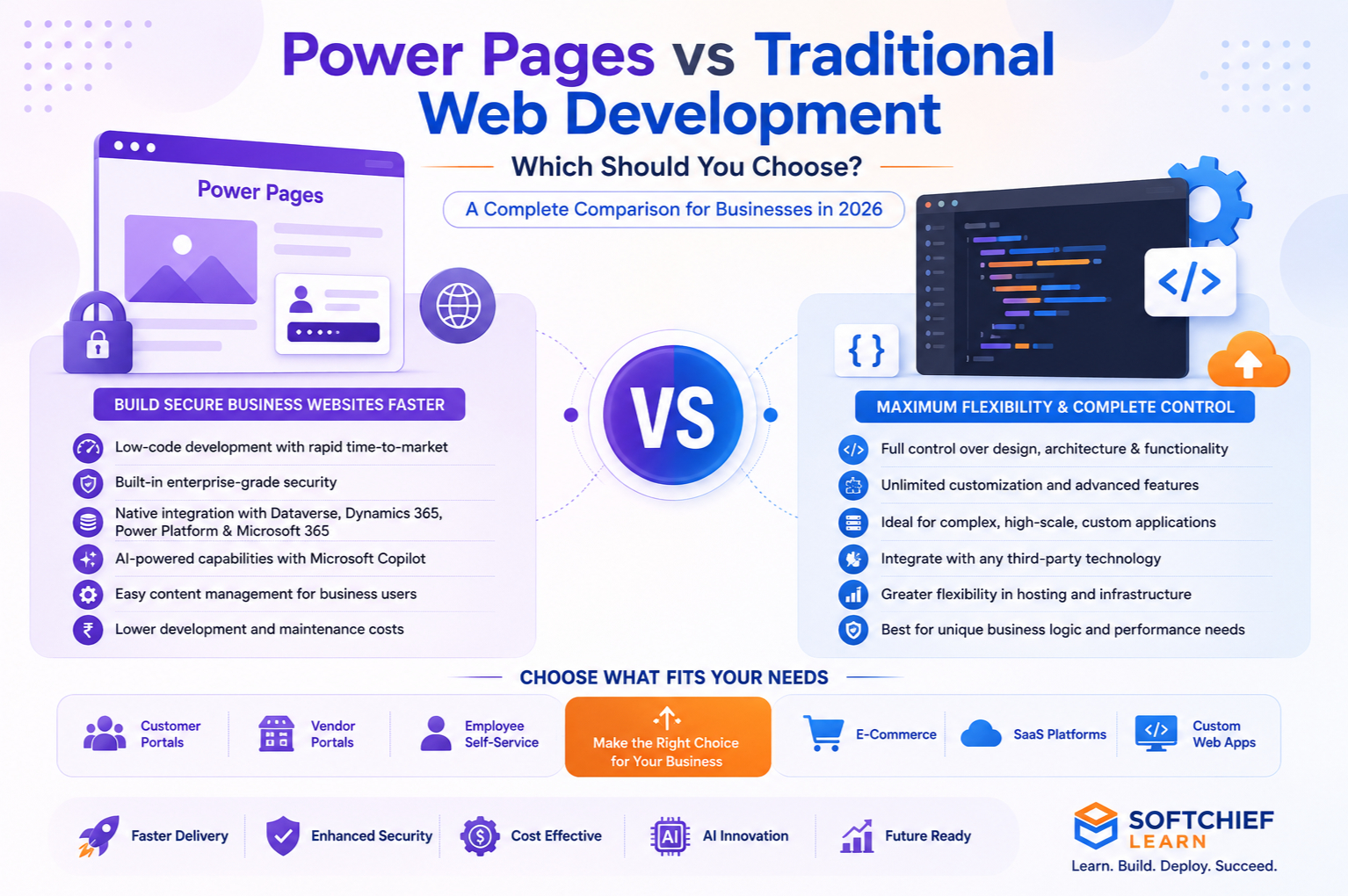
Both approaches have unique strengths. Traditional development offers maximum flexibility and customization, while Power Pages enables organizations to build secure, data-driven business websites much faster with significantly less code.
In this comprehensive guide, we’ll compare Power Pages vs Traditional Web Development across architecture, development speed, security, AI capabilities, scalability, maintenance, integrations and real-world use cases to help you make an informed decision.
What is Microsoft Power Pages?
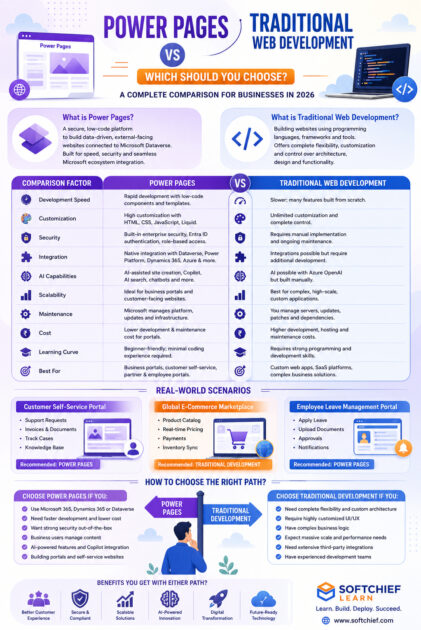
Microsoft Power Pages is a secure, enterprise-grade, low-code Software-as-a-Service (SaaS) platform that enables organizations to create external-facing websites connected to Microsoft Dataverse.
Unlike traditional Content Management Systems (CMS), Power Pages is designed specifically for business applications that require secure authentication, role-based access and seamless integration with Microsoft business solutions.
Using Power Pages, organizations can quickly build:
- Customer portals
- Vendor portals
- Employee self-service portals
- Citizen service portals
- Partner portals
- Event registration websites
- Application submission portals
- Membership portals
- Knowledge portals
- Service request websites
Power Pages is part of the Microsoft Power Platform ecosystem and integrates seamlessly with:
- Microsoft Dataverse
- Power Automate
- Power Apps
- Power BI
- Dynamics 365
- Microsoft Entra ID
- Azure services
- Microsoft Copilot
What is Traditional Web Development?
Traditional web development involves creating websites and web applications using programming languages, frameworks and development tools.
Common technologies include:
Frontend:
- HTML5
- CSS3
- JavaScript
- React
- Angular
- Vue.js
Backend:
- ASP.NET Core
- Node.js
- Java Spring Boot
- PHP Laravel
- Python Django
- Ruby on Rails
Database:
- SQL Server
- PostgreSQL
- MySQL
- MongoDB
Traditional development provides complete control over every aspect of an application, including architecture, UI, database design, integrations and deployment.
Power Pages vs Traditional Web Development: Side-by-Side Comparison
1. Development Speed
Power Pages
One of the biggest advantages of Power Pages is rapid development.
Developers can create a functional business portal within days rather than months.
Built-in components include:
- Forms
- Lists
- Authentication
- Role management
- Responsive templates
- Search
- Navigation
- Dataverse integration
Much of the repetitive development work is already handled by the platform.
Traditional Development
Traditional development requires building many features from scratch.
Tasks often include:
- User authentication
- Database design
- API development
- Security implementation
- Responsive layouts
- Deployment pipelines
While this offers greater flexibility, it also increases development time.
Winner: Power Pages for speed.
2. Customization
Power Pages
Power Pages provides extensive customization using:
- HTML
- CSS
- JavaScript
- Liquid Templates
- Web Templates
- Power Platform Components
For most business applications, these capabilities are sufficient.
However, extremely complex user experiences may require workarounds.
Traditional Development
Traditional development provides unlimited flexibility.
Developers control:
- Architecture
- UI design
- Business logic
- Database schema
- APIs
- Performance optimization
- Third-party integrations
Winner: Traditional Web Development.
3. Security
Security is one of the strongest reasons many organizations choose Power Pages.
Built-in capabilities include:
- Microsoft Entra ID authentication
- Role-based security
- Dataverse permissions
- HTTPS
- Identity providers
- Secure data access
- Managed infrastructure
- Compliance support
Traditional development requires developers to implement and maintain many of these security controls manually.
Improper implementation can introduce vulnerabilities.
Winner: Power Pages for out-of-the-box enterprise security.
4. Integration with Microsoft Ecosystem
Power Pages is tightly integrated with Microsoft’s business platform.
Native integrations include:
- Dynamics 365
- Dataverse
- Power Apps
- Power Automate
- Power BI
- Microsoft Teams
- Azure AI
- Microsoft Copilot
Traditional applications can integrate with the same services, but additional development effort is usually required.
Winner: Power Pages.
5. AI Capabilities
Artificial Intelligence is becoming a standard requirement for modern business applications.
Power Pages supports AI features such as:
- AI-assisted site creation
- Copilot-generated content
- Intelligent form creation
- Natural language assistance
- AI-powered search
- AI chatbot integration
Traditional development can integrate with AI services like Azure OpenAI, but developers must build these experiences manually.
Winner: Power Pages for rapid AI adoption.
6. Scalability
Both approaches can scale effectively when designed correctly.
Power Pages is suitable for:
- Business portals
- Customer service websites
- Vendor collaboration
- Employee portals
- Government services
Traditional development is ideal for:
- Large SaaS platforms
- Streaming services
- Gaming platforms
- High-frequency transaction systems
- Custom enterprise applications
Winner: Depends on business requirements.
7. Maintenance
Maintaining custom applications often requires:
- Server updates
- Framework upgrades
- Security patches
- Dependency management
- Infrastructure monitoring
Power Pages significantly reduces maintenance because Microsoft manages much of the underlying platform.
This allows organizations to focus on business functionality rather than infrastructure.
Winner: Power Pages.
8. Cost
Cost comparisons depend on project scope.
Power Pages may reduce costs through:
- Faster development
- Lower maintenance
- Reduced infrastructure management
- Built-in security
- Minimal coding
Traditional development may involve:
- Larger development teams
- Ongoing infrastructure costs
- Security maintenance
- Hosting expenses
- Longer development timelines
For highly customized applications, traditional development may still be the more appropriate long-term investment.
Winner: Power Pages for many business portal scenarios.
9. Learning Curve
Power Pages
Business users and citizen developers can quickly begin building solutions with minimal coding experience.
Professional developers can extend functionality using:
- JavaScript
- HTML
- CSS
- Liquid
- Web APIs
Traditional Development
Requires proficiency in programming languages, software architecture, databases and deployment practices.
Learning paths are generally longer but provide greater flexibility.
Winner: Power Pages.
10. Future-Proofing
Microsoft continues to invest heavily in the Power Platform ecosystem.
Power Pages benefits from:
- Continuous cloud updates
- AI innovations through Microsoft Copilot
- Improved security
- Enhanced integrations
- Low-code productivity enhancements
Traditional development also remains future-proof, particularly when using modern frameworks such as ASP.NET Core, React and containerized architectures.
The best choice depends on the organization’s long-term technology strategy.
Real-World Scenarios
Scenario 1: Customer Self-Service Portal
A manufacturing company wants customers to:
- Submit support requests
- Download invoices
- Track service cases
- View product documentation
Recommended Solution: Power Pages
Why?
The organization already uses Dynamics 365 Customer Service and Dataverse, allowing the portal to be built quickly with secure, role-based access.
Scenario 2: Global E-Commerce Marketplace
A startup plans to build:
- Product catalogues
- Vendor management
- Real-time pricing
- AI recommendations
- Payment processing
- Inventory synchronization
Recommended Solution: Traditional Web Development
Why?
The application requires extensive customization, high scalability and unique business logic beyond the scope of a low-code portal.
Scenario 3: Employee Leave Management Portal
An enterprise needs employees to:
- Apply for leave
- Upload documents
- View payslips
- Track approvals
- Receive notifications
Recommended Solution: Power Pages
Combined with Power Automate and Dataverse, the solution can be delivered quickly with minimal custom code.
When Should You Choose Power Pages?
Power Pages is an excellent choice when:
- You already use Microsoft 365 or Dynamics 365.
- Your data resides in Microsoft Dataverse.
- You need rapid development.
- Security and compliance are priorities.
- Business users need to maintain content.
- You want to reduce development costs.
- You need AI-powered capabilities with minimal effort.
- You’re building portals rather than highly customized web applications.
When Should You Choose Traditional Web Development?
Traditional development is the better option when:
- Your application requires complete architectural flexibility.
- You need highly customized UI/UX.
- Your platform has unique business logic.
- You expect millions of concurrent users with specialized performance requirements.
- You require extensive third-party integrations.
- You need complete control over hosting and infrastructure.
- Your team already has strong software engineering expertise.
Can Power Pages and Traditional Development Work Together?
Absolutely. In many enterprise environments, the best solution is a hybrid approach.
For example:
- Power Pages serves as the secure customer or partner portal.
- ASP.NET Core Web APIs provide custom backend services.
- React or Angular powers highly interactive frontend components where needed.
- Azure Functions handle serverless business logic.
- Power Automate orchestrates workflows.
- Dataverse acts as the central business data platform.
This approach combines the productivity of low-code with the flexibility of traditional development.
Best Practices
To maximize success with either approach:
- Clearly define business requirements before choosing a platform.
- Prioritize security from the beginning.
- Design responsive user experiences.
- Plan integrations early.
- Use AI responsibly to enhance productivity.
- Automate business processes where possible.
- Follow accessibility and compliance standards.
- Invest in user training and documentation.
- Monitor application performance continuously.
- Build with scalability and future growth in mind.
Career Opportunities
Professionals with expertise in Power Pages and modern web development are increasingly sought after.
Popular career paths include:
- Microsoft Power Pages Developer
- Power Platform Consultant
- Dynamics 365 Consultant
- Full Stack .NET Developer
- ASP.NET Core Developer
- Solution Architect
- Power Platform Solution Architect
- Web Application Developer
- Azure Developer
- Low-Code Application Specialist
Learning both Power Pages and traditional web technologies creates a versatile skill set that is highly valued in digital transformation projects.
Learn Power Pages and Modern Web Development with Softchief Learn
At Softchief Learn, we provide comprehensive, hands-on training that equips learners with practical skills for today’s enterprise technology landscape.
Our training programs include:
- Microsoft Power Pages
- Power Apps
- Power Automate
- Microsoft Dataverse
- Dynamics 365
- ASP.NET Core
- C# Programming
- JavaScript
- Azure Fundamentals
- Microsoft Copilot Studio
- AI Integration with Power Platform
- Live Projects and Industry Case Studies
Whether you’re a beginner exploring low-code development or an experienced developer expanding your Microsoft ecosystem expertise, our expert-led courses are designed to help you build job-ready skills and accelerate your career.
Conclusion
The choice between Power Pages and Traditional Web Development is not about determining which technology is universally better—it’s about selecting the right tool for the right problem.
Power Pages excels at rapidly delivering secure, data-driven business portals with minimal coding, making it ideal for organizations already invested in the Microsoft ecosystem. Traditional web development, on the other hand, provides the flexibility and control required for highly customized, feature-rich applications and large-scale platforms.
In many cases, the most effective enterprise solutions combine both approaches, leveraging Power Pages for portal experiences while using technologies like ASP.NET Core, React and Azure services for advanced business logic and custom functionality.
By understanding the strengths, limitations and ideal use cases of each approach, businesses and developers can make informed technology decisions that support long-term growth, innovation and digital transformation.









