
CQRS and MediatR in ASP.NET Core: A Practical Guide for Modern Enterprise Applications
Introducion
Modern enterprise applications rarely remain simple CRUD systems for long. As an application grows, business rules become more complex, APIs handle different types of workloads, and development teams need a structure that keeps features maintainable and testable.
A common challenge is that read operations and business operations often have very different requirements. A customer dashboard may need optimized queries and lightweight data, while creating an order may require validation, business rules, transactions and integration with other services.
This is where CQRS (Command Query Responsibility Segregation) can be useful.
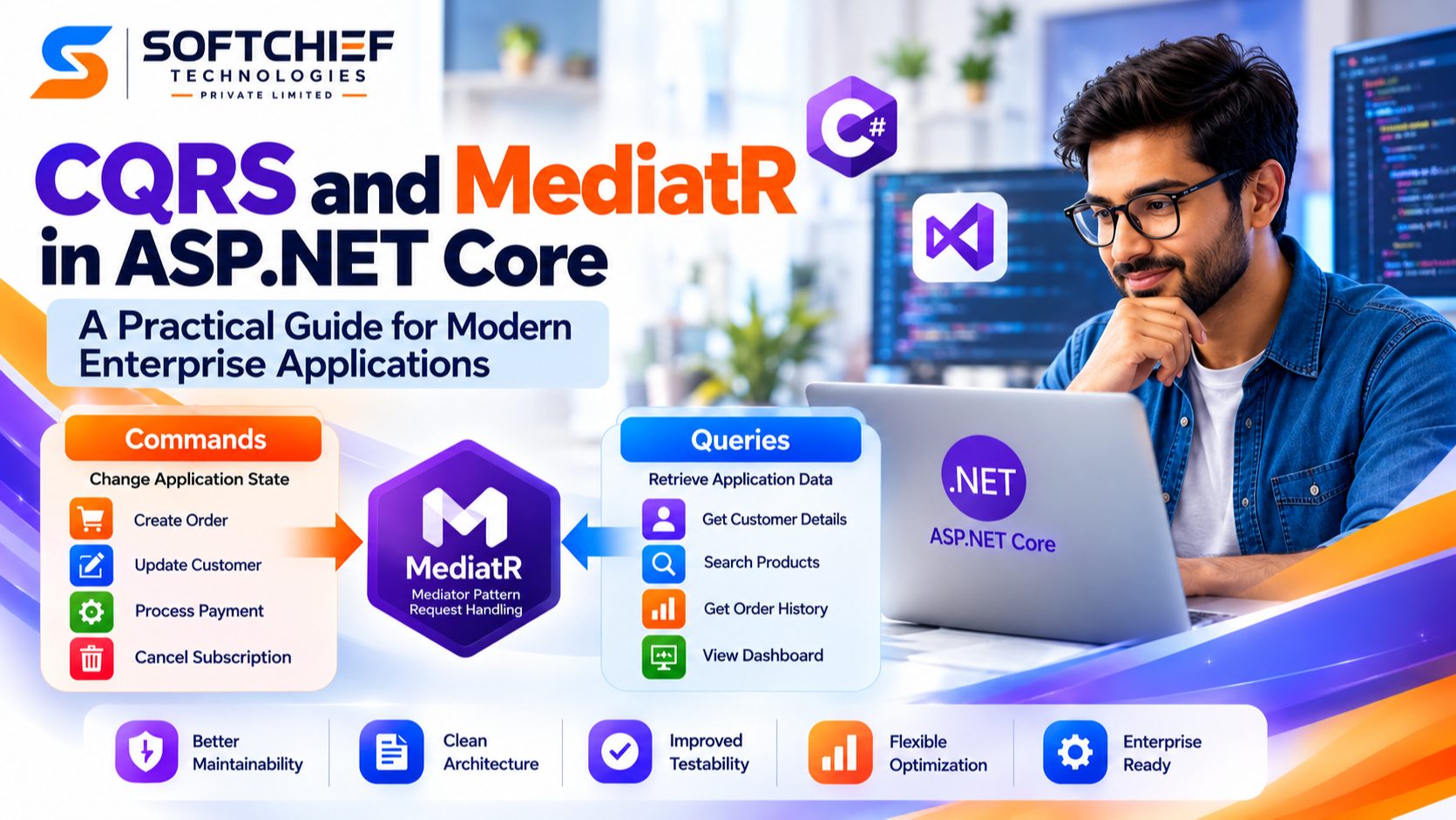
CQRS separates operations that change application state from operations that retrieve application data. In ASP.NET Core applications, developers can use libraries such as MediatR to implement a mediator-based request-handling approach for commands and queries.
However, CQRS and MediatR are not the same thing.
- CQRS is an architectural pattern.
- MediatR is a .NET library that implements the Mediator pattern.
- CQRS can be implemented without MediatR.
- MediatR can be used without implementing full CQRS.
When applied appropriately, the combination can provide a clean way to organize application workflows, business operations and cross-cutting concerns.
This guide explains how CQRS and MediatR work together in ASP.NET Core, when to use them, their benefits and limitations, and how to structure a practical implementation.
What Is CQRS?
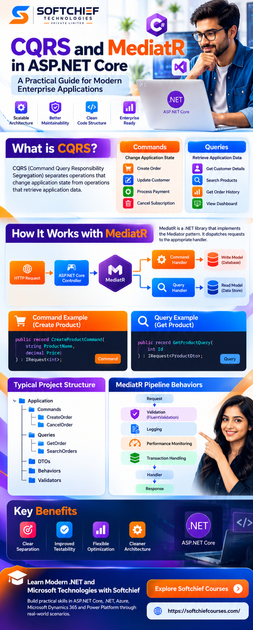
CQRS stands for Command Query Responsibility Segregation.
The core idea is to separate operations that change application state from operations that read application state.
A command represents an intention to change something.
Examples include:
- Create an order
- Update a customer
- Approve an invoice
- Cancel a subscription
- Process a payment
A query retrieves information without changing application state.
Examples include:
- Get customer details
- Search products
- Retrieve order history
- Get sales information
- Display a dashboard
A simplified model looks like this:
                 Application

                     API
                      |
          -------------------------
          |                       |
       Commands                 Queries
          |                       |
    Command Handler         Query Handler
          |                       |
      Write Model             Read Model
          |                       |
       Database              Data Store
The important point is that CQRS does not necessarily require separate databases.
A small or medium-sized application can use the same database while keeping command and query code logically separate.
More complex systems may introduce dedicated read models or separate data stores when the application’s requirements justify the additional complexity.
Traditional CRUD vs CQRS
In a traditional CRUD application, a service might contain operations such as:
CustomerService

CreateCustomer()
UpdateCustomer()
DeleteCustomer()
GetCustomer()
SearchCustomers()
This can be perfectly appropriate for straightforward applications.
The challenge appears when the service starts accumulating:
- Complex business rules
- Multiple integrations
- Complicated queries
- Reporting requirements
- Authorization rules
- Transaction management
- Different performance requirements
The result can become a large service with many unrelated responsibilities.
With CQRS, those responsibilities can be separated:
                 Customer API
                      |
          -------------------------
          |                       |
       Commands                 Queries
          |                       |
CreateCustomerCommand     GetCustomerQuery
UpdateCustomerCommand     SearchCustomersQuery
DeleteCustomerCommand     GetCustomerQuery
          |                       |
      Handlers                 Handlers
This separation makes it easier to reason about individual application operations.
Understanding Commands
A command represents an operation that intends to change application state.
For example:
public record CreateCustomerCommand(
    string Name,
    string Email
);
The command does not contain the implementation of the operation.
It simply describes the requested action.
Conceptually:
CreateCustomerCommand

Name: John Smith
Email: john@example.com
The handler decides how that request should be processed.
Understanding Queries
A query represents an operation that retrieves information without modifying application state.
For example:
public record GetCustomerQuery(int CustomerId);
A query handler can retrieve the required information and return a DTO specifically designed for the API.
GetCustomerQuery
       |
       v
Query Handler
       |
       v
Database
       |
       v
CustomerDto
This allows the read operation to be optimized independently from business operations where necessary.
What Is MediatR?
MediatR is a .NET library based on the Mediator design pattern.
The Mediator pattern allows components to communicate through a central mediator rather than directly depending on one another.
Without a mediator, an API controller might directly depend on several application services.
Controller
    |
    +-- CustomerService
    |
    +-- PaymentService
    |
    +-- NotificationService
With a mediator-based approach:
Controller
    |
    v
  Mediator
    |
    v
Request Handler
The controller sends a request, and the mediator dispatches it to the appropriate handler.
This can reduce direct dependencies in the API layer.
CQRS and MediatR: How Do They Work Together?
CQRS defines how responsibilities are separated.
MediatR provides a mechanism for dispatching requests to handlers.
For example:
HTTP Request
     |
     v
ASP.NET Core Controller
     |
     v
MediatR
     |
     v
CreateOrderHandler
     |
     v
Domain/Application Logic
     |
     v
Database
For a query:
HTTP Request
     |
     v
ASP.NET Core Controller
     |
     v
MediatR
     |
     v
GetOrderHandler
     |
     v
Database
     |
     v
OrderDto
This structure can make individual application operations easier to locate, test and maintain.
A Practical CQRS Project Structure
A typical ASP.NET Core application might organize its application layer like this:
Application
│
├── Commands
│   ├── CreateOrder
│   │   ├── CreateOrderCommand.cs
│   │   └── CreateOrderHandler.cs
│   │
│   └── CancelOrder
│       ├── CancelOrderCommand.cs
│       └── CancelOrderHandler.cs
│
├── Queries
│   ├── GetOrder
│   │   ├── GetOrderQuery.cs
│   │   └── GetOrderHandler.cs
│   │
│   └── SearchOrders
│       ├── SearchOrdersQuery.cs
│       └── SearchOrdersHandler.cs
│
├── DTOs
│
├── Behaviors
│
└── Validators
Infrastructure-related components can remain separately organized:
Infrastructure
│
├── Persistence
├── Repositories
├── ExternalServices
└── Integrations
The exact structure should depend on the application’s size and architectural requirements.
There is no requirement that every ASP.NET Core application must use this exact folder structure.
Implementing CQRS with MediatR
Let’s look at a simplified product example.
Step 1: Define the Command
A command can implement IRequest<T> when it needs to return a result.
public record CreateProductCommand(
    string ProductName,
    decimal Price
) : IRequest<int>;
Here, int represents the response type.
The application expects the handler to return the ID of the newly created product.
Step 2: Create the Command Handler
The handler processes the command.
public class CreateProductHandler
    : IRequestHandler<CreateProductCommand, int>
{
    private readonly ApplicationDbContext _context;

    public CreateProductHandler(ApplicationDbContext context)
    {
        _context = context;
    }

    public async Task<int> Handle(
        CreateProductCommand request,
        CancellationToken cancellationToken)
    {
        var product = new Product
        {
            Name = request.ProductName,
            Price = request.Price
        };

        _context.Products.Add(product);

        await _context.SaveChangesAsync(cancellationToken);

        return product.Id;
    }
}
The handler is responsible for processing one application operation.
In a real enterprise application, the handler may also interact with domain logic, repositories or other application services depending on the architecture.
Step 3: Create a Query
A query can be defined as:
public record GetProductQuery(
    int Id
) : IRequest<ProductDto>;
The query requests a specific product.
Step 4: Create the Query Handler
public class GetProductHandler
    : IRequestHandler<GetProductQuery, ProductDto>
{
    private readonly ApplicationDbContext _context;

    public GetProductHandler(ApplicationDbContext context)
    {
        _context = context;
    }

    public async Task<ProductDto> Handle(
        GetProductQuery request,
        CancellationToken cancellationToken)
    {
        var product = await _context.Products
            .AsNoTracking()
            .Where(x => x.Id == request.Id)
            .Select(x => new ProductDto
            {
                Id = x.Id,
                Name = x.Name,
                Price = x.Price
            })
            .SingleOrDefaultAsync(cancellationToken);

        if (product is null)
        {
            throw new KeyNotFoundException(
                $"Product with ID {request.Id} was not found.");
        }

        return product;
    }
}
Notice that the query returns a DTO instead of exposing the database entity directly.
This approach can help keep the API contract separate from the persistence model.
Step 5: Send the Request Through MediatR
A controller can send the command through MediatR:
[HttpPost]
public async Task<IActionResult> Create(
    CreateProductCommand command,
    CancellationToken cancellationToken)
{
    var productId = await _mediator.Send(
        command,
        cancellationToken);

    return Ok(productId);
}
For a query:
[HttpGet("{id:int}")]
public async Task<IActionResult> Get(
    int id,
    CancellationToken cancellationToken)
{
    var result = await _mediator.Send(
        new GetProductQuery(id),
        cancellationToken);

    return Ok(result);
}
The controller remains focused primarily on HTTP concerns while application behavior resides in handlers.
MediatR Pipeline Behaviors
One of the useful features of MediatR is its pipeline behavior mechanism.
Pipeline behaviors can execute logic around request handling.
A simplified flow looks like:
Request
   |
   v
Validation Behavior
   |
   v
Logging Behavior
   |
   v
Performance Behavior
   |
   v
Handler
   |
   v
Response
Common use cases include:
- Validation
- Logging
- Performance measurement
- Transaction handling
- Request tracing
- Application-level authorization checks
This helps avoid repeating the same cross-cutting logic in every handler.
Validation with FluentValidation
For example, a product command could have validation rules:
public class CreateProductValidator
    : AbstractValidator<CreateProductCommand>
{
    public CreateProductValidator()
    {
        RuleFor(x => x.ProductName)
            .NotEmpty()
            .MaximumLength(200);

        RuleFor(x => x.Price)
            .GreaterThan(0);
    }
}
The validation logic remains separate from the command handler.
The handler can therefore focus on the application operation instead of containing a long list of input-validation rules.
CQRS with Entity Framework Core
Entity Framework Core is commonly used for persistence in ASP.NET Core applications.
A CQRS implementation can use EF Core on both the command and query sides.
For example:
Command Handler
      |
      v
Entity Framework Core
      |
      v
Database
And:
Query Handler
      |
      v
Entity Framework Core
      |
      v
Database
This is still CQRS if the application maintains separate command and query responsibilities.
A separate read database is not required.
For read-heavy workloads, developers may choose technologies such as Dapper or optimized SQL queries where appropriate.
When Should You Use a Separate Read Model?
A more advanced CQRS architecture may introduce a dedicated read model.
For example:
                 Application
                      |
            ---------------------
            |                   |
        Command              Query
            |                   |
        Write Model          Read Model
            |                   |
       Write Database      Read Database
This can be useful when read and write workloads have substantially different requirements.
For example, an e-commerce platform might use:
- A transactional database for orders
- A denormalized read model for dashboards
- A reporting database for analytics
However, this architecture introduces additional concerns such as:
- Data synchronization
- Event processing
- Eventual consistency
- Failure handling
- Monitoring
- Operational complexity
Therefore, it should be introduced because the application needs it—not simply because CQRS is being used.
Real-World Example: E-Commerce Application
Consider an e-commerce platform.
The application needs to support:
Commands
Place Order
Cancel Order
Update Shipping Address
Process Payment
Queries
Get Order Details
View Order History
Search Orders
View Customer Dashboard
A possible architecture is:
                 E-Commerce API
                       |
             ---------------------
             |                   |
         Commands              Queries
             |                   |
          Handlers             Handlers
             |                   |
        Write Model          Read Model
             |                   |
       Transaction DB       Read Store
The write side can focus on transactional consistency and business rules.
The read side can be optimized for the data required by customers, support teams and reporting interfaces.
CQRS and Event-Driven Architecture
CQRS can also be combined with event-driven architecture.
For example:
CreateCustomerCommand
          |
          v
Customer Handler
          |
          v
Customer Created
       Event
          |
    ----------------
    |       |      |
    v       v      v
 Email   Billing  Analytics
Service   Service   Service
This allows other parts of a distributed system to react to business events.
However, event-driven CQRS introduces additional architectural considerations, including:
- Event delivery
- Retry strategies
- Idempotency
- Event versioning
- Eventual consistency
- Dead-letter handling
- Observability
These concerns should be addressed before adopting this architecture in production.
Benefits of CQRS and MediatR
1. Clear Separation of Responsibilities
Commands and queries have different purposes.
This makes application behavior easier to organize.
2. Focused Handlers
Each handler can represent a specific application operation.
For example:
CreateOrderHandler
CancelOrderHandler
GetOrderHandler
SearchOrdersHandler
This can make features easier to locate and test.
3. Improved Testability
Handlers can be tested independently.
For example, a test can focus specifically on:
CreateOrderHandler
without requiring an end-to-end test for every aspect of the API.
4. Flexible Read and Write Optimization
When application requirements justify it, read and write paths can be optimized independently.
The query side might use projections, caching or specialized read models, while the command side can focus on transactional business operations.
5. Cleaner Cross-Cutting Concerns
Pipeline behaviors can centralize concerns such as:
- Validation
- Logging
- Performance monitoring
- Transactions
This can reduce repetitive code.
Challenges of CQRS and MediatR
CQRS is not a universal solution.
1. Additional Complexity
A simple CRUD application might require only:
Controller
   |
Service
   |
Database
Introducing:
Command
Handler
Query
Handler
DTO
Behavior
Validator
may create unnecessary complexity for a small application.
2. More Code
CQRS typically introduces additional classes and abstractions.
Teams should consider whether the additional structure provides enough value for the application.
3. Eventual Consistency
When separate read models are introduced, the read side may not immediately reflect changes made to the write side.
This is an important consideration for user experience and business processes.
4. Operational Complexity
Distributed CQRS implementations can require additional infrastructure for:
- Messaging
- Event processing
- Monitoring
- Retry handling
- Data synchronization
The architecture should therefore evolve according to actual requirements.
CQRS Best Practices for ASP.NET Core
1. Don’t Use CQRS Everywhere
CQRS is particularly useful when an application has meaningful differences between its read and write workloads or complex business operations.
For straightforward CRUD applications, a simpler architecture may be easier to maintain.
2. Keep Handlers Focused
A handler should represent a coherent application operation.
Avoid creating handlers that contain unrelated business workflows.
3. Use DTOs for API Contracts
Avoid exposing persistence entities directly from APIs when doing so creates unwanted coupling.
Instead, use dedicated request and response models where appropriate.
4. Keep Business Rules in the Appropriate Layer
Not every business rule belongs inside a MediatR handler.
For domain-heavy applications, important business invariants may belong in domain entities or domain services.
The handler can coordinate the application workflow while domain logic remains within the domain model.
5. Use Pipeline Behaviors for Cross-Cutting Concerns
Validation, logging and performance monitoring are good candidates for reusable pipeline behaviors.
This keeps individual handlers focused.
6. Optimize Queries Based on Evidence
Don’t introduce Dapper, separate databases, caching or read replicas simply because they are commonly associated with CQRS.
Measure application behavior first and introduce optimization where there is a demonstrated requirement.
7. Consider Cancellation Tokens
ASP.NET Core applications should propagate cancellation tokens through asynchronous operations where appropriate.
For example:
await _context.SaveChangesAsync(cancellationToken);
and:
await _mediator.Send(command, cancellationToken);
This helps the application respond appropriately when a request is cancelled.
CQRS and Clean Architecture
CQRS can work well with Clean Architecture because both approaches encourage separation of responsibilities.
A simplified architecture might look like:
Presentation
     |
     v
Application
     |
     v
Domain
     |
     v
Infrastructure
The application layer can contain:
- Commands
- Queries
- Handlers
- DTOs
- Application services
- Pipeline behaviors
The domain layer can contain:
- Entities
- Value objects
- Domain services
- Business rules
- Domain events
Infrastructure can handle:
- EF Core
- Database access
- External APIs
- Messaging
- File storage
CQRS does not require Clean Architecture, but the two approaches can complement each other in complex systems.
CQRS and Microservices
CQRS can also be used within microservices.
For example, an Order service might expose:
Commands

Create Order
Cancel Order
Confirm Order
and:
Queries

Get Order
Get Order History
Search Orders
Each service can maintain its own application logic and persistence strategy.
However, microservices already introduce operational complexity, so CQRS should be introduced only where it provides a clear architectural benefit.
When Should You Use CQRS?
CQRS can be considered when an application has one or more of the following characteristics:
- Complex business workflows
- Significant differences between read and write workloads
- Complex domain logic
- Different read and write performance requirements
- Reporting or dashboard workloads
- Multiple consumers of business events
- A need for independently optimized read models
- Large teams that benefit from clearly separated application operations
It may be unnecessary when the application is primarily straightforward CRUD with limited business complexity.
CQRS vs Traditional CRUD: A Practical Decision
The choice does not have to be:
CRUD OR CQRS
A more practical approach is to evaluate each part of the application.
For example:
Simple Customer Settings
        |
     CRUD

Complex Order Processing
        |
      CQRS

Reporting
        |
Optimized Queries
An application can use different approaches for different features.
This is often more practical than forcing an entire application into one architectural pattern.
Conclusion
CQRS provides a structured way to separate state-changing operations from read operations in ASP.NET Core applications.
MediatR can complement CQRS by providing a mediator-based request-handling mechanism that connects controllers or other application entry points with command and query handlers.
A typical implementation may look like:
API
 |
MediatR
 |
-------------------------
|                       |
Commands              Queries
|                       |
Handlers              Handlers
|                       |
Write Logic           Read Logic
|                       |
Database              Read Model
The combination can be valuable for applications with complex business workflows, different read and write requirements, or a need for clearly organized application operations.
At the same time, CQRS introduces additional abstraction and complexity. A simple CRUD application may not benefit from it.
The key is to use CQRS and MediatR where they solve an actual architectural problem rather than adopting them simply because they are popular patterns.
For ASP.NET Core developers working on enterprise APIs, domain-driven applications and distributed systems, understanding when to use CQRS, when to keep things simple, and how MediatR fits into the architecture is more important than simply knowing how to create a command or handler.









