
Microsoft Power Platform vs Dynamics 365 CE: Choose the Right Business Solution
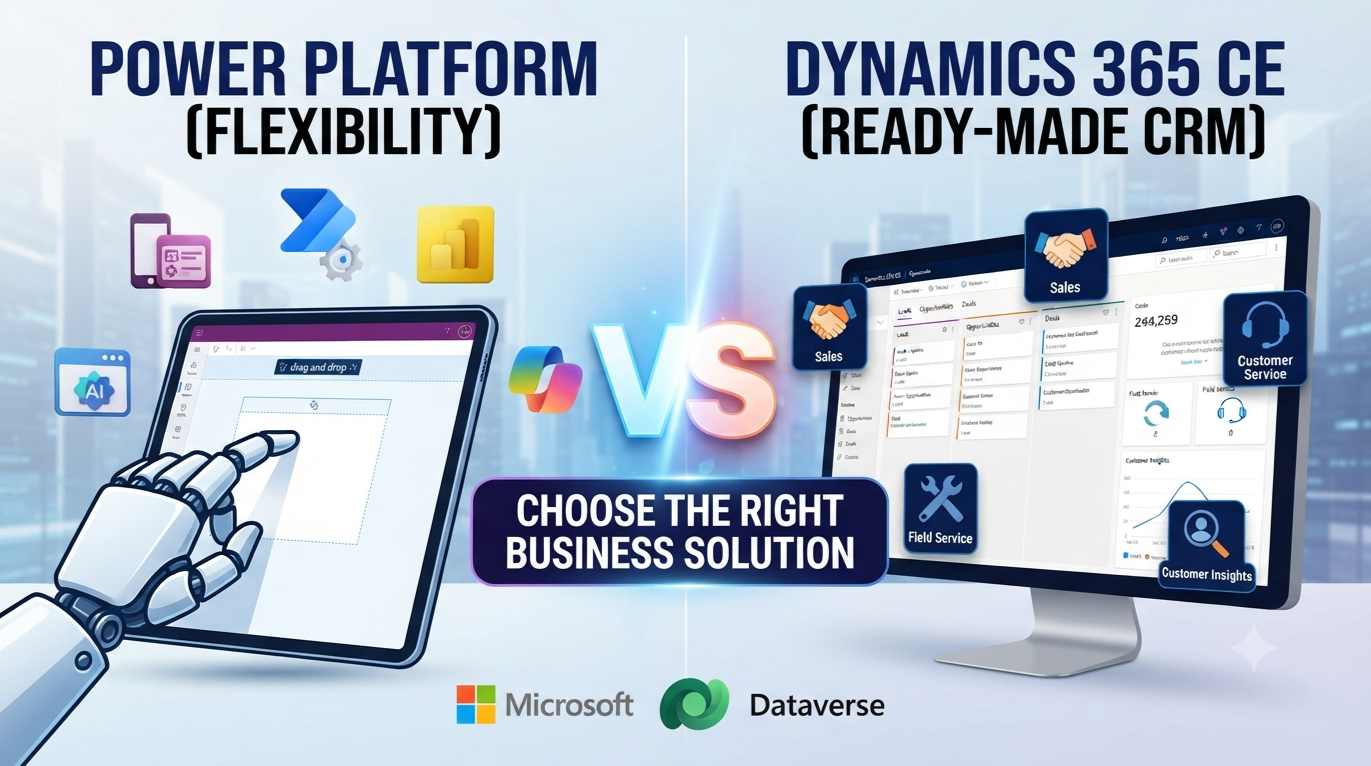
A sales team may need pipeline forecasting, while an operations team needs a mobile inspection app. Microsoft Power Platform and Dynamics 365 Customer Engagement can support both needs, but they begin in very different places. The key difference in Microsoft Power Platform vs Dynamics 365 CE is flexibility versus ready-made CRM function.
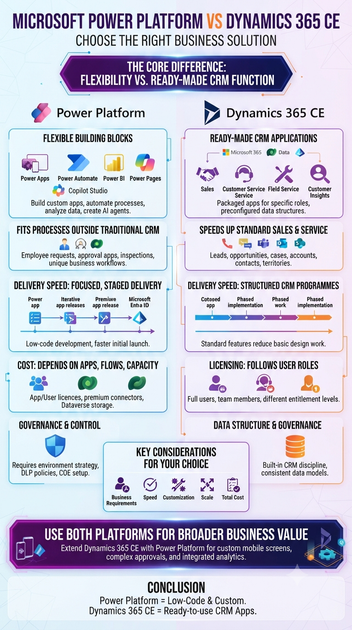
Power Platform helps teams build apps, automate work, analyse data and create AI experiences. Dynamics 365 CE provides packaged applications for sales, customer service, marketing and field service. Both use Microsoft Dataverse, connect with Microsoft 365 and support Power BI, Power Automate and Copilot features. Your choice should reflect business requirements, speed, customisation, licensing, user roles, data design, scale, governance and total cost.
Microsoft Power Platform vs Dynamics 365 CE: The Core Difference
Power Platform provides flexible building blocks
Power Platform includes Power Apps for canvas and model-driven apps, Power Automate for workflows, Power BI for reports, Power Pages for external websites and Copilot Studio for AI agents. Microsoft Dataverse stores relational business data with tables, relationships, rules and role-based security.
This makes Power Platform useful for approval apps, inspections, internal portals, data collection and process automation. Teams can replace spreadsheets or paper forms with a focused digital tool. Features, capacity limits and licensing can change, so check Microsoft’s current product documentation before planning a purchase.
Dynamics 365 CE provides ready-made CRM applications
Dynamics 365 CE covers applications such as Sales, Customer Service, Customer Insights – Journeys, Customer Insights – Data and Field Service. These products include preconfigured tables, forms, views, workflows, security roles, dashboards and common CRM processes.
A business can begin with accounts, contacts, leads, opportunities, activities and cases already in place. Sales teams gain pipeline and forecast tools, while service teams can manage cases, knowledge articles, service-level agreements and omnichannel contact. Field Service adds scheduling, work orders and mobile support for on-site work.
Shared technology does not mean identical products
Both platforms work with Microsoft 365, Teams, Outlook, SharePoint, Azure, Power BI, Power Automate and Microsoft Entra ID. Dataverse can connect a custom Power App to Dynamics 365 data and workflows.
The products still have different application boundaries, licences and packaged features. Validate entitlements, storage, regional availability and prerequisites against Microsoft’s current licensing and product documentation.
The Biggest Difference Is Prebuilt CRM Functionality Versus Custom Development
Dynamics 365 CE speeds up standard sales and service work
Dynamics 365 CE is a strong starting point when a company follows recognised CRM patterns. Sales teams can manage leads, opportunities, activities, territories and forecasts. Service teams can track cases, entitlements, queues, knowledge and response targets.
Marketing users can manage customer journeys and interactions through Customer Insights – Journeys. Field teams can plan resources and complete work orders. Standard features often reduce build time and help users adopt familiar processes, while Power Platform tools still allow configuration and extensions.
Power Platform fits processes outside traditional CRM
Power Platform suits employee request apps, approval flows, audits, inspections, asset tracking, inventory work and department reports. It also supports internal portals, partner experiences and mobile tools for staff who do not need a full CRM application.
Before building, map the process and identify its system of record. Decide whether the requirement follows a known sales or service pattern. If it is unique, cross-functional or lightweight, a custom app may fit better than forcing the process into a CRM screen.
Configuration and customisation have different starting points
Configuration changes fields, forms, views, dashboards, business rules and security roles. Customisation can add tables, integrations, automation, applications and custom components.
Dynamics 365 CE usually extends a finished application. Power Platform development may begin with a blank canvas or a highly tailored model-driven app. Too much custom code can create upgrade issues, inconsistent user experiences and higher support costs on either platform.
Delivery Speed Depends on Scope and Process Maturity
Power Platform supports focused, staged delivery
A team can release one approval app or workflow, gather feedback and expand later. Low-code tools support professional developers, IT teams and trained business makers, but speed still depends on sound design.
Use separate development, test and production environments. Set naming rules, assign owners, track connectors and dependencies, and deploy managed solutions to production. Application lifecycle management, testing, documentation and support ownership prevent a quick app from becoming a long-term risk.
Dynamics 365 CE suits structured CRM programmes
Dynamics 365 CE provides a stronger foundation for sales method standardisation, service change, customer data consolidation and forecast governance. Predefined processes, navigation, security roles and dashboards reduce the amount of basic CRM design work.
Implementation still needs discovery, data cleansing, migration, integration planning, training and change management. Choose Dynamics 365 CE when requirements match sales, service, marketing or field-service work. Choose Power Platform for unique or cross-functional processes, and combine both when custom work must extend a core CRM.
Licensing and Total Cost Depend on Usage
Dynamics 365 CE licensing follows user roles
Costs and entitlements may differ for sales users, service agents, marketing users, field workers and team members. Some people need full application access, while others need limited or light access.
Review user types, security roles, application access, storage and add-ons before selecting licences. A CRM application licence may suit a user who needs deep sales or service features. Current Microsoft prices and rights change, so use official licensing guidance for the final assessment.
Power Platform costs depend on apps, flows and capacity
Power Apps may be licensed per user or per app. Power Automate costs can depend on premium connectors, automated process use and custom connectors. Power Pages may involve authenticated or anonymous users, while Power BI and Copilot Studio have their own licensing and capacity rules.
Dataverse database, file and log capacity also affects cost. Assess the number of users, apps, flows, connectors, records and usage frequency. One solution may need several licence types.
Measure three-year total cost of ownership
Subscription cost is only one part of the budget. Include discovery, solution design, data cleansing, migration, integrations, testing, security reviews, training, administration, monitoring and support.
A three-year model should include planned growth, storage, new regions and future enhancements. The lowest initial price may create higher technical debt if the platform needs heavy customisation.
Data, Security and Governance Shape Long-Term Results
Dataverse connects apps and CRM data
Dataverse supports standard and custom tables, relationships, business rules, business units, teams, auditing and role-based access. It connects Power Apps, Power Automate, Power BI and Dynamics 365 applications through a shared data foundation.
Using Dataverse does not make both products identical. Decide who owns each data domain and which system is the record of truth before creating tables or copying customer data.
Governance protects growing Power Platform estates
Set an environment strategy, data loss prevention policies and connector approval rules. A centre of excellence can support maker training, solution standards, app inventories and flow monitoring.
Without control, teams may create duplicate data, abandoned apps and unsupported automations. Dynamics 365 CE also needs strong CRM discipline around duplicate records, ownership, territories, case visibility, consent, retention and audit rules. Define access, quality, ownership and retention for each critical customer data area.
Use Both Platforms for Broader Business Value
Extend Dynamics 365 CE with Power Platform
Power Apps can provide task-specific mobile screens or custom model-driven apps. Power Automate can automate approvals, alerts, documents and cross-department processes without changing the core CRM more than needed.
Power BI can combine CRM data with finance, operations and external sources. Copilot features can help with summaries, drafts and insights, while Copilot Studio can support employee or customer-facing agents. Check data permissions, regional support and AI licensing before deployment.
Apply a practical selection framework
Classify every requirement before choosing a product:
- Select Dynamics 365 CE for structured enterprise CRM, sales pipelines, customer service and field operations.
- Select Power Platform for custom apps, automation, portals, analytics and process extensions.
- Select both when Dynamics 365 manages customer relationships and Power Platform connects wider business work.
Also assess user numbers, premium connectors, Dataverse capacity, regional scale, compliance needs and your team’s ability to maintain custom solutions.
Conclusion
Power Platform prioritises low-code development, automation, analytics and custom experiences. Dynamics 365 CE prioritises ready-to-use CRM processes, customer data structures and role-based applications. Neither is automatically faster or cheaper.
Document requirements, classify each process as standard CRM or custom, design the target data architecture and check current Microsoft licensing. A focused proof of concept can test user needs, integrations and support effort before a larger rollout. Choose the platform that matches the work your people must complete.









