
Azure Logic Apps vs Power Automate: Which Should You Learn in 2026?
Introduction
A simple approval flow and a production integration pipeline may both use triggers, actions, and connectors. Yet they need different skills, owners, and operating models. In the Azure Logic Apps vs Power Automate decision, the right choice depends on whether you want business automation, cloud integration, enterprise control, or a wider career path.
Power Automate usually gives business teams faster results. Azure Logic Apps fits developers and IT teams handling APIs, events, queues, and backend systems. This comparison follows current Microsoft documentation for capabilities, licensing, limits, security, and deployment.
Power Automate and Azure Logic Apps solve different automation problems
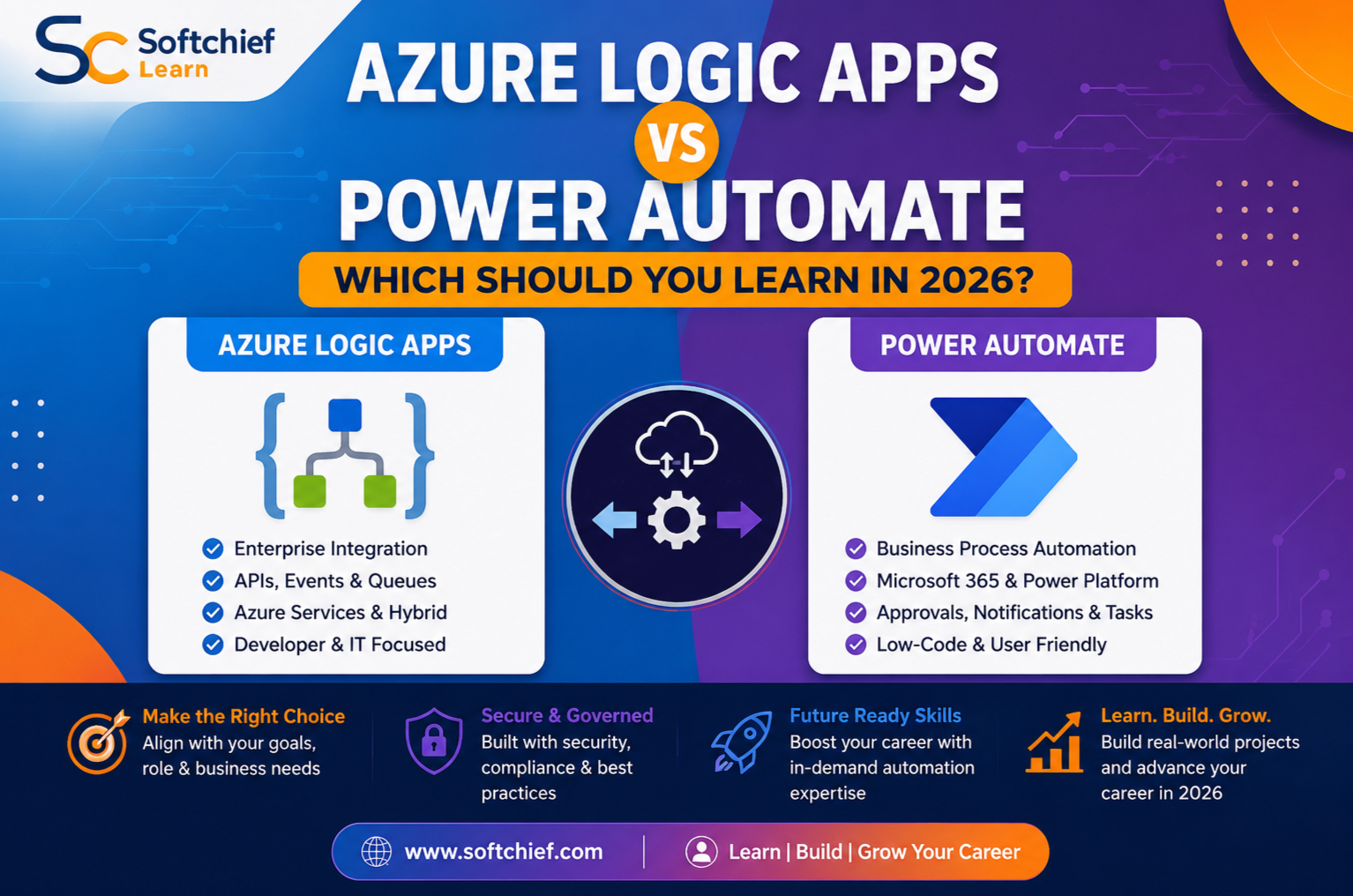
Power Automate focuses on low-code automation for people and departments. Azure Logic Apps focuses on workflows that connect applications, services, data stores, and enterprise systems.
Power Automate fits Microsoft 365 productivity work
Power Automate runs in a browser and offers templates, approvals, notifications, cloud flows, and desktop automation. Common connections include Microsoft 365, SharePoint, Teams, Outlook, Dynamics 365, Dataverse, Excel, and many third-party services.
Microsoft’s guide to Power Automate cloud flows covers automated, instant, and scheduled flows. Choose Power Automate first when you want to reduce repetitive office work without managing Azure resources.
Logic Apps fits integration and orchestration
Azure Logic Apps uses triggers and actions to coordinate systems across cloud, on-premises, and hybrid environments. It connects with REST and SOAP APIs, databases, Azure Functions, Service Bus, Event Grid, storage, SAP, SFTP, and B2B services.
The Azure Logic Apps overview distinguishes Consumption workflows, which run in a multitenant environment, from Standard workflows, which run on a single-tenant runtime. Choose Logic Apps when your workflow needs system integration, event handling, repeatable deployment, or Azure operations.
The shared connector model can hide these differences. Ask how the workflow will be designed, authenticated, tested, deployed, monitored, scaled, and supported, rather than asking only whether both tools connect to the same service.
Power Automate is the faster starting point for business automation skills
Power Automate suits non-developers, analysts, Microsoft 365 administrators, functional consultants, and operations teams. It offers quick wins while still allowing a path into expressions, APIs, Dataverse, solutions, and governance.
Learn Power Automate for Microsoft 365 and Power Platform work
A typical flow might receive a Microsoft Form submission, save data, request approval, post a Teams message, and send an Outlook confirmation. Other useful projects include SharePoint document alerts, employee onboarding tasks, CRM follow-ups, and desktop automation for older applications.
Build one complete flow rather than studying isolated actions. Include a trigger, condition, approval, error branch, notification, and clear run-history checks.
Build towards a practical Power Automate career path
Start with templates and basic actions, then learn expressions, variables, loops, JSON, HTTP actions, custom connectors, Dataverse, and Power Automate Desktop. Next, study solutions, connection references, environment variables, service accounts, and application lifecycle management.
These skills support roles such as business analyst, Power Platform consultant, Microsoft 365 administrator, automation specialist, and citizen-development lead. Governance becomes essential as flows gain more users, premium connectors, concurrency, retries, and business impact.
Azure Logic Apps is the stronger choice for cloud integration
Logic Apps suits Azure developers, cloud engineers, DevOps teams, integration specialists, and enterprise architects. Its value grows when a workflow must connect backend systems rather than guide an employee through a task.
Learn Logic Apps for APIs, events, and queues
A useful practice project could receive an event, validate its JSON payload, enrich it with database data, and publish the result to another service. Failed messages might enter a Service Bus queue while Azure Monitor records the workflow status.
Learn idempotency, retries, dead-letter handling, correlation IDs, schema validation, and asynchronous processing. These patterns prevent duplicate orders, lost messages, and failures that are hard to trace.
Develop stronger Azure and integration fundamentals
Logic Apps requires knowledge of Azure resources, JSON, REST, authentication, managed identities, networking, monitoring, and deployment. Standard workflows also bring hosting plans, storage, virtual network integration, and application settings into the design.
Microsoft supports repeatable delivery through Visual Studio Code, Azure CLI, Azure DevOps, GitHub, and infrastructure templates. A good portfolio project should include secure authentication, central logging, an exception path, and automated deployment.
Azure Logic Apps vs Power Automate depends on ownership and total cost
The right platform depends on who owns the workflow, what starts it, and how serious a failure would be. A department-owned approval flow has different needs from an order-processing service used by several applications.
Choose Power Automate for user-driven processes
Power Automate fits approvals, Forms processing, SharePoint updates, Teams alerts, CRM reminders, and personal productivity. It works best when the process begins with a person and stays close to Microsoft 365 or Dataverse.
A flow can become risky when a critical process depends on one employee’s account. Use shared ownership, solutions, service accounts where suitable, and documented recovery steps.
Choose Logic Apps for system-driven processes
Logic Apps fits order processing, data synchronisation, B2B message handling, API orchestration, event routing, and legacy-to-cloud integration. Azure teams can manage resources, identities, diagnostics, deployment pipelines, and network boundaries in one operating model.
Logic Apps may add needless Azure complexity to a basic employee approval. Power Automate is often the better fit when accessibility and rapid delivery matter most.
Compare Power Automate vs Azure Logic Apps pricing carefully
Power Automate costs may include user or process licences, premium connectors, desktop automation, Dataverse capacity, and request limits. Microsoft’s Power Automate pricing page currently lists several plan types, but prices vary by region, agreement, and purchase terms.
Logic Apps pricing can include workflow executions, connector calls, Standard hosting, storage, networking, monitoring, and an integration account. The Logic Apps pricing page shows different models for Consumption and Standard workflows.
Estimate monthly runs, actions per run, peak concurrency, data transfer, environments, premium dependencies, and support time. The cheapest execution model may still cost more when development and failure recovery are included.
Security and deployment skills determine enterprise readiness
Low-code design does not remove the need for secure access, testing, monitoring, and ownership. Production workflows need the same care as other business systems.
Power Platform governance uses environments and policies
Power Platform governance covers environments, role-based access, data loss prevention policies, connector rules, solution packaging, connection references, and environment variables. Microsoft’s Power Platform governance guidance also covers monitoring and the Centre of Excellence approach.
Learn to deploy flows through solutions instead of treating each flow as a personal asset. Every production flow should record its owner, connections, data sources, failure behaviour, and recovery process.
Azure governance uses identity and infrastructure control
Logic Apps governance includes Microsoft Entra identities, managed identities, Key Vault, role-based access control, resource groups, subscriptions, Azure Policy, diagnostic settings, and network controls. Standard workflows can support private endpoints and virtual network integration where the design requires them.
The Azure Well-Architected Framework provides guidance on reliability, security, cost optimisation, operational excellence, and performance. These principles help you design beyond a workflow that merely works in a test environment.
A focused 2026 learning path makes the decision easier
Start with the platform closest to your current work. Then learn the second platform through shared ideas such as triggers, actions, expressions, APIs, authentication, monitoring, and governance.
Start with Power Automate for quick business wins
Study cloud flows, conditions, expressions, approvals, error handling, Dataverse, solutions, governance, and desktop flows. Create a documented approval solution with environment variables, connection references, an error path, and a repeatable deployment process.
This route suits Microsoft 365 users, analysts, operations staff, functional consultants, and beginners. It can lead towards a Power Automate career path in consulting, administration, process design, or automation leadership.
Start with Logic Apps for Azure and software roles
Study Azure basics, workflow design, JSON, REST APIs, authentication, managed identities, Service Bus, Event Grid, monitoring, CI/CD, and infrastructure as code. Build an event-driven integration with schema checks, retry policies, exception handling, secure access, and deployment automation.
This route suits developers, DevOps engineers, cloud administrators, integration specialists, and technical architects. Microsoft’s guide to Standard Logic Apps DevOps deployment is useful once you move beyond portal-only work.
Learn both for broader Microsoft automation work
Many organisations can use Power Automate for employee-facing approvals and Logic Apps for backend orchestration. Combined knowledge supports Power Platform consulting, Azure integration, solution architecture, and hybrid workflow design.
Learn the tool tied to your current role first. Add the complementary platform after building one production-style portfolio project.
Choose the platform that matches your target role
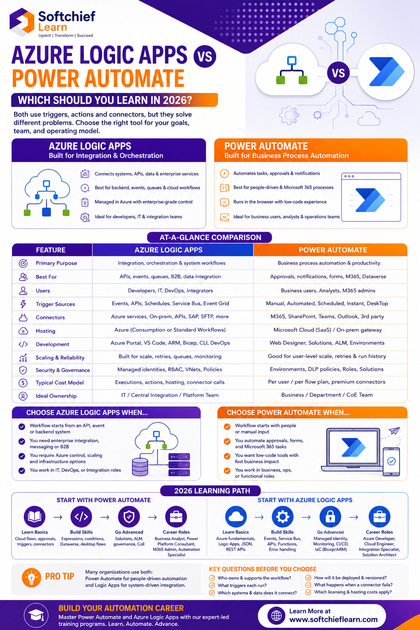
Choose Power Automate when the workflow starts with people, uses Microsoft 365 or Dataverse, and needs low-code ownership. Choose Logic Apps when the workflow starts with an API, event, queue, schedule, or backend system.
Before deciding, ask:
- Who owns and supports the workflow?
- What triggers each run?
- Which systems and data does it connect?
- How will it be deployed and versioned?
- What happens when a connector fails?
- Which licence, hosting, and monitoring costs apply?
Conclusion
Power Automate is usually the accessible first choice for business processes, approvals, Microsoft 365 productivity, and departmental automation. Azure Logic Apps is usually the stronger first choice for APIs, events, Azure services, enterprise integration, and operational control.
Licensing, connector classes, limits, networking, and governance can change, so check current Microsoft documentation before committing to a design. The most useful skill is not memorising connectors. It is building workflows that are secure, observable, maintainable, and owned by the right team.









