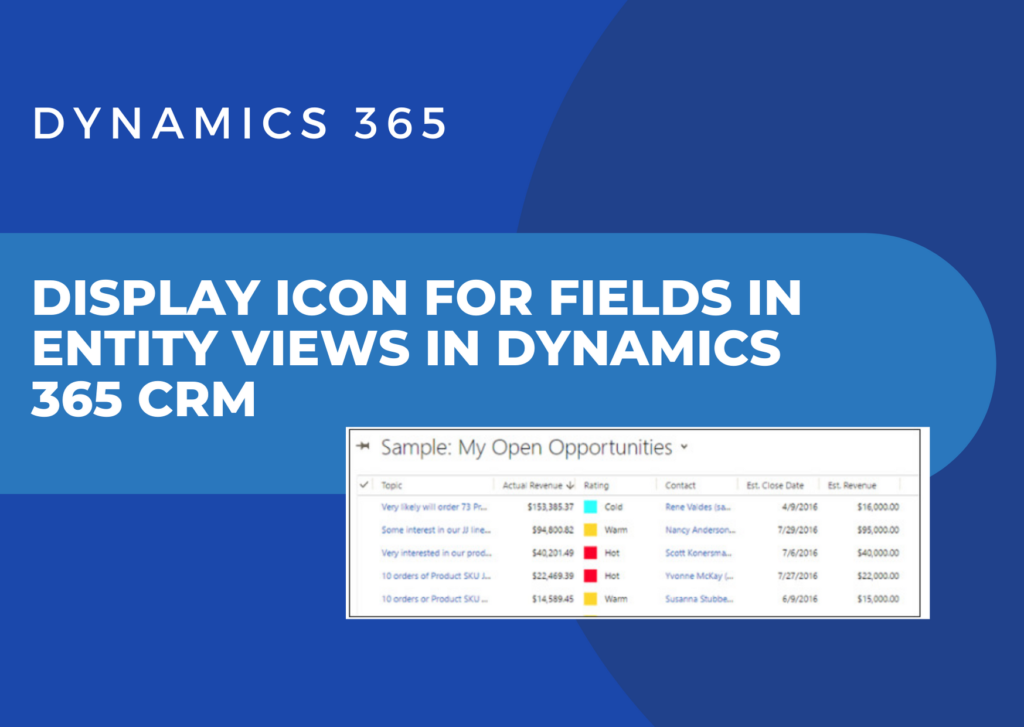
How you can display icons on views in Dynamics 365 entities
Here is the snippet how to display icons in a row in Dynamics 365.
Here is the snippet how to display icons in a row in Dynamics 365.

Today’s businesses need the right ERP to help their employees manage critical business processes, make better and quicker decisions, and make the most of their resources. If applied correctly, Microsoft Dynamics 365 will take the company to new heights. To Ensure Dynamics 365 Implementation Success Check out these four pointers for a good Dynamics 365…
Read more
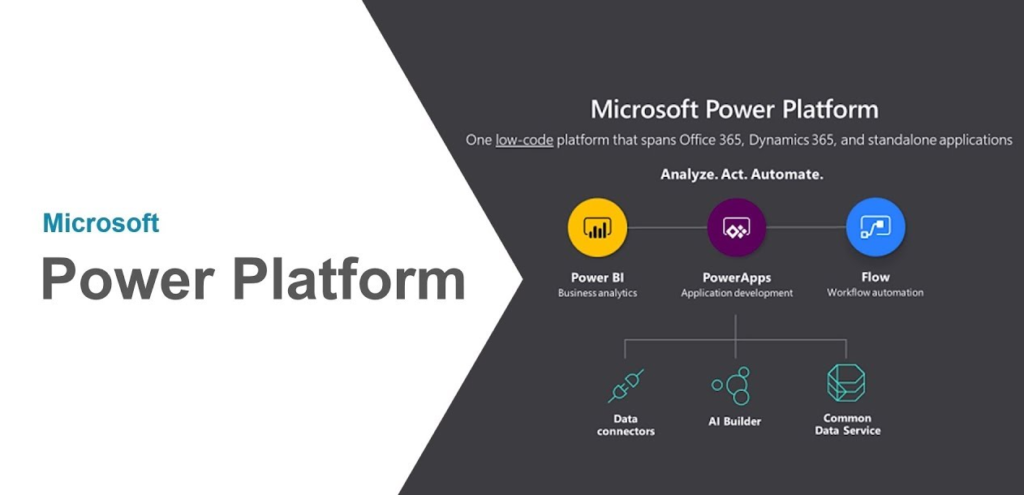
Microsoft Power Platform Training with Softchief Learn: Empowering Your Digital Transformation. In today’s digital era, organizations are constantly seeking ways to optimize their operations, enhance productivity, and drive innovation. Microsoft Power Platform has emerged as a robust suite of tools designed to empower businesses to achieve these goals through low-code/no-code solutions. At Softchief Learn, we…
Read more
Microsoft Dynamics 365 is becoming the largest implemented Enterprise Business Application in these days and starting from small scale industry to mid and large scale industry use this D365 applications to leverage its customer relationship and customer engagement with Finance and operations capability. So learning Dynamics 365 and Power Platform is now in demand so…
Read more
LIQUID OPERATORS (Click here for the details) == Equals!= Does not equal> Greater than< Less than>= Greater than or equal to<= Less than or equal toOr Condition A or condition BAnd Condition A and condition B startswith tests whether a string starts with a given substring. endswith tests whether a string ends with a given substring contains tests for…
Read more
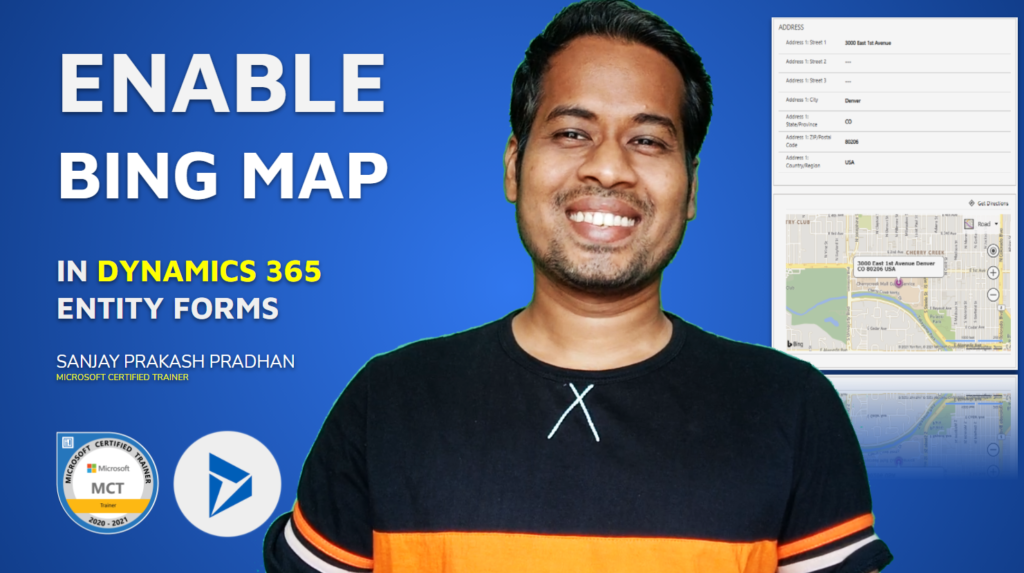
Open a model driven app and then select Settings > Advanced Settings. Select Settings > Administration > System Settings. On the General tab, select Show Bing Maps on forms, and then select OK. Watch the video below for more practical methods.
In Dynamics 365, Pre-Validation and Pre-Operation stages are both Pre-events which occurs before the core operation. But there is significance differences between them which will give you points to decide when to use Pre-validation and When to use Pre-Operation. Pre-Validation Pre-Operation Pre-validation stage executes outside Database Transaction which will not rollback the entire operations written…
Read more

The below code can be used when you want to write business logic to perform CRUD (Create, Retrieve, Update and Delete) from C# Console Application to Connect Dynamics 365 Online Environment. The App ID is copied from Azure Active Directory App Registration Screen. To see how you can Register an application in Azure watch the…
Read more
While you are working on Plugins you may face such kind of exception so in this post I have explained about the solution and Root Cause. ERROR YOU GET SOLUTION The ROOT Cause of this error is when Dynamics 365 is Expecting a Different Data Type of a Field Value and You are passing with…
Read more
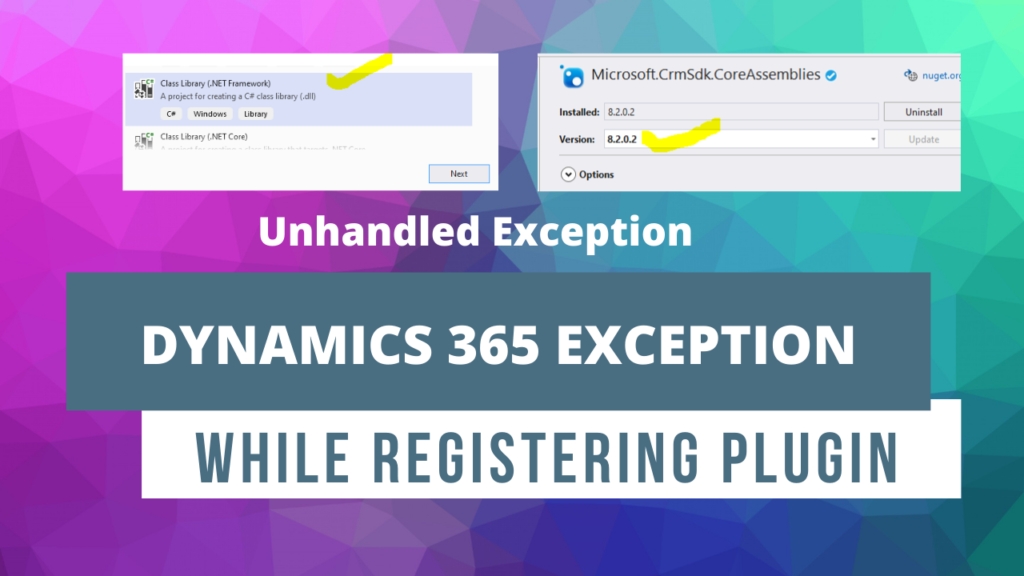
Sometimes you will get issues while registering plugins for Dynamics 365 online like below. The solution is given below scroll. EXCEPTION WHILE REGISTERING PLUGIN SOLUTION: Its just about selecting correct and compatible versions of .NET Framework and Core Assembly. While creating Class Library Project for Plugin Choose Class Library Project with .NET Framework and the…
Read more
Using Form Script and Ribbon Workbench we can create a functionality which will clone a record info to another record. Read the below article to understand the process. Cloning is one of the methods which can reduce the time spent on data entry, particularly if the same case record data being entered is similar. Cloning…
Read more

If you are facing error while connecting Dynamics 365 from Console Application then use OAuth to connect using below code. update your code as per below.
While connecting with Dynamics 365 from Console Applications if you are getting the below error then read this blog for solution. System.ServiceModel.Security.MessageSecurityException: ‘An unsecured or incorrectly secured fault was received from the other party. See the inner FaultException for the fault code and detail.’FaultException: Authentication Failure Solution If Your Multi-Factor Authentication is enabled then this…
Read more

In this post I will explain how to create a SSRS Report for Dynamics 365 Application. For this post we need to have SQL Data Tools 2015 (Choose the correct version of visual studio) and Report Authoring Extension package. If you want to watch the video then watch the below video where I have explained…
Read more

In my experience I have gone through many Dynamics 365 Books and I know which books are good for developers and consultants. I never recommend candidates who I deliver training to read books because there are many online resources available. But its always a good practice to have some good books of D365 in your…
Read more
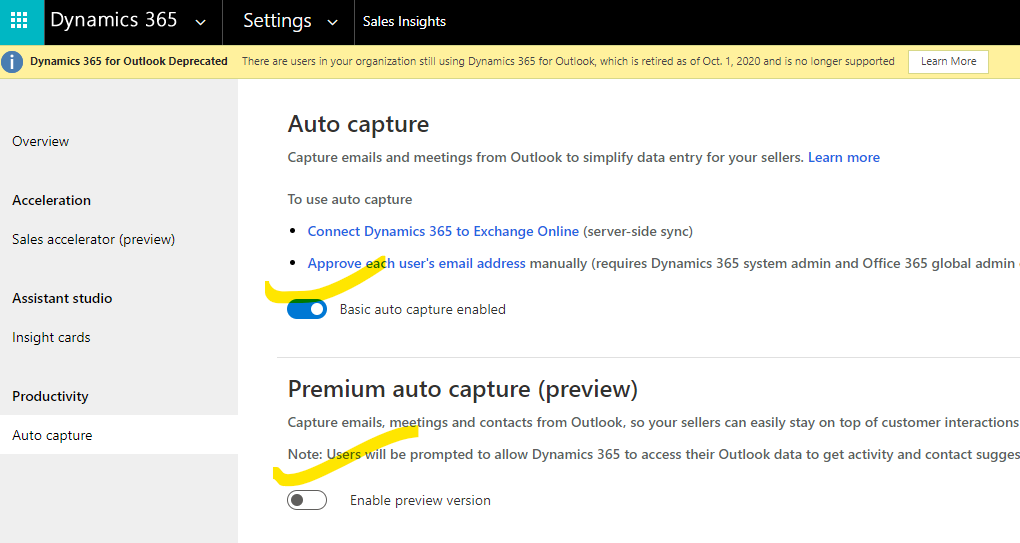
Dynamics 365 Sales Insights/ Relationship Assistance continuously analyzes the vast collection of customer-interaction data already stored in your Dynamics 365 Sales and Microsoft 365 databases. This helps you to better understand your business relationships, evaluate your activities in relation to previous successes, and choose the best path forward. Also, it enables you to build strong…
Read more
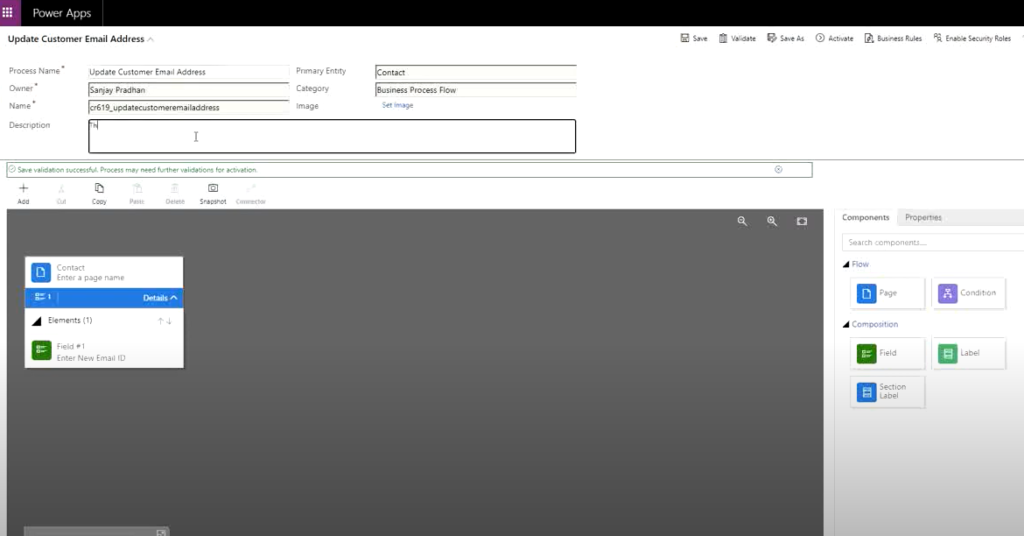
In Dynamics 365 we can create task flows as a Part of Business Process flow by which we can achieve some business needs such as updating customers email etc. Check the below video to see how we can create task flow from scratch.
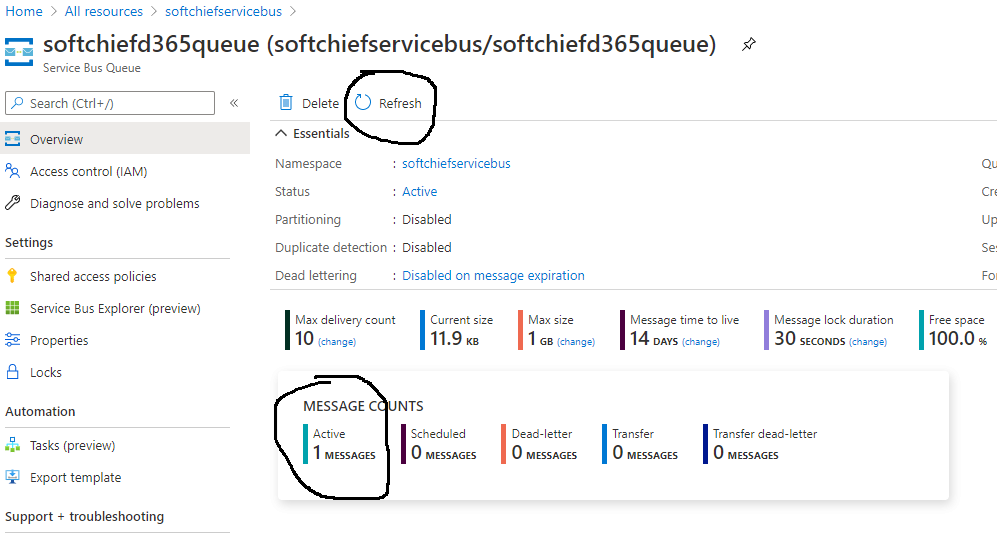
Integrations is now an essential part of all business. Enterprise application integrations gives more flexible in handling Data in different systems at the same time. Microsoft Azure being the cloud technology provides a robust way of integration with other applications. Dynamics 365 Can be integrated with Microsoft Azure using many methods as given below. Using…
Read more
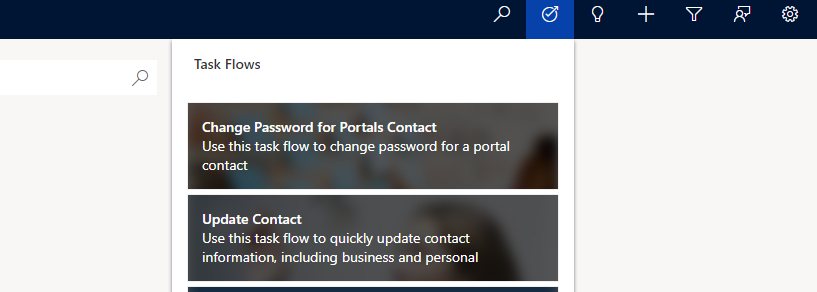
For our organization we might have Power Portals which are published for customer self service or partner portals. users which are registered in the portals are created as Contact records in Dynamics 365 and the passwords which are supplied by the portal user are handled internally. Sometimes we need to reset/ change password of a…
Read more
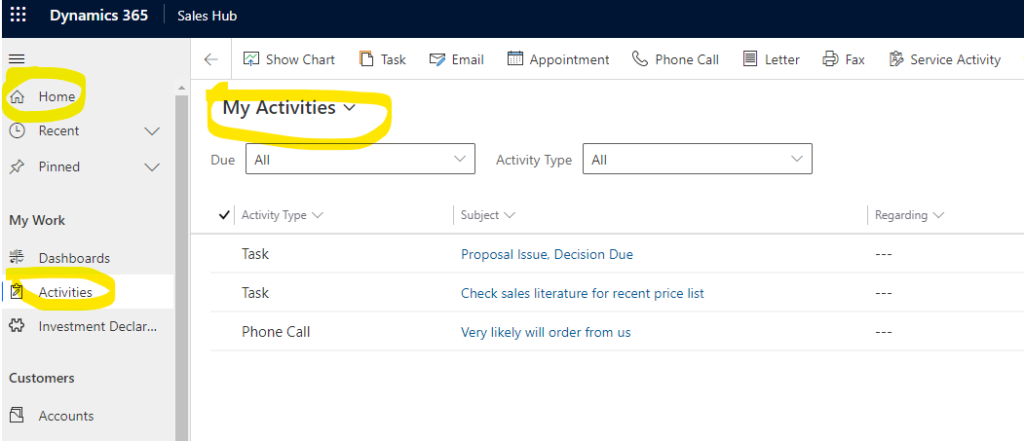
We have many enterprise applications available for Dynamics 365 and we can also create new apps for Dynamics 365. For every App that is loaded shows a default page. We can set the default page as per our choice using configuration. First Login Dynamics 365. Open the App (Example Sales Hub) click on Right top…
Read more
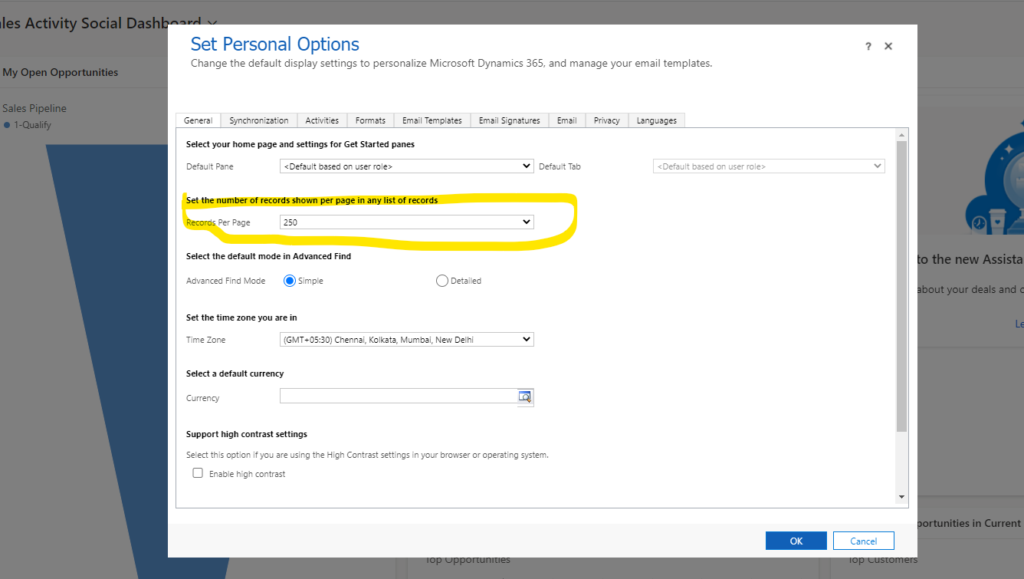
Login Dynamics 365 and Load Any App (Example Sales hub). Click on Top right Gear icon to select Personalization Settings. Now in general TAB and select Record Per Page option. Change from 50 to your desired count then click OK.
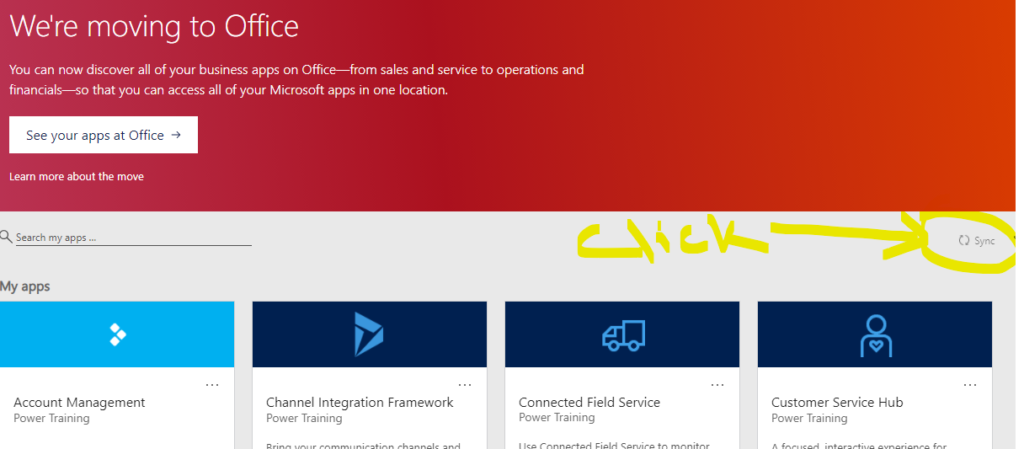
Sometimes apps such as Model-driven app, canvas app are not showing on the home page of dynamics 365. If you do not see your app on the home page then click on Sync button and after Sync button process ends you can see your Apps.
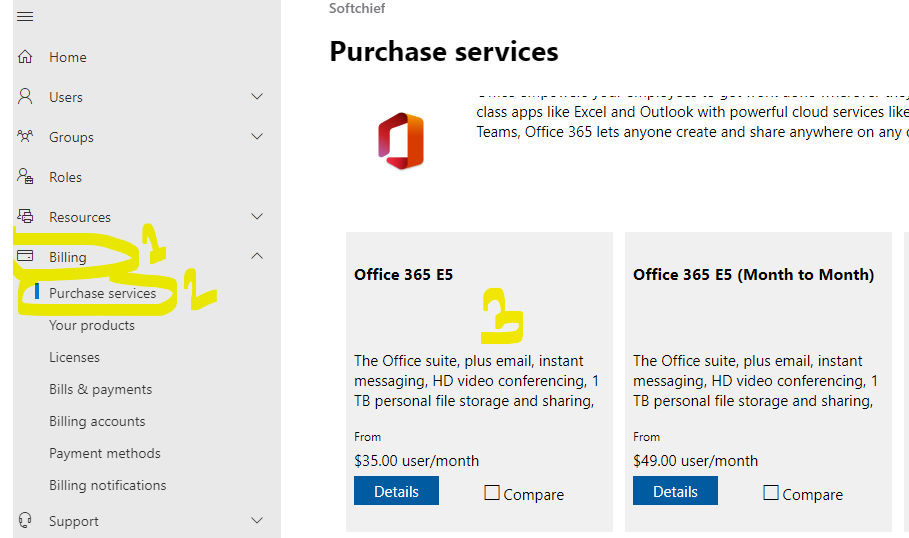
Login Office 365 Admin Center and Click Admin option. Click on Billing-> Purchase Services. Scroll Down to select Office 365 App. Select Office 365 E5 and click the app. Now you can click on Get Trial option. If you have already taken trial you can click on Manage Trial to Extend Trial.
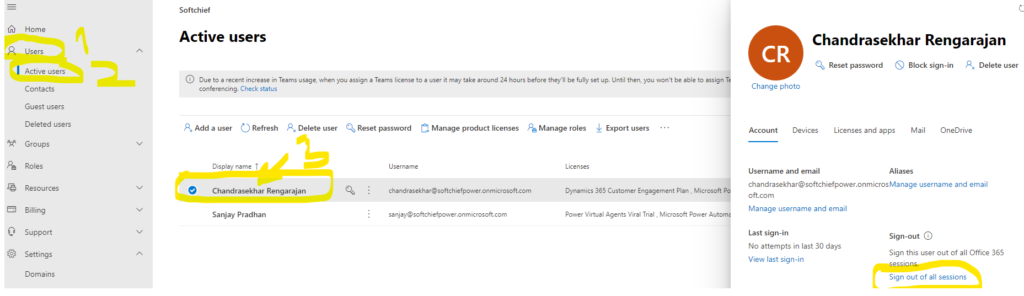
Sometimes due to some security reason or other issues we need to forcibly logout a user from all sessions. To do that we have to use the Sign out from all sessions feature of Office Admin center. Login Office Admin Center and click users-> Active users->Select user and click on the user name. One the…
Read more

Get New Blog Notifications in Email.. Fill out the form below to get a quick callback.