
PCF Controls vs JavaScript in Dynamics 365: Which Customization Approach Should You Use?
Introduction
A Dynamics 365 change might mean a small form response, such as hiding a field, or a custom interface people use across several apps. Choosing the wrong approach can add avoidable work to testing, deployment, and future updates.
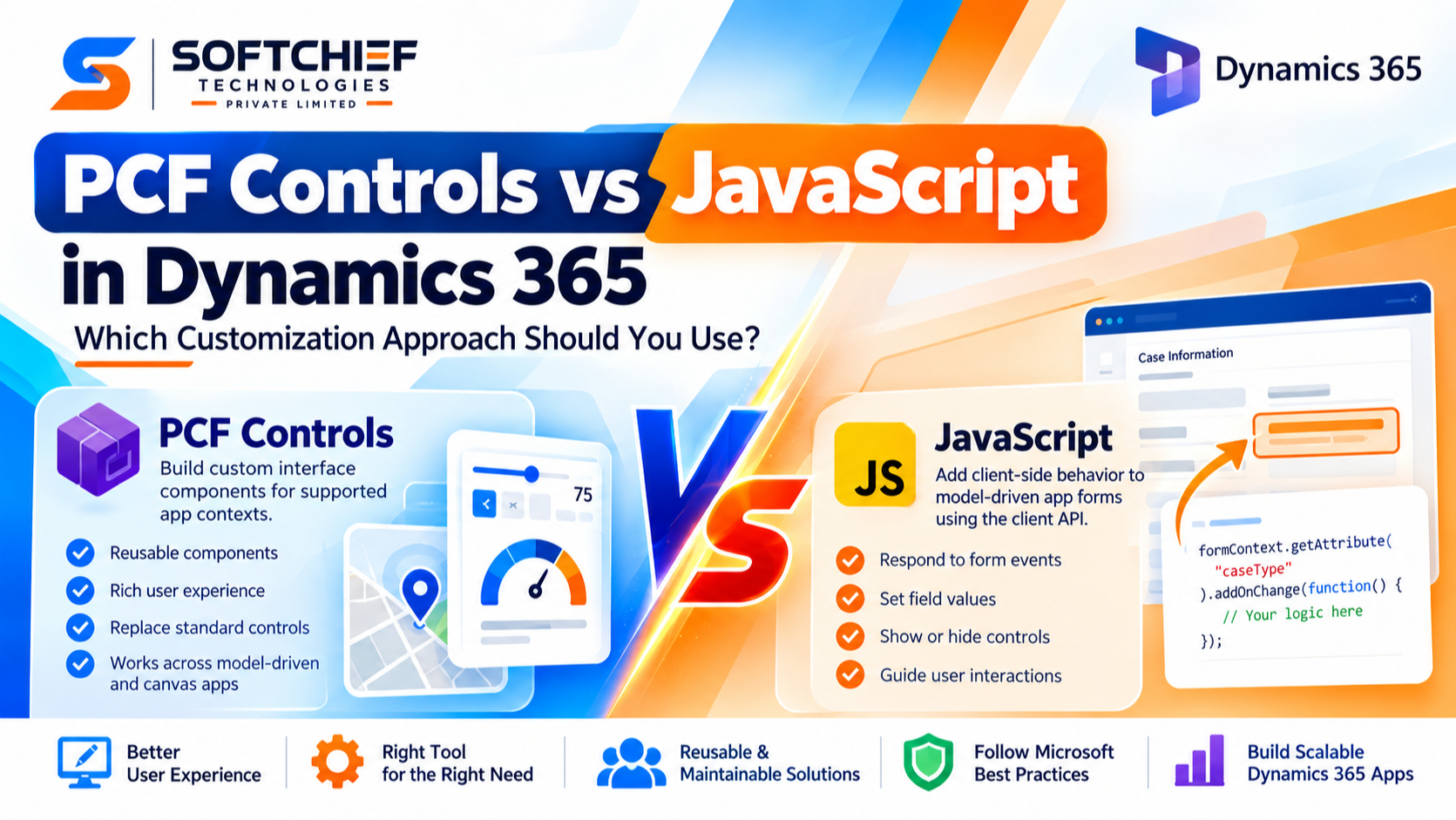
PCF controls build custom interface components. JavaScript usually adds client-side behavior to model-driven app forms through the Dynamics 365 client API. Both can improve an app, but they solve different problems.
Your best choice depends on the experience users need, the app and control where it must run, your team’s skills, and how you’ll support it. The newest technology isn’t automatically the right one.
Choose PCF controls vs JavaScript in Dynamics 365
The key distinction is what you need to change. The Power Apps Component Framework (PCF) builds code components for supported app contexts. The model-driven app client API lets JavaScript respond to form events and work with form data and controls.
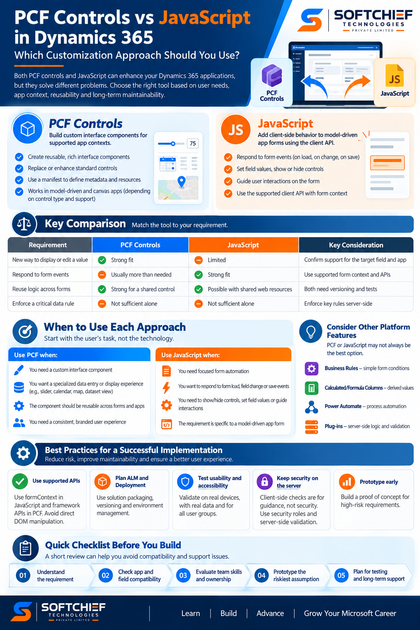
Use PCF when you need a custom interface component
PCF lets developers build reusable controls that replace or enhance how data appears and how users edit it. A component uses a manifest to describe its metadata and resources, then uses framework APIs to work with its context and data.
Microsoft’s documented examples include a slider or dial in place of a numeric field, plus calendar and map views for dataset data. These examples show when a new interaction or display may call for a control, rather than a short form script.
Use JavaScript when you need form behavior
JavaScript can respond to form load, field change, or save events. It can set field values, show or hide controls, and guide client-side interactions with supported client API methods.
Use the event’s form context to access data and the user interface. Avoid direct page DOM changes: internal markup isn’t a stable contract, and DOM work can break when the app changes.
Check the app type and hosting context first
Form scripts apply to model-driven app forms. PCF components can be used in model-driven and canvas apps, but support depends on the component type, target surface, and configuration.
Before choosing, check Microsoft’s current guidance for the intended app and field. Confirm that the specific control can run there and meets any environment requirements.
Compare capability, user experience, and maintainability
Neither option wins every comparison. Match the technology to the part of the app you need to change, then weigh reuse, development effort, and user experience.
| Requirement | PCF fit | JavaScript fit | Key caveat |
|---|---|---|---|
| New way to display or edit a value | Strong | Limited | Confirm support for the target field and app |
| Respond to a form event | Usually more than needed | Strong | Use supported form context and APIs |
| Reuse logic across forms | Strong for a shared control | Possible with shared web resources | Both need versioning and tests |
| Enforce a critical data rule | Not sufficient alone | Not sufficient alone | Enforce key rules server-side |
Compare what each approach can change
PCF changes the control experience: it can present a value or dataset in a different way and define how users interact with it. JavaScript can affect supported form behavior, but it isn’t a replacement for a fully custom control.
The reverse is also true. A PCF control adds development and packaging work that may not make sense for one small form rule. Choose the smallest supported tool that meets the user need.
Weigh reuse against implementation overhead
A PCF component can be packaged in a solution and reused in supported contexts. That’s useful when the same custom experience belongs on several forms or apps, though the component still needs development, testing, and version management.
Shared JavaScript can centralize form logic across forms that use the same web resource. It still needs careful event setup and regression tests. PCF adds its own build and release tasks; Microsoft’s code component lifecycle guidance covers solution packaging, deployment, and versioning.
Test accessibility, mobile use, and consistency
A custom control doesn’t automatically handle keyboard use, screen readers, or small screens well. Test those needs in the actual app, with the real data and devices users rely on.
JavaScript can also create confusing experiences if it hides controls or changes the form without clear feedback. Check the whole interaction, including what happens when a user changes a value or opens a record on mobile.
Match PCF controls vs JavaScript to common requirements
Start with the user’s task, not the technology. A focused form response often points to JavaScript; a distinct way to enter or view data may point to PCF.
Choose JavaScript for focused form automation
Suppose a user selects a case type and a related form field should appear. A form event handler can read the value and update that field’s visibility using the client API.
JavaScript can also set a related value or guide a user through a client-side rule. These checks help with the form experience, but they don’t replace server-side validation or security controls.
Choose PCF for specialized data entry or display
A tailored slider for numeric input or a calendar-style dataset view may be easier to understand than the standard field or list. Microsoft’s PCF documentation gives dial, slider, calendar, and map examples developers can study.
Confirm that the component fits the target app, field, and device before building around it. Prototype the interaction with real users and data; a control that looks clear in isolation may feel awkward in the full form.
Use another platform feature when it fits better
Some requirements don’t call for PCF or JavaScript. A business rule may handle a simple form condition, while a calculated or formula column may suit derived values.
Power Automate can handle some process automation, and plug-ins or other server-side methods can enforce data rules. Choose the simplest supported option that meets the requirement and its security needs.
Reduce risk with sound development and governance
Both approaches need support through platform updates and environment changes. Use documented APIs, agree on ownership, and test each release in the app where people will use it.
Use supported APIs, not fragile page dependencies
For form scripts, use the supported client API and pass the execution context so your code can get the right form context. Microsoft marks the older Xrm.Page approach as deprecated and advises using formContext for new code where possible.
For PCF, use the framework APIs and manifest rather than relying on undocumented page behavior. Avoid direct DOM manipulation in either approach; it can tie your customization to internal app markup.
Plan packaging, deployment, and testing early
Decide how the customization will move from development to test and production before implementation begins. Include solution packaging, version updates, environment settings, and a plan for who approves and imports each release.
After import, test the target app and form, not only a local harness. Check control rendering, event behavior, app compatibility, and regressions in nearby form logic.
Keep security and validation in the right layer
Hiding a field or checking its value in the browser doesn’t secure the data. Users may reach the data through other routes, so critical rules need suitable server-side enforcement.
Use platform security roles and permissions to control access. Keep client-side checks for guidance and ease of use, not as the only barrier protecting important data.
Use a practical checklist before you build
A short review can expose support or compatibility problems before development grows. Record the requirement, target context, owner, and long-term maintenance plan.
Confirm the requirement and supported platform surface
Decide whether the need is a custom control, form behavior, or a broader process rule. Then verify the app type, control type, and current Microsoft support for that use.
Compare skills and long-term support
Consider who can build and maintain the code. PCF work commonly calls for TypeScript and framework knowledge; form scripts call for JavaScript and client API knowledge.
Prototype the riskiest assumption first
Build a small proof of concept if you’re unsure about field support, mobile usability, or a complex form interaction. Test it in the intended app before committing to a full rollout.
Conclusion
PCF controls are generally the better fit for a custom, reusable interface experience. JavaScript is often the right fit for focused client-side behavior on model-driven app forms.
The deciding factors are the required user experience, supported app context, team skills, and ownership after launch. Verify platform support, test accessibility and behavior in the target environment, and keep security-critical rules on the server. Before development starts, document the requirement and prototype the biggest risk.
Key Points
- Choose PCF for supported custom controls and JavaScript for supported model-driven form behavior.
- Verify app and field compatibility in current Microsoft documentation.
- Use the simplest supported approach; don’t rely on client-side code for security.
- Test in the target environment and assign long-term ownership.









