
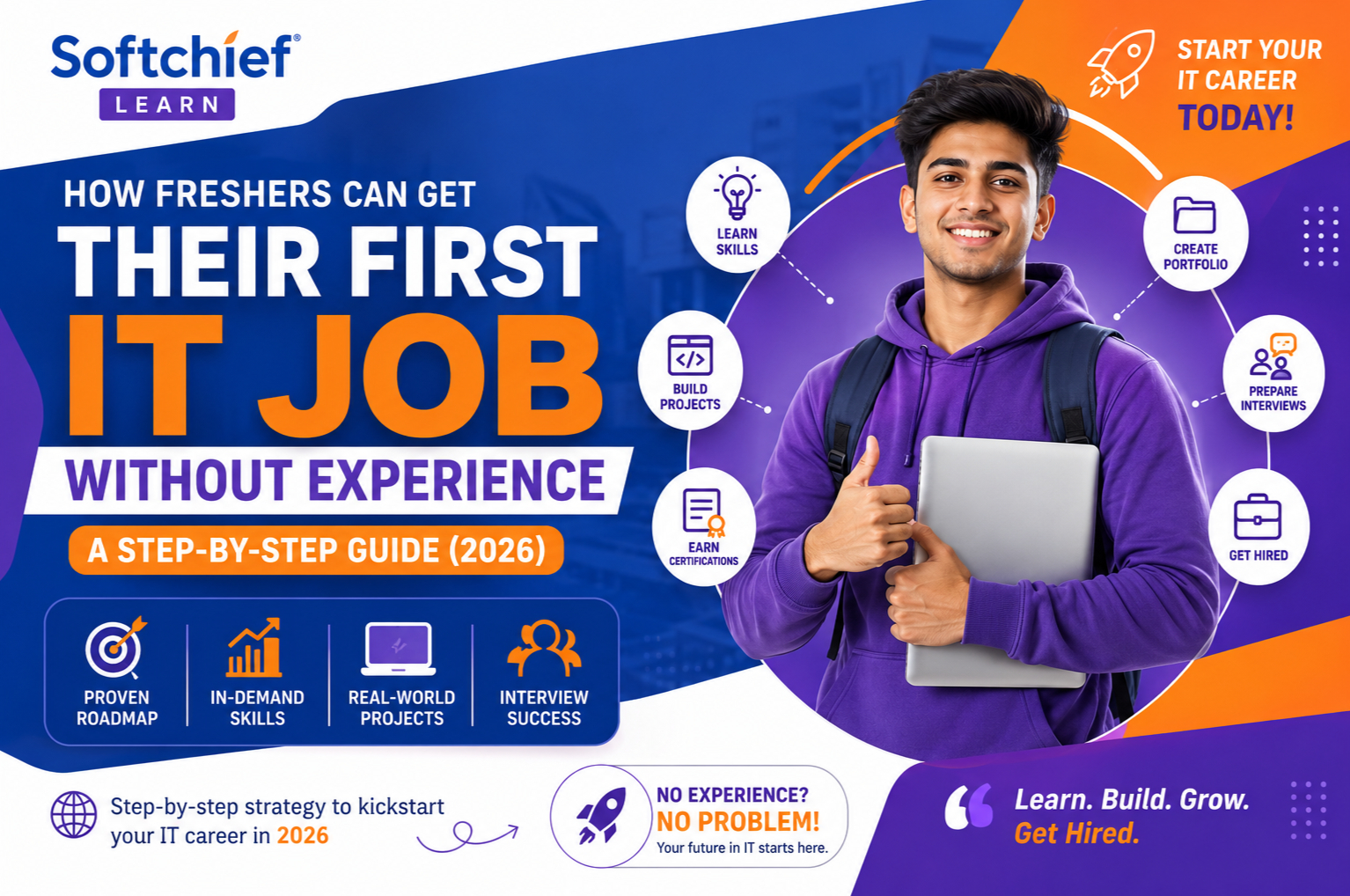
How Freshers Can Get Their First IT Job Without Experience: A Step-by-Step Guide (2026)
Introduction
One of the biggest challenges every graduate faces is the classic question:
“How can I get experience if every company asks for experience?”
Whether you’re an MCA, B.Tech, BCA, M.Tech, or engineering graduate, breaking into the IT industry can seem overwhelming. Thousands of freshers apply for the same openings, yet only a small percentage receive interview calls.
The good news? Companies don’t always hire experience—they hire potential, skills, and problem-solving ability.
Today’s IT industry values candidates who can demonstrate practical knowledge, build real-world projects, communicate effectively, and adapt to new technologies.
In this comprehensive guide, you’ll learn a proven, step-by-step roadmap to secure your first IT job without prior work experience.
Is It Possible to Get an IT Job Without Experience?
Absolutely.
Every experienced software engineer, cloud consultant, and Microsoft professional started as a fresher.
Companies understand that graduates won’t have years of experience. Instead, they evaluate:
- Technical knowledge
- Practical projects
- Learning attitude
- Communication skills
- Problem-solving ability
- Certifications
- Portfolio
- Interview performance
If you can demonstrate these qualities, you can compete successfully with other candidates.
Why Many Freshers Struggle to Get Hired
Many graduates make avoidable mistakes during their job search.
Common reasons include:
- Learning too many technologies without mastering any
- Having only theoretical knowledge
- Building no real-world projects
- Sending the same resume everywhere
- Ignoring LinkedIn networking
- Applying randomly to hundreds of jobs
- Lack of interview preparation
- Poor communication skills
The solution is a structured career plan.
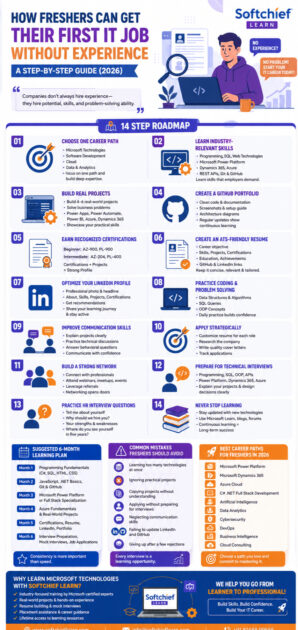
Step 1: Choose One Career Path
The biggest mistake freshers make is trying to learn everything.
Instead, choose one specialization.
Popular career options include:
Microsoft Technologies
- Microsoft Power Platform
- Microsoft Dynamics 365
- Azure Developer
- Azure Administrator
- C# .NET Full Stack
Software Development
- Full Stack Development
- Java Development
- Python Development
Cloud
- Azure
- AWS
- Google Cloud
Data
- Power BI
- Data Analytics
- Business Intelligence
Specializing early helps you build deeper expertise and stand out.
Step 2: Learn Industry-Relevant Skills
Employers expect practical skills, not just academic knowledge.
If you’re interested in Microsoft technologies, learn:
- C#
- .NET
- SQL Server
- HTML
- CSS
- JavaScript
- Microsoft Power Platform
- Microsoft Dynamics 365
- Microsoft Azure
- REST APIs
- Git & GitHub
For software engineering roles, also learn frontend frameworks and backend development concepts.
Step 3: Build Real Projects
Projects often matter more than grades.
Create solutions that solve real business problems.
Examples include:
- Student Management System
- Employee Leave Portal
- Hospital Management System
- CRM Application
- Inventory Management System
- Help Desk Portal
- HR Recruitment Portal
- Sales Dashboard
- Expense Tracker
- Online Appointment System
If you’re learning Microsoft technologies, consider building:
- Power Apps business applications
- Power Automate approval workflows
- Power BI dashboards
- Power Pages portals
- Azure-hosted APIs
- Dynamics 365 customizations
A strong portfolio demonstrates practical capability.
Step 4: Create a Professional GitHub Portfolio
Recruiters appreciate candidates who can showcase their work.
Your GitHub profile should include:
- Clean source code
- README documentation
- Screenshots
- Installation steps
- Architecture diagrams
- Demo videos (optional)
Consistent project updates show continuous learning.
Step 5: Earn Recognized Certifications
Certifications can strengthen your resume, especially when paired with projects.
Recommended Microsoft certifications include:
Beginner
- Microsoft Certified: Azure Fundamentals (AZ-900)
- Microsoft Certified: Power Platform Fundamentals (PL-900)
Intermediate
- Microsoft Certified: Azure Developer Associate (AZ-204)
- Microsoft Certified: Power Platform Developer Associate (PL-400)
Choose certifications aligned with your chosen career path.
Step 6: Create an ATS-Friendly Resume
Your resume is often your first impression.
Include:
- Career objective
- Technical skills
- Academic qualifications
- Certifications
- Projects
- Internships (if any)
- GitHub profile
- LinkedIn profile
- Achievements
Avoid:
- Long paragraphs
- Unnecessary personal details
- Generic objectives
- False claims
Keep the resume concise, relevant, and tailored to the role.
Step 7: Optimize Your LinkedIn Profile
LinkedIn is one of the most powerful tools for job seekers.
Ensure your profile includes:
- Professional photo
- Clear headline
- Detailed About section
- Skills
- Certifications
- Projects
- Recommendations (if available)
- GitHub links
- Portfolio links
Stay active by sharing your learning journey and engaging with industry content.
Step 8: Practice Coding and Problem Solving
Even for Microsoft technology roles, coding fundamentals are valuable.
Practice:
- Arrays
- Strings
- Loops
- Recursion
- SQL queries
- Object-Oriented Programming
- Basic algorithms
- Data structures
Daily practice improves confidence and interview performance.
Step 9: Improve Communication Skills
Many technically capable candidates lose opportunities because they struggle to explain their work.
Practice:
- Introducing yourself
- Explaining projects
- Discussing technical concepts in simple language
- Answering behavioral questions
- Asking thoughtful questions during interviews
Strong communication is essential for client-facing and consulting roles.
Step 10: Apply Strategically
Don’t apply randomly.
Instead:
- Customize your resume for each role
- Apply to relevant positions
- Research the company
- Write personalized cover letters when appropriate
- Track applications in a spreadsheet
Quality applications generally perform better than mass submissions.
Step 11: Build a Strong Professional Network
Many job opportunities come through referrals.
Connect with:
- Recruiters
- Alumni
- Industry professionals
- Trainers
- Microsoft MVPs
- Hiring managers
Attend:
- Webinars
- Tech meetups
- Hackathons
- Microsoft community events
- Online conferences
Networking can significantly increase interview opportunities.
Step 12: Prepare for Technical Interviews
Study:
Programming
- C#
- Java
- Python
- SQL
Microsoft Technologies
- Power Apps
- Power Automate
- Dataverse
- Dynamics 365
- Azure
- Power BI
General Topics
- OOP
- Database concepts
- APIs
- Authentication
- Cloud fundamentals
Prepare concise explanations for your projects and be ready to discuss design decisions.
Step 13: Practice HR Interview Questions
Common questions include:
- Tell me about yourself.
- Why should we hire you?
- Why do you want to join our company?
- What are your strengths?
- Tell us about your final-year project.
- Where do you see yourself in five years?
Prepare structured, honest, and confident answers.
Step 14: Never Stop Learning
Technology evolves rapidly.
Stay updated with:
- Microsoft Learn
- Official documentation
- Technical blogs
- YouTube tutorials
- Community forums
- Industry newsletters
Continuous learning is one of the most valuable traits employers seek.
Skills That Employers Value Most
Beyond technical expertise, recruiters often prioritize:
- Problem-solving
- Adaptability
- Teamwork
- Communication
- Time management
- Curiosity
- Accountability
- Professionalism
These qualities can differentiate candidates with similar technical backgrounds.
Suggested 6-Month Learning Plan
| Month | Focus Area |
|---|---|
| Month 1 | Programming Fundamentals (C#, SQL, HTML, CSS) |
| Month 2 | JavaScript, .NET Basics, Git & GitHub |
| Month 3 | Microsoft Power Platform or Full Stack Specialization |
| Month 4 | Azure Fundamentals and Real-World Projects |
| Month 5 | Certifications, Resume, LinkedIn, Portfolio |
| Month 6 | Interview Preparation, Mock Interviews, Job Applications |
Consistency is more important than speed.
Common Mistakes Freshers Should Avoid
Avoid these common pitfalls:
- Learning too many technologies simultaneously
- Ignoring practical projects
- Copying projects without understanding them
- Applying without preparing for interviews
- Neglecting communication skills
- Failing to update LinkedIn and GitHub
- Giving up after a few rejections
Every interview is a learning opportunity.
Best Career Paths for Freshers in 2026
The following domains continue to show strong hiring demand:
- Microsoft Power Platform
- Microsoft Dynamics 365
- Azure Cloud
- C# .NET Full Stack Development
- Artificial Intelligence
- Data Analytics
- Cybersecurity
- DevOps
- Business Intelligence
- Cloud Consulting
Choose a path that aligns with your interests and commit to mastering it.
Frequently Asked Questions (FAQs)
1. Can I get an IT job without experience?
Yes. Many companies hire freshers based on technical skills, projects, certifications, communication, and learning potential rather than prior work experience.
2. Are certifications enough to get hired?
No. Certifications strengthen your profile, but practical projects and interview performance are equally important.
3. Which technology is best for freshers?
It depends on your interests. Microsoft Power Platform, Dynamics 365, Azure, C# .NET Full Stack, and Cloud technologies are among the most in-demand career paths.
4. How many projects should I build?
Aim for at least 4–6 high-quality projects that showcase different skills and solve real-world problems.
5. How long does it take to become job-ready?
With focused learning, practical projects, and consistent interview preparation, many freshers become job-ready within 6–9 months.
Final Thoughts
Landing your first IT job without experience is challenging—but entirely achievable with the right strategy. Companies are looking for candidates who can demonstrate practical skills, solve problems, and show a willingness to learn.
Instead of chasing every new technology, focus on one career path, build meaningful projects, earn relevant certifications, create a professional portfolio, and prepare thoroughly for interviews. Every project you complete and every interview you attend brings you one step closer to your first opportunity.
Remember, your first job is not about proving years of experience—it’s about proving your potential.
Conclusion
Breaking into the IT industry doesn’t require years of experience; it requires a structured learning plan, consistent effort, and practical application of your skills. By choosing a specialization, mastering relevant technologies, building real-world projects, earning industry-recognized certifications, and showcasing your work through GitHub and LinkedIn, you can position yourself as a strong candidate in today’s competitive job market.
Whether your goal is to become a Microsoft Power Platform Developer, Dynamics 365 Consultant, Azure Developer, or Full Stack Developer, the journey starts with continuous learning and persistence. Stay committed to improving every day, seek feedback, and never stop building. Your first IT job is closer than you think.
Why Learn Microsoft Technologies with Softchief Learn?
At Softchief Learn, we help freshers and working professionals build job-ready skills through industry-focused training in:
- Microsoft Power Platform
- Microsoft Dynamics 365 CE
- Microsoft Azure
- C# .NET Full Stack Development
- Real-world Projects
- Resume Building
- Mock Interviews
- Placement Assistance
- Lifetime Learning Resources
Our courses are designed by Microsoft-certified experts to help learners transition confidently into successful IT careers.









