
Event-Driven Architecture with Azure Event Grid and .NET: A Complete 2026 Developer Guide
Introduction
Modern applications are expected to respond instantly to business events, scale automatically under heavy workloads and integrate seamlessly with multiple cloud services. Whether it’s an e-commerce platform processing thousands of orders, a banking system handling real-time transactions or an IoT solution collecting millions of sensor readings, traditional request-response architectures often struggle to meet today’s performance and scalability requirements.
This is where Event-Driven Architecture (EDA) transforms the way modern applications are built.
Instead of continuously polling systems for updates, event-driven applications react immediately when something important happens. This approach creates loosely coupled, highly scalable and resilient systems that are easier to maintain and extend.
Microsoft Azure offers a powerful cloud-native event routing service called Azure Event Grid, while .NET 10 provides developers with a high-performance framework for building modern distributed applications.
In this guide, you’ll learn how to design event-driven solutions using Azure Event Grid and .NET, understand core architectural concepts, explore implementation strategies and discover best practices followed by enterprise architects.
What is Event-Driven Architecture?
Event-Driven Architecture (EDA) is a software design pattern in which system components communicate by producing and consuming events rather than making direct synchronous calls.
An event represents something meaningful that has occurred within a system.
Examples include:
- A customer places an order.
- A payment is completed.
- A file is uploaded.
- A product goes out of stock.
- A user registers.
- An invoice is generated.
- A shipment is delivered.
- A support ticket is created.
Instead of one application calling another directly, it publishes an event. Interested systems subscribe to that event and respond independently.
This decoupling enables greater scalability, flexibility and resilience.
Why Event-Driven Architecture Matters
Traditional applications often depend on tightly coupled services.
For example:
Order Service ↓Payment Service ↓Inventory Service ↓Shipping Service ↓Notification Service
If any service becomes unavailable, the entire process may fail.
With an event-driven approach:
Order Created Event ↓Azure Event Grid ↓ ↓ ↓ ↓Payment Inventory Shipping Notification
Each service operates independently, making the overall system more resilient and easier to scale.
What is Azure Event Grid?
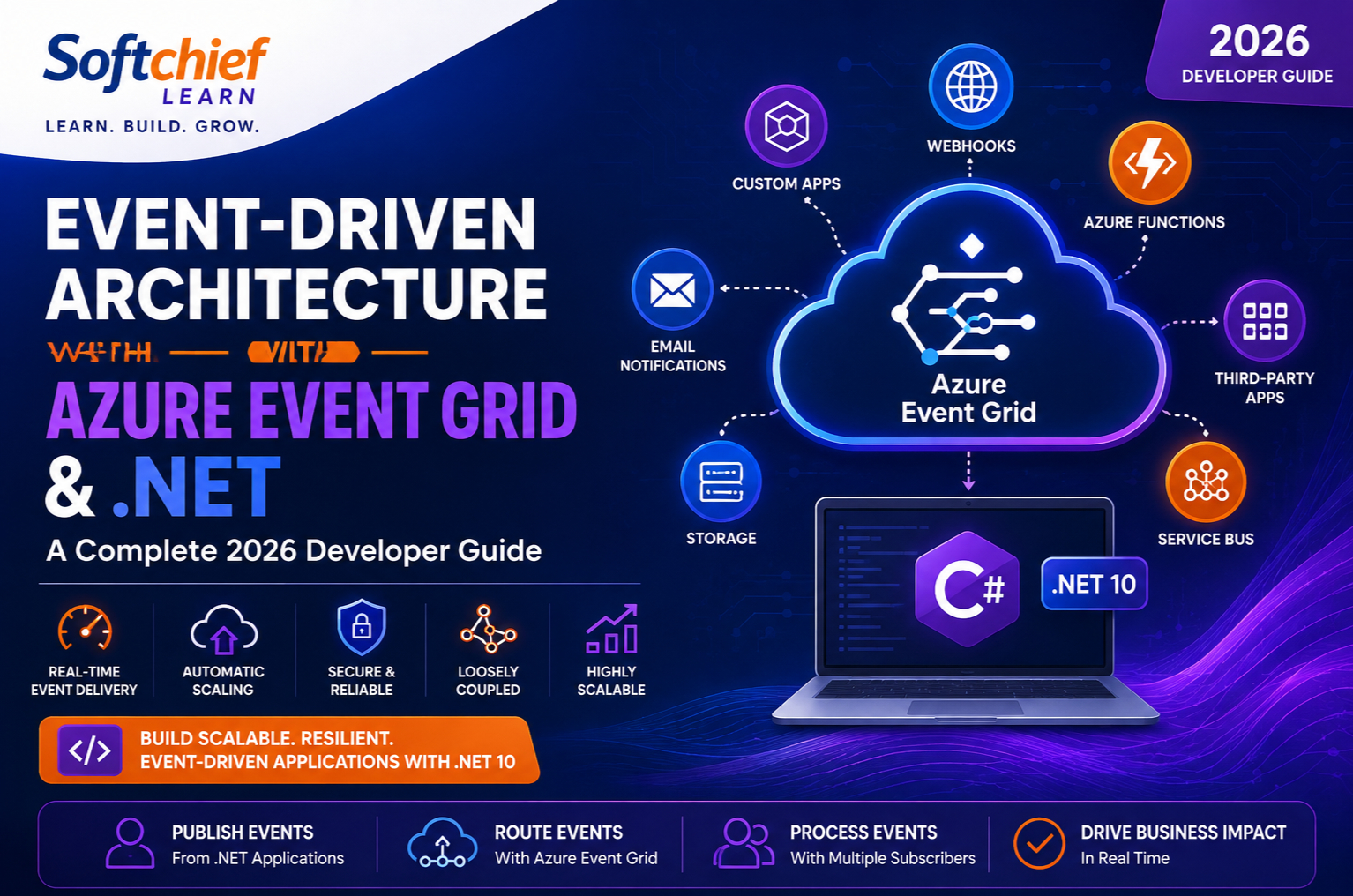
Azure Event Grid is Microsoft’s fully managed event routing service that enables applications and Azure services to publish and consume events with minimal infrastructure management.
It supports millions of events per second while offering low latency, high availability and automatic scaling.
Azure Event Grid can connect:
- Azure services
- Custom .NET applications
- Azure Functions
- Logic Apps
- Event Hubs
- Service Bus
- Webhooks
- Kubernetes workloads
- Third-party applications
Because Azure Event Grid is serverless, developers focus on business logic instead of managing messaging infrastructure.
Why Use Azure Event Grid?
Key benefits include:
- Near real-time event delivery
- Automatic scaling
- Fully managed service
- High availability
- Event filtering
- Secure delivery
- Retry mechanisms
- Dead-letter support
- Native Azure integration
- Pay-as-you-go pricing
It is ideal for event notification scenarios where rapid distribution and loose coupling are essential.
Core Components of Azure Event Grid
Understanding the main building blocks helps developers design effective event-driven systems.
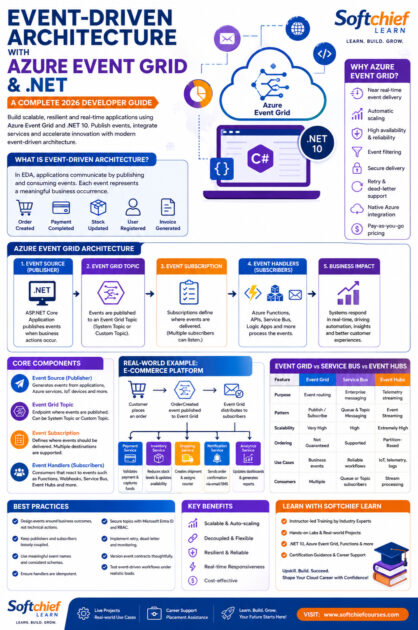
1. Event Source (Publisher)
The publisher generates events when business activities occur.
Examples include:
- Azure Storage
- Azure Blob Storage
- Azure Resource Manager
- Azure Key Vault
- Custom ASP.NET Core APIs
- IoT devices
- Business applications
A .NET application can publish events whenever important business actions occur.
2. Event Grid Topic
A Topic is the endpoint where events are published.
Azure provides:
System Topics
Automatically created for Azure services.
Examples:
- Storage Account
- Resource Group
- Azure Subscription
Custom Topics
Created for custom business applications.
These allow .NET applications to publish domain-specific events such as:
- OrderCreated
- PaymentProcessed
- CustomerRegistered
- ProductUpdated
3. Event Subscription
Subscriptions define where events should be delivered.
Destinations include:
- Azure Functions
- Webhooks
- Event Hubs
- Service Bus Queues
- Service Bus Topics
- Logic Apps
- Custom APIs
Multiple subscribers can receive the same event independently.
4. Event Handlers (Subscribers)
Subscribers react when events arrive.
For example:
Order Created Event triggers:
- Payment Service
- Warehouse Service
- Shipping Service
- Email Notification
- Analytics Platform
Each subscriber processes the event without affecting others.
Azure Event Grid Event Flow
A typical workflow follows these steps:
- A customer places an order.
- The ASP.NET Core application publishes an
OrderCreatedevent. - Azure Event Grid receives the event.
- Event Grid routes the event to all registered subscribers.
- Each service processes the event independently.
- Additional services can subscribe later without modifying the publisher.
This model promotes loose coupling and simplifies system evolution.
Building an Event-Driven Application with .NET 10
A typical architecture includes:
ASP.NET Core API
Receives client requests and publishes business events.
Azure Event Grid
Routes events to interested consumers.
Azure Functions
Executes serverless business logic.
Azure Service Bus (Optional)
Provides reliable asynchronous messaging for long-running processes.
Azure SQL Database
Stores transactional data.
Azure Monitor
Captures diagnostics and application telemetry.
Event Types
Azure Event Grid supports both predefined Azure events and custom events.
Examples of custom business events include:
- CustomerCreated
- CustomerUpdated
- OrderCreated
- OrderCancelled
- InvoiceGenerated
- PaymentCompleted
- ShipmentDispatched
- ProductBackInStock
Designing meaningful event names improves maintainability and communication across services.
Real-World Example: E-Commerce Platform
Imagine an online retail company built with ASP.NET Core.
A customer completes a purchase.
Instead of calling multiple services sequentially, the application publishes an OrderCreated event.
Azure Event Grid distributes the event to:
Payment Service
- Validates payment.
- Captures funds.
Inventory Service
- Reduces stock levels.
- Updates warehouse availability.
Shipping Service
- Creates shipment.
- Assigns courier.
Notification Service
- Sends order confirmation.
- Updates customer via email or SMS.
Analytics Service
- Updates sales dashboards.
- Triggers business intelligence reports.
Because each service works independently, failures in one area do not necessarily interrupt the entire workflow.
Azure Event Grid vs Azure Service Bus vs Event Hubs
Understanding when to use each Azure messaging service is crucial.
| Feature | Azure Event Grid | Azure Service Bus | Azure Event Hubs |
|---|---|---|---|
| Purpose | Event routing | Enterprise messaging | Telemetry streaming |
| Pattern | Publish/Subscribe | Queue & Topic Messaging | Event Streaming |
| Scalability | Very High | High | Extremely High |
| Ordering | Not Guaranteed | Supported | Partition-Based |
| Use Cases | Business events | Reliable workflows | IoT, telemetry, logs |
| Consumers | Multiple | Queue or Topic subscribers | Stream processing |
A common enterprise architecture combines these services to meet different messaging requirements.
Security Best Practices
Enterprise applications should secure event infrastructure by:
- Using Microsoft Entra ID authentication.
- Applying Role-Based Access Control (RBAC).
- Protecting endpoints with HTTPS.
- Validating event signatures.
- Restricting topic access.
- Encrypting sensitive payloads.
- Monitoring event activity.
- Enabling diagnostic logging.
Security should be incorporated from the design phase rather than added later.
Performance Optimization
To maximize throughput:
- Keep event payloads lightweight.
- Avoid sending unnecessary data.
- Use asynchronous programming (
async/await) in .NET. - Design idempotent event handlers.
- Filter unwanted events at the subscription level.
- Process events in parallel where appropriate.
- Monitor latency using Azure Monitor and Application Insights.
Efficient event design improves scalability and reduces operational costs.
Event Versioning
As applications evolve, event schemas may change.
Best practices include:
- Use explicit event version numbers.
- Maintain backward compatibility whenever possible.
- Avoid breaking changes.
- Introduce new properties rather than modifying existing ones.
- Deprecate old versions gradually.
Versioning helps maintain compatibility across independently deployed services.
Monitoring and Observability
Production systems require continuous monitoring.
Use:
- Azure Monitor
- Application Insights
- Log Analytics
- Azure Dashboard
- Distributed tracing with OpenTelemetry
Track:
- Failed event deliveries
- Processing latency
- Retry attempts
- Dead-letter events
- Subscriber performance
- Throughput metrics
Observability helps teams identify issues quickly and maintain reliable event processing.
Common Mistakes to Avoid
Many developers encounter challenges by:
- Making event payloads excessively large.
- Using synchronous processing where asynchronous handling is more appropriate.
- Ignoring retry and dead-letter strategies.
- Publishing events without versioning.
- Overloading subscribers with unrelated responsibilities.
- Failing to validate incoming events.
- Creating tightly coupled event contracts.
- Neglecting monitoring and diagnostics.
Avoiding these pitfalls results in more resilient and maintainable systems.
Best Practices for Event-Driven Architecture
To build robust event-driven applications:
- Design events around business outcomes rather than technical actions.
- Keep publishers and subscribers loosely coupled.
- Use meaningful event names and consistent schemas.
- Ensure handlers are idempotent to safely process duplicate deliveries.
- Store infrastructure configuration as code using Bicep or Terraform.
- Secure event topics with Microsoft Entra ID and RBAC.
- Implement retry, dead-letter and monitoring strategies.
- Version event contracts thoughtfully.
- Document event flows and dependencies for development teams.
- Test event-driven workflows under realistic load conditions before production deployment.
Career Opportunities
As organizations embrace cloud-native architectures, professionals with expertise in Azure Event Grid and distributed systems are in high demand.
Career opportunities include:
- Azure Developer
- .NET Developer
- Cloud Solutions Architect
- Integration Developer
- Azure Integration Engineer
- Backend Software Engineer
- Microservices Architect
- Cloud Consultant
- Azure DevOps Engineer
- Enterprise Application Architect
Knowledge of event-driven architecture, Azure messaging services and modern .NET development is increasingly valuable across industries such as finance, healthcare, retail, manufacturing and logistics.
Learn Azure Event Grid and .NET with Softchief Learn
At Softchief Learn, we provide practical, industry-focused training designed to help developers build enterprise-grade cloud applications using Microsoft’s latest technologies.
Our training programs include:
- C# Programming
- ASP.NET Core
- .NET 10 Development
- Azure Event Grid
- Azure Service Bus
- Azure Event Hubs
- Azure Functions
- Azure API Management
- Azure DevOps
- Azure Kubernetes Service (AKS)
- Microsoft Entra ID
- Microservices Architecture
- Cloud Design Patterns
- Live Projects and Real-World Case Studies
- Microsoft Certification Preparation
Our instructor-led courses combine hands-on labs, real-world implementation scenarios and expert guidance to help learners become confident cloud developers and solution architects.
Conclusion
Event-driven architecture has become a cornerstone of modern cloud-native application design, enabling systems to respond quickly to business events while remaining scalable, resilient and loosely coupled. By combining Azure Event Grid with the performance and flexibility of .NET 10, developers can build applications that process events efficiently, integrate seamlessly with Azure services and adapt easily to changing business requirements.
Whether you’re modernizing an existing application, designing microservices or building enterprise integration solutions, understanding event-driven architecture is an essential skill for today’s developers. By following the best practices outlined in this guide—such as designing meaningful event contracts, securing event flows, implementing observability and embracing asynchronous processing—you’ll be well equipped to build reliable, future-ready applications on Microsoft Azure.









