
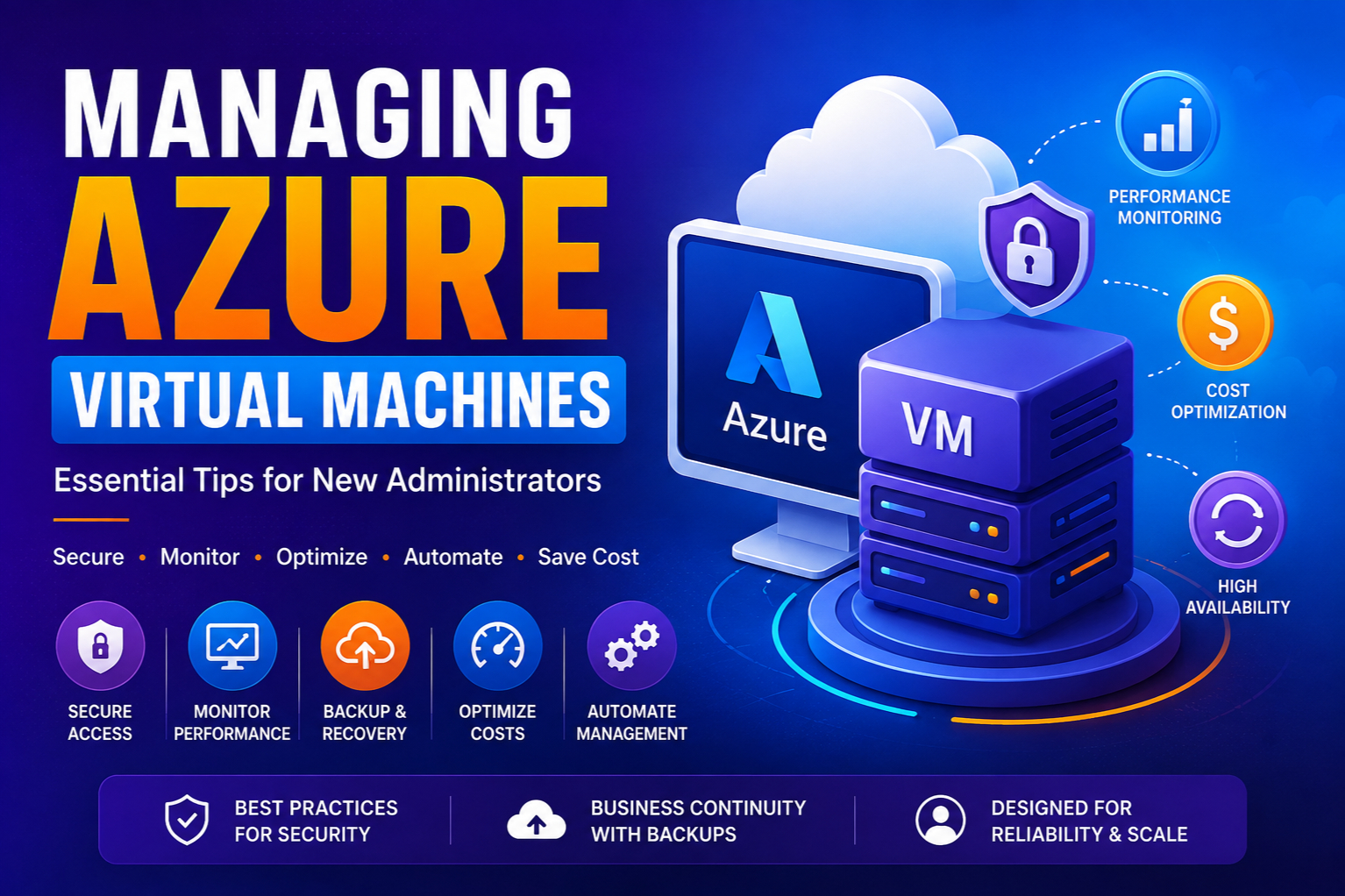
Managing Azure Virtual Machines: Essential Tips for New Administrators
Introduction
Cloud computing has transformed the way organizations deploy and manage IT infrastructure. Instead of purchasing physical servers, businesses can now provision computing resources on demand, scale applications quickly and manage infrastructure remotely.
Microsoft Azure Virtual Machines (VMs) are one of the most widely used cloud services for hosting applications, databases, development environments and enterprise workloads.
For new Azure administrators, managing Virtual Machines can initially feel overwhelming. Tasks such as selecting the right VM size, configuring networking, securing access, monitoring performance and controlling costs require careful planning and technical understanding.
A poorly managed Azure VM environment can lead to:
- Security vulnerabilities
- Unexpected costs
- Performance issues
- Resource wastage
- Application downtime
However, with the right practices and administration strategies, Azure Virtual Machines can provide a highly reliable, secure and cost-effective infrastructure platform.
This comprehensive guide explores essential Azure VM management tips for new administrators, covering provisioning, security, monitoring, backup strategies, optimisation, and operational best practices.
What are Azure Virtual Machines?
Azure Virtual Machines are Infrastructure-as-a-Service (IaaS) offerings that allow organizations to run operating systems and applications in Microsoft Azure without managing physical hardware.
An Azure VM provides:
- Virtualized computing resources
- Operating system environments
- Storage capabilities
- Networking configuration
- Security controls
- Monitoring features
Administrators can deploy:
- Windows Server workloads
- Linux applications
- Enterprise software
- Development environments
- Database servers
- Application servers
Azure VMs provide the flexibility of traditional servers with the scalability and automation benefits of cloud computing.
Why Azure VM Management Matters
Creating a virtual machine is only the beginning.
Effective VM management ensures:
- High availability
- Strong security
- Better performance
- Lower operational costs
- Faster troubleshooting
- Improved business continuity
Cloud administrators must continuously monitor and optimize their environments to ensure Azure resources deliver maximum value.
Understanding Azure VM Components
Before managing Azure Virtual Machines, administrators should understand the main components involved.
1. Virtual Machine Size
The VM size determines the computing power available.
It includes:
- CPU cores
- Memory
- Temporary storage
- Network bandwidth
Azure provides different VM families for different workloads.
Examples:
General Purpose VMs
Suitable for:
- Web applications
- Development environments
- Small databases
Compute Optimized VMs
Suitable for:
- High-performance applications
- Batch processing
- Gaming workloads
Memory Optimized VMs
Suitable for:
- Large databases
- Analytics workloads
- In-memory applications
GPU Optimized VMs
Suitable for:
- AI workloads
- Machine learning
- Graphics rendering
Choosing the correct VM size is critical for performance and cost optimization.
2. Operating System Selection
Azure supports multiple operating systems, including:
- Windows Server
- Ubuntu
- Red Hat Enterprise Linux
- SUSE Linux Enterprise
- Debian
Administrators should select the operating system based on:
- Application requirements
- Security policies
- Licensing considerations
- Technical expertise
3. Azure Storage
Azure VMs use managed disks for storage.
Types include:
Standard HDD
Suitable for:
- Development environments
- Testing workloads
Standard SSD
Suitable for:
- General applications
- Web servers
Premium SSD
Suitable for:
- Production workloads
- High-performance databases
Ultra Disk
Suitable for:
- Mission-critical applications
- Extremely high I/O workloads
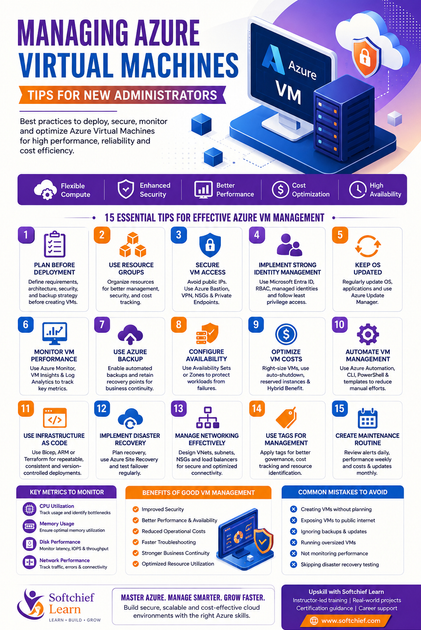
Tip 1: Plan VM Deployment Before Creating Resources
One of the biggest mistakes new administrators make is creating VMs without proper planning.
Before deployment, define:
- Application requirements
- CPU and memory needs
- Storage requirements
- Network design
- Security requirements
- Availability requirements
- Backup strategy
A well-planned architecture prevents expensive redesign later.
Tip 2: Use Resource Groups Effectively
Azure Resource Groups help organize and manage resources.
A good resource group strategy improves:
- Administration
- Security management
- Cost tracking
- Resource lifecycle management
Examples:
Production-Web-Environment

Production-Database-Environment

Development-Testing-Environment
Avoid placing unrelated resources in the same resource group.
Tip 3: Secure VM Access Properly
Security should be a priority from day one.
Common security practices include:
Avoid Public IP Exposure
Do not expose VMs directly to the internet unless necessary.
Instead use:
- Azure Bastion
- VPN connections
- Private endpoints
Use Microsoft Entra ID Authentication
Integrate Azure VMs with Microsoft Entra ID for centralized identity management.
Benefits include:
- Improved security
- Conditional Access policies
- Centralized authentication
Apply Network Security Groups (NSGs)
NSGs control inbound and outbound traffic.
Example:
Allow:
- HTTPS traffic
Restrict:
- Unnecessary ports
Avoid opening ports like:
- RDP (3389)
- SSH (22)
to the public internet.
Tip 4: Implement Strong Identity Management
Follow the principle of least privilege.
Provide administrators only the permissions they require.
Use:
- Azure Role-Based Access Control (RBAC)
- Managed identities
- Privileged Identity Management
Avoid sharing administrator accounts.
Tip 5: Keep Operating Systems Updated
Unpatched systems create security risks.
Administrators should regularly update:
- Windows patches
- Linux updates
- Security fixes
- Application components
Use:
- Azure Update Manager
to automate update management.
Tip 6: Monitor VM Performance Continuously
Monitoring is essential for maintaining reliable workloads.
Azure provides monitoring tools such as:
- Azure Monitor
- Log Analytics Workspace
- Application Insights
- VM Insights
Monitor metrics including:
- CPU usage
- Memory consumption
- Disk performance
- Network traffic
- Application response time
Important VM Metrics to Monitor
CPU Utilization
High CPU usage may indicate:
- Application bottlenecks
- Incorrect VM sizing
- Increased workload demand
Memory Usage
High memory usage can cause:
- Slow applications
- System instability
Disk Performance
Monitor:
- Disk latency
- IOPS
- Throughput
Slow storage can significantly impact application performance.
Network Performance
Track:
- Incoming traffic
- Outgoing traffic
- Connection failures
Tip 7: Use Azure Backup for Business Continuity
Every production VM should have a backup strategy.
Azure Backup provides:
- Automated backups
- Recovery points
- Long-term retention
- Disaster recovery support
Benefits include:
- Protection against accidental deletion
- Recovery from failures
- Business continuity
Tip 8: Configure Availability Options
For critical workloads, avoid single points of failure.
Azure provides:
Availability Sets
Protect applications from:
- Hardware failures
- Maintenance events
Availability Zones
Distribute VMs across physically separate Azure data centers.
Benefits:
- Higher availability
- Improved resilience
- Disaster protection
Tip 9: Optimize Azure VM Costs
Cloud costs can increase quickly without proper management.
New administrators should regularly review:
- Running VMs
- Unused resources
- Storage consumption
- Network costs
Right-Size Virtual Machines
Avoid:
- Over-provisioning
- Under-utilization
Example:
A server using only 10% CPU may not need a large VM size.
Use Auto-Shutdown for Development VMs
Development environments often run unnecessarily after working hours.
Auto-shutdown reduces wasted spending.
Use Reserved Instances
For predictable workloads, Azure Reserved VM Instances can provide significant cost savings.
Use Azure Hybrid Benefit
Organizations with eligible Windows Server licenses can reduce licensing costs.
Tip 10: Automate VM Management
Automation improves efficiency and reduces human errors.
Azure administrators can use:
- Azure Automation
- Azure CLI
- PowerShell
- ARM Templates
- Bicep
- Terraform
Common automation tasks include:
- VM creation
- Configuration management
- Updates
- Backup operations
- Scaling
Tip 11: Use Infrastructure as Code (IaC)
Modern cloud environments should avoid manual configuration.
Infrastructure as Code allows administrators to define resources using code.
Popular tools include:
- Azure Bicep
- Terraform
- ARM Templates
Benefits:
- Repeatable deployments
- Version control
- Faster recovery
- Consistent environments
Tip 12: Implement Disaster Recovery Planning
A complete Azure VM strategy requires disaster recovery planning.
Consider:
- Recovery objectives
- Backup frequency
- Failover procedures
- Data replication
- Testing recovery processes
Azure Site Recovery enables replication and disaster recovery for critical workloads.
Tip 13: Manage VM Networking Correctly
Azure VM networking includes:
- Virtual Networks (VNets)
- Subnets
- Network Security Groups
- Load Balancers
- Private Endpoints
- VPN Gateway
Best practices:
- Separate workloads into different subnets.
- Use private communication where possible.
- Restrict unnecessary network access.
- Design network architecture before deployment.
Tip 14: Use Tags for Resource Management
Tags help organize Azure resources.
Examples:
Environment = Production

Department = Finance

Application = CRM

Owner = IT-Team
Benefits:
- Cost tracking
- Resource identification
- Governance
- Reporting
Tip 15: Create a Monitoring and Maintenance Routine
Successful Azure administration requires ongoing management.
Regular activities include:
Daily:
- Review alerts
- Check critical workloads
Weekly:
- Review performance
- Check security recommendations
Monthly:
- Analyze costs
- Review updates
- Optimize resources
Real-World Scenario: Managing Azure VMs for an Enterprise Application
A company hosts its customer management application on Azure Virtual Machines.
Initially:
- VMs were oversized.
- Security rules were broad.
- Backups were inconsistent.
- Performance monitoring was limited.
After implementing Azure VM best practices:
- Right-sized VM configurations reduced costs.
- Azure Bastion improved secure access.
- Azure Backup protected business data.
- Azure Monitor provided real-time visibility.
- RBAC improved administrator security.
- Availability Zones increased application reliability.
The organization achieved better performance, stronger security and reduced operational expenses.
Common Mistakes New Azure Administrators Should Avoid
Avoid:
- Creating VMs without architecture planning
- Using public IP addresses unnecessarily
- Ignoring backups
- Running oversized VMs
- Forgetting security updates
- Opening unnecessary ports
- Not monitoring performance
- Ignoring cost optimization
- Managing everything manually
- Skipping disaster recovery testing
Future of Azure Virtual Machine Management
Azure VM management continues evolving with intelligent cloud capabilities.
Future trends include:
- AI-powered infrastructure monitoring
- Autonomous cloud operations
- Predictive performance management
- Intelligent cost optimization
- Automated security remediation
- Cloud-native workload optimization
- Deeper integration with Azure AI services
Cloud administrators will increasingly focus on automation, governance and strategic optimization rather than manual infrastructure management.
Skills Every Azure Administrator Should Learn
To become a successful Azure administrator, professionals should develop expertise in:
- Microsoft Azure Fundamentals
- Azure Virtual Machines
- Azure Networking
- Azure Storage
- Microsoft Entra ID
- Azure Monitor
- Azure Backup
- Azure Site Recovery
- Azure Security
- Azure RBAC
- Azure CLI
- PowerShell
- Infrastructure as Code
- Terraform
- Azure DevOps
- Cloud Governance
- Cost Management
Conclusion
Managing Azure Virtual Machines effectively requires more than creating and running servers in the cloud. Successful Azure administrators must understand security, monitoring, performance optimization, automation and cost management.
By following best practices such as selecting the right VM size, securing access, monitoring workloads, implementing backups, automating operations and optimizing costs, organizations can build reliable and efficient cloud environments.
For new Azure administrators, mastering Virtual Machine management provides a strong foundation for building expertise in cloud infrastructure, DevOps and enterprise cloud architecture.
As businesses continue migrating workloads to Azure, skilled administrators who understand how to manage secure, scalable and optimized VM environments will remain highly valuable in the modern cloud ecosystem.









