
Turning a Project into a Portfolio Piece That Shows What You Can Do
Introduction
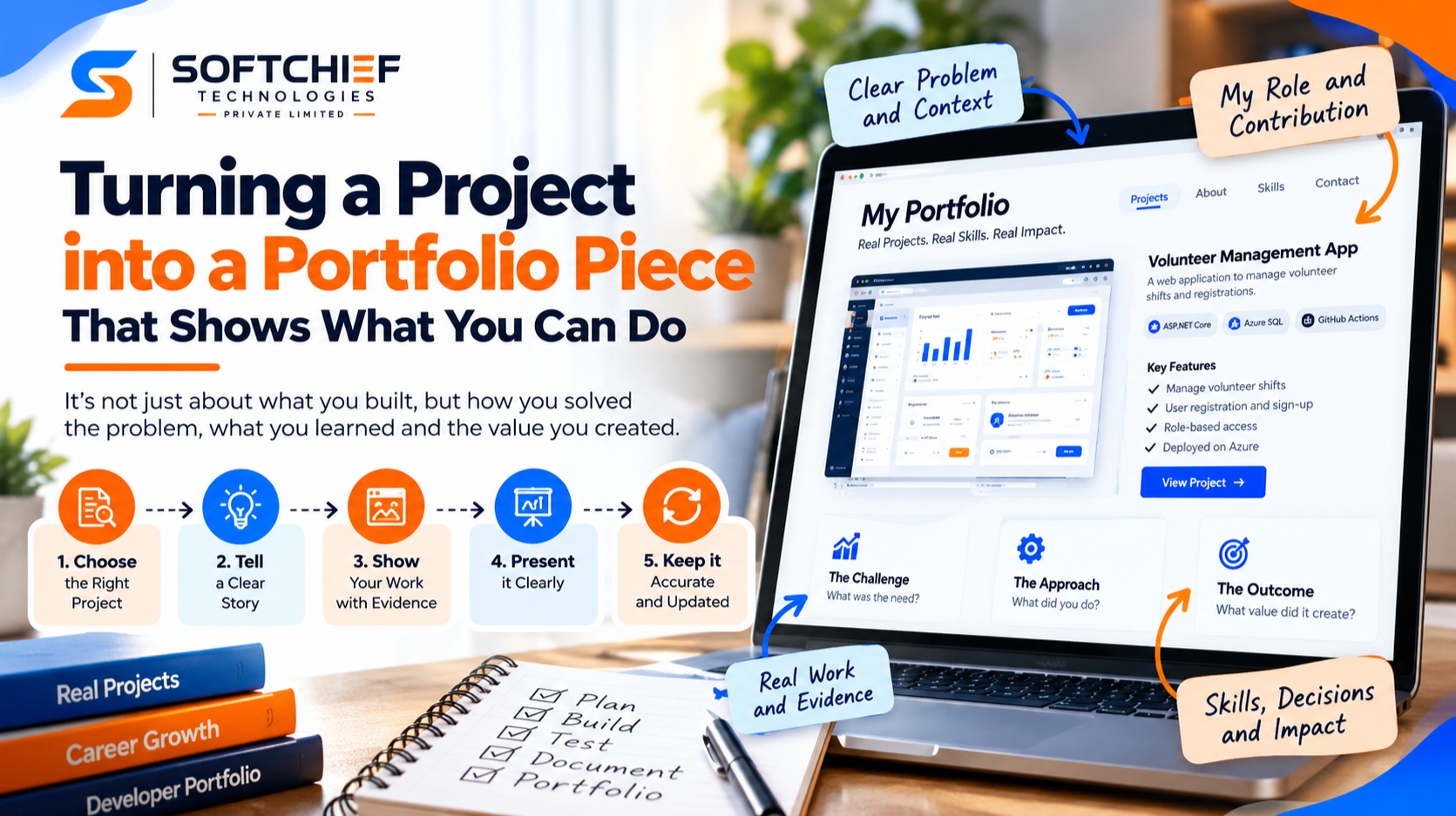
Finishing a project and showing its value are two different tasks. The deliverable shows what you made; a strong portfolio piece explains the thinking, choices, and work behind it.
Turning a project into a portfolio piece takes more than adding a few images to a page. You need a clear story that connects the original need to your contribution and the result.
This process works for design, writing, development, research, and other fields. You’ll learn how to choose the right project, show reliable evidence, and present team work responsibly, even when permissions or project limits shape what you can share.
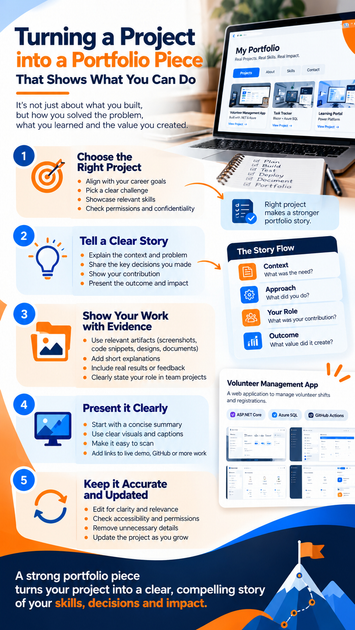
Turning a Project into a Portfolio Piece Starts with the Right Choice
The best project for your portfolio isn’t always the newest or flashiest. Choose work that speaks to the role, client, or program you want next, then make sure it gives you enough evidence to show how you work.
Match the project to your next opportunity
Compare a project’s tasks and results with the needs of your target role. If a job calls for user research, a project with interviews and tested designs may be more useful than a polished graphic that shows no research.
Pick work that proves a few relevant skills instead of trying to include everything you’ve done. A focused example makes it easier for readers to see why your experience fits.
Look for a clear challenge and contribution
Choose a project with a problem you can explain, decisions you can discuss, and a contribution you can describe. A clear challenge gives readers a reason to care about the final work.
For a team project, separate your work from the shared result. You might have led research, built a feature, or edited key sections while others handled different parts.
Check permissions and confidentiality
Before publishing, check client approval, employer policies, and rights to images, text, data, and other materials. Don’t share private details or work you’re not allowed to show.
When permitted, redact sensitive information or use anonymized examples. If those changes would make the project hard to understand, choose another piece.
Turn the Finished Project into a Clear Portfolio Story
A portfolio case study should guide a new reader from context to outcome without recording every step you took. Keep the focus on the choices that explain the work and matter to your audience.
Explain the context and define the problem
Say who the work was for, what prompted it, and which limits shaped the project. A reader should understand the need without knowing the client or field in advance.
Mention constraints that affected your approach, such as a short timeline, fixed budget, or technical requirement. Leave out background that doesn’t help explain the challenge.
Show the decisions behind the work
Describe a few key choices and why they made sense. Include relevant research, early drafts, revisions, or technical decisions, but don’t turn the case study into a project diary.
For example, a design case study could show how feedback led to a simpler sign-up flow. Explain what changed and why, rather than displaying every draft.
Make the outcome easy to understand
State what you delivered and how it addressed the original need. A clear summary lets readers connect the finished work to the problem you set out to solve.
Separate goals from measured results. If the project aimed to make a process easier but no follow-up data exists, describe the intended improvement without claiming it happened.
Show Your Contribution with Credible Evidence
A strong portfolio piece pairs useful artifacts with accurate descriptions. Each sample should support a point in your story, and you should have permission to share it.
Select artifacts that support the story
Choose a small set of materials that help readers understand the work. A designer might show a prototype; a writer could share an excerpt; a developer might include a code sample or system diagram.
Add a short note to explain what each artifact shows. A screenshot of a final page, for instance, is more useful when readers know which feature or decision to notice.
Clarify your role in collaborative work
Briefly state the team structure and your responsibilities. Name the parts you completed and the parts others handled, especially when the final work was shared.
Regis University’s portfolio guidance also recommends framing samples around the challenge, individual role, and results. That structure helps readers understand your work without implying you owned the entire project.
Support results with verifiable details
Use documented metrics, feedback, or other evidence when you have it and can share it. Give enough context for readers to understand what a number measures and when it was collected.
If you don’t have measured results, state what you completed or what you observed. A finished deliverable is worth showing on its own; invented figures only weaken trust.
Present the Portfolio Piece So Readers Can Scan and Explore
Readers may spend a few seconds scanning before deciding to look closer. Put the key facts near the top, then use clear visuals and links to help them explore.
Lead with a concise project summary
Start with the project type, your role, and a short statement of the challenge or outcome. Add the timeframe when it helps readers understand the work.
Keep these facts visible above the detailed story. A reader should quickly know what the project was and what you contributed.
Pair visuals with useful explanations
Use clear images, readable labels, and captions that explain what each visual demonstrates. Descriptive alt text helps people using screen readers understand the image’s purpose.
Check that text remains easy to read and that color contrast is clear. Crop images carefully so important details don’t disappear on smaller screens.
Make the next step obvious
When you’re allowed to share them, link to the live project, related work, résumé, or contact page. Each link should help readers take a useful next step.
Test links before publishing and open the page on a phone. A portfolio page that works only on a large screen can hide your best evidence from mobile visitors.
Keep the Project Portfolio Piece Accurate and Current
A polished case study is focused, easy to use, and true to the work. Review the writing, visuals, and permissions before publishing, then revisit the page as your skills and goals change.
Edit for clarity and relevance
Cut repeated details and jargon that won’t help your intended reader. Keep the challenge, your contribution, and the outcome easy to find.
Read the page as someone outside the project. If a detail needs long explanation, shorten it or add context where the reader needs it.
Review accessibility, accuracy, and permissions
Check spelling, links, image descriptions, contrast, and attribution. Confirm names, dates, team roles, and claims about results before the page goes live.
Review confidentiality rules again if you update the case study with new images or details. Permission to share one asset doesn’t always cover every part of a project.
Update the piece as your work evolves
Revisit older entries when your goals, tools, or results change. A project that once fit your target role may no longer show the skills you want to highlight.
Update claims when new evidence becomes available, and remove work that no longer reflects your standards. A smaller, current portfolio often gives a clearer picture than a long archive.
Conclusion
A strong portfolio piece does more than display finished work. It connects a real challenge to your specific contribution and a clearly explained outcome.
Choose projects that fit the opportunities you want, tell a focused story, and support it with accurate evidence. Respect permissions and accessibility, then keep the page easy to scan and current. Pick one relevant project and start shaping its story today.









