Dataverse Plugins vs Power Automate: What Microsoft Experts Actually Use in Real Projects
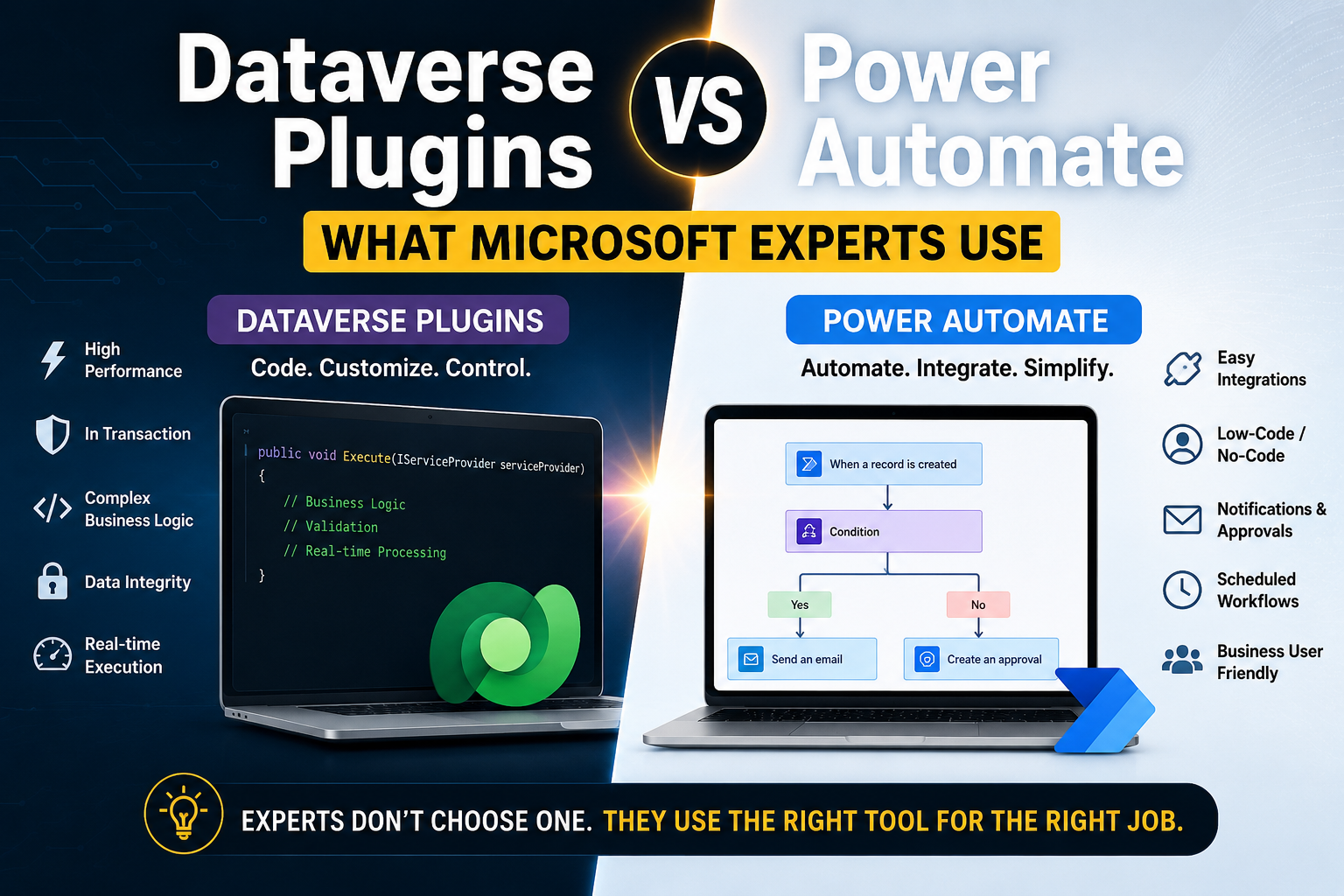
Introduction
One of the most common questions I hear from Power Platform developers and Dynamics 365 professionals is:
“Should I use a Dataverse Plugin or Power Automate?”
While both can automate business processes, choosing the wrong approach can lead to performance issues, maintenance challenges, increased licensing costs, and poor user experience.
After working on numerous Dynamics 365 and Power Platform implementations, I’ve observed that experienced Microsoft consultants don’t see Plugins and Power Automate as competitors. Instead, they understand when each tool is most appropriate.
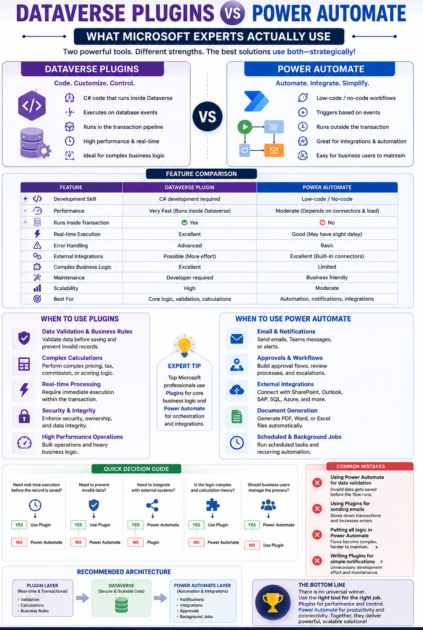
In this article, we’ll explore the differences, strengths, limitations, and real-world scenarios that help experts decide.
Understanding the Basics
What is a Dataverse Plugin?
A Dataverse Plugin is custom C# code that executes directly within the Dataverse platform when specific events occur.
Examples:
- Before a record is created
- After a record is updated
- During record deletion
- On custom actions
Plugins run server-side and are tightly integrated with Dataverse transactions.
What is Power Automate?
Power Automate is Microsoft’s low-code automation platform.
It allows users to create workflows visually without writing extensive code.
Examples:
- Send email notifications
- Create approval processes
- Integrate with external systems
- Generate reports
- Update records automatically
Quick Comparison
| Feature | Dataverse Plugin | Power Automate |
|---|---|---|
| Development Skill | C# Required | Low-Code |
| Performance | Very Fast | Moderate |
| Runs Inside Transaction | Yes | No |
| Error Handling | Advanced | Basic |
| External Integrations | Possible | Excellent |
| Real-Time Processing | Excellent | Good |
| Maintenance | Developer Required | Business Friendly |
| Complex Logic | Excellent | Limited |
| Scalability | High | Moderate |
Scenario 1: Data Validation
Requirement
Prevent users from creating an Opportunity with an estimated revenue greater than $1 million unless approved.
Expert Choice
✅ Plugin
Why?
The validation must happen immediately before saving the record.
A plugin can:
- Stop the transaction
- Display a meaningful error
- Ensure data integrity
Power Automate runs after the transaction and cannot reliably prevent the save operation.
Scenario 2: Send Notifications
Requirement
Notify the sales manager whenever a large deal is closed.
Expert Choice
✅ Power Automate
Why?
Sending emails is exactly what Power Automate was designed for.
Benefits:
- No coding
- Easy maintenance
- Business users can modify notifications
Scenario 3: Complex Business Logic
Requirement
Calculate commission based on:
- Product category
- Region
- Customer tier
- Historical purchases
- Seasonal discounts
Expert Choice
✅ Plugin
Why?
This logic can quickly become hundreds of lines of code.
A plugin provides:
- Better maintainability
- Version control
- Testing capability
- Higher performance
Scenario 4: Integrating with External Systems
Requirement
Create an invoice in ERP when an Order is completed.
Expert Choice
✅ Power Automate
Why?
Power Automate provides built-in connectors for:
- SAP
- SharePoint
- Outlook
- Teams
- SQL Server
- Azure Services
Building these integrations through plugins would require significantly more effort.
Scenario 5: Real-Time User Experience
Requirement
As soon as a record is saved, automatically calculate and update fields.
Expert Choice
✅ Plugin
Why?
Plugins execute immediately within the Dataverse transaction.
The user sees results instantly.
Power Automate may introduce delays ranging from seconds to minutes depending on workload.
Performance Comparison
Let’s imagine updating 10,000 records.
Plugin
- Runs within Dataverse
- Minimal overhead
- Faster execution
Power Automate
- Trigger execution
- Flow startup time
- Connector calls
- API limitations
For high-volume operations, plugins generally outperform Power Automate significantly.
Common Mistakes Developers Make
Mistake #1
Using Power Automate for data validation.
Result:
- Users save invalid data.
- Flow fails afterward.
Mistake #2
Using Plugins to send emails.
Result:
- Increased transaction time.
- Potential timeout issues.
Mistake #3
Putting all business logic in Power Automate.
Result:
- Complex flows
- Difficult debugging
- Maintenance challenges
Mistake #4
Writing Plugins for simple notifications.
Result:
- Unnecessary development effort.
- Reduced flexibility.
What Microsoft Experts Typically Do
In enterprise projects, the most successful teams use both technologies together.
Use Plugins For
- Data validation
- Complex calculations
- Security enforcement
- Transactional logic
- High-performance processing
- Real-time execution
Use Power Automate For
- Notifications
- Approvals
- External integrations
- Scheduled jobs
- Document generation
- Cross-system automation
Recommended Architecture
A proven enterprise architecture looks like this:
Plugin Layer
Handles:
- Validation
- Calculations
- Business rules
Dataverse Layer
Stores business data securely.
Power Automate Layer
Handles:
- Notifications
- Integrations
- Approvals
- Background automation
This approach delivers better scalability, performance, and maintainability.
Summary
There is no universal winner.
The best Microsoft professionals understand that Plugins and Power Automate serve different purposes.
Choose a Plugin when:
✔ Performance matters
✔ Real-time execution is required
✔ Complex business logic exists
✔ Data integrity is critical
Choose Power Automate when:
✔ Integrating systems
✔ Sending notifications
✔ Building approval processes
✔ Enabling citizen developers
The most successful Dynamics 365 and Power Platform solutions use both technologies strategically rather than forcing everything into a single tool.
About the Author
Sanjay Prakash
Microsoft MVP – Business Applications
Helping organizations build scalable solutions using Dynamics 365, Dataverse, Power Platform, Plugins, Power Automate, and AI-powered business applications.
For corporate training, consulting, architecture reviews, and implementation support, feel free to connect.